


Same Wall Two Very Different Rooms
Get a more immersive picture than any TV, without giving up your space. A projector brings the big-picture feeling home and keeps your room looking the way you designed it.

By Series
Home Projectors Cinema Projectors Portable Projectors Gaming Projectors TV Projectors Golf Simulator ProjectorsBy Feature
Best 4K Projectors Best Gaming Projectors Best Projectors for Sports GV Series Portable Ceiling Projectors House Mapping ProjectorsBy Trending Word
4K UHD (3840×2160) Short Throw 2D, Vertical/Horizontal Keystone LED Laser With Android TV With Low Input LagExplore Commercial Projector
Professional Installation Simulation Projection Small Business Corporation K12 & Higher EducationAccessories
Explore treVolo Speaker
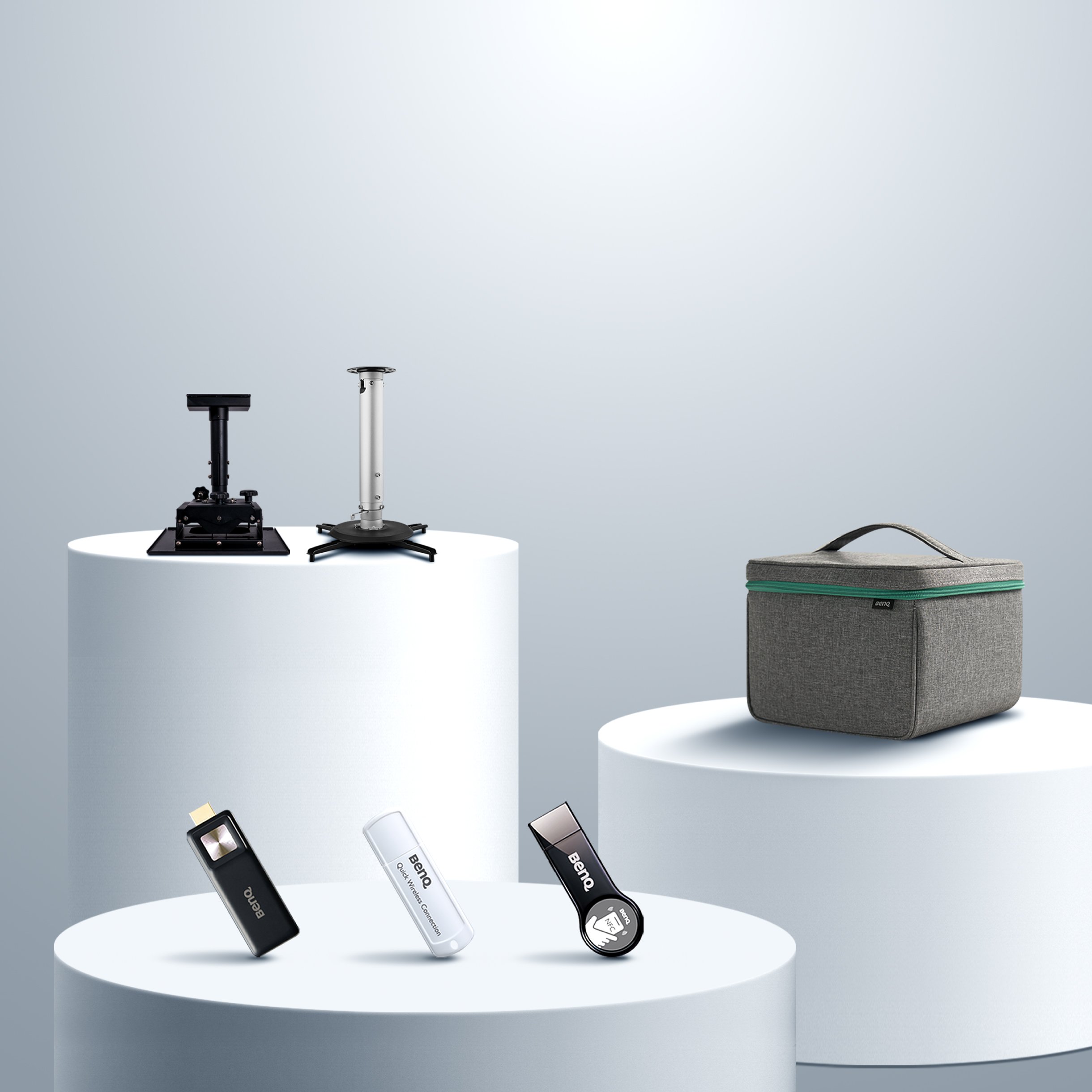
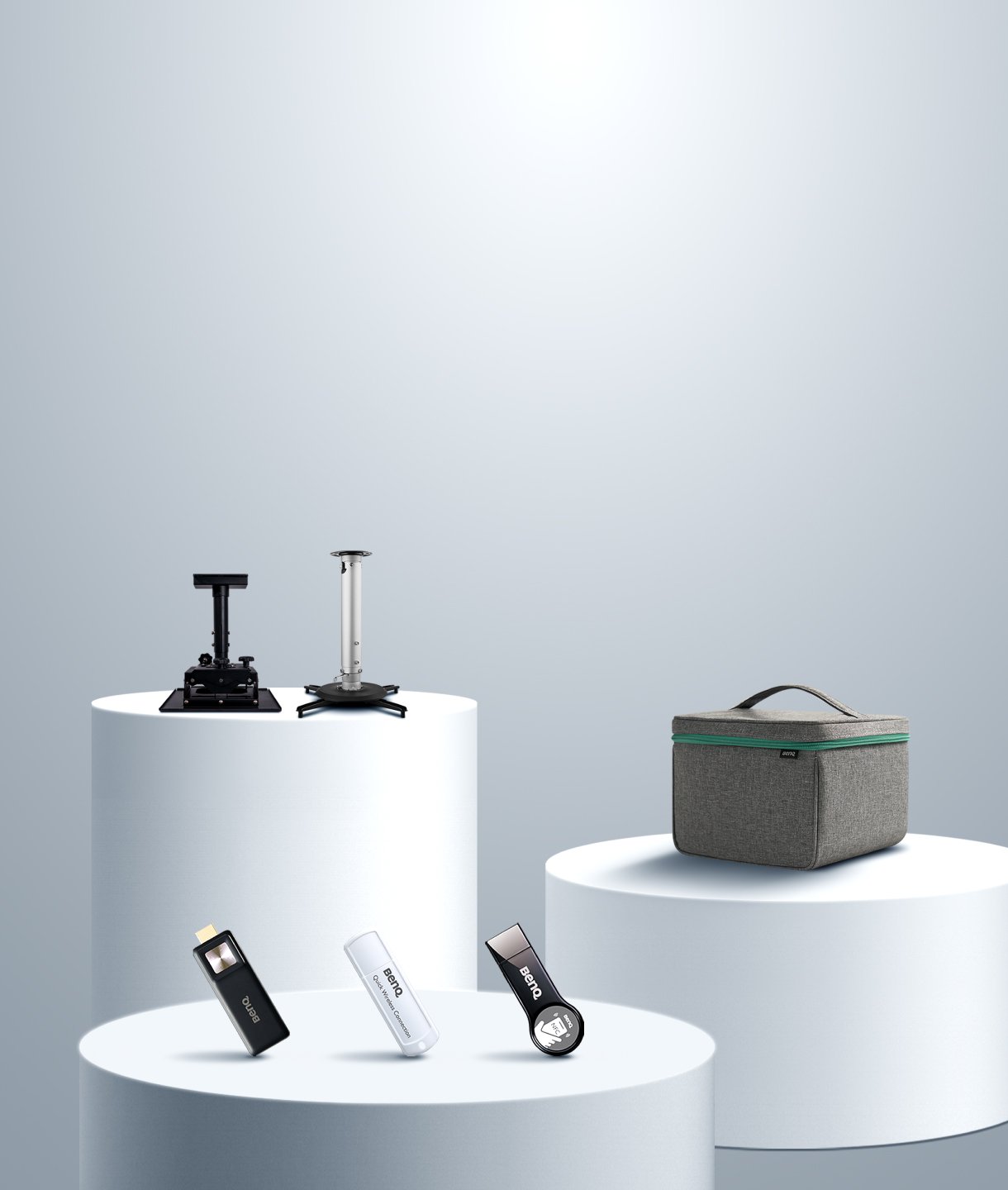
Carry Case & Stand

Projectors
Monitors
Lighting
GV31 Recall
Accessories
Interactive Displays | Signage
Wireless PresentationStore
Some moments are too big for a TV screen.
A 150-inch screen isn't just bigger. It's the difference between watching a moment and actually experiencing it.
No setup skills required. Just moments, ready.
Skip the tinkering. Auto-focus, obstacle avoidance, and automatic screen-fit do the work for you. Just point and play.
Built for real homes, not blackout rooms.
No dark room required. Engineered for bright spaces so your screen looks just as stunning at 3 PM as it does at 9 PM.
Front, side, or ceiling-mounted, the projector auto-adjusts for perfectly aligned images with 8-Way Smart Image Adaptation—no setup stress, just seamless viewing.
Optical / Digital Zoom
Auto 2D Keystone
Auto Focus in Seconds
Auto Cinema Mode
Auto Screen Fit
Auto Obstacle Avoidance
Digital Shift
Auto Eye Protection
*These models support both front and side projection:TK705i, TK705STi, TK710i, TK710STi, TK700, TK700ST, GP520
Prefer a fixed install? Mount it once and enjoy always-ready setup. *Compatible models: TK705i, TK705STi, GP520, TK710, TK710STi, TK700, TK700ST, TH671ST, TH685p, TH575, TH585p
Create a seamless aesthetic by placing it on a shelf or tall cabinet. *Compatible models: TK705i, TK705STi, GP520
Need flexibility? Set it anywhere - super easy to move and reposition. *Compatible models: TK705i, TK705STi, GP520,TK710STi, TK700ST, TK700 TH671ST
Guarantees factory-calibrated, movie-grade color accuracy that meets strict Rec.709 standards.

Optimizes dark scenes and bright highlights using dynamic local contrast enhancement.

With 3000 lumens, engineered to maintain vivid image clarity and rich color depth in well-lit living rooms.

Features fine-tuned HDR-RPG and HDR-FPS presets to automatically optimize gaming visuals.
HDR-RPG
HDR-FPS
Logos of Google TV, YouTube, Netflix, etc in an infographic image.

The image quality in both movies/shows and games is fantastic…showing everything in crisp detail.
- J.W., USA
Colors and crispness are incredible, couldn't be happier with this purchase. Very easy to setup and scale to the screen size.
- T.S., USA
This projector is super bright. Can see this one in full daylight without any issues. Blacks are dark and there is no blurring in high motion action scenes.
- J.G., USA
Ease of setup. No lag. Good video quality. Short projection distance makes it practical for many different room layouts.
- L.H., USA
Pick a wall, place the projector, and plug it in.
Power it on - the image auto-aligns and focuses.
Launch your favorite steaming app and press play.
Want to enjoy a 150” cinematic screen in your living room, backyard, or by the pool? With a portable screen, it’s easy to move, easy to align. Wherever you are—day or night, indoors or out—just set it down and let the image adjust automatically. No more limits. Just big-screen fun, anywhere you want it.


TK705STi
Short Throw, Made for Small Rooms
Ideal for projection distance under 2m 150“ @ 2.7m/8.7ft 3000 ANSI Lumens
TK705i
Standard Throw, Built for Bigger Spaces
Ideal for projection distance over 2m 150“ @ 3.3 ~4.3m / 10.9~14.2ft 3000 ANSI Lumens
TK710STi
Short Throw, Made for Small Rooms
Ideal for projection distance under 2m 150“ @2.3~2.8m/ 7.5~ 9ft 3200 ANSI Lumens
TK710
Standard Throw, Built for Bigger Spaces
Ideal for projection distance over 2m 150“ @ 3.8~5m/ 12.5~ 16.3ft 3200 ANSI Lumens
TH575i
Standard Throw, Bright for Any Room
Ideal for projection distance over 2m 120” @ 4.0~4.4m / 13.0~14.3ft 3800 ANSI Lumens

Start by choosing a projector that fits your throw distance. Then decide if you prefer a ceiling mount or the flexibility of tabletop placement. No matter your room size or setup preference, there’s a perfect BenQ Home Entertainment Projector for you.
Distances shown above are based on a 120-inch screen. For accurate throw distance recommendations by model, please check AR Projector Planner app.


Discover other projectors designed for the way you watch, play, and enjoy.
Cinema Projectors
Portable Projectors
Gaming Projectors
Golf Simulator Projectors
Home Projector Series
Compare all home projectors
Standard Throw
120" screen > 2.5m
From {{currency}}{{ formatPrice(n[1]) }} -
Learn more2600lm~3200lm
Brightness
Up to
98% Rec.709
Color Coverage
Up to
(Auto) Vertical, (Auto) Horizontal
Keystone
Up to
5 ms (4K@60Hz)
Input Lag
Up to
Google TV with Certified Netflix
Streaming
1.0x/1.3x
Zoom Ratio
Up to
USB-A x2, HDMI x2,USB-C (DP Alt Mode/ PD in & PD out)
Connectivity
Lamp/LED/Laser
Light Source

Short Throw
120" screen < 2.5m
From {{currency}}{{ formatPrice(n[1]) }} -
Learn more3000lm~3200lm
Brightness
Up to
98% Rec.709
Color Coverage
Up to
(Auto) Vertical, (Auto) Horizontal
Keystone
Up to
5 ms (4K@60Hz)
Input Lag
Up to
Google TV with Certified Netflix
Streaming
1.0x/1.2x
Zoom Ratio
Up to
USB-A, HDMI x2, USB-C (DP Alt Mode/ PD in)
Connectivity
Lamp/LED/Laser
Light Source
Rec.709 Color Space
Rec.709 uses specific red, green, and blue colors and illuminant D65 (6500k) for the white point to build a standardized color space and reproduce accurate color gamut and grayscale, and the percentage higher, the color gamut wider.
Input Lag
Input lag or input latency is the amount of time it takes to display a signal on the screen from when the source sends it.
Zoom Ratio
The zoom ratio is used to indicate the zoom range of the lens, you will see it listed with an "X". The zoom ratio does not equate to the total zoom power of the lens, simply the zoom range of the lens.
Rec.709 Color Space
Rec.709 uses specific red, green, and blue colors and illuminant D65 (6500k) for the white point to build a standardized color space and reproduce accurate color gamut and grayscale, and the percentage higher, the color gamut wider.
Input Lag
Input lag or input latency is the amount of time it takes to display a signal on the screen from when the source sends it.
Zoom Ratio
The zoom ratio is used to indicate the zoom range of the lens, you will see it listed with an "X". The zoom ratio does not equate to the total zoom power of the lens, simply the zoom range of the lens.
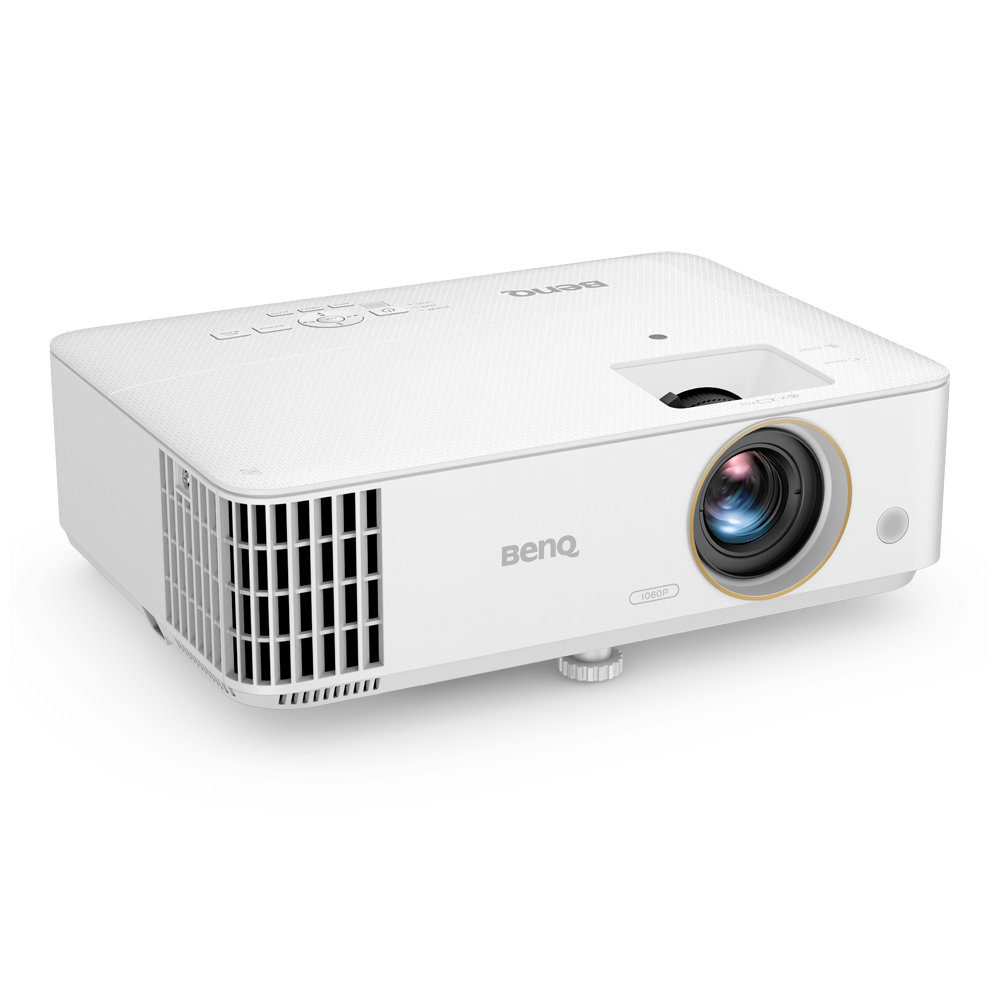
Standard Throw
120" screen > 2.5m
From {{currency}}{{ formatPrice(n[1]) }} -
Learn more3500lm~3800lm
Brightness
Up to
95% Rec.709
Color Coverage
(Auto) Vertical
Keystone
16 ms (1080p@60Hz)
Input Lag
1.1x/1.3x
Zoom Ratio
USB-A
Connectivity
Lamp
Light Source
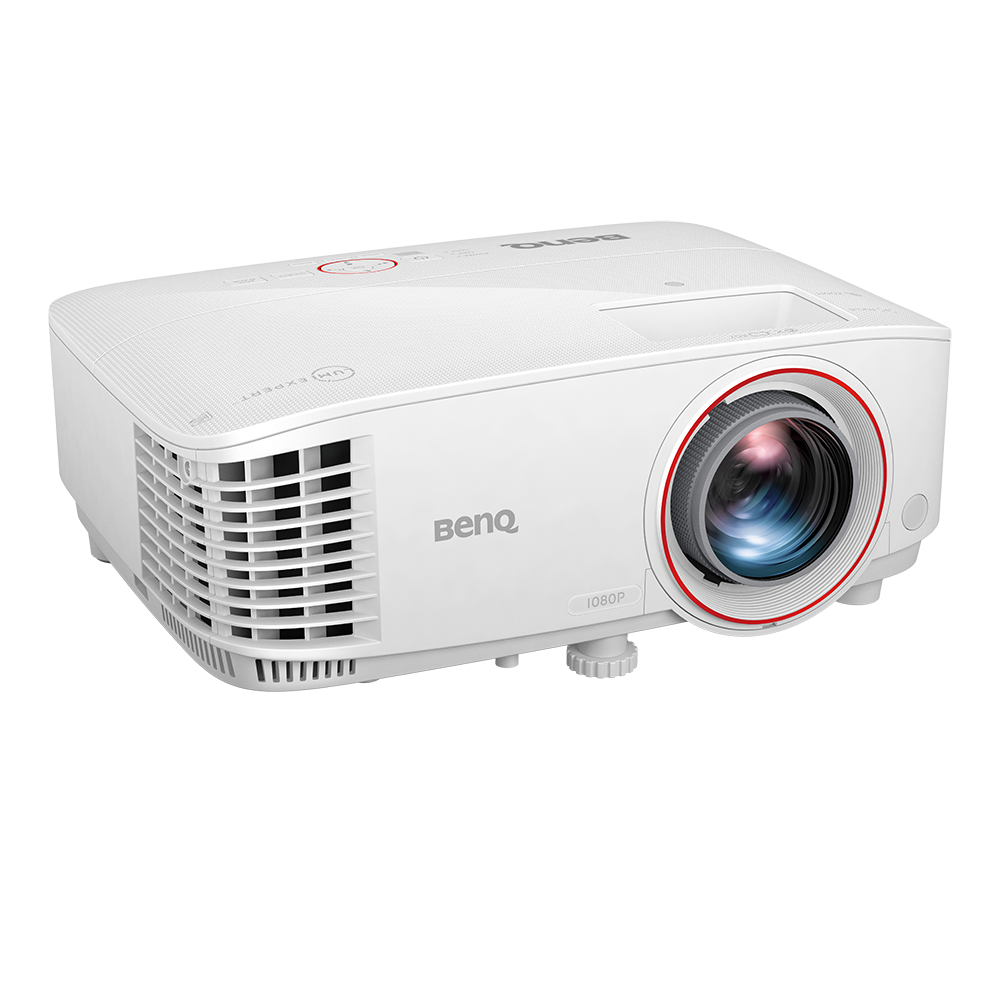
Short Throw
120" screen < 2.5m
{{currency}}{{ formatPrice(n[1]) }} -
Learn more3000lm
Brightness
92% Rec.709
Color Coverage
(Auto) Vertical
Keystone
16 ms (1080p@60Hz)
Input Lag
1.2x
Zoom Ratio
USB-A
Connectivity
Lamp
Light Source
Rec.709 Color Space
Rec.709 uses specific red, green, and blue colors and illuminant D65 (6500k) for the white point to build a standardized color space and reproduce accurate color gamut and grayscale, and the percentage higher, the color gamut wider.
Input Lag
Input lag or input latency is the amount of time it takes to display a signal on the screen from when the source sends it.
Zoom Ratio
The zoom ratio is used to indicate the zoom range of the lens, you will see it listed with an "X". The zoom ratio does not equate to the total zoom power of the lens, simply the zoom range of the lens.
Rec.709 Color Space
Rec.709 uses specific red, green, and blue colors and illuminant D65 (6500k) for the white point to build a standardized color space and reproduce accurate color gamut and grayscale, and the percentage higher, the color gamut wider.
Input Lag
Input lag or input latency is the amount of time it takes to display a signal on the screen from when the source sends it.
Zoom Ratio
The zoom ratio is used to indicate the zoom range of the lens, you will see it listed with an "X". The zoom ratio does not equate to the total zoom power of the lens, simply the zoom range of the lens.


Support Center
Contact Us


