Best Buddies to Unleash Creativity
BenQ Display Pilot
Being bombarded with switching between various settings makes you tired. Display Pilot simplifies workflows by offering support tools to make design work more convenient and flexible.

By Series
4K Gaming Projectors Home Cinema Series TV Projector Series Portable Projectors Golf Simulator ProjectorsBy Feature
Home Entertainment Best 4K Projectors Best Gaming Projectors Best Projectors for Sports GV Series Portable Ceiling Projectors House Mapping ProjectorsBy Trending Word
4K UHD (3840×2160) Short Throw 2D, Vertical/Horizontal Keystone LED Laser With Android TV With Low Input LagExplore Commercial Projector
Professional Installation Simulation Projection Small Business Corporation K12 & Higher EducationBy Feature
Photographer Monitors Designer Monitors Best 4K Monitors Best Monitors for MacBook Pro & Mac Best Monitors for Versatile MacBook Users Best Monitors for ProgrammingRemote Work & Learning
Explore treVolo Speaker
Dialogue Speaker for Learning Electrostatic Bluetooth Speaker Carry Case & StandProjectors
By Series
4K Gaming Projectors Home Cinema Series TV Projector Series Portable Projectors Golf Simulator ProjectorsBy Feature
Home Entertainment Best 4K Projectors Best Gaming Projectors Best Projectors for Sports GV Series Portable Ceiling Projectors House Mapping ProjectorsBy Trending Word
4K UHD (3840×2160) Short Throw 2D, Vertical/Horizontal Keystone LED Laser With Android TV With Low Input LagExplore Commercial Projector
Professional Installation Simulation Projection Small Business Corporation K12 & Higher EducationMonitors
By Feature
Photographer Monitors Designer Monitors Best 4K Monitors Best Monitors for MacBook Pro & Mac Best Monitors for Versatile MacBook Users Best Monitors for ProgrammingLighting
Remote Work & Learning
Explore treVolo Speaker
Dialogue Speaker for Learning Electrostatic Bluetooth Speaker Carry Case & StandInteractive Displays | Signage
Wireless PresentationStore
Cookie Setting
How can I change my BenQ cookie settings?
Page updated: May 2020
Some essential features on BenQ sites just won’t work without cookies. And having other cookies switched off can seriously affect the way you’ll be able to enjoy our services.
Please check your cookie settings below and turn on any cookies you’re happy with.
“Strictly necessary” cookies can’t be turned off. But Functional and Performance cookies can be turned on or off below. You can learn more about cookies and what they do on our other pages.
If you've chosen to block third-party cookies on your browser, your cookie preferences won't carry over from benq.eu to benq.xx and vice versa. Please make sure to set your cookie preferences in both places.
On
Strictly necessary cookies
These cookies are essential so that you can move around the website and use its features. Without these cookies services you have asked for cannot be provided.
On
Off
Functional cookies
These cookies allow the website to remember choices you make to give you better functionality and personal features.
On
Off
Performance cookies and advertising cookies
Performance cookies
These cookies help to improve the performance of BenQ. If you want to opt-out of advertising cookies, you have to turn-off performance cookies. We also use Google Analytics, SessionCam and Hotjar to track activity and performance on the BenQ website. You can control the information provided to Google, SessionCam and Hotjar. To opt out of certain ads provided by Google you can use any of the methods set forth here or using the Google Analytics opt out browser add-on here. To opt-out of SessionCam collecting data, you can disable tracking completely by following link:https://sessioncam.com/choose-not-to-be-recorded/. To opt-out of Hotjar collecting data, you can disable tracking completely by following link:https://www.hotjar.com/privacy/do-not-track/.
See list of performance and advertising cookies
Advertising cookies
These cookies are used to track your activity on the BenQ website and other websites across the Internet, help measure the effectiveness of our advertising campaign and deliver advertisements that are more relevant to you and your interests. We use various advertising partners, including Amazon, Facebook, and Google. These cookies and other technologies capture data like your IP address, when you viewed the page or email, what device you were using and where you were. You can find out how to avoid them below.
See list of performance and advertising cookies
Get FREE shipping in the US for orders over $35 + FREE returns within 30 days
BenQ Display Pilot
Being bombarded with switching between various settings makes you tired. Display Pilot simplifies workflows by offering support tools to make design work more convenient and flexible.
BenQ Display Pilot
Being bombarded with switching between various settings makes you tired. Display Pilot simplifies workflows by offering support tools to make design work more convenient and flexible.
Application Mode
Assigns different color modes to different applications
Print Assist
Helps you to preview projects in actual print size
ICCsync
Ensures monitor uses accurate color settings
Desktop Partition
Splits your workspace easily without dragging and re-sizing
Keyboard Hotkey
Offers keyboard shortcuts to access different functions
Auto Pivot
Rotates your image automatically based on the monitor alignment
Application Mode makes you easily assign different color modes, and remembers your frequently-used settings for upcoming applications.
Switch on Print Assist, the chosen paper size will pop up as an overlay. You can now preview projects in real paper size.
Application Mode makes you easily assign different color modes, and remembers your frequently-used settings for upcoming applications.
Switch on Print Assist, the chosen paper size will pop up as an overlay. You can now preview projects in real paper size.
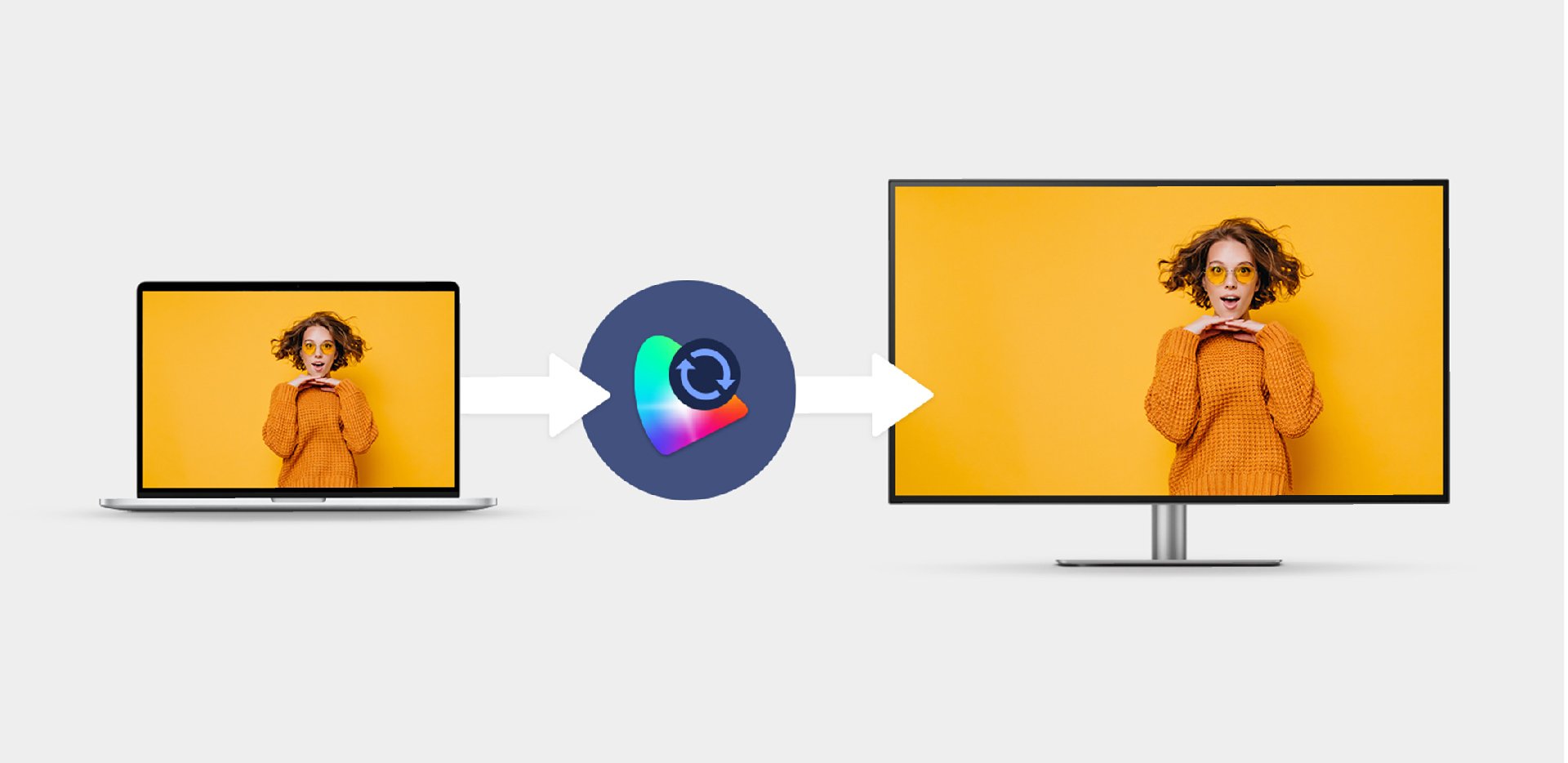
The color gamut displayed on your monitor might be different from that of your laptop. It requires a complicated process to sync. ICCsync instantly matches the color gamut between monitors and laptops with accurate color displayed. * ICCsync only works with the ICC profiles BenQ monitors support. You can obtain these ICC profiles by downloading the Display Pilot software.
Multitasking might be in your every work routine. Launch Desktop Partition and drag the application you're working with into partitions by using preset templates or by customizing your own layouts. You can work with more efficiency without the hassles of dragging and resizing.
Desktop Partition
Multitasking might be in your every work routine. Launch Desktop Partition and drag the application you're working with into partitions by using preset templates or by customizing your own layouts. You can work with more efficiency without the hassles of dragging and resizing.
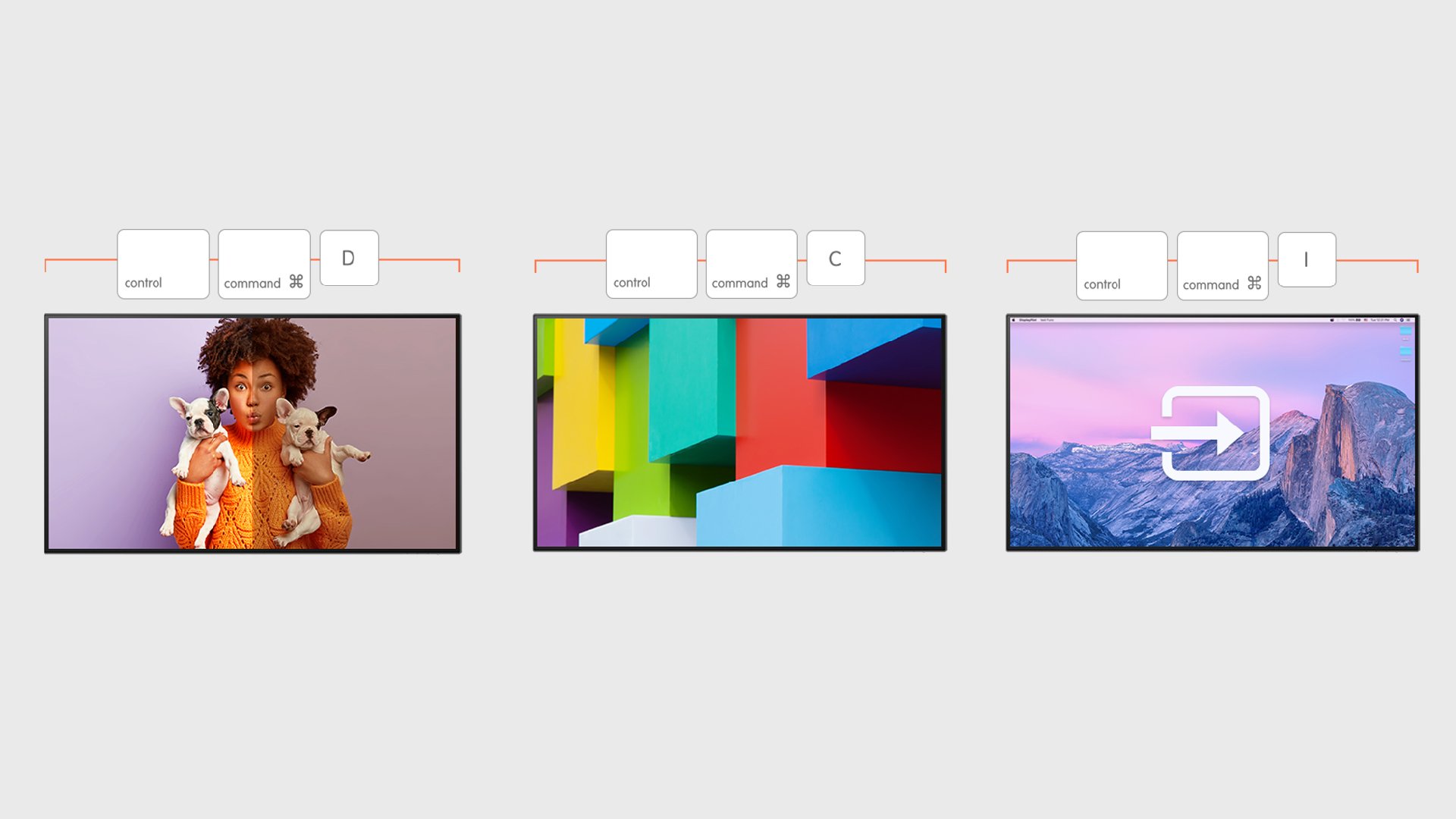
If you need to switch between popular settings like color modes and inputs or display one image in two color modes through DualView, then Keyboard Hotkey is for you. You can thus speed up your workflow by quickly accessing these three frequently-used settings.
Launch Auto Pivot, and you can rotate your images in portrait and landscape with the whole display automatically adjusting to vertical or horizontal alignment. Work on your designs in more depth and edit with more flexibility without wasting time fiddling with image controls.
Auto Pivot
Launch Auto Pivot, and you can rotate your images in portrait and landscape with the whole display automatically adjusting to vertical or horizontal alignment. Work on your designs in more depth and edit with more flexibility without wasting time fiddling with image controls.