azure-location

Get FREE shipping in the US for orders over $35 + FREE returns within 30 days

Get FREE shipping in the US for orders over $35 + FREE returns within 30 days

The New Work Ethic: Why Elite Thinkers Optimize for Visual Clarity

  • 2025-12-14

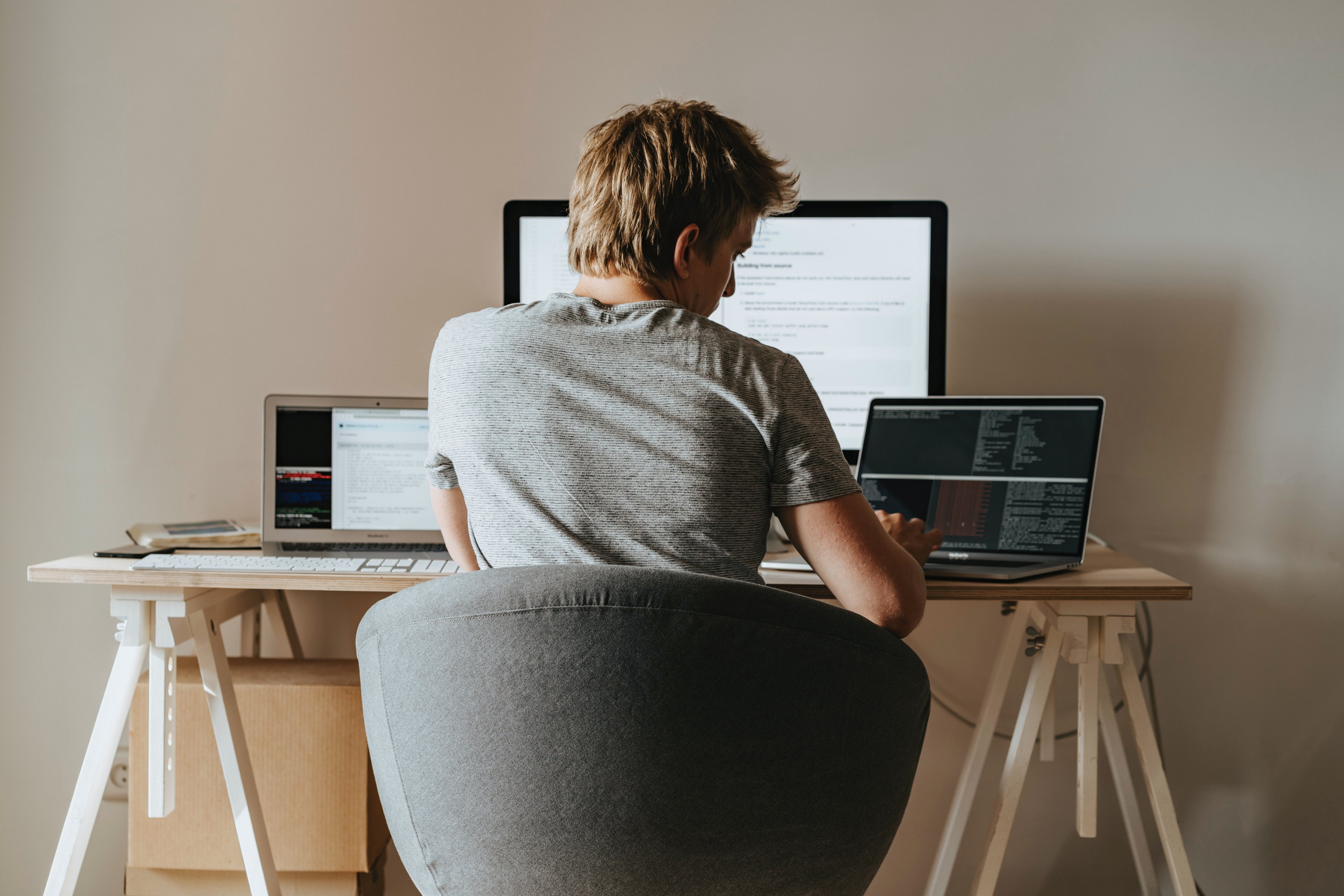
A workspace is more than where you sit: it’s where your mind operates and your ideas come to light. For founders, developers, and creators solving complex problems, aesthetics is not decorative; it is cognitive infrastructure influencing decision-making, energy, creativity, and the ability to stay focused. Research shows that visually ordered, aesthetically intentional spaces support clearer thinking, improved mood, and higher productivity.​

Below are five ways to design a premium workspace that looks and feels calm, cohesive, and intellectually charged. ​

1. The Order of Focus: Mastering Visual Simplicity​

A high-performance aesthetic is defined not by how much it contains, but by reducing visual friction. Visual clutter forces the brain to process competing stimuli, which increases your cognitive load and breaks focus. Studies show that visual noise pulls neural resources away from deep thinking, diminishing clarity and efficiency. A visually pared-back environment can lead to sharper cognition.​

Tips:​

  • Keep your immediate workspace free of unnecessary objects.​
  • Use closed storage, cable management, and vertical organization to preserve uninterrupted sightlines.​
  • Treat your desk like a visual user interface – every element should serve a clear, intentional purpose. ​

2. Choose Tools That Support a Clean, Minimalist Aesthetic

Founders and engineers often optimize for performance, but the form of your tools matters just as much as its function. High-functioning workplaces depend on tools that blend seamlessly rather than compete visually for attention.​

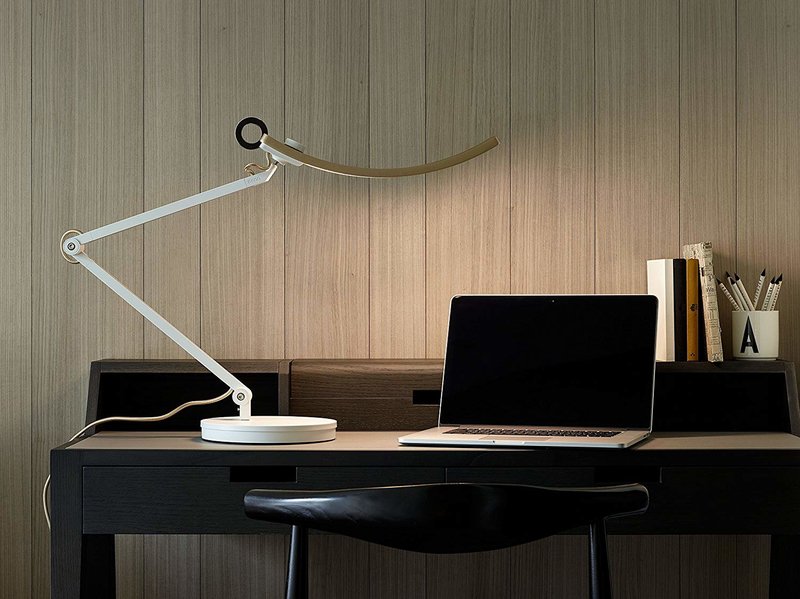
A precision-engineered monitor light bar, like the ScreenBar®, is the essential tool for eliminating visual clutter. Unlike traditional lamps with bulky bases and wide footprints, this monitor-mounted light attaches discreetly to the display, creating a unified visual anchor. The monitor and light become a single intentional design – streamlined, architectural, and free of unnecessary distractions. ​

Tips:​

  • Remember that fewer objects means fewer interruptions.
  • Clean vertical lines create a sense of calm and control.​
  • Your lighting should blend into your workspace’s visual architecture, not sit apart from it. 

3. Build an Aesthetic Foundation with Balanced Lighting

Lighting is both a technical necessity and an aesthetic element. According to HSE Lighting Ergonomics, well-designed lighting can improve mood, reduce stress, and enhance cognitive performance. This fundamentally shapes how a workspace feels and functions. ​

Balanced, asymmetrical illumination – enabled by ASYM-LightTM technology or similar optical engineering – is not just functional, it’s the subtle design language that ties a workspace together. It creates visual cohesion, prevents glare, and keeps the desk evenly lit, ensuring that even an elegantly arranged workspace maintains its clarity and calm.​

Tips:

  • Use a focused, monitor-mounted light to maintain clarity without adding desk clutter.​
  • Avoid oversized desk lamps that dominate your visual field.​
  • For perfectly even, glare-free illumination, choose a monitor light bar built with asymmetrical optical engineering – the ScreenBar® sets this standard.​

4. Create a Workspace That Feels Intentional, Not Accidental

Those who build and solve for a living spend countless hours in front of their screens. Your workspace should therefore feel curated and purposeful. A visually intentional environment signals to your brain that this is a space for clarity, direction, and meaningful work. ​

Tips:​

  • Add subtle, but intentional accents, like a plant, an object with texture, or a meaningful artifact.​
  • Use a monitor light bar to keep your desk streamlined and refined.​
  • Preserve empty space as it creates visual breathing room and enhances aesthetic calm. ​

5. Align Ergonomics with Visual Design

In a modern, digitally intensive workspace, ergonomics and aesthetics work together. Both are central to workplace digital health, and both contribute to the long-term sustainability of deep, focused work. Good ergonomic design supports clean lines, symmetry, and visual stability that high-end workspaces are known for. When posture, lighting, and layout align, the result is a workspace that is visually intentional and comfortable for extended creative or technical sessions. ​

Tips:​

  • Position your monitor at or slightly below eye level to keep your posture neutral and your setup visually balanced.​
  • Use a light source intentionally designed for even, uniform illumination to support visual comfort throughout the day.​
  • Maintain straight, consistent lines across your workspace – your brain reads symmetry as organized, efficient, and calming.​

Conclusion: Aesthetic Workspaces are a Competitive Edge

For founders, developers, designers, and problem-solvers, workplace aesthetics are not cosmetic, they’re strategic. A refined workspace with clean lines, minimal clutter, balanced lighting, and an intentional design doesn’t just look better. It shapes how you think, how you create, and how confidently you build, creating the moment where Light Meets Insight and your best ideas have the clarity they need to take form.


Learn More about the ScreenBar® Series

See Founders Stories

Focus Strategies for Programmers

FAQs

Why does color temperature matter?

Cooler light can feel more alert while warmer light relaxes the visual system. Use them intentionally by task and time.

Will a ScreenBar® help in naturally bright rooms?

Yes. The ScreenBar®s directional beam evens out contrast on your work surface and provides the necessary and even lighting across your workspace, day and night. The real-time auto-dimming feature constantly senses and adapts to shifting ambient light throughout the day, ensuring your work area maintains consistent, optimal brightness. This intelligent balancing act eliminates the strain caused by light fluctuation, allowing you to sustain focus from morning until night.

Is ScreenBar® suitable for any type of workspace?

Yes. Its clip-on, space-saving design fits most monitors, so no extra desk space is required. It’s perfect for compact home offices, multi-monitor setups, or any environment where focus and clarity matter.

Is ScreenBar® only for creatives or developers?

Not at all. While many founders, engineers, and designers use it to support high-focus work, ScreenBar® benefits anyone who spends time at a screen – students, strategists, managers, and creators alike. 

What makes ScreenBar® different from a regular desk lamp?

Traditional lamps light the desk but often create shadows or glare on your screen. ScreenBar® uses an asymmetrical optical design that projects light forward and down, illuminating your workspace without reflecting off the monitor. The result is consistent, balanced brightness that enhances clarity without visual distraction.

How does the ScreenBar® help reduce eye strain?

By delivering uniform illumination that minimizes contrast shifts between the screen and the surrounding area. Auto-dimming adjusts to your environment, while adjustable color temperature supports comfortable viewing from day to night. Together, these reduce the visual effort your eyes need to maintain focus.

Was this article helpful?

Yes No

Recommended Products

  • Save {{currency}}{{item.saveAmount| numberThousandsCommas | numberDecimalPoint}}
    Save {{item.savePercent| numberThousandsCommas | numberDecimalPoint}}%

    {{item.productWordingTag}}

    {{item.title}}

    • {{point}}

    {{currency}}{{item.finalPrice| numberThousandsCommas | numberDecimalPoint}} Save {{currency}}{{item.saveAmount | numberThousandsCommas | numberDecimalPoint}} Save {{item.savePercent | numberThousandsCommas | numberDecimalPoint}}%

    new device price{{currency}}{{item.regularPrice| numberThousandsCommas | numberDecimalPoint}}