azure-location

Get FREE shipping in the US for orders over $35 + FREE returns within 30 days

Get FREE shipping in the US for orders over $35 + FREE returns within 30 days

Best Gaming Lighting Ideas: From RGB to Eye-Friendly Setups

  • BenQ
  • 2026-02-10

When people talk about gaming lighting, they usually mean RGB. Bright, colorful, reactive lights that pulse with your gameplay. And yes, they look cool.

But that’s only one layer. The real question is: can your lighting support how you actually game?

In this guide, we’ll go beyond the hype and explore how smart, layered lighting can transform your gaming space: not just in style, but in focus, comfort, and long-term performance. From immersive RGB setups to eye-friendly monitor light bars, here’s how to build lighting that plays as hard as you do. 

Why Lighting Isn’t Just Decoration: It Shapes How You Play

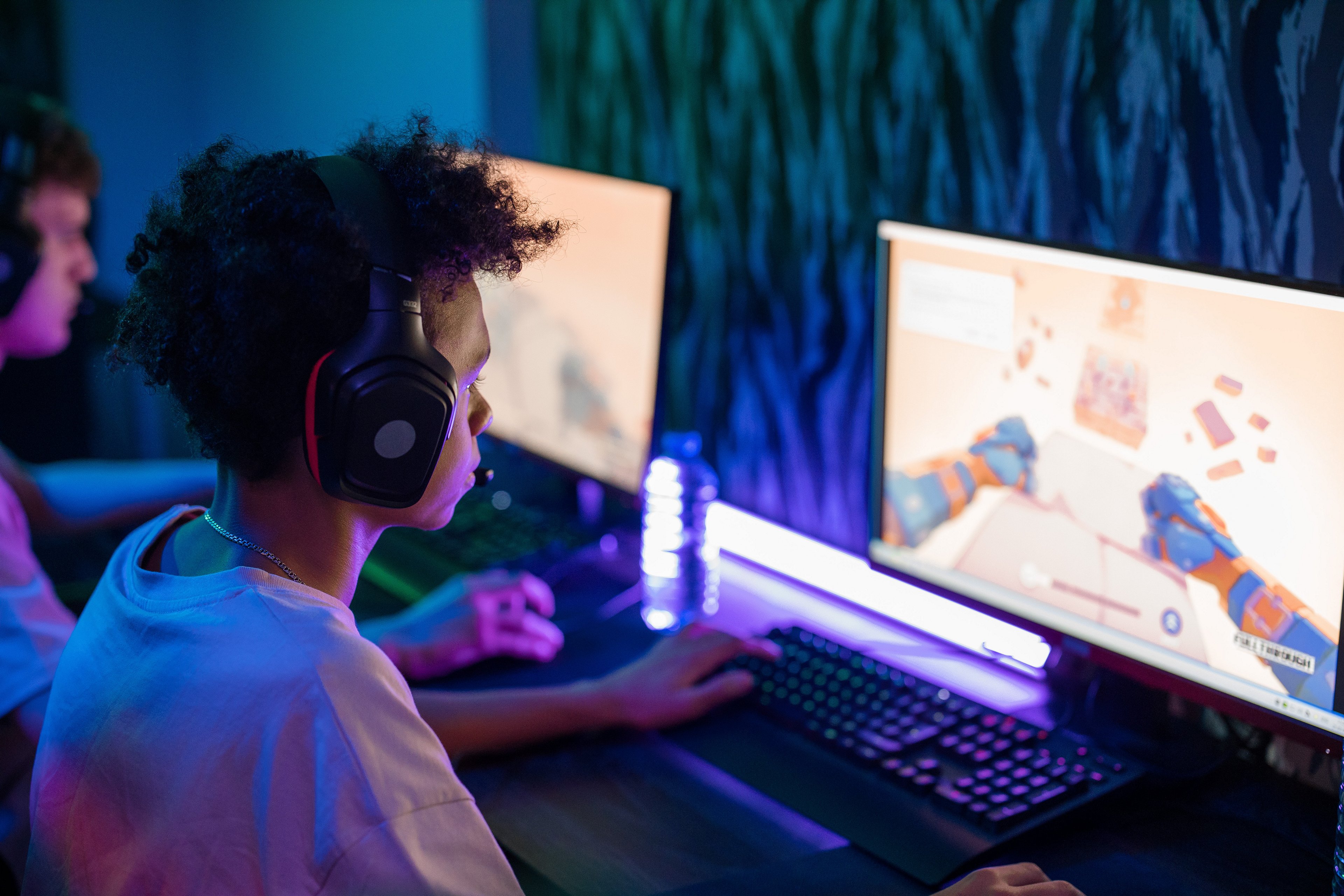
When people think about gaming lighting, the first thing that comes to mind is RGB — lights that flash, change color, and move with your game or music. Things like LED strips or reactive backlights can instantly make a setup look exciting. It’s fun, and it works.

But lighting does more than just make things look cool. It actually changes how you experience the game.

The right lighting can make your space feel deeper, calmer, or more intense. It helps your eyes focus on the screen and keeps you from getting distracted by harsh shadows or bright reflections. It can wake you up during fast-paced matches or help you relax when you're playing something slow and cozy.

In other words, lighting doesn’t just affect how your setup looks. It affects how your brain and body feel while you're gaming. That’s why it shouldn’t be just about decoration. Smart lighting helps you stay sharp, stay comfortable, and stay in the zone. 

How to Build Atmosphere: Depth, Mood, and Focus with Layered Lighting

More lighting doesn’t always mean better lighting. A setup full of RGB can still feel off if the lights are all doing the same thing. What actually creates a strong atmosphere is lighting with structure — where each light serves a purpose.

There are three types of lighting you’ll want to layer into your setup:

  • Backlighting 
    A soft, indirect glow behind your monitor or on the wall. Also known as bias lighting, it is typically white or warm-toned and designed to soften the contrast between the screen and surroundings.

  • Ambient Light 
    Decorative lighting that adds personality and motion to your setup. These lights are for mood mainly— they respond to music, games, or cycle through presets to enhance the vibe.

  • Front-Facing Light 
    A focused, functional light aimed at your desk. Monitor light bars (like the BenQ ScreenBar Halo 2), letting you see your keyboard and workspace clearly, without causing screen glare or eye discomfort.

When these three lighting types work together, they don’t just improve aesthetics. They create a setup that helps you stay focused, reduce eye strain, and stay immersed longer.

Lighting Type

What It Does

Without It...

Backlighting

Softens the contrast between screen and room, helps your eyes stay comfortable

The screen feels harsh and tiring in dim rooms

Ambient Light

Adds mood and motion to the space, makes setup feel alive

The setup feels flat or chaotic without visual rhythm

Front Lighting

Lights up your keyboard and desk without glare, helping you stay focused

Hard to see your workspace clearly, especially in low light

Gaming Lighting Inspiration That Matches Each Lighting Layer

Once you understand the three types of lighting, the next question is: what do you use to create them? This section shows you real product types and smart ways to place them, so you can turn lighting concepts into a working setup that fits your style and needs.

Backlighting

  • What it’s for 
    Reduce the contrast between your screen and the wall behind it. This makes your eyes feel more at ease, especially in the dark.

  • What to use 
    - RGB, LED bias light strips (USB-powered or remote-controlled)
    BenQ ScreenBar Halo 2 with backlight

Tip

While RGB strips can create a soft back glow, they’re primarily designed for atmosphere. Bias lighting from monitor light bars is tuned for eye comfort—offering a more stable and neutral contrast that doesn’t distract or over-stimulate during long sessions. 

Ambient Lighting

  • What it’s for 
    Adding style, motion, and atmosphere. This layer gives your space its personality and visual drama. 

  • What to use 
    - Hexagonal LED wall lights 
    - Reactive lighting systems that sync with gameplay or music 

Tip

Ambient light sets the tone, but it doesn't improve visibility or visual balance. It's best when layered with task-oriented lighting 

Front Lighting

  • What it’s for 
    Illuminating your work surface, keyboard, or controller without glare or screen reflection.
  • What to use 
    – BenQ ScreenBar Halo 2’s with ASYM-Light™ front light to avoid screen glare

Tip

Unlike RGB lighting that’s designed to be seen, front-facing light is designed to help you see. It’s one of the most overlooked but essential layers in a gaming setup, especially for those who play in dim environments or game for long hours.

Even in setups packed with RGB and reactive lights, many still miss this core ingredient: lighting that’s actually built for your eyes.

What Most Setups Miss: Lighting for Eye Comfort

Layered lighting can look amazing, but even the best setups often miss one critical element: visual comfort. 

Most RGB lighting is designed to be seen, not to support how you see. It brings motion and color to the room, but it doesn’t reduce screen glare or ease eye fatigue. In some cases, the constant shifting light makes things worse, especially during long sessions. That’s where most setups fall short. They glow, but they don’t guide. They create a vibe, but they don’t protect. What your eyes actually need is stable, directional lighting that balances your screen and supports focus, not competes with it. That’s where monitor light bars come in

Why ScreenBar Halo 2 Is the Missing Piece in Pro Gaming Setups

RGB lighting gives your setup style. Bias lights reduce contrast. But only ScreenBar Halo 2 combines both and adds something that most setups completely miss: a front-facing light that protects your eyes. 

Designed with serious gamers and creators in mind, Halo 2 delivers two essential lighting layers in one: a focused front light that reduces contrast glare and a soft rear glow that balances your screen against the wall. Together, they create a workspace that looks immersive and feels effortless. Even during long, late-night sessions.

resize
resize


What makes ScreenBar Halo 2 different: 

  • Front and back lighting, built into one
    ScreenBar Halo 2 integrates two layers of lighting in a single, minimal form. The front light provides clear visibility without screen glare. The rear bias light softly illuminates the wall behind your monitor, easing contrast and adding depth — no extra RGB strips needed. 


  • ASYM-Light™ front beam: no glare, just focus 
    A 24° adjustable lamp head, 8-section reflector, and 18° cut-off angle work together to light your desk, not your face or screen. The result: sharp focus, zero glare, and less eye strain, even after hours of play. 

  • Ultra-wide backlight: smooth contrast, full glow 
    The tri-zone backlight covers 423% more area than before, creating a smooth wall glow that supports your vision and enhances the vibe.

  • Customizable warmth for any rhythm 
    Easily adjust brightness and color temperature to match the time of day or the feel of the game: from warm tones for winding down, to cooler light for peak focus. It’s not just cozy, it’s circadian-friendly.

Conclusion

Gaming lighting has come a long way, evolving from pure decoration into full-on immersion. But real comfort doesn’t come from adding more lights or brighter colors. It comes from smarter lighting, designed not just to look good, but to feel right over time.

RGB strips and ambient effects help set the mood, but they don’t protect your eyes or support focus during longer sessions. That’s where monitor light bars come in, especially all-in-one designs like ScreenBar Halo 2. With both front and back lighting built in, and optical engineering focused on comfort, Halo 2 fills the gap that most gaming setups still overlook.

The best setups aren’t just about how they look on camera. They’re about how they feel when you’re deep in the game.

Late-Night Gaming Lighting

Late-Night Gaming Lighting

Stay immersed, even in the dark.

No glare. No strain. Just focus.

Was this article helpful?

Yes No

Recommended Products

  • Save {{currency}}{{item.saveAmount| numberThousandsCommas | numberDecimalPoint}}
    Save {{item.savePercent| numberThousandsCommas | numberDecimalPoint}}%

    {{item.productWordingTag}}

    {{item.title}}

    • {{point}}

    {{currency}}{{item.finalPrice| numberThousandsCommas | numberDecimalPoint}} Save {{currency}}{{item.saveAmount | numberThousandsCommas | numberDecimalPoint}} Save {{item.savePercent | numberThousandsCommas | numberDecimalPoint}}%

    new device price{{currency}}{{item.regularPrice| numberThousandsCommas | numberDecimalPoint}}