Change your region to view content applicable to your location and shop online.

Sorry, our service is not available in your location.

Change Language
Change
azure-location
Skip to Main Content

The Original. Still the Benchmark.

Education Business Workplace zowie logo
Support Knowledge
{{cartTotal.length}}
thumbnail
{{item.name}}
Price: {{currency}}{{item.price| numberThousandsCommas | numberDecimalPoint}}
Qty: {{item.amount}}
Cart Subtotal:
{{currency}}{{cartTotal.price| numberThousandsCommas | numberDecimalPoint}}
Check out
account-setting

Account

sign-in

Sign in

Track order

track-order

Track order

sign-in

Sign Out{{userName}}

logo
Projectors
Explore All Projector Series

By Series

4K Gaming Projectors Home Cinema Series TV Projector Series Portable Projectors Golf Simulator Projectors

By Feature

Home Entertainment Best 4K Projectors Best Gaming Projectors Best Projectors for Sports GV Series Portable Ceiling Projectors House Mapping Projectors

By Trending Word

4K UHD (3840×2160) Short Throw 2D, Vertical/Horizontal Keystone LED Laser With Android TV With Low Input Lag

Explore Commercial Projector

Professional Installation Simulation Projection Small Business Corporation K12 & Higher Education
Compare All Projectors Golf Projector Hub+ Find Your Perfect Projector Software Projector Lamps and Accessory Refurbished Projectors
Monitors
Explore All Monitor Series

By Series

Gaming Series Home Series Professional Series Programming Series

By Feature

Photographer Monitors Designer Monitors Best 4K Monitors Best Monitors for MacBook Pro & Mac Best Monitors for Versatile MacBook Users Best Monitors for Programming

By Trending Word

4K(3840x2160) 21:9 Ultrawide 3:2 Aspect Ratio USB-C Daisy Chain (via Thunderbolt) Daisy Chain (via DisplayPort MST) Built-in KVM Switch

Compatible Accessories

Monitor Arm Monitor Light Bar
Compare All Monitors Accessories Software Refurbished Monitors Creative Pro Displays for Business Creative Pro Ambassador Program
Lighting
Explore All Lighting Series

By Series

Monitor Light Bar Dual Monitor Desk Lamp e-Reading Desk Lamp Piano Lights Parenting Reading Lamp

Lighting Tips & Guide

Find Your Perfect Monitor Light Bar|BenQ Lighting Monitor Lighting for Programmers Best Lighting for Dark Rooms Best Dual Monitor Desk Setup Best Home Office Lighting

By Trending Word

With Backlight Curved Monitor Flat Monitor Ultra-Wide Monitor Back-bulging Monitor Dual Monitors

Light Meet Insight.

The Origin of Monitor Light Bars The Science of ScreenBar The Design Philosophy Behind ScreenBar
Compare All Lightings Accessories Refurbished Lighting Office Lighting Solution
GV31 Recall
GV31 Recall

Accessories

Explore Docks and Hubs

GR10 Steam Deck Dock USB-C Hybrid Dock

Explore Webcam

ideacam S1 Pro ideacam S1 Plus Enspire

Explore treVolo Speaker

Carry Case & Stand
Refurbished USB-C Hybrid Dock Refurbished GR10 Steam Deck Dock Refurbished ideaCam S1 Pro Refurbished ideacam S1 Plus
Interactive Displays | Signage
Explore All Interactive Display | Signage

Products

BenQ Board Digital Signage Education Software Accessories

By Solutions

ClassroomCare® Active Learning Hybrid Learning

Explore Education Resources

Edtech Blog Success Stories Newsroom Virtual Tour BenQ Academy
Interactive Displays Pantone Validated Smart Signage Series 4K Smart Signage Series BenQ Board Accessories Smart Display Accessories
Wireless Presentation
Store
BenQ Store

Shop by Product

Buy Monitor Buy Projector Buy Lighting

Refurbished

BenQ Outlet Refurbished Monitors Refurbished Projectors Refurbished Lighting

Events

All Events BenQ x PANTONE Connect New Ceiling Projector

Special Offers

BenQ Deals BenQ Membership BenQ Back to School Savings
search-open
clear
Search history Clear
{{ history }}

{{ result[0] }}

{{ list[0] }}
logo
{{cartTotal.length}}
thumbnail
{{item.name}}
Price: {{currency + item.price}}
Qty: {{item.amount}}
Cart Subtotal:
{{currency}}{{cartTotal.price | numberThousandsCommas | numberDecimalPoint}}
Check out
close
search
Search
{{ history }}

{{ result[0] }}

{{ list[0] }}

Projectors

Back Logo
Explore All Projector Series

By Series

4K Gaming Projectors Home Cinema Series TV Projector Series Portable Projectors Golf Simulator Projectors

By Feature

Home Entertainment Best 4K Projectors Best Gaming Projectors Best Projectors for Sports GV Series Portable Ceiling Projectors House Mapping Projectors

By Trending Word

4K UHD (3840×2160) Short Throw 2D, Vertical/Horizontal Keystone LED Laser With Android TV With Low Input Lag

Explore Commercial Projector

Professional Installation Simulation Projection Small Business Corporation K12 & Higher Education
Compare All Projectors Golf Projector Hub+ Find Your Perfect Projector Software Projector Lamps and Accessory Refurbished Projectors

Monitors

Back Logo
Explore All Monitor Series

By Series

Gaming Series Home Series Professional Series Programming Series

By Feature

Photographer Monitors Designer Monitors Best 4K Monitors Best Monitors for MacBook Pro & Mac Best Monitors for Versatile MacBook Users Best Monitors for Programming

By Trending Word

4K(3840x2160) 21:9 Ultrawide 3:2 Aspect Ratio USB-C Daisy Chain (via Thunderbolt) Daisy Chain (via DisplayPort MST) Built-in KVM Switch

Compatible Accessories

Monitor Arm Monitor Light Bar
Compare All Monitors Accessories Software Refurbished Monitors Creative Pro Displays for Business Creative Pro Ambassador Program

Lighting

Back Logo
Explore All Lighting Series

By Series

Monitor Light Bar Dual Monitor Desk Lamp e-Reading Desk Lamp Piano Lights Parenting Reading Lamp

Lighting Tips & Guide

Find Your Perfect Monitor Light Bar|BenQ Lighting Monitor Lighting for Programmers Best Lighting for Dark Rooms Best Dual Monitor Desk Setup Best Home Office Lighting

By Trending Word

With Backlight Curved Monitor Flat Monitor Ultra-Wide Monitor Back-bulging Monitor Dual Monitors

Light Meet Insight.

The Origin of Monitor Light Bars The Science of ScreenBar The Design Philosophy Behind ScreenBar
Compare All Lightings Accessories Refurbished Lighting Office Lighting Solution

GV31 Recall

Back Logo
GV31 Recall

Accessories

Back Logo

Explore Docks and Hubs

GR10 Steam Deck Dock USB-C Hybrid Dock

Explore Webcam

ideacam S1 Pro ideacam S1 Plus Enspire

Explore treVolo Speaker

Carry Case & Stand
Refurbished USB-C Hybrid Dock Refurbished GR10 Steam Deck Dock Refurbished ideaCam S1 Pro Refurbished ideacam S1 Plus

Interactive Displays | Signage

Back Logo
Explore All Interactive Display | Signage

Products

BenQ Board Digital Signage Education Software Accessories

By Solutions

ClassroomCare® Active Learning Hybrid Learning

Explore Education Resources

Edtech Blog Success Stories Newsroom Virtual Tour BenQ Academy
Interactive Displays Pantone Validated Smart Signage Series 4K Smart Signage Series BenQ Board Accessories Smart Display Accessories
Wireless Presentation

Store

Back Logo
BenQ Store

Shop by Product

Buy Monitor Buy Projector Buy Lighting

Refurbished

BenQ Outlet Refurbished Monitors Refurbished Projectors Refurbished Lighting

Events

All Events BenQ x PANTONE Connect New Ceiling Projector

Special Offers

BenQ Deals BenQ Membership BenQ Back to School Savings
Support Knowledge account Account account Sign in shopping-chart Track order shopping-chart Track order account Sign Out{{userName}}
Education Business Workplace Zowie

Cookie Setting

BenQ respect your data privacy. We use cookies and similar technologies to ensure you get the best experience when visiting our website. You can either accept these cookies by clicking “Accept Cookies”, or click “Only Required Cookies” to refuse all non-essential technologies. You can customise your cookie settings here at any time. For further information, please visit our Cookie Policy and our Privacy Policy.

How can I change my BenQ cookie settings?

Page updated: May 2020

Some essential features on BenQ sites just won’t work without cookies. And having other cookies switched off can seriously affect the way you’ll be able to enjoy our services.

Please check your cookie settings below and turn on any cookies you’re happy with.

“Strictly necessary” cookies can’t be turned off. But Functional and Performance cookies can be turned on or off below. You can learn more about cookies and what they do on our other pages.

If you've chosen to block third-party cookies on your browser, your cookie preferences won't carry over from benq.eu to benq.xx and vice versa. Please make sure to set your cookie preferences in both places.

On

Strictly necessary cookies

These cookies are essential so that you can move around the website and use its features. Without these cookies services you have asked for cannot be provided.

See list of strictly necessary cookies

On

Off

Functional cookies

These cookies allow the website to remember choices you make to give you better functionality and personal features.

See list of functional cookies

On

Off

Performance cookies and advertising cookies

Performance cookies

These cookies help to improve the performance of BenQ. If you want to opt-out of advertising cookies, you have to turn-off performance cookies. We also use Google Analytics, SessionCam and Hotjar to track activity and performance on the BenQ website. You can control the information provided to Google, SessionCam and Hotjar.  To opt out of certain ads provided by Google you can use any of the methods set forth here or using the Google Analytics opt out browser add-on here. To opt-out of SessionCam collecting data, you can disable tracking completely by following link:https://sessioncam.com/choose-not-to-be-recorded/. To opt-out of Hotjar collecting data, you can disable tracking completely by following link:https://www.hotjar.com/privacy/do-not-track/.

See list of performance and advertising cookies


Advertising cookies

These cookies are used to track your activity on the BenQ website and other websites across the Internet, help measure the effectiveness of our advertising campaign and deliver advertisements that are more relevant to you and your interests. We use various advertising partners, including Amazon, Facebook, and Google. These cookies and other technologies capture data like your IP address, when you viewed the page or email, what device you were using and where you were. You can find out how to avoid them below.

See list of performance and advertising cookies


localNavigation.type = g6-series-page

Monitor Light Bar

Compare
  • Compare
BenQ ScreenBar® monitor light bars engineered for precise desk illumination that reduces glare and enhances clarity.

BenQ ScreenBar® | Monitor Light Bar Series

The Original. Still the Benchmark.

As the creator of the world's first monitor light bar, BenQ and its ScreenBar® continue to lead the category through science-backed optical innovation, award-winning design, uncompromising quality, and relentless user-focused research.

BenQ ScreenBar® | Monitor Light Bar Series

The Original. Still the Benchmark.

As the creator of the world's first monitor light bar, BenQ and its ScreenBar® continue to lead the category through science-backed optical innovation, award-winning design, uncompromising quality, and relentless user-focused research.

Designed for the Modern Workspace.

As work shifted towards screens, BenQ studied how modern professionals interact with their workspaces. The result was ScreenBar®, engineered to eliminate the compromises professionals make when using traditional desk lamps through precision optics and a space-saving design.

Discover the Story Behind ScreenBar®

Designed for the Modern Workspace.

As work shifted towards screens, BenQ studied how modern professionals interact with their workspaces. The result was ScreenBar®, engineered to eliminate the compromises professionals make when using traditional desk lamps through precision optics and a space-saving design.

Discover the Story Behind ScreenBar®
BenQ ScreenBar® Series with exclusive asymmetric optical design, scientifically tested in over a million simulations to deliver glare-free clarity and visual comfort.

The Science Behind Better Eye Comfort

Every beam of light is engineered with purpose. Through more than one million optical simulations, BenQ developed its exclusive asymmetric optical technology that precisely illuminate your workspace while minimizing glare and screen reflections, setting a new standard for visual comfort.

See the Science Behind Professional Lighting

The Science Behind Better Eye Comfort

Every beam of light is engineered with purpose. Through more than one million optical simulations, BenQ developed its exclusive asymmetric optical technology that precisely illuminate your workspace while minimizing glare and screen reflections, setting a new standard for visual comfort.

See the Science Behind Professional Lighting

Precision in Every Interaction

Great design isn't just based on how something looks, it’s based on how it feels. Every touch, adjustment, and movement is carefully refined to deliver a seamless experience from setup to everyday use.

See What Makes Every Detail Feel Different

Precision in Every Interaction

Great design isn't just based on how something looks, it’s based on how it feels. Every touch, adjustment, and movement is carefully refined to deliver a seamless experience from setup to everyday use.

See What Makes Every Detail Feel Different

Consistency Is No Coincidence

From individual color temperature calibration to rigorous durability testing, every ScreenBar® is held to uncompromising standards before it reaches your desk.

Consistency Is No Coincidence

From individual color temperature calibration to rigorous durability testing, every ScreenBar® is held to uncompromising standards before it reaches your desk.

Award-Winning Innovation

​Every award symbolizes more than just outstanding design, it reflects our commitment to engineering excellence, meticulous craftsmanship, and products built to the highest standards.

.

.

Trusted by Experts

  • media-icon

    "...combines academic research and user feedback to deliver a more comfortable and eye-friendly experience.“​

    Nurin Sofia,​ Writer, TECHEDT (Singapore)​

    Read the Full Review →​​
  • media-icon

    “BenQ designed the system through optical simulations to prevent light from shining directly onto the screen, and used color measurement equipment to verify that colors remain consistent with the original.”

    Digital Daily (Korea)​

    Read the Full Review →​​
  • media-icon

    "Their monitor light bars are based on the deep science of task lighting “​

    Ray Shaw, ​Writer, I'mTech (Australia)​

    Read the Full Review →​​

“It’s not only the quality of the full-spectrum LEDs that BenQ uses but also their logical layout and configuration that help disperse the light so well.”​

Bill Loguidice, ​​Writer, How-To Geek (United States) ​

Read the Full Review

“This monitor light offers the granularity needed by creative professionals, ... and is suitable for just about anyone who spends long hours staring at a display.”​

Liu Hongzuo,​ Writer, HardwareZone (Singapore)​

Read the Full Review

“It illuminates a wide area without casting shadows, so that my attention isn't distracted by flickering shadows in my peripheral vision.”

Shosuke Ogura, Editor & Reporter, BCN (Japan)

Read the Full Review

The Next Chapter of ScreenBar®

Innovation continues with two new additions, each designed to solve a different workspace challenge.

08

iScreenBar™

Designed for iMac®

Purpose-built for iMac®, iScreenBar seamlessly integrates with your setup through a magnetic mount, macOS integration, and lighting engineered specifically for the iMac experience.

Learn More
08

ScreenBar® Max

Designed for Dual Monitors

Engineered specifically for dual-monitor workspaces, ScreenBar® Max features ASYM-TriZone Light™ to deliver broad, precise illumination while minimizing glare and screen reflections.

Learn More

iScreenBar™

Designed for iMac®

Purpose-built for iMac®, iScreenBar seamlessly integrates with your setup through a magnetic mount, macOS integration, and lighting engineered specifically for the iMac experience.

Learn More

ScreenBar® Max

Designed for Dual Monitors

Engineered specifically for dual-monitor workspaces, ScreenBar® Max features ASYM-TriZone Light™ to deliver broad, precise illumination while minimizing glare and screen reflections.

Learn More

Meet the ScreenBar® Series

From minimalist desks to dual-monitor workstations and iMac setups, every ScreenBar® is built on the same eye-care DNA, thoughtfully engineered to deliver lasting visual comfort for the way you work. Not sure which ScreenBar® is right for you?

Take Our Quick Quiz
  • Dual Monitor Light Bar ScreenBar®  Max

    ScreenBar® Max

    Purpose-built for dual-monitor setups, delivering wide, even illumination that keeps both screens and your workspace comfortably lit.

    Shop ScreenBar Max
  • iScreenBar

    iScreenBar™

    Designed exclusively for iMac, combining seamless integration with glare-free lighting to complete your workspace.

    Shop iScreenBar
  • ScreenBar®  Halo 2

    ScreenBar® Halo 2

    Balanced front and back lighting helps reduce eye strain in dark rooms, creating a more comfortable viewing experience.

    Shop ScreenBar Halo 2
  • Dual Monitor Light Bar ScreenBar® Pro

    ScreenBar® Pro

    Ultra-wide illumination provides broad, bright coverage for greater visual comfort beyond traditional desk lamps.

    Shop ScreenBar Pro
  • Clip on monitor light bar ScreenBar®

    ScreenBar®

    Our original monitor light bar that frees up your desk space while delivering comfortable, glare-free lighting for everyday work.

    Shop ScreenBar
BenQ ScreenBar® — Light Meets Insight. A monitor light bar crafted to embody true light, enduring clarity, and depth of thought.

Engineered for Those Who Strive for More

For over a decade, we've refined every detail of our monitor lights, so you can stay focused longer, work more comfortably, and keep pushing your craft further.

Engineered for Those Who Strive for More

For over a decade, we've refined every detail of our monitor lights, so you can stay focused longer, work more comfortably, and keep pushing your craft further.

.

* iMac® is registered trademarks of Apple Inc. * This product is not affiliated with, endorsed by, sponsored by, or otherwise associated with Apple Inc. or any of its affiliates.

BenQ ESG sustainable product infographic

.

.

BenQ sustainable ScreenBar series series showing carbon footprint reduction journey and eco design innovation

.

.

  • FAQ

  • Why do I need a monitor light bar when there are overhead lights?

    Overhead lights sit too far from the desk to meet international illuminance standards, causing insufficient lighting—the hidden cause of eye strain and poor focus. ScreenBar® centers on you, delivering precise light to keep your eyes clear and comfortable.

    What’s the purpose of using a monitor light?

  • What’s the difference between a monitor light bar and a desk lamp?​

    Traditional desk lamps scatter light, take up desk space, and cause glare or screen reflections. BenQ ScreenBar® redefines lighting with a space-saving design and asymmetric optics, directing light only where its needed. No clutter, no glare, just clear, comfortable illumination.

    Monitor Light Bar vs. Desk Lamp: The Verdict

  • Is working in the dark really better for eye health?​

    Working in the dark may feel focusing, but it actually strains your eyes. The harsh contrast between your bright screen and the dark surroundings forces your eyes to work harder and cause fatigue. BenQ ScreenBar® helps protect your vision without disrupting your deep-work flow.
    Discover a smarter way to work in the dark


  • Will a monitor light bar damage my screen? ​

    Absolutely not. Unlike alternatives that clamp tightly onto the monitor, BenQ’s ScreenBar® uses a patented hanging design with a counterweight for stability without stress. Soft rubber pads prevent scratches, while every detail is crafted to protect your screen.

BenQ ScreenBar Series Comparison

Compare ScreenBar Series

ScreenBar Max
iScreenBar
ScreenBar Halo 2
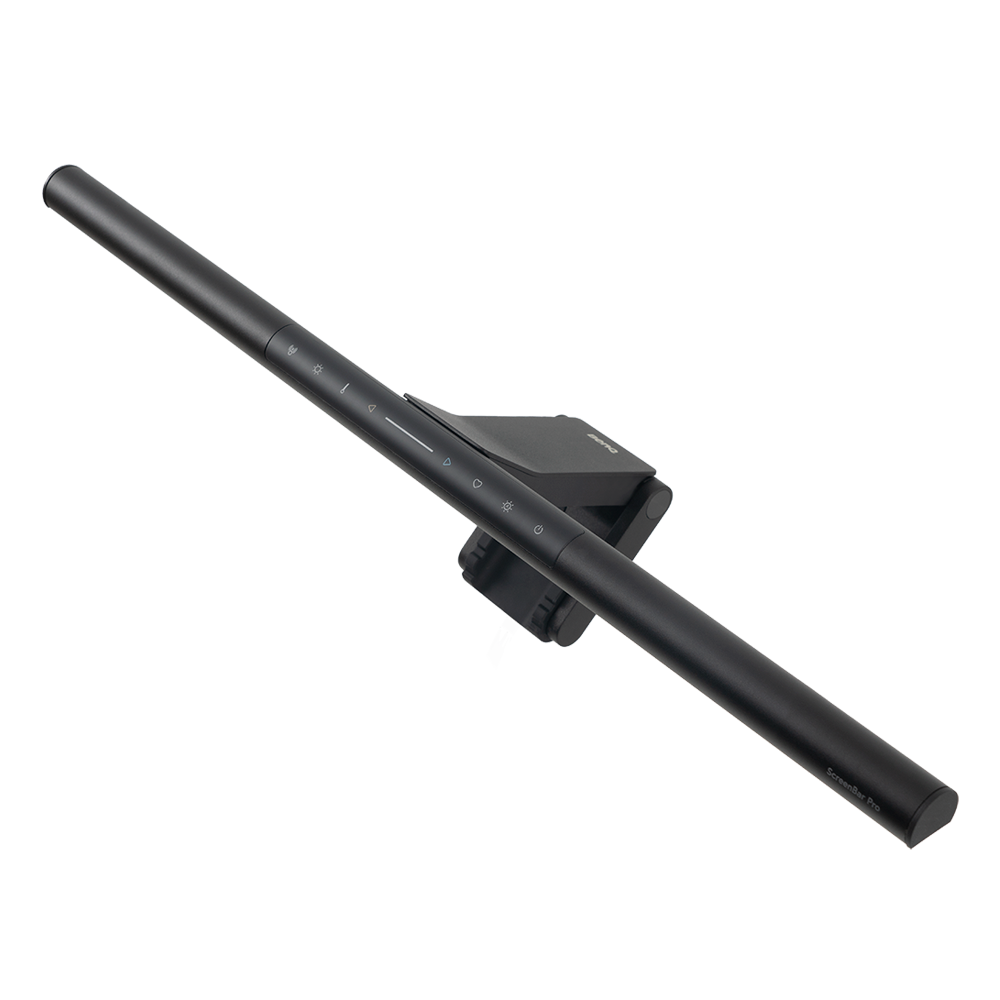
ScreenBar Pro
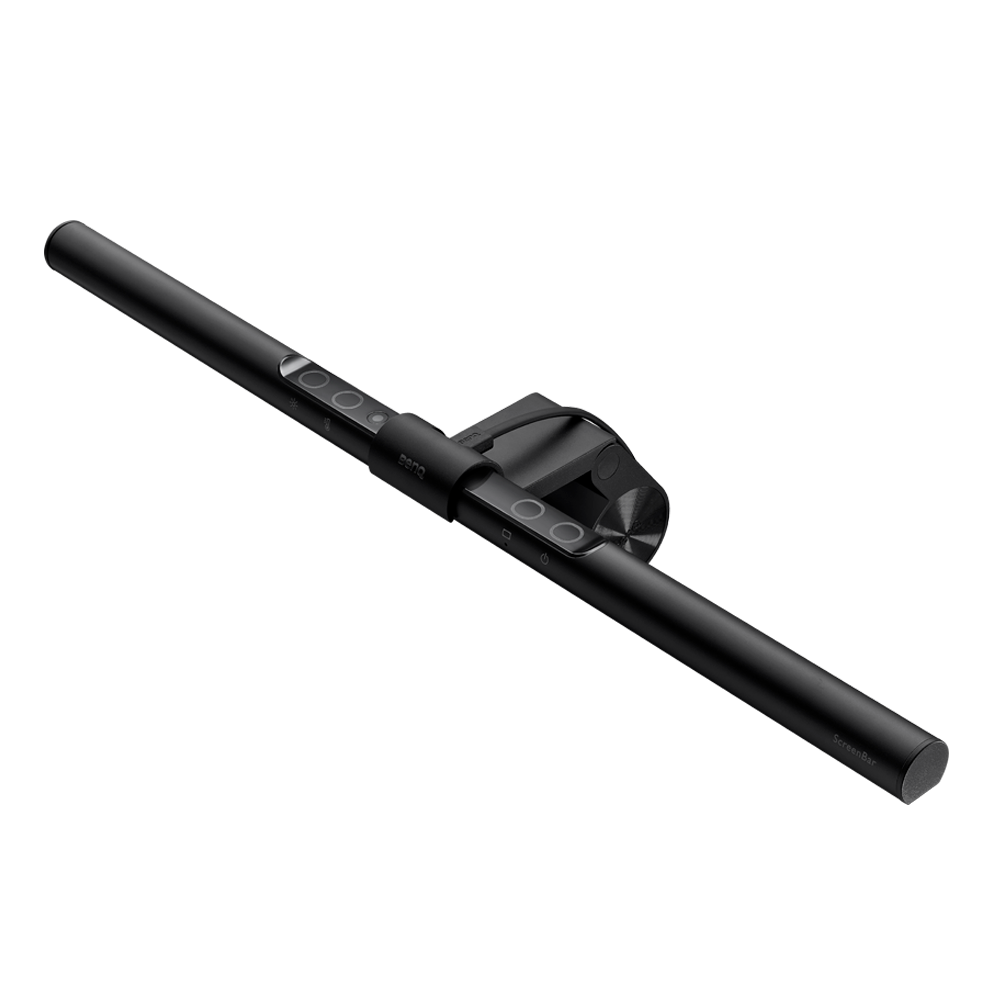
ScreenBar
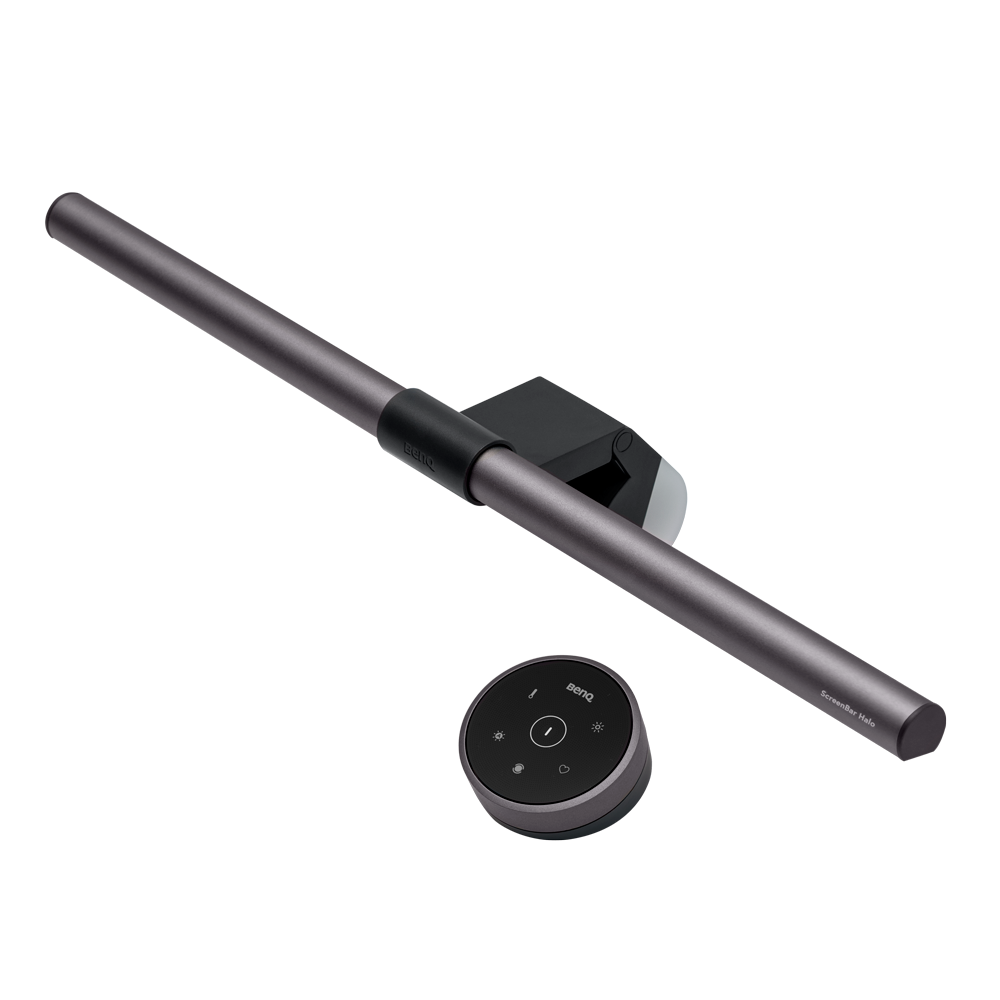
ScreenBar Halo
ScreenBar Max

New

ScreenBar Max

Learn more

ASYM-TriZone Light™

Integrated Touch Console

Operation

Curvature 1000R-1800R,Monitor Height Below 27.9" (71cm)

Device Compatibility

1400 lx

Center Illuminance

53.1" x 22.8" (135 x 58cm)

Lighting Coverage ( ≧ 500 lx )

2700K - 6000K Stepless

Color Temperature

Real-time Auto-Dimming

Auto Dimming Mode

24 GHz mmWave Sensor

Auto On/Off

iScreenBar

New

iScreenBar

Learn more

3rd Gen ASYM-Light™

Integrated Touch Console

Operation

iMac

Device Compatibility

1000 lx

Center Illuminance

33.5" x 19.7" (85 x 50cm)

Lighting Coverage ( ≧ 500 lx )

2700K - 6500K Stepless

Color Temperature

Real-time Auto-Dimming

Auto Dimming Mode

24 GHz mmWave Sensor

Auto On/Off

ScreenBar Halo 2

ScreenBar Halo 2

Learn more

3rd Gen ASYM-Light™

Wireless Controller with Display Panel

Operation

Curvature 1000R-1800R,Flat Monitor 0.17" - 2.36" (0.43-6cm)

Device Compatibility

1000 lx

Center Illuminance

33.5" x 19.7" (85 x 50cm)

Lighting Coverage ( ≧ 500 lx )

2700K - 6500K Stepless

Color Temperature

Real-time Auto-Dimming

Auto Dimming Mode

Ultrasonic Sensor

Auto On/Off

ScreenBar Pro

ScreenBar Pro

Learn more

3rd Gen ASYM-Light™

Integrated Touch Console

Operation

Curvature 1000R-1800R,Flat Monitor 0.17" - 2.56" (0.43-6.5cm)

Device Compatibility

1000 lx

Center Illuminance

33.5" x 19.7" (85 x 50cm)

Lighting Coverage ( ≧ 500 lx )

2700K - 6500K 8 Levels

Color Temperature

Real-time Auto-Dimming

Auto Dimming Mode

Ultrasonic Sensor

Auto On/Off

ScreenBar

ScreenBar

Learn more

1st Gen ASYM-Light™

Integrated Touch Console

Operation

Curvature 1800R,Flat Monitor 0.39" - 1.18" (1-3cm)

Device Compatibility

930 lx

Center Illuminance

23.6" x 11.8" (60 x 30cm)

Lighting Coverage ( ≧ 500 lx )

2700K - 6500K 8 Levels

Color Temperature

Real-time Auto-Dimming

Auto Dimming Mode

None

Auto On/Off

ScreenBar Halo

ScreenBar Halo

Learn more

2nd Gen ASYM-Light™

Wireless Controller

Operation

Curvature 1000R-1800R,Flat Monitor 0.27" - 2.36" (0.7-6cm)

Device Compatibility

800 lx

Center Illuminance

24.8" x 15.7" (63 x 40cm)

Lighting Coverage ( ≧ 500 lx )

2700K - 6500K Stepless

Color Temperature

Real-time Auto-Dimming

Auto Dimming Mode

None

Auto On/Off

Details

Height 27.9" (71cm)

Details

The lamp changes the lighting according to the ambient brightness.

Details

ScreenBar Max: Equipped with a 24 GHz mmWave sensor. When the sensor is positioned 71 cm (27.9 in.) above the desktop, it detects motion within 60 ±10 cm (23.6 ±3.9 in.) in front of the monitor. The light turns on automatically when motion is detected and may turn off after 3 minutes without significant movement.

Details

iMac 2021 & Later

Details

Height 18.7" (47.5cm)

Details

The lamp changes the lighting according to the ambient brightness.

Details

iScreenBar: Equipped with a 24 GHz mmWave sensor. When "Auto-on/off Motion Detection" is enabled, the light turns on automatically as users enter the detection zone approximately 60 ± 10 cm (23.6 ± 3.9 in.) in front of the lamp. When no motion is detected, it turns off after a set period (default: 3 minutes of inactivity). The detection range can be adjusted via the iScreenBar App (High/Medium/Low, default: High).

Details

Height 19.7" (50cm)

Details

The lamp changes the lighting according to the ambient brightness.

Details

Equipped with an ultrasonic sensor, the light is automatically controlled based on motion detection. When the sensor is positioned 19.7" (50cm) above the desk, it covers a conical detection area approximately 23.6" ± 3.9" (60 ± 10cm) in front of the screen. The light will automatically turn on when motion is detected and turn off after 5 minutes of inactivity when the user leaves the seat.

Details

Height 19.7" (50cm)

Details

The lamp changes the lighting according to the ambient brightness.

Details

Equipped with an ultrasonic sensor, the light is automatically controlled based on motion detection. When the sensor is positioned 19.7" (50cm) above the desk, it covers a conical detection area approximately 23.6" ± 3.9" (60 ± 10cm) in front of the screen. The light will automatically turn on when motion is detected and turn off after 5 minutes of inactivity when the user leaves the seat.

Details

Height 17.7" (45cm)

Details

The lamp changes the lighting according to the ambient brightness.

Details

Height 17.7" (45cm)

Details

The lamp changes the lighting according to the ambient brightness.

Explore Other BenQ Lighting

Engineered For Programmers

Monitor Lighting Empowers Your Focus

Explore Now
Best Monitor Light Bar for Programmers Best Monitor Light Bar for Programmers

Setup Ideas for Programmers

How to Choose the Best Monitor Light Bar

Learn More
How to choose the best monitor light bar How to choose the best monitor light bar

Reviews

Home Office Lighting for Screen Work

Learn More
Home Office Lighting Setup Home Office Lighting Setup

Support

Where to buy

Go Shop
shop to Amazon Store shop to Amazon Store

Monitor Light Bar In-Depth Reviews

What Is Glare? Causes and Ways to Reduce It

What Is Glare? Causes and Ways to Reduce It

Learn More
What is Bias Lighting for Monitors and Why You Should Need One?

What is Bias Lighting for Monitors and Why You Should Need One?

Learn More
What's the Purpose of Using a Monitor Light Bar?

What's the Purpose of Using a Monitor Light Bar?

Learn More
The Great Battle of Light Sources: Monitor Light Bar vs. Desk Lamp

The Great Battle of Light Sources: Monitor Light Bar vs. Desk Lamp

Learn More

Support Center

Tell us how we can help?

Go Support Center

Contact Us

Need To Get In Touch?

Get Support
facebook instagram twitter youtube linkedin

Products

Projector Monitor Lighting beCreatus DP1310 ideaCam Speaker

Solutions

BenQ AQCOLOR Ambassador Program BenQ Eye-Care Monitor Solution

Support

Support Center Contact Us Request a Repair Manuals & Downloads Warranty Information Shopping FAQ

Resources

BenQ Knowledge Center Create Big Screen Cinema in Your Small Apartment Find Your Perfect Projector Authorized Business & Education Partners Deal-Registration

Explore & Offers

BenQ Outlet BenQ Deals Events Buy Now Pay Later

About BenQ

Corporate Introduction Leadership News Sustainability Careers Media Contact
Visa Mastercard American Express Discover Paypal Amazon Pay

Copyright © 2024 BenQ. All rights reserved.

Accessibility Statement Privacy Policy About Cookies Terms of Use Notice Import/Export Compliance

Copyright © 2024 BenQ. All rights reserved.

United States - English