Change your region to view content applicable to your location and shop online.

Sorry, our service is not available in your location.

Change Language
Change
azure-location
Cookie Setting

BenQ respect your data privacy. We use cookies and similar technologies to ensure you get the best experience when visiting our website. You can either accept these cookies by clicking “Accept Cookies”, or click “Only Required Cookies” to refuse all non-essential technologies. You can customise your cookie settings here at any time. For further information, please visit our Cookie Policy and our Privacy Policy.

How can I change my BenQ cookie settings?

Page updated: May 2020

Some essential features on BenQ sites just won’t work without cookies. And having other cookies switched off can seriously affect the way you’ll be able to enjoy our services.

Please check your cookie settings below and turn on any cookies you’re happy with.

“Strictly necessary” cookies can’t be turned off. But Functional and Performance cookies can be turned on or off below. You can learn more about cookies and what they do on our other pages.

If you've chosen to block third-party cookies on your browser, your cookie preferences won't carry over from benq.eu to benq.xx and vice versa. Please make sure to set your cookie preferences in both places.

  • On

    Strictly necessary cookies

    These cookies are essential so that you can move around the website and use its features. Without these cookies services you have asked for cannot be provided.

    See list of strictly necessary cookies

  • On

    Off

    Functional cookies

    These cookies allow the website to remember choices you make to give you better functionality and personal features.

    See list of functional cookies

  • On

    Off

    Performance cookies and advertising cookies

    Performance cookies

    These cookies help to improve the performance of BenQ. If you want to opt-out of advertising cookies, you have to turn-off performance cookies. We also use Google Analytics, SessionCam and Hotjar to track activity and performance on the BenQ website. You can control the information provided to Google, SessionCam and Hotjar.  To opt out of certain ads provided by Google you can use any of the methods set forth here or using the Google Analytics opt out browser add-on here. To opt-out of SessionCam collecting data, you can disable tracking completely by following link:https://sessioncam.com/choose-not-to-be-recorded/. To opt-out of Hotjar collecting data, you can disable tracking completely by following link:https://www.hotjar.com/privacy/do-not-track/.

    See list of performance and advertising cookies


    Advertising cookies

    These cookies are used to track your activity on the BenQ website and other websites across the Internet, help measure the effectiveness of our advertising campaign and deliver advertisements that are more relevant to you and your interests. We use various advertising partners, including Amazon, Facebook, and Google. These cookies and other technologies capture data like your IP address, when you viewed the page or email, what device you were using and where you were. You can find out how to avoid them below.

    See list of performance and advertising cookies


BenQ respect your data privacy. We use cookies and similar technologies to ensure you get the best experience when visiting our website. You can either accept these cookies by clicking “Accept Cookies”, or click “Only Required Cookies” to refuse all non-essential technologies. You can customise your cookie settings here at any time. For further information, please visit our Cookie Policy and our Privacy Policy.

Cookie Setting Find More
Price Qty
Education Business Zowie Icon
Support Knowledge
0
/content/b2c/en-us/jcr:content/header
Cart Subtotal
$
Checkout
Sign In Logo

Sign In

Track Order Logo

Track order

Account Settings Logo

Account

Account Settings Logo

Track order

Sign Out Logo

Sign Out

logo
Projectors
Explore All Projector Series

By Series

4K Gaming Projectors Home Cinema Series TV Projector Series Portable Projectors Golf Simulator Projectors

By Feature

Home Entertainment Best 4K Projectors Best Gaming Projectors Best Projectors for Sports GV Series Portable Ceiling Projectors House Mapping Projectors

By Trending Word

4K UHD (3840×2160) Short Throw 2D, Vertical/Horizontal Keystone LED Laser With Android TV With Low Input Lag

Explore Commercial Projector

Professional Installation Simulation Projection Small Business Corporation K12 & Higher Education
Compare All Projectors Golf Projector Hub+ Find Your Perfect Projector Software Projector Lamps and Accessory Refurbished Projectors
Monitors
Explore All Monitor Series

By Series

Gaming Series Home Series Professional Series Programming Series

By Feature

Photographer Monitors Designer Monitors Best 4K Monitors Best Monitors for MacBook Pro & Mac Best Monitors for Versatile MacBook Users Best Monitors for Programming

By Trending Word

4K(3840x2160) 21:9 Ultrawide 3:2 Aspect Ratio USB-C Daisy Chain (via Thunderbolt) Daisy Chain (via DisplayPort MST) Built-in KVM Switch

Compatible Accessories

Monitor Arm Monitor Light Bar
Compare All Monitors Accessories Software Refurbished Monitors AQCOLOR Education Program AQCOLOR Community
Lighting
Explore All Lighting Series

By Series

Monitor Light Bar Piano Lights e-Reading Desk Lamp Parenting Reading Lamp

Workspace Clarity

Monitor Lighting for Programmers Founder Stories & Insights Best Lighting for Dark Rooms: A Guide for Programmers Best Dual Monitor Desk Setup Best Home Office Lighting for Programmers to Stay Focused

By Trending Word

With Backlight Curved Flat Wireless Controller

Light Meet Insight.

The Origin of Monitor Light Bars The Science of ScreenBar The Design Philosophy Behind ScreenBar
Compare All Lightings Find Your Perfect Monitor Light Bar Accessories Refurbished Lighting Office Lighting Solution

Remote Work & Learning

Explore Docks and Hubs

GR10 Steam Deck Dock USB-C Hybrid Dock

Explore Webcam

ideacam S1 Pro ideacam S1 Plus Enspire

Explore treVolo Speaker

Dialogue Speaker for Learning Electrostatic Bluetooth Speaker Carry Case & Stand
Refurbished USB-C Hybrid Dock Refurbished GR10 Steam Deck Dock Refurbished ideaCam S1 Pro Refurbished ideacam S1 Plus Refurbished Speakers
Interactive Displays | Signage
Explore All Interactive Display | Signage

Products

BenQ Board Digital Signage Education Software Accessories

By Solutions

ClassroomCare® Active Learning Hybrid Learning

Explore Education Resources

Edtech Blog Success Stories Newsroom Virtual Tour BenQ Academy
Interactive Displays Pantone Validated Smart Signage Series 4K Smart Signage Series BenQ Board Accessories Smart Display Accessories
Wireless Presentation
Store
BenQ Store

Shop by Product

Buy Monitor Buy Projector Buy Lighting

Refurbished

BenQ Outlet Refurbished Monitors Refurbished Projectors Refurbished Lighting Refurbished Speakers

Events

All Events AQCOLOR Community BenQ x PANTONE Connect New Ceiling Projector

Special Offers

BenQ Deals BenQ Membership AQCOLOR Education Student Program BenQ x Student Beans Student Deals
search-open
search
Search Clear
{{ history }}

{{ result[0] }}

{{ list[0] }}
search-close
BenQ Logo
0
/content/b2c/en-us/jcr:content/header
Cart Subtotal
$
Checkout
Close Navigation Logo
Search Logo
Cancel
Search Clear
{{ history }}

{{ result[0] }}

{{ list[0] }}

Projectors

Back Logo
Explore All Projector Series

By Series

4K Gaming Projectors Home Cinema Series TV Projector Series Portable Projectors Golf Simulator Projectors

By Feature

Home Entertainment Best 4K Projectors Best Gaming Projectors Best Projectors for Sports GV Series Portable Ceiling Projectors House Mapping Projectors

By Trending Word

4K UHD (3840×2160) Short Throw 2D, Vertical/Horizontal Keystone LED Laser With Android TV With Low Input Lag

Explore Commercial Projector

Professional Installation Simulation Projection Small Business Corporation K12 & Higher Education
Compare All Projectors Golf Projector Hub+ Find Your Perfect Projector Software Projector Lamps and Accessory Refurbished Projectors

Monitors

Back Logo
Explore All Monitor Series

By Series

Gaming Series Home Series Professional Series Programming Series

By Feature

Photographer Monitors Designer Monitors Best 4K Monitors Best Monitors for MacBook Pro & Mac Best Monitors for Versatile MacBook Users Best Monitors for Programming

By Trending Word

4K(3840x2160) 21:9 Ultrawide 3:2 Aspect Ratio USB-C Daisy Chain (via Thunderbolt) Daisy Chain (via DisplayPort MST) Built-in KVM Switch

Compatible Accessories

Monitor Arm Monitor Light Bar
Compare All Monitors Accessories Software Refurbished Monitors AQCOLOR Education Program AQCOLOR Community

Lighting

Back Logo
Explore All Lighting Series

By Series

Monitor Light Bar Piano Lights e-Reading Desk Lamp Parenting Reading Lamp

Workspace Clarity

Monitor Lighting for Programmers Founder Stories & Insights Best Lighting for Dark Rooms: A Guide for Programmers Best Dual Monitor Desk Setup Best Home Office Lighting for Programmers to Stay Focused

By Trending Word

With Backlight Curved Flat Wireless Controller

Light Meet Insight.

The Origin of Monitor Light Bars The Science of ScreenBar The Design Philosophy Behind ScreenBar
Compare All Lightings Find Your Perfect Monitor Light Bar Accessories Refurbished Lighting Office Lighting Solution

Remote Work & Learning

Back Logo

Explore Docks and Hubs

GR10 Steam Deck Dock USB-C Hybrid Dock

Explore Webcam

ideacam S1 Pro ideacam S1 Plus Enspire

Explore treVolo Speaker

Dialogue Speaker for Learning Electrostatic Bluetooth Speaker Carry Case & Stand
Refurbished USB-C Hybrid Dock Refurbished GR10 Steam Deck Dock Refurbished ideaCam S1 Pro Refurbished ideacam S1 Plus Refurbished Speakers

Interactive Displays | Signage

Back Logo
Explore All Interactive Display | Signage

Products

BenQ Board Digital Signage Education Software Accessories

By Solutions

ClassroomCare® Active Learning Hybrid Learning

Explore Education Resources

Edtech Blog Success Stories Newsroom Virtual Tour BenQ Academy
Interactive Displays Pantone Validated Smart Signage Series 4K Smart Signage Series BenQ Board Accessories Smart Display Accessories
Wireless Presentation

Store

Back Logo
BenQ Store

Shop by Product

Buy Monitor Buy Projector Buy Lighting

Refurbished

BenQ Outlet Refurbished Monitors Refurbished Projectors Refurbished Lighting Refurbished Speakers

Events

All Events AQCOLOR Community BenQ x PANTONE Connect New Ceiling Projector

Special Offers

BenQ Deals BenQ Membership AQCOLOR Education Student Program BenQ x Student Beans Student Deals
Support Knowledge
Account Settings

Sign In

Track Order Logo

Track order

Account Settings Logo

Account

Track Order Logo

Track order

Sign Out Logo

Sign Out

Education Business Zowie

Get FREE shipping in the US for orders over $35 + FREE returns within 30 days

Get FREE shipping in the US for orders over $35 + FREE returns within 30 days

For the best viewing experience, please rotate your device to portrait mode.


Ensuring Color Consistency Across Your Workflow​

Color mismatches can occur at many stages of the creative process. BenQ color experts can assess your environment, identify the factors causing the inconsistencies and guide solutions tailored to your workflow.​


Problem: Does your Pantone swatch match your screen?
Solution: Match physical samples to your display

As a professional, you trust your numbers. You calibrate your monitors regularly. Your Pantone codes are exact. Yet, when you hold a physical proof against your screen, a discrepancy remains.


Comparing physical samples to on-screen color can be difficult under varying viewing conditions. BenQ conducts color assessments to understand how your team evaluates Pantone guides, printed proofs, or material samples, and provides guidance to help achieve a more accurate visual match between physical references and digital content.

Consult Our BenQ Color Expert
Problem: Do your design colors stay consistent when presenting on another display?
Solution: Consistent color across your displays​


You have spent three days refining the Corporate Identity colors. On your calibrated monitor, it is flawless. But the moment you walk into the conference room and connect to the large display, it looks washed out.​

Color often shifts when moving between laptops, designer monitors, and conference room displays. We help establish a consistent color reference by guiding proper calibration and configuration across your devices, ensuring your work appears as intended wherever it is viewed.​

Consult Our BenQ Color Expert
Problem: Does your printed result match your approved design?
Solution: Color matching from screen to print​


You reviewed the colors on your calibrated monitor and confirmed the final file. But when the printed version arrives, the colors don’t match what you saw on screen. Different printers, paper types, and print settings interpret color differently than your display.​

Print results can vary based on printers, paper types, and color profiles. We help configure your display and preview settings so you can accurately evaluate how your work will translate to print. This allows you to make informed color decisions and reduce unexpected differences between your screen and final printed output.​

Consult Our BenQ Color Expert


Centralized Color Standards Across Your Organization​


DMS (Display Management System) helps organizations operating across multiple locations maintain consistent color in a structured approach. The BenQ Color Lab provides training and guidance to your IT or administrator team to establish proper calibration standards and workflows. This software enables your internal team to coordinate and maintain consistent color accuracy across displays, locations, and global teams.​


Choose the Best Monitor for Your Team
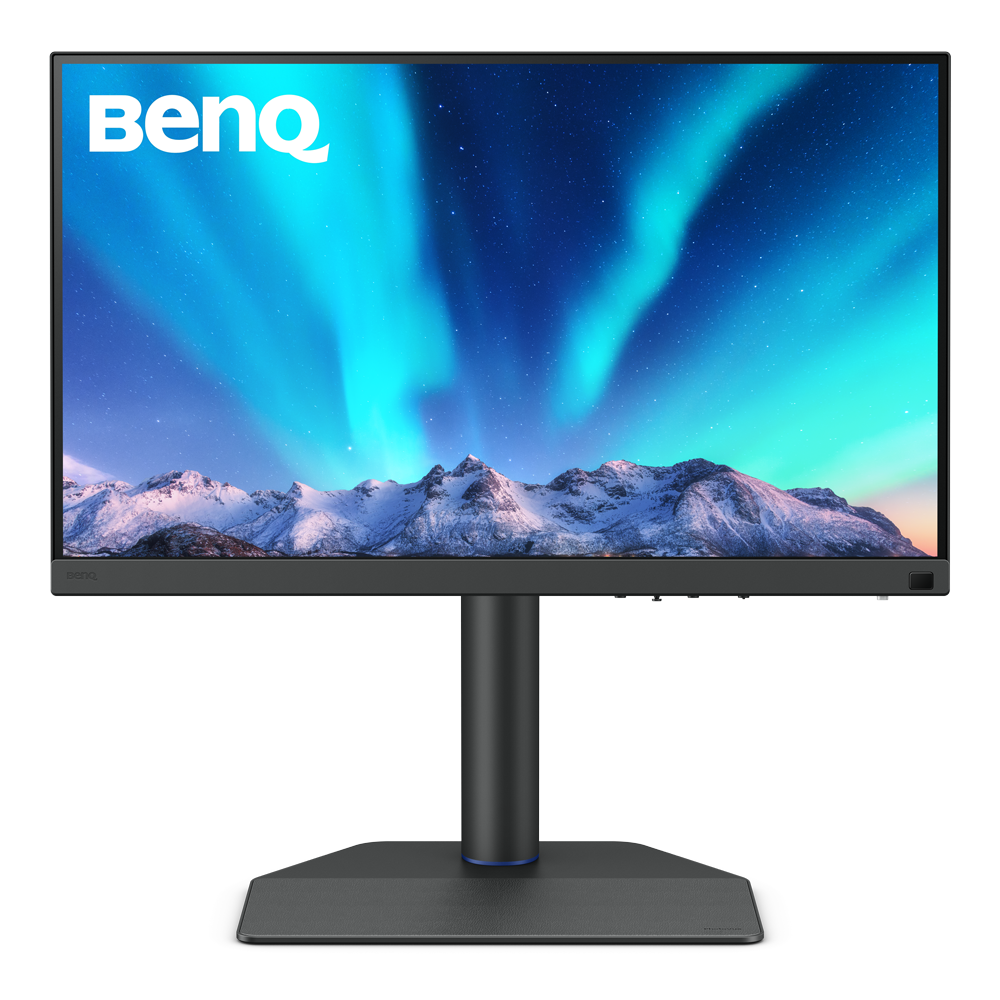
PD2770U​

27” 4K UHD​

———————————

(Built-in) Hardware Calibration​

———————————

100% Rec.709, 99% Adobe RGB, 99% P3​

———————————

Best for studios, labs, and teams using multiple monitors. One administrator can control and keep colors consistent across all displays.

Learn More
SW272U

27” 4K UHD​

———————————

Hardware Calibration​ Supported

———————————

100% Rec.709, 99% Adobe RGB, 99% P3​

———————————

Best for individual creators who need accurate color for editing and print. What you see on screen closely matches your final output.

Learn More
facebook instagram twitter youtube linkedin

Products

Projector Monitor Lighting beCreatus DP1310 ideaCam Speaker

Solutions

BenQ AQCOLOR Ambassador Program BenQ Eye-Care Monitor Solution

Support

Support Center Contact Us Request a Repair Manuals & Downloads Warranty Information Shopping FAQ

Resources

BenQ Knowledge Center Create Big Screen Cinema in Your Small Apartment Find Your Perfect Projector Authorized Business & Education Partners Deal-Registration

Explore & Offers

BenQ Outlet BenQ Deals Events Buy Now Pay Later

About BenQ

Corporate Introduction Leadership News Sustainability Careers Media Contact
Visa Mastercard American Express Discover Paypal Amazon Pay

Copyright © 2024 BenQ. All rights reserved.

Accessibility Statement Privacy Policy About Cookies Terms of Use Notice Import/Export Compliance

Copyright © 2024 BenQ. All rights reserved.

United States - English
TOP