Most people see a dark room as a gloomy space that needs more light. Common solutions include floor lamps, wall lights, LED strips, and reflective surfaces that make the room feel brighter and more comfortable.
For programmers, though, darkness is often intentional. A dim environment can reduce visual distractions and make it easier to stay focused on code. The tradeoff is that a bright monitor surrounded by darkness can create an uncomfortable viewing environment during long coding sessions.
The best lighting for a dark room therefore depends on what you are trying to achieve. This guide covers how to brighten a generally dim room and how programmers can add the right supplementary lighting without losing the focused atmosphere they prefer.
Working in a dark room can feel like the perfect setup for coding: no distracting overhead lights, fewer visual interruptions, and only you and your monitor.
However, when the monitor becomes the primary light source, the strong brightness difference between the screen and its surroundings can make extended viewing more demanding on your eyes.
Problem
What Happens in a Dark Room
Impact on Programmers
Harsh contrast
Your screen becomes the only light source. Against a pitch-black background, every line of code looks brighter than it should.
Eyes constantly adjust to extreme contrast: contrast glare.
Faster visual fatigue
Pupils stay dilated in the dark, making your eyes extra sensitive to light.
Long coding hours can contribute to tired eyes, headaches, and difficulty maintaining visual focus.
Uneven workspace lighting
The monitor is bright, while the keyboard, desk, and surrounding workspace remain much darker.
Moving your gaze between the screen and nearby work surfaces becomes more visually demanding over time.
Poorly directed light
A light source that is too bright or aimed in the wrong direction may shine toward your eyes or create concentrated brightness around the workspace.
Direct glare and bright hotspots can interrupt focus and make long coding sessions less comfortable.
In other words, the problem is not simply that the room is dark. It is the imbalance between the monitor, the surrounding workspace, and the background.
That does not mean programmers need to flood the entire room with light. A better approach is to introduce controlled illumination designed to reduce glare that supports screen work while preserving concentration.
To understand the differences between direct, reflected, and contrast glare, read our guide to what glare is and how to reduce it.
The best lighting for a dark room rarely comes from one powerful overhead fixture. A more balanced setup uses layered lighting, combining ambient, task, and accent light to reduce dark areas and make the space more comfortable.
Here are some of the most common lighting options for dark rooms:
Lighting Method
How It Works
Best Use Case
LED strips
Flexible strips can outline shelves, desks, or walls to create soft, indirect illumination.
Great for adding modern accents or making small rooms feel less closed-in.
Floor lamps
Portable and easy to reposition; often provide upward or diffused light.
Ideal for renters or anyone who needs flexible lighting without renovations.
Wall sconces / wall lights
Mount on walls to wash light across surfaces and reduce shadows.
Works well in hallways, bedrooms, or spaces where floor space is limited.
Recessed lighting
Built into the ceiling for clean, unobtrusive brightness.
Perfect for a permanent solution in living rooms or offices.
Mirrors & light colors
Reflect and spread existing light; lighter walls amplify the effect.
Simple trick to make any dark space appear brighter without new fixtures.
Desk lamp
Directs focused light onto documents, keyboards, or specific desk areas.
Ideal for reading, writing, or other tasks performed away from the screen.
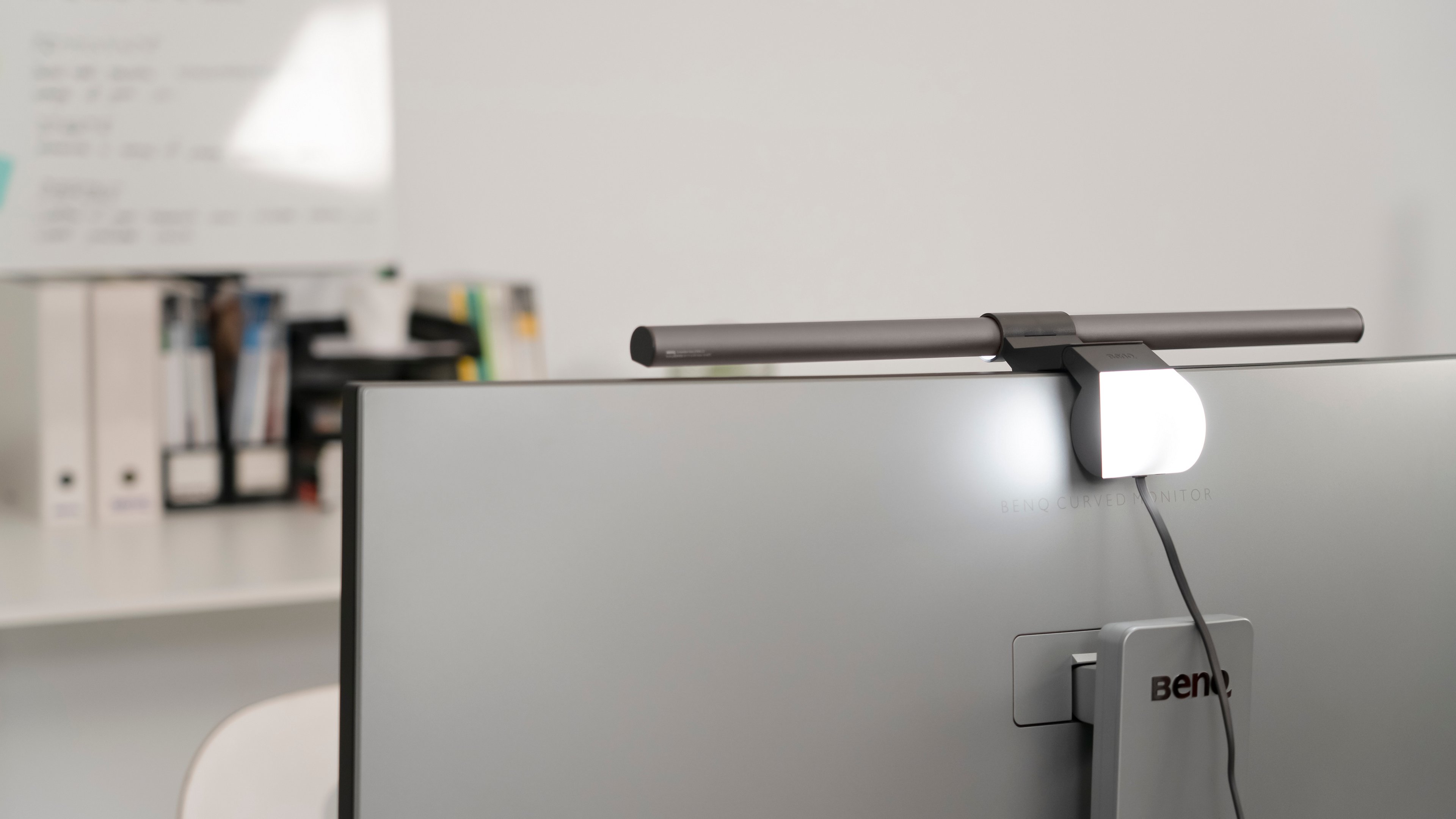
Monitor light bar
Mounts above the monitor to illuminate the desk while directing light away from the screen.
Works well for screen-focused work where desk space and glare control matter.
Floor Lamp
Monitor Light Bar
Wall sconces / wall lights
LED Strips
For broad room illumination, an adjustable floor lamp such as the BenQ WiT Floor Lamp can provide soft ambient light without requiring ceiling installation. For reading, writing, or other activities beyond the screen, the BenQ WiT e-Reading Desk Lamp offers focused and flexible task lighting.
The key is to balance the room, not simply make it brighter. Use soft, diffused light for the space and focused lighting for the desk.
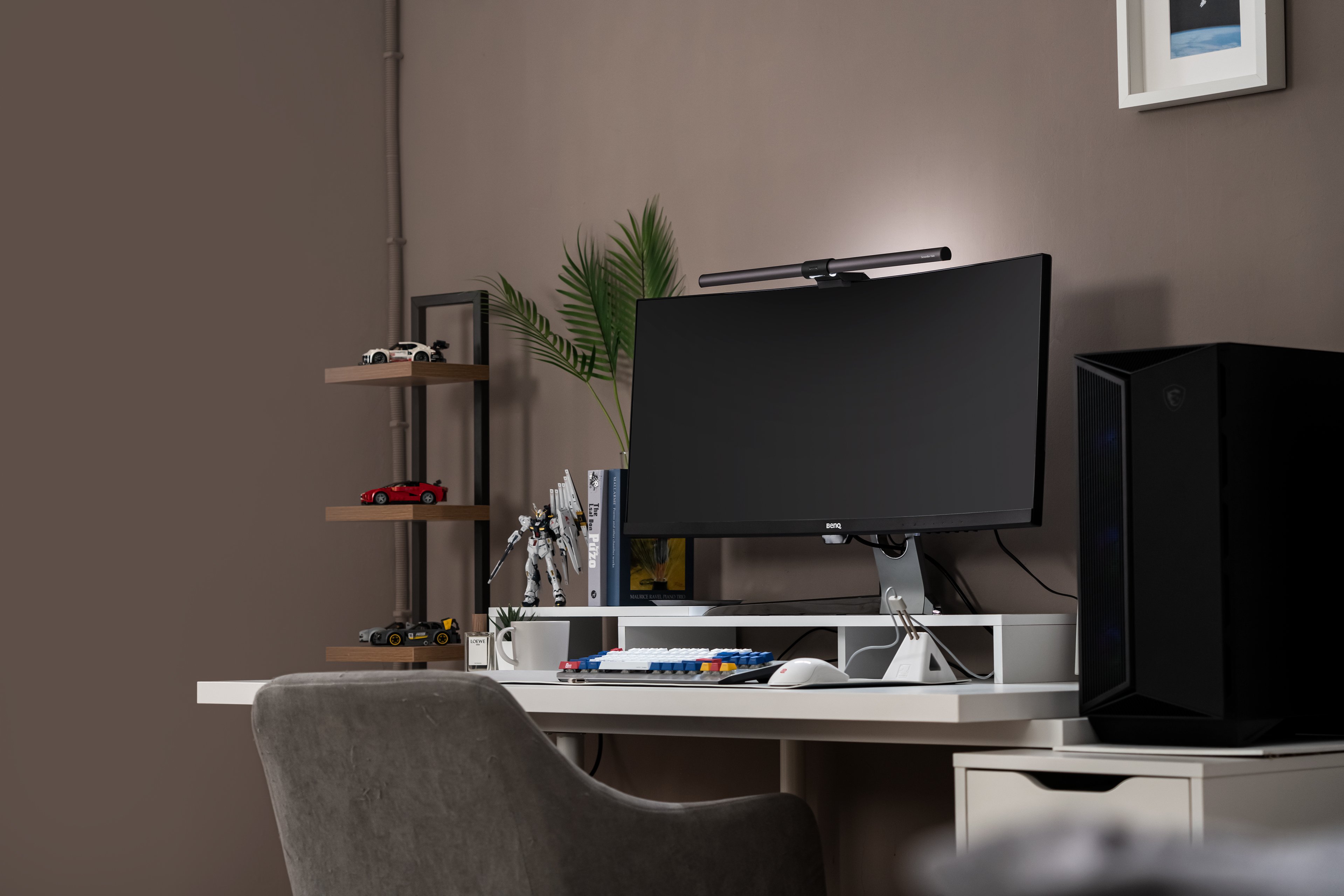
Not everyone wants to make a dark room brighter. For programmers, darkness is often intentional. It creates a focused environment where distractions fade away, especially during late-night coding sessions.
But when the monitor becomes the only bright light source, the strong contrast with the surrounding darkness can increase visual discomfort. The challenge is therefore not to fully illuminate the room, but to add enough light to make the workspace more balanced without disrupting focus.
Immersion vs. Comfort
A darker environment may support focus, but stronger screen-to-room contrast makes extended viewing more demanding.
The missing layer
Programmers need supplementary lighting that reduces contrast around the screen while preserving the darker atmosphere.
This is where bias lighting comes in. By softly illuminating the wall behind the monitor, it reduces the brightness difference between the screen and its surroundings without lighting up the entire room.
Bias lighting is a simple but powerful technique: place a soft light behind your monitor so it shines onto the wall, not your eyes or the screen itself. Instead of adding brightness to the whole room, it balances the contrast between your glowing display and the dark surroundings.
You might be thinking: why do I even need extra light if I can already see the screen clearly? The answer is contrast glare. When the monitor is the only light source in a pitch-black room, your eyes are forced to constantly adapt between the bright display and the dark environment, leading to strain, fatigue, and discomfort. Bias lighting solves this by softening that extreme contrast, creating a more comfortable viewing experience without breaking the coding atmosphere.
So how does bias lighting actually stack up against a regular desk lamp or room lighting? Here’s a quick comparison:
Lighting Type
How It Works
Pros
Cons
Room lighting
(floor lamp, wall light, LED strips)
Brightens the entire space.
Improves general mood, reduces gloominess.
Can break immersion for programmers who like a dark setup.
Desk lamp
Directs light onto your desk or keyboard.
Good for paperwork and task lighting.
Creates glare, screen reflections, and uneven brightness.
Bias lighting
Illuminates the wall behind your monitor.
Reduces contrast glare, lowers eye strain, preserves focus.
Doesn’t brighten the whole room. Built for visual comfort, not ambience.
Want a deeper dive? Read our detailed guide here: Behind Monitor Lighting: Why Bias Lighting Matters.
Even if you prefer a darker workspace, the best setup blends both general room lighting and focused desk lighting:
Lighting Zone
Recommended Setup
Why It Helps
Room
Keep a dim floor lamp or LED strip in the background.
Prevents extreme contrast between the monitor and the surroundings.
Desk
Use a monitor light bar with front and rear lighting.
Lights your keyboard without glare; bias light reduces strain.
Color temperature
Daytime: 4000–5000K
Night: 2700–3500K.
Matches the circadian rhythm, improves comfort, and sleep.
Surfaces
Matte walls and non-reflective desks.
Avoids harsh reflections and glare hotspots.
The goal isn’t to make your workspace bright. It’s to create a balanced, comfortable environment that lets you stay focused without sacrificing eye health.
Comfortable dark-room lighting is not about making the entire room brighter. It requires the right balance of task lighting for the desk and bias lighting behind the screen to reduce harsh brightness differences without disrupting focus.
The right lighting solution depends on the size and arrangement of your workspace.
Workspace Setup
Recommended Lighting Solution
How It Supports Work in Dark Rooms
Single-monitor setup
Monitor Light Bar
- ScreenBar Halo 2
Combines front task lighting with rear bias lighting to illuminate the desk and soften the contrast between the monitor and dark surroundings.
Dual monitors or a wider desk
Dual Monitor Desk Lamp
- ScreenBar Max
Extends glare-controlled light across a broad workspace while adding rear lighting behind multiple screens.
For a single-monitor workspace, a monitor light bar provides focused task lighting without taking up desk space. BenQ ScreenBar Halo 2 combines front lighting with rear bias lighting to illuminate the desk and reduce the brightness difference between the monitor and dark surroundings.
Its auto-dimming function responds to ambient light, while the wireless controller shows precise brightness and color-temperature values for consistent adjustments.
Dual monitors require a different lighting solution. A dual monitor desk lamp needs to cover a wider desk, accommodate different screen arrangements, and control glare across the full workspace.
BenQ ScreenBar Max is designed for this scenario. It provides wider, glare-controlled illumination across dual monitors and adds rear lighting to reduce contrast behind multiple screens, without adding another lamp base to the desk.
For more guidance on arranging a wider workspace, read our guide to building the best dual-monitor desk setup for programmers.
Working in a dark room may help programmers stay focused, but a bright screen against dark surroundings can increase contrast glare and visual discomfort. The best lighting for dark rooms is not about making the entire space brighter. It is about balancing the light around the screen, desk, and workspace.
For single-monitor setups, a monitor light bar such as BenQ ScreenBar Halo 2 combines task lighting with rear bias lighting. For dual monitors or wider desks, a dual monitor desk lamp such as BenQ ScreenBar Max provides broad, glare-controlled illumination across the workspace.
With the right lighting solution, programmers can maintain an immersive setup without sacrificing long-term viewing comfort.
Monitor Lighting that Empowers Your Focus and Flow