省去冗長註冊流程 用LINE帳號也可以成為會員囉
立即綁定Cookie 偏好設定
How can I change my BenQ cookie settings?
Some essential features on BenQ sites just won’t work without cookies. And having other cookies switched off can seriously affect the way you’ll be able to enjoy our services.
Please check your cookie settings below and turn on any cookies you’re happy with.
“Strictly necessary” cookies can’t be turned off. But Functional and Performance cookies can be turned on or off below. You can learn more about cookies and what they do on our other pages.
If you've chosen to block third-party cookies on your browser, your cookie preferences won't carry over from benq.eu to benq.xx and vice versa. Please make sure to set your cookie preferences in both places.
On
Strictly necessary cookies
These cookies are essential so that you can move around the website and use its features. Without these cookies services you have asked for cannot be provided.
On
Off
Functional cookies
These cookies help to improve the performance of BenQ. If you want to opt-out of advertising cookies, you have to turn-off performance cookies.
On
Off
Performance cookies
These cookies help to improve the performance of BenQ. If you want to opt-out of advertising cookies, you have to turn-off performance cookies.
GV31 全球產品召回通知
了解更多GV31 全球產品召回通知
了解更多
BenQ 會員綁定 LINE 官方帳號 貼心通知 即時查詢 更快速
了解更多BenQ 會員綁定 LINE 官方帳號 貼心通知 即時查詢 更快速
了解更多
全館不限金額免運費,信用卡分期0利率
了解更多全館不限金額免運費,信用卡分期0利率
了解更多
色彩在使用和購買的物品中至關重要,對於設計師來說,確保色彩準確應用和顯示是工作的關鍵。隨著設計過程中的大部分步驟都在數位上執行,設計師更加依賴電腦和外接螢幕的色彩是否精準顯示。為了確保最高水準的色彩準確度,設計師必須首先熟悉一個被稱為ICC 配置文件的數據資料,在設計過程中起著一個小而關鍵的作用。
ICC(International Color Consortium)檔案是什麼?根據國際色彩聯盟(ICC),ICC檔案是一組描述色彩輸入或輸出設備的數據。這些檔案通常通過定義設備源和檔案連接空間之間的映射來描述特定設備的色彩屬性。簡單來說,每個顯示色彩的設備都可以被分配一組檔案,這些檔案定義了這些設備將顯示的色彩範圍。
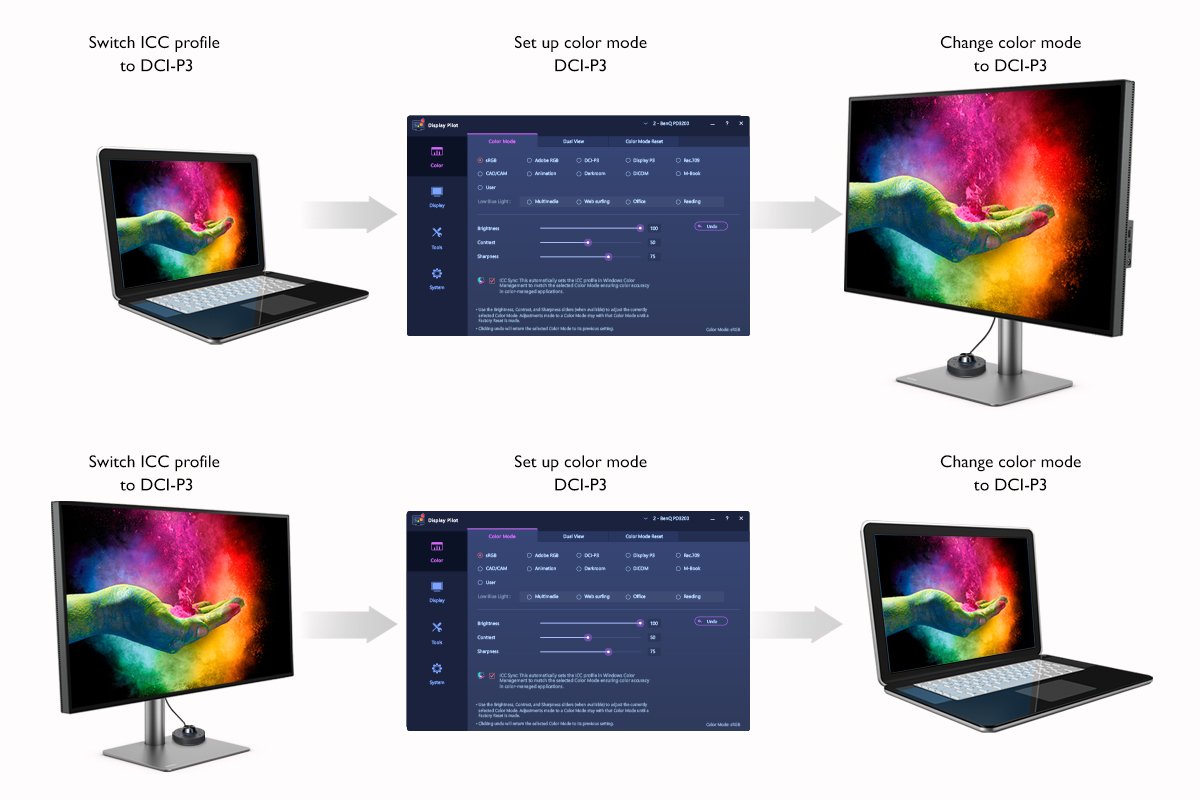
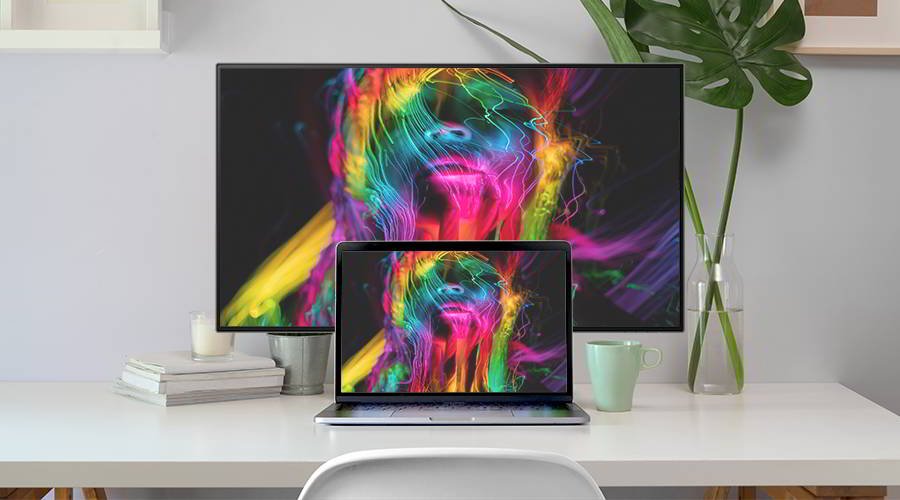
對於大多數設計師來說,最常見的問題是該如何確保自己的顯示器顯示最準確的色彩?可以採取一些步驟來平滑這個過程。首先,設計師需要了解其設備操作系統的色彩範圍。如果筆記型電腦和顯示器的色彩範圍都是sRGB,那麼這意味著顯示器將顯示準確的色彩。另一方面,如果筆記型電腦的色彩範圍是sRGB,而顯示器的色彩範圍是DCI-P3,那麼設計師就必須將DCI-P3的ICC檔案植入該電腦的操作系統中並進行設置,以確保顯示色彩準確。
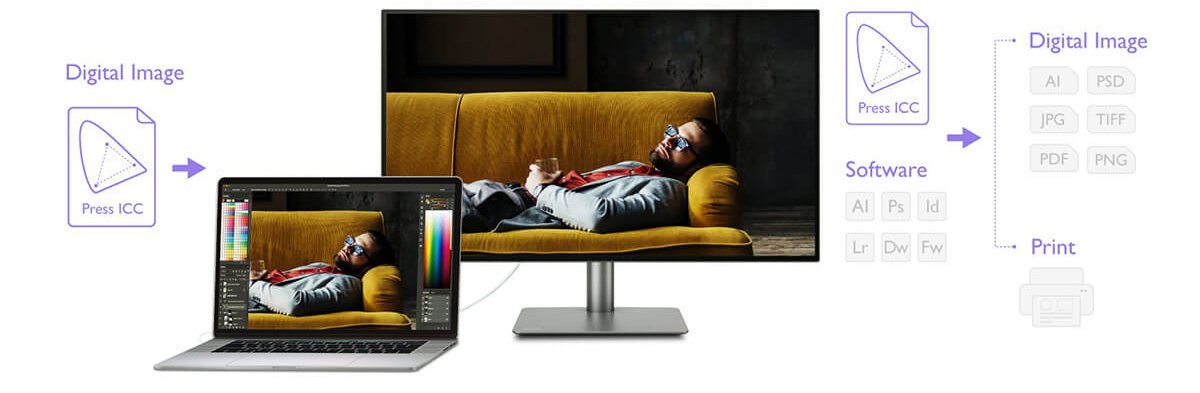
數字圖像和圖形都有自己的ICC檔案。為了確保您即將處理的圖像準確顯示,設計師必須將圖像的ICC檔案與顯示器相匹配,並將相應的ICC檔案實施到電腦的操作系統中。一旦完成這些步驟,您就可以放心,圖像的顏色將得到正確顯示。
繁瑣和複雜的步驟可能會誤導使用者,根據上述步驟,可以得出合理的結論,當設計師試圖在顯示器、電腦操作系統和源文件之間匹配ICC檔案時,有些事情可能會出錯。
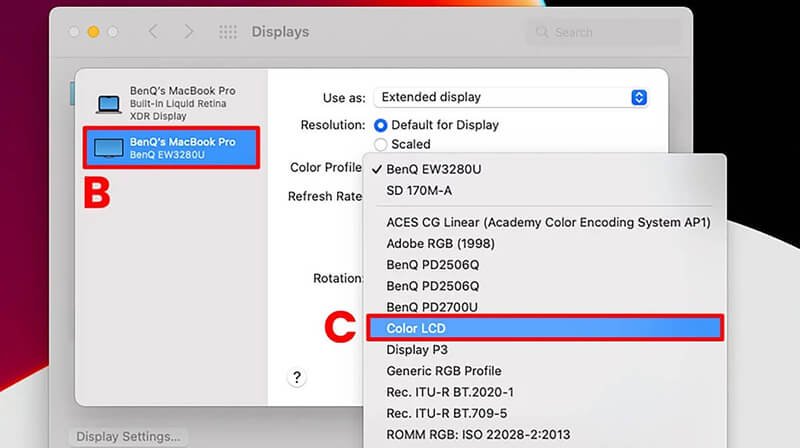
為了讓設計師更方便操作,BenQ PD系列設計專業螢幕支援 ICCsync功能,有助於\簡化整個ICC檔案映射過程。有了ICCsync,設計師可以在不同的色彩範圍之間切換時設置正確的ICC檔案。只要開啟內建軟體Display Pilot中執行ICCsync,設計師就不再需要每次想切換到不同的色彩範圍時調整操作系統的ICC檔案。
設計師不再需要擔心由於技術故障而導致的不準確的顏色顯示,只須執行ICCsync 新的色彩映射技術,即可進一步提高工作效率。
同步Mac 色彩的最佳選擇 / 最適合Mac 的外接螢幕
{{item.productWordingTag}}
{{currency}}{{item.finalPrice| numberThousandsCommas | numberDecimalPoint}} 省下 {{currency}}{{item.saveAmount | numberThousandsCommas | numberDecimalPoint}} 省下 {{item.savePercent | numberThousandsCommas | numberDecimalPoint}}%
new device price{{currency}}{{item.regularPrice| numberThousandsCommas | numberDecimalPoint}}