BenQ respect your data privacy. We use cookies and similar technologies to ensure you get the best experience when visiting our website. You can either accept these cookies by clicking “Accept Cookies”, or click “Only Required Cookies” to refuse all non-essential technologies. You can customise your cookie settings here at any time. For further information, please visit our Cookie Policy and our Privacy Policy.
Page updated: May 2020
Some essential features on BenQ sites just won’t work without cookies. And having other cookies switched off can seriously affect the way you’ll be able to enjoy our services.
Please check your cookie settings below and turn on any cookies you’re happy with.
“Strictly necessary” cookies can’t be turned off. But Functional and Performance cookies can be turned on or off below. You can learn more about cookies and what they do on our other pages.
If you've chosen to block third-party cookies on your browser, your cookie preferences won't carry over from benq.eu to benq.xx and vice versa. Please make sure to set your cookie preferences in both places.
On
These cookies are essential so that you can move around the website and use its features. Without these cookies services you have asked for cannot be provided.
On
Off
These cookies allow the website to remember choices you make to give you better functionality and personal features.
On
Off
Performance cookies
These cookies help to improve the performance of BenQ. If you want to opt-out of advertising cookies, you have to turn-off performance cookies. We also use Google Analytics, SessionCam and Hotjar to track activity and performance on the BenQ website. You can control the information provided to Google, SessionCam and Hotjar. To opt out of certain ads provided by Google you can use any of the methods set forth here or using the Google Analytics opt out browser add-on here. To opt-out of SessionCam collecting data, you can disable tracking completely by following link:https://sessioncam.com/choose-not-to-be-recorded/. To opt-out of Hotjar collecting data, you can disable tracking completely by following link:https://www.hotjar.com/privacy/do-not-track/.
Advertising cookies
These cookies are used to track your activity on the BenQ website and other websites across the Internet, help measure the effectiveness of our advertising campaign and deliver advertisements that are more relevant to you and your interests. We use various advertising partners, including Amazon, Facebook, and Google. These cookies and other technologies capture data like your IP address, when you viewed the page or email, what device you were using and where you were. You can find out how to avoid them below.
BenQ respect your data privacy. We use cookies and similar technologies to ensure you get the best experience when visiting our website. You can either accept these cookies by clicking “Accept Cookies”, or click “Only Required Cookies” to refuse all non-essential technologies. You can customise your cookie settings here at any time. For further information, please visit our Cookie Policy and our Privacy Policy.
Projector
Explore Business Projector
Professional Installation Exhibition & Simulation Conference Room Meeting Room Education ProjectorsMonitor
Lighting
Interactive Display | Signage
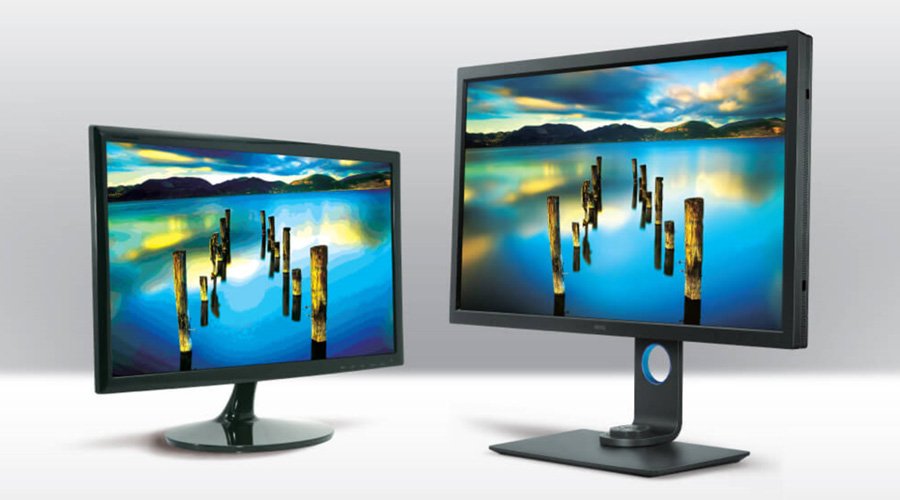
Inside a computer, numerical values of red, green, and blue define all possible colors, but what we use to reproduce that color affects the result. For example, the color cyan is 100% green, 100% blue, and 0% red. These numeric values never change, so cyan always has the same numeric value. But, how that cyan looks on the screen is affected by several factors, the most common being an uncalibrated screen. All computer monitors incorporate small variations due to the nature of manufacturing. At BenQ, we use high-precision equipment in the manufacturing process to minimize these discrepancies. Color calibration helps reduce the impact of those discrepancies on color performance.
| Colorimeters | Spectrophotometers |
|---|---|
Colorimeters X-rite i1 Display Pro / Calibrite ColorChecker Display Pro | Spectrophotometers X-rite il Pro, il Pro 2, il Pro 3, i1Pro 3 Plus, ColorMunki Photo |
Colorimeters X-rite i1 Display Pro Plus / Calibrite ColorChecker Display Pro Plus | Spectrophotometers |
Colorimeters X-rite i1 Studio / Calibrite ColorChecker Studio<br> Datacolor Spyder 4, Spyder 5, Spyder X | Spectrophotometers |
*Note: X-Rite Photo & Video is now Calibrite. This is why some devices show two names.
Thanks for your feedback!