Page updated: May 2020
Some essential features on BenQ sites just won’t work without cookies. And having other cookies switched off can seriously affect the way you’ll be able to enjoy our services.
Please check your cookie settings below and turn on any cookies you’re happy with.
“Strictly necessary” cookies can’t be turned off. But Functional and Performance cookies can be turned on or off below. You can learn more about cookies and what they do on our other pages.
If you've chosen to block third-party cookies on your browser, your cookie preferences won't carry over from benq.eu to benq.xx and vice versa. Please make sure to set your cookie preferences in both places.
On
These cookies are essential so that you can move around the website and use its features. Without these cookies services you have asked for cannot be provided.
On
Off
These cookies allow the website to remember choices you make to give you better functionality and personal features.
On
Off
Performance cookies
These cookies help to improve the performance of BenQ. If you want to opt-out of advertising cookies, you have to turn-off performance cookies. We also use Google Analytics, SessionCam and Hotjar to track activity and performance on the BenQ website. You can control the information provided to Google, SessionCam and Hotjar. To opt out of certain ads provided by Google you can use any of the methods set forth here or using the Google Analytics opt out browser add-on here. To opt-out of SessionCam collecting data, you can disable tracking completely by following link:https://sessioncam.com/choose-not-to-be-recorded/. To opt-out of Hotjar collecting data, you can disable tracking completely by following link:https://www.hotjar.com/privacy/do-not-track/.
Advertising cookies
These cookies are used to track your activity on the BenQ website and other websites across the Internet, help measure the effectiveness of our advertising campaign and deliver advertisements that are more relevant to you and your interests. We use various advertising partners, including Amazon, Facebook, and Google. These cookies and other technologies capture data like your IP address, when you viewed the page or email, what device you were using and where you were. You can find out how to avoid them below.
現在許多企業為提供員工輕鬆的辦公環境、鼓勵創新與自由風氣,開始在辦公室內、會議室內有繽紛色彩;又或是有些企業希望給員工簡潔環境,結果會議室內沒有安裝投影幕。那,這樣還可以使用投影機嗎?
如果你覺得你想要一台投影機、可是不想安裝投影幕、會議室內也沒有白色牆壁,這對一般投影機來說,是一個非常大的困擾。
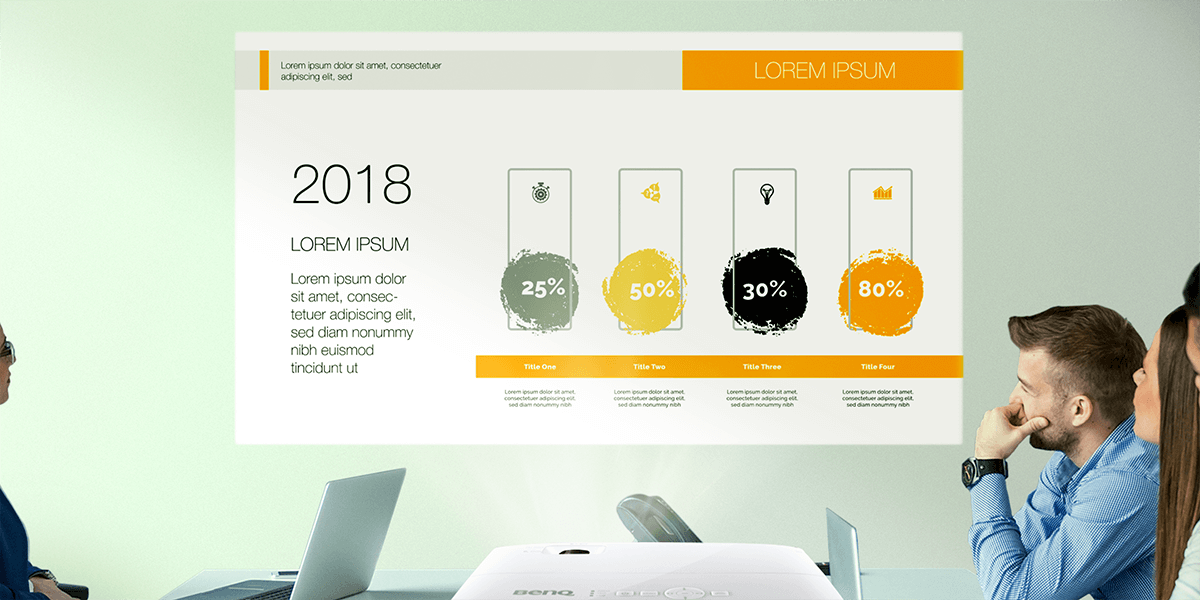
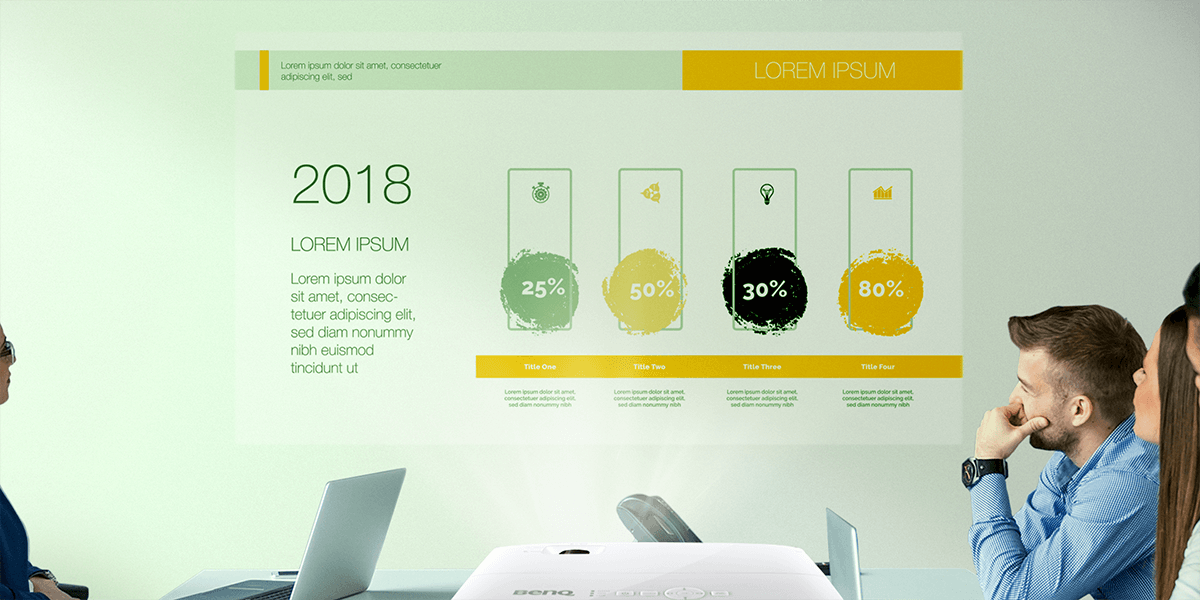
BenQ 會議室投影機獨特的「牆面色彩調整」,可以讓影像在不同的牆面色彩上修正顏色,透過色彩學上顏色補色方式,不僅讓你的畫面在各種牆面上清晰顯示,更能呈現盡可能準確的色彩。
因此你不用擔心因為色彩落差讓大家討論分心,而可以擁有極高的生產力。
有些時候,你選擇了很棒的辦公室室內設計,但往往因為一個投影幕而破壞整體美感,因為一般的商用投影機必須搭配一塊投影幕才能精準呈現色彩。或是勉強將畫面投影在非白色的牆面上,也會因為奇怪的色彩讓大家無法專心討論。
BenQ 本身也是尊重員工自由、喜歡創造力的企業,因此BenQ投影機導入的 Wall Color Mode,就是希望讓一群喜歡自由、卻又需要投影機的員工,有一個絕佳解決方案。經過證實,我們發現世界各國的員工都很滿意Wall Color Mode,因為它可以讓公司保有個性化的繽紛牆面、又不需要犧牲色彩以換取投影機的大畫面,讓同事間的討論非常順暢。
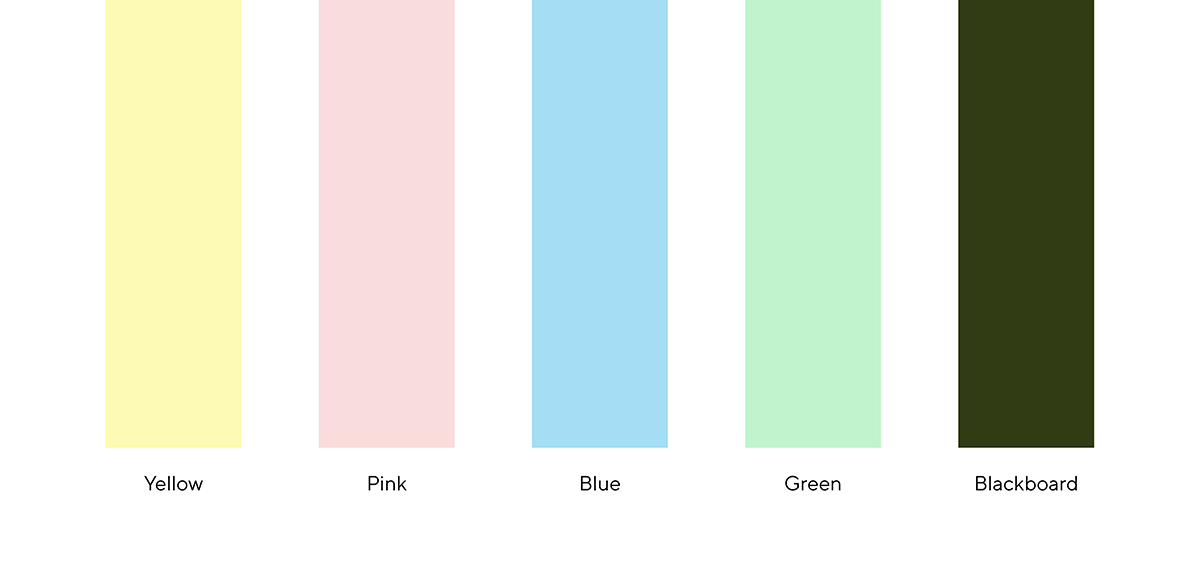
BenQ 商用投影機主要支援五種主要色相,淺黃色,淺粉紅色,淺藍色,淺綠色和黑色,或是黑板。投影機根據牆壁的不同反射率修改色彩平衡和整體亮度。雖然大多數投影機都希望有高反射性的表面(例如白色屏幕或牆壁),但通過“Color Wall Mode”,您可以獲得針對更大範圍的表面反射率水平而優化的圖像。投影機會自動完成所有操作,省去了手動尋找正確色彩平衡的麻煩。
例如,你的牆面是藍色,則BenQ投影機則會取消藍色,並增強紅色、綠色的光輸出,如此一來便可以獲得令人滿意的投影效果。
Thanks for your feedback!