Premium AI Integrated Education Solution
BenQ Board Pro RP05 Interactive Display
Google EDLA Certified
Google Play support
10 TOPS NPU
Industry-leading AI
Built-in AI features
Do-it-all teaching assistant
Eyesafe 3.0
Max blue light protection
70W sound system
Powerful, crisp audio
Directory sync
Auto account setup
Multi-user login
QR Code and NFC
Android 15
Future upgradeable
Engineered for performance, BenQ Board Pro RP05 features the MediaTek Genio 720 - the most advanced IoT chipset available, alongside 16GB DDR5 RAM, 256GB storage, and a 10 TOPS NPU. Designed to exceed the demands of AI-powered education, it gives every educator a fast, reliable, and future-ready device in any classroom, anywhere.
Faster tools, instant responses, and uninterrupted AI in any classroom.
World's most advanced & highest rated IoT chipset that makes the benQ board pro RP05 fast and fluid, while simultaneously running AI, slides, or streaming.
The fastest memory standard is now in a classroom device. The RP05 handles AI tools, videos, and multitasking without a single slowdown.
The most advanced AI built right into your BenQ interactive display. Smart tools | Effortless to teach with | Transform lessons into engaging experiences
From lesson plans and teaching outlines to quizzes and practice questions, created instantly, automatically on the whiteboard.
Powered by Google Gemini. Real-Time AI That Transforms Every Lesson.
Automatically converts handwritten formulas, shapes, and diagrams into clean, readable digital content.
Control the display using hand gestures, such as flipping pages, freeze or spotlight.
Never get caught off guard. BenQ AI gives you the tools to answer every question, even the unexpected ones.
Ask AI
Just Ask AI! Get quick answers or well-thought-out solutions to any learning needs. No browser or extra apps required.
Circle to Artify
Circle to Artify transforms notes and sketches into lively artwork, featuring three fun, unique styles.
Lasso Search
Lasso Search provides curated, useful information about selected images right on the display.
Built on industry-trusted standards and elevated with features designed to make every lesson impactful, more immersive, and more connected.
BenQ Board Pro RP05's USB 3.0 port combines 100W fast charging with high-speed data transfer, so every lesson format, from videos to presentations, is displayed on the board accurately and without delay.
BenQ Board Pro RP05 enables 50 simultaneous touch points on both Android and Windows with pinpoint accuracy and the ability to distinguish between stylus, finger, and palm making every annotation and collaboration feel effortlessly natural.
Designed for spaces where every word counts, BenQ Board Pro RP05's 70W sound system delivers crisp, powerful audio across the entire classroom and the built-in 8 array microphone ensures the teacher's voice is captured with precision every time.
No manual account setup needed with directory sync. Import users from ClassLink, Clever, Google, Microsoft, and other identity providers and manage with ease.


Designed for teachers, powered by AI. Simple to use and ready to transform learning.

Ask AI
Get answers on the spot
Lasso Search
Circle, search, discover
EZMath
Neat, legible formulas and shapes
Circle to Artify
From notes and sketches to art
Every student and teaching environment is unique. BenQ Board Pro RP05 delivers the versatility you need to foster learning in any classrooms.
Note Browser
All annotations follow the content when you scroll or navigate the page.
Ink freely
Add notes and highlight on top of any app, document, or screen
Side-by-side drag and drop
Easily move content from different apps
Go big
Display-to-projector mirroring for larger environments
Double your workspace
More space with screen extension
Max compatibility
Support Android, Windows, MacOS, ChromeOS, and more
Industry's first UL Solutions verification for eyesafe 3.0 paired with RPF® 60 blue light protection and CPF® 50 circadian-friendly viewing, BenQ Board Pro RP05 is engineered to protect teachers' and students' eyes without ever compromising on colour accuracy.
BenQ Board Pro RP05 is the first interactive display verified by UL Solutions. It is a third-party certification for screens that reduce harmful blue light while preserving accurate colours.
Measuring blue light protection like SPF for sunscreens, the Radiance Protection Factor (RPF) ranges from 35 to 100. With an elite RPF 60 rating well above the base requirement BenQ Board Pro RP05 significantly reduces harmful blue light and eye strain.
Circadian Protection Factor (CPF) measures a display's ability to filter blue light that disrupts sleep and melatonin. Ranging from 20 to 80, a higher number signifies superior safety. With a CPF 50 rating, BenQ Board Pro RP05 protects natural sleep cycles.
Germ-resistant
Effective against 99.9% of germs
Anti-glare, flicker-free
Reduced eye strain, improved visuals
Air quality monitoring
Track CO₂, PM₂.₅, and TVOC in real time
Built-in ionizer
Regulate air impurities
Anti-glare, flicker-free
Reduced eye strain, improved visuals
Air quality monitoring
Track CO₂, PM₂.₅, and TVOC in real time
Built-in ionizer
Regulate air impurities
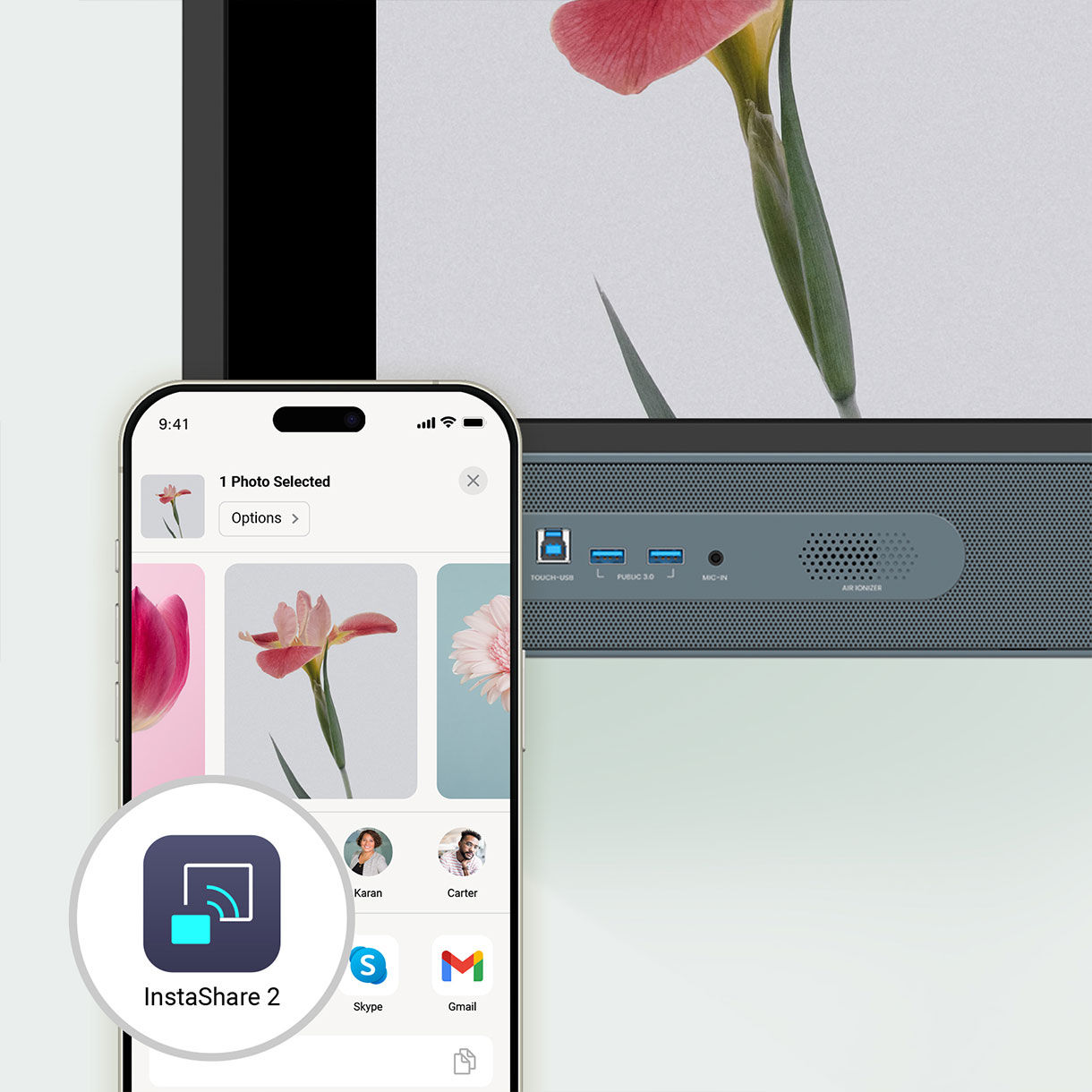
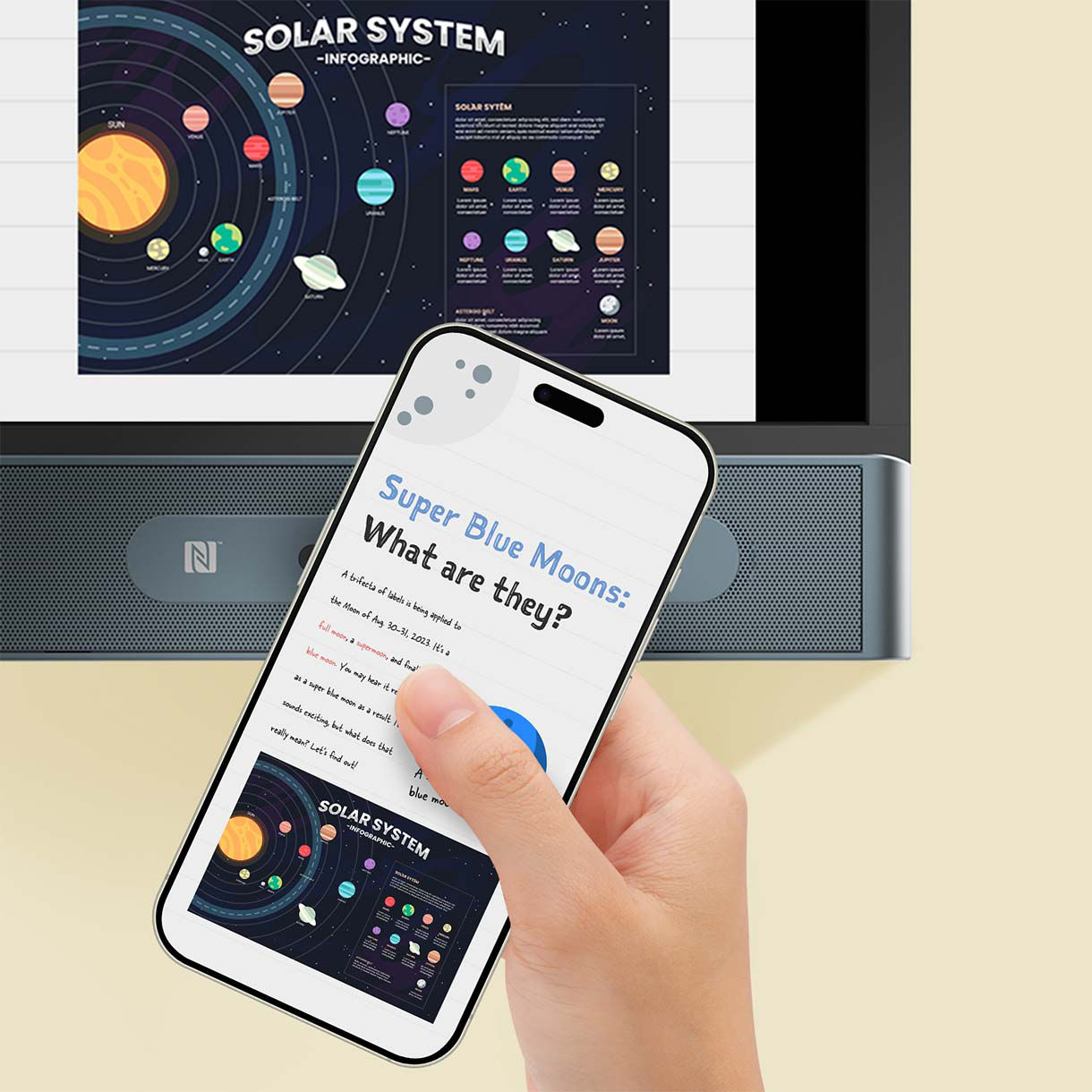
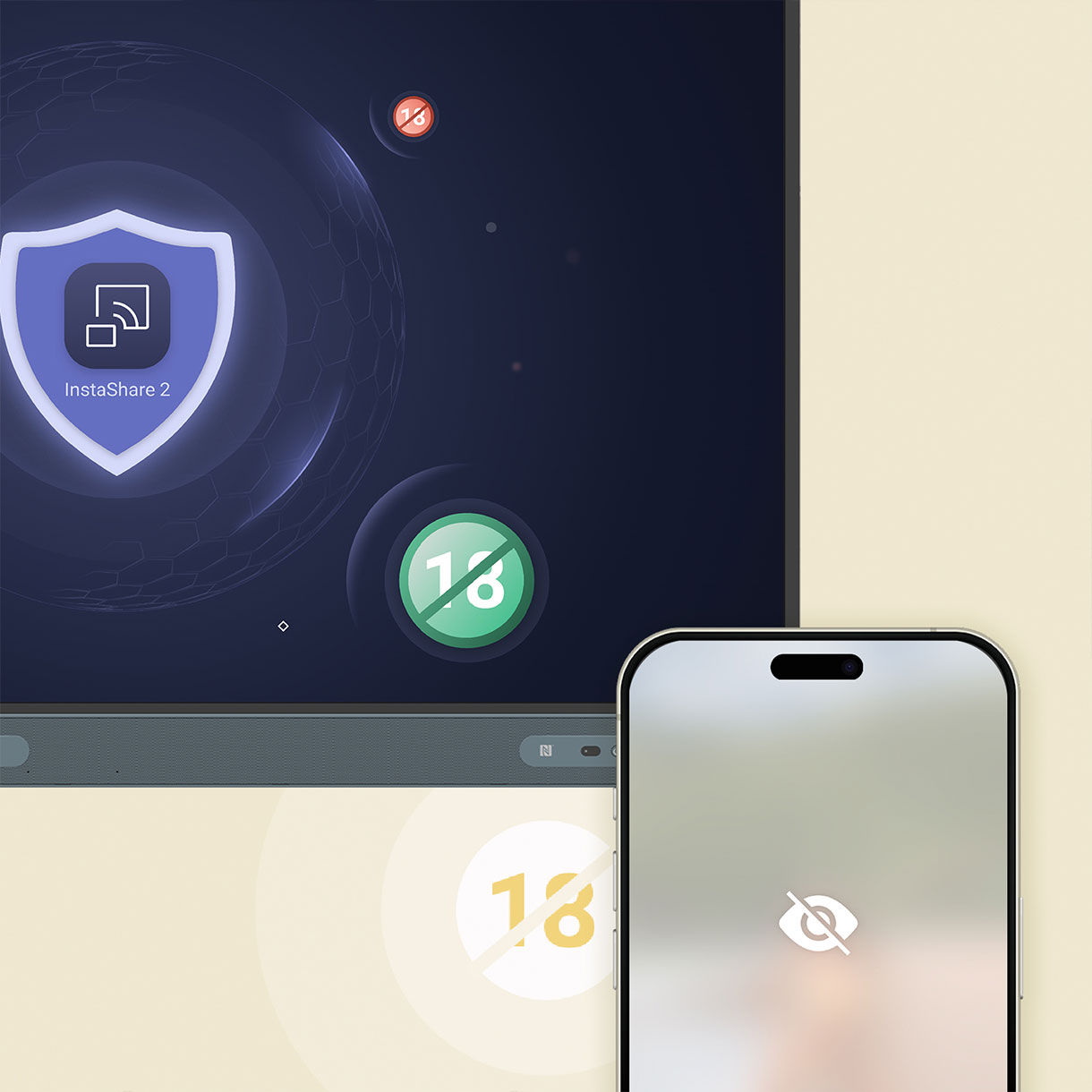
Wireless screen sharing is easy with InstaShare 2. Cast from a laptop or mobile device whether it's the full screen, an app, or media like photos, videos, camera feed, or Office files. It also ensures a focused classroom by automatically blocking inappropriate content.
Connect
Easy Access - Instantly connect devices with a tap — no setup, no friction, just seamless access for every student and teacher.
Cast
Flexible Sharing - Share your screen, windows, or documents wirelessly from any device, to any display, in any classroom format.
Interact
Enhance Teaching - Supercharge every lesson with AI-powered tools that guide, protect, and enrich the learning experience in real time.

No manual account setup needed with directory sync. Import users from ClassLink, Clever, Google, Microsoft, and other identity providers and manage with ease.
The new EDLA-certified BenQ Board Pro RP05 gives you the best possible classroom experience by combining the power of BenQ software and hardware with official Google services for education.
Expansive App Library
Install education apps directly from Google Play for more interactive lessons.
Go-to Google Services
Access essential Google Core Services such as Google Drive and Meet.
Google Docs Editors
Quickly open lesson files with any Google app on a large touchscreen display.
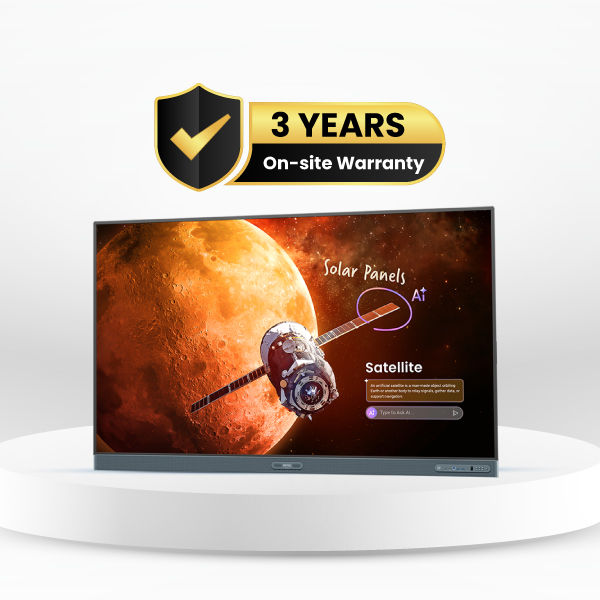
Warranty
On Site Warranty*
Sustainability
Energy Star 8.0 Certified
Lower Power Consumption
Lower Power Consuming Smart Board
Enhance today's teaching methods, and be ready for the classroom needs of the future.

Every student and teaching environment is unique. The RP05 delivers the versatility you need to foster learning in any classrooms.
Scrolling ink
Ink moves with the pages as you scroll in Note Browser
Ink freely
Add notes and highlight on top of any app, document, or screen
Side-by-side drag and drop
Easily move content from different apps
Go big
Display-to-projector mirroring for larger environments
Double your workspace
More space with screen extension
Max compatibility
Support Android, Windows, MacOS, ChromeOS, and more
BenQ Boards are designed for easy adoption. Teachers and IT teams can also access a variety of resources to learn how to make the most of our interactive displays.
Onboarding guides
Product Support
Product overview
Onboarding guides
Teacher’s guides
BenQ Academy
SKOV revitalizes teaching with BenQ Boards
”BenQ Boards allow students to learn on their own or with groups. That's what education is all about."
PINGUIN chooses BenQ Boards for young learners
”With the digital whiteboard from BenQ, we are now practically one step closer to Kindergarten 4.0."
BenQ ClassroomCare® offers numerous protective features to ensure a safe environment for learning interactions.
Attendance builds achievement
BenQ ClassroomCare® offers numerous protective features to ensure a safe environment for learning interactions.
See all specifications

Contact Sales

-9?$ResponsivePreset$&fmt=png-alpha)
Contact Sales

Contact Sales
Explore other
FAQs
What is the MediaTek Genio 720 chipset and why should a school care about a chip?
Most interactive boards run on generic, off-the-shelf processors. The BenQ Board Pro RP05 runs on the MediaTek Genio 720 a high-efficiency 6nm octa-core chip engineered for edge AI devices. Its 6nm architecture means fanless design, low power consumption, and no overheating. Think sports car engine vs. school bus faster, smarter, and built for AI-powered classrooms.
What is an NPU and why does the BenQ Board Pro RP05 need one?
Most AI features rely on remote servers to process data. This setup works well for complex tasks that don’t require instant responses. However, for AI tasks that demand real-time performance, a Neural Processing Unit (NPU) enables these operations to run directly on the board. By processing AI tasks locally, the NPU not only delivers faster, more responsive performance but also enhances data privacy, since sensitive information doesn’t need to be transmitted to external servers.
What is a 10 TOPS NPU and is it really different from what other boards have?
TOPS means Trillion Operations Per Second it measures AI processing speed. The RP05 features the World's #1 IoT NPU with 10 TOPS the highest-rated NPU in any interactive flat panel. It enables real-time handwriting recognition, intelligent content search, live transcription, and powerful AI-driven image processing and enhancement all on-device. Competing boards use basic CPU/GPU combos that can't match this performance.
What is the difference between a 6 TOPS NPU on competitor boards and the RP05's 10 TOPS NPU?
A 6 TOPS NPU handles basic AI tasks simple voice commands or face detection. The RP05's 10 TOPS NPU rated World's #1 IoT NPU runs Generative AI, large language models, real-time image enhancement, segmentation, and speech recognition simultaneously. That's 67% more AI processing power, meaning faster responses, richer AI features, and future-proof performance no 6 TOPS board can match.
What does 50-touch point support on both Android and Windows mean in a classroom?
The BenQ Board Pro RP05 supports 50 simultaneous touch points on both Android and Windows an industry first. Competitors offer only 20–32 points on Android and 40 on Windows. An entire class can write, draw, and annotate on the board together, in real time, with zero input delay or conflict making whole-class participation genuinely possible for the first time.
What is the Note Browser on the BenQ Board Pro RP05?
Note Browser is a smart built-in browser that lets teachers annotate directly over any live web content, PDF, or presentation and all annotations follow the page as it scrolls. No app-switching, no frozen screens, no external laptop needed. It keeps lesson flow seamless and natural, with everything a teacher needs available on the board in one tap.
What is RPF®60 and why does that number matter for students' eyes?
RPF® stands for Radiance Protection Factor the blue light equivalent of SPF in sunscreen. The RP05's RPF®60 filters 60% of the most harmful high-energy blue light (435–440 nm) at the hardware level, always active, without affecting colour quality. For students exposed to the board for 6+ hours daily, this is certified, hardware-level protection not a software toggle.
What is Eyesafe® 3.0 Certification and why is no other board certified at this level?
Eyesafe® 3.0 is the most rigorous independent display safety certification, verified by UL Solutions. It simultaneously certifies RPF®60 for eye protection and CPF®50 for sleep-cycle protection the highest thresholds in both categories. The BenQ Board Pro RP05 is the only interactive flat panel to achieve Eyesafe® Certified 3.0 giving schools independent, third-party proof that the board is safe for daily student use.
What is InstaShare 2 AI Guardian and why does it matter the moment class begins?
AI Guardian is a built-in content safety filter within InstaShare 2, the RP05's screen-sharing platform. The instant a student casts their screen, AI Guardian automatically detects and blocks inappropriate images or videos before they reach the board silent, automatic, and always on. It's the digital equivalent of a teacher who's always one step ahead, in every lesson, every day.
Do smart boards use AI?
Increasingly, yes. Newer interactive displays include AI features such as automatically generating lesson plans and quiz questions, converting handwriting into digital text or diagrams, and voice or gesture-based controls. Some premium boards run AI directly on the device via a dedicated processor (an NPU), which allows AI tools to function even without an internet connection others rely entirely on cloud processing, which requires a stable connection.
Learn More
Learn More
Learn More




?$ResponsivePreset$)
?$ResponsivePreset$)