BenQ respect your data privacy. We use cookies and similar technologies to ensure you get the best experience when visiting our website. You can either accept these cookies by clicking “Accept Cookies”, or click “Only Required Cookies” to refuse all non-essential technologies. You can customise your cookie settings here at any time. For further information, please visit our Cookie Policy and our Privacy Policy.
Page updated: May 2020
Some essential features on BenQ sites just won’t work without cookies. And having other cookies switched off can seriously affect the way you’ll be able to enjoy our services.
Please check your cookie settings below and turn on any cookies you’re happy with.
“Strictly necessary” cookies can’t be turned off. But Functional and Performance cookies can be turned on or off below. You can learn more about cookies and what they do on our other pages.
If you've chosen to block third-party cookies on your browser, your cookie preferences won't carry over from benq.eu to benq.xx and vice versa. Please make sure to set your cookie preferences in both places.
On
These cookies are essential so that you can move around the website and use its features. Without these cookies services you have asked for cannot be provided.
On
Off
These cookies allow the website to remember choices you make to give you better functionality and personal features.
On
Off
Performance cookies
These cookies help to improve the performance of BenQ. If you want to opt-out of advertising cookies, you have to turn-off performance cookies. We also use Google Analytics, SessionCam and Hotjar to track activity and performance on the BenQ website. You can control the information provided to Google, SessionCam and Hotjar. To opt out of certain ads provided by Google you can use any of the methods set forth here or using the Google Analytics opt out browser add-on here. To opt-out of SessionCam collecting data, you can disable tracking completely by following link:https://sessioncam.com/choose-not-to-be-recorded/. To opt-out of Hotjar collecting data, you can disable tracking completely by following link:https://www.hotjar.com/privacy/do-not-track/.
Advertising cookies
These cookies are used to track your activity on the BenQ website and other websites across the Internet, help measure the effectiveness of our advertising campaign and deliver advertisements that are more relevant to you and your interests. We use various advertising partners, including Amazon, Facebook, and Google. These cookies and other technologies capture data like your IP address, when you viewed the page or email, what device you were using and where you were. You can find out how to avoid them below.
BenQ respect your data privacy. We use cookies and similar technologies to ensure you get the best experience when visiting our website. You can either accept these cookies by clicking “Accept Cookies”, or click “Only Required Cookies” to refuse all non-essential technologies. You can customise your cookie settings here at any time. For further information, please visit our Cookie Policy and our Privacy Policy.
Projector
Explore Business Projector
Professional Installation Exhibition & Simulation Conference Room Meeting Room Education ProjectorsMonitor
Lighting
Interactive Display | Signage
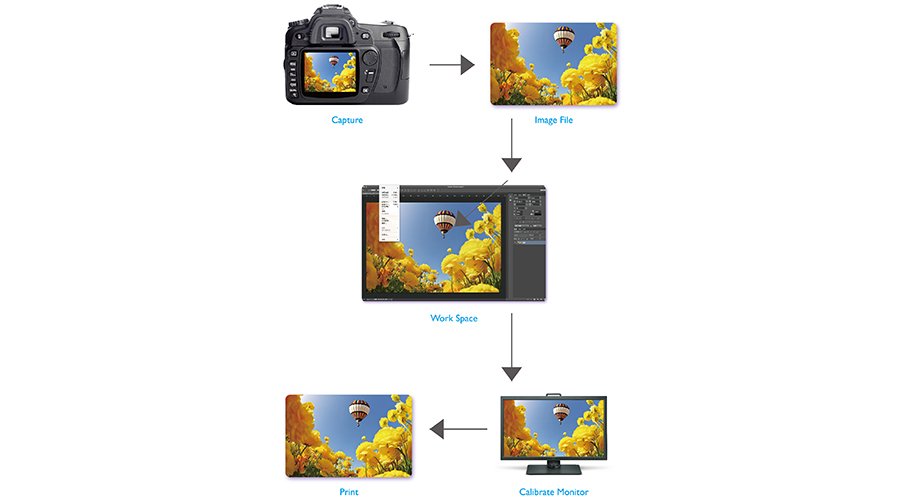
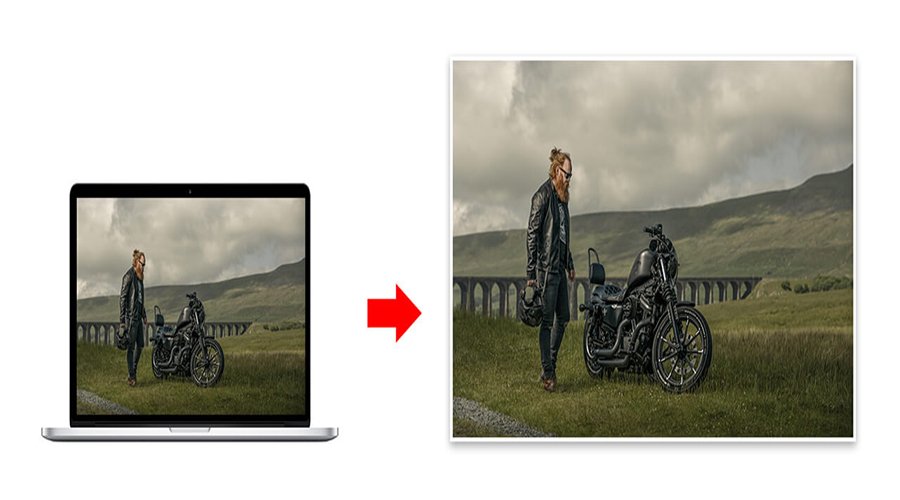
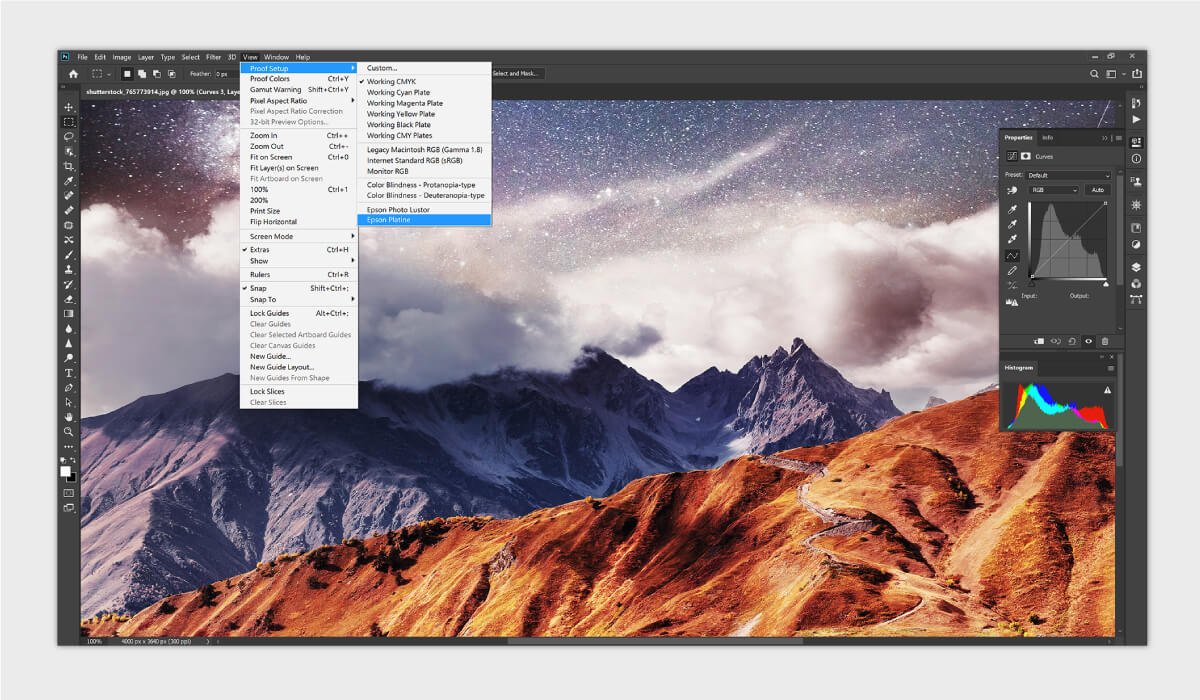
Soft proofing, by definition, uses a monitor to preview the outcome of the printout before printed. Think of the monitor as a simulator, which simulates the combined effect of the printer, ink and paper. When conducting a color accuracy demonstration, very often you will see a monitor placed next to a viewing booth where the printouts are placed, for the sake of comparison. In theory, it is not necessary to place the printout and the viewing booth beside the monitor, but to demonstrate how well the image on the monitor can match the actual printout, it is necessary in practice.
In order to prove the soft proof can truly work, it is very important to have a consistent viewing condition to review the hardcopy. Soft proofing can only deliver the best result under one set of viewing conditions, including ambient lighting, the surrounding wall colors, the status of monitor, and the light which the prints are being reviewed. Therefore, it is essential to have all the elements fixed and keep them the same as the time when the ICC profiles are created.
The biggest benefit of soft proofing is that it saves ink, paper and time before the final output. Usually, there will be lots of revisions of “colors” before the final output, and each requires lots of ink, paper and time before you get a satisfactory hardcopy proof. Doing it in a digital way, such as soft proofing, can minimize the waste of ink, paper and time during the revisions. However, this is not saying that soft proofing can replace hardcopy proof entirely, but can surely save most of the iterations in between. The end goal of this is for producing accurate hardcopy proof that can be used for final approval, official proposals, and legal purposes.
Another reason why soft proofing should be utilized nowadays is that we don’t necessarily send our files to the print shops around us anymore. The print shops could be located half an earth away. In this case, if we still rely on hardcopy proof, then it will take at least a whole week for the hardcopy to be sent from the print shop to us, and then another whole week from us to the print shop. Think about the cost, fuel and time involved in the shipping, then you will agree that soft proofing is more efficient than hardcopy proofing. Soft proofing had not been very popular in the past decade since the technology was not ready. Nowadays, the technology is here: accurate monitor, quality color management systems, and easy-to-use ICC profiles. These are all in place as the fundamental elements to make soft proofing effective and efficient.
Thanks for your feedback!