Projector
Explore Business Projector
Professional Installation Exhibition & Simulation Conference Room Meeting Room Education ProjectorsMonitor
Lighting
Interactive Display | Signage
Cookie Setting
How can I change my BenQ cookie settings?
Page updated: May 2020
Some essential features on BenQ sites just won’t work without cookies. And having other cookies switched off can seriously affect the way you’ll be able to enjoy our services.
Please check your cookie settings below and turn on any cookies you’re happy with.
“Strictly necessary” cookies can’t be turned off. But Functional and Performance cookies can be turned on or off below. You can learn more about cookies and what they do on our other pages.
If you've chosen to block third-party cookies on your browser, your cookie preferences won't carry over from benq.eu to benq.xx and vice versa. Please make sure to set your cookie preferences in both places.
On
Strictly necessary cookies
These cookies are essential so that you can move around the website and use its features. Without these cookies services you have asked for cannot be provided.
On
Off
Functional cookies
These cookies allow the website to remember choices you make to give you better functionality and personal features.
On
Off
Performance cookies and advertising cookies
Performance cookies
These cookies help to improve the performance of BenQ. If you want to opt-out of advertising cookies, you have to turn-off performance cookies. We also use Google Analytics, SessionCam and Hotjar to track activity and performance on the BenQ website. You can control the information provided to Google, SessionCam and Hotjar. To opt out of certain ads provided by Google you can use any of the methods set forth here or using the Google Analytics opt out browser add-on here. To opt-out of SessionCam collecting data, you can disable tracking completely by following link:https://sessioncam.com/choose-not-to-be-recorded/. To opt-out of Hotjar collecting data, you can disable tracking completely by following link:https://www.hotjar.com/privacy/do-not-track/.
Advertising cookies
These cookies are used to track your activity on the BenQ website and other websites across the Internet, help measure the effectiveness of our advertising campaign and deliver advertisements that are more relevant to you and your interests. We use various advertising partners, including Amazon, Facebook, and Google. These cookies and other technologies capture data like your IP address, when you viewed the page or email, what device you were using and where you were. You can find out how to avoid them below.
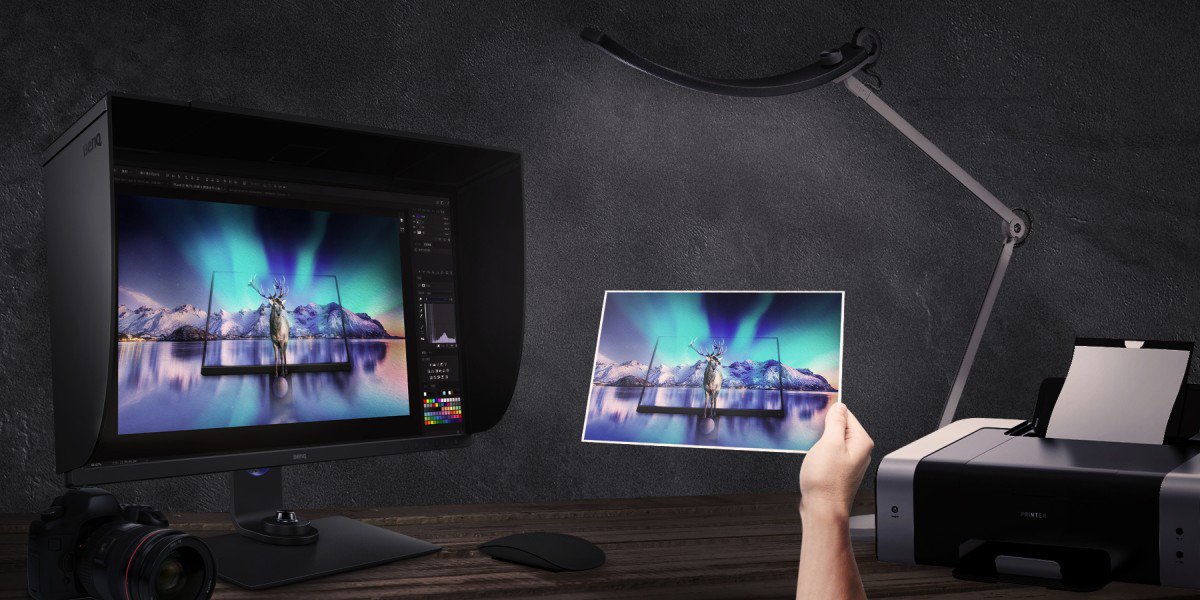
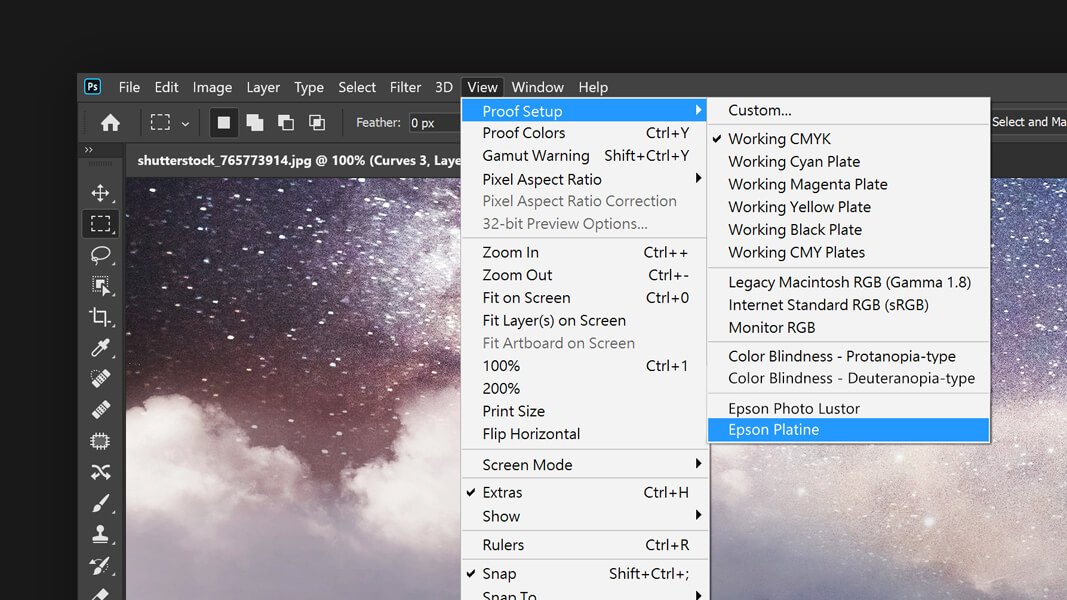
Paper Color Sync is a piece of companion software to our new BenQ AQCOLOR SW321C Photographer’s monitor. Paper Color Sync is also one of the available color modes on that same monitor. Together, they achieve a unique function exclusive to BenQ SW-series photographer monitors. It allows you to simulate print-results on the screen instantaneously. With this feature, you can save on wasted ink and paper by looking at the results on your color-calibrated AQCOLOR monitor adjusted for a specific paper type, color space, and printer.
To achieve the best print simulation result, our AQCOLOR SW321C monitor relies on three key technologies. First, a hardware calibrated screen for accurate color. Secondly, the companion Paper Color Sync software developed exclusively for the SW321C. And lastly, a unique coating on the exclusive ART panel that provides a matte surface with ultra-low reflectance. Images on the screen are almost like a printed piece of paper.
The BenQ SW321C is the first-ever AQCOLOR monitor to use an ART panel. This advanced technology involves a high-quality, color calibrated screen, covered with a special anti-reflective technology coating. The result is the most matte screen you will ever see.
The screen on this monitor is so matte that even shining a flashlight at the screen produces a minimal amount of glare. An ART panel combined with the shading hood included in all AQCOLOR monitors makes reflections on the screen a thing of the past.
The special anti-reflective technology coating also makes Paper Color Sync possible. By reducing the reflections on the screen and adjusting contrast and color to match paper and printer profiles, looking at your photos on this monitor will be just like seeing them on paper.
In addition to the shading hood that comes with every AQCOLOR monitor and all the cables that you need to run this screen right out of the box, we now include a special roller cleaner with every SW321C. This roller will help maintain your screen clean while protecting the anti-reflective coating on it.
We recommend that you only use this cleaner to remove dust and fingerprint marks from the ART panel on the SW321C. Doing so will prevent any rubbing that could spread oils or even scratch the coating. When the roller is too dirty, placing it under clean running water and air drying is enough to restore its cleaning capacity
AQCOLOR monitors have offered color calibration and uniformity compensation for photographers and other color-critical professionals for many years. Using an SW-series monitor helps you maintain true colors through your workflow and gives you confidence in your color management efforts. With the addition of Paper Color Sync, we’re providing additional tools to the color management workflow for photographers. From shoot, to edit, to print, with an SW321C, you don’t have to guess what you will get when you press the Print button.
Get One Free Year Pantone Connect
$90 value
{{item.productWordingTag}}
{{currency}}{{item.finalPrice| numberThousandsCommas | numberDecimalPoint}} Save {{currency}}{{item.saveAmount | numberThousandsCommas | numberDecimalPoint}} Save {{item.savePercent | numberThousandsCommas | numberDecimalPoint}}%
new device price{{currency}}{{item.regularPrice| numberThousandsCommas | numberDecimalPoint}}