Projector
Explore Business Projector
Professional Installation Exhibition & Simulation Conference Room Meeting Room Education ProjectorsMonitor
Lighting
Interactive Display | Signage
Cookie Setting
How can I change my BenQ cookie settings?
Page updated: May 2020
Some essential features on BenQ sites just won’t work without cookies. And having other cookies switched off can seriously affect the way you’ll be able to enjoy our services.
Please check your cookie settings below and turn on any cookies you’re happy with.
“Strictly necessary” cookies can’t be turned off. But Functional and Performance cookies can be turned on or off below. You can learn more about cookies and what they do on our other pages.
If you've chosen to block third-party cookies on your browser, your cookie preferences won't carry over from benq.eu to benq.xx and vice versa. Please make sure to set your cookie preferences in both places.
On
Strictly necessary cookies
These cookies are essential so that you can move around the website and use its features. Without these cookies services you have asked for cannot be provided.
On
Off
Functional cookies
These cookies allow the website to remember choices you make to give you better functionality and personal features.
On
Off
Performance cookies and advertising cookies
Performance cookies
These cookies help to improve the performance of BenQ. If you want to opt-out of advertising cookies, you have to turn-off performance cookies. We also use Google Analytics, SessionCam and Hotjar to track activity and performance on the BenQ website. You can control the information provided to Google, SessionCam and Hotjar. To opt out of certain ads provided by Google you can use any of the methods set forth here or using the Google Analytics opt out browser add-on here. To opt-out of SessionCam collecting data, you can disable tracking completely by following link:https://sessioncam.com/choose-not-to-be-recorded/. To opt-out of Hotjar collecting data, you can disable tracking completely by following link:https://www.hotjar.com/privacy/do-not-track/.
Advertising cookies
These cookies are used to track your activity on the BenQ website and other websites across the Internet, help measure the effectiveness of our advertising campaign and deliver advertisements that are more relevant to you and your interests. We use various advertising partners, including Amazon, Facebook, and Google. These cookies and other technologies capture data like your IP address, when you viewed the page or email, what device you were using and where you were. You can find out how to avoid them below.
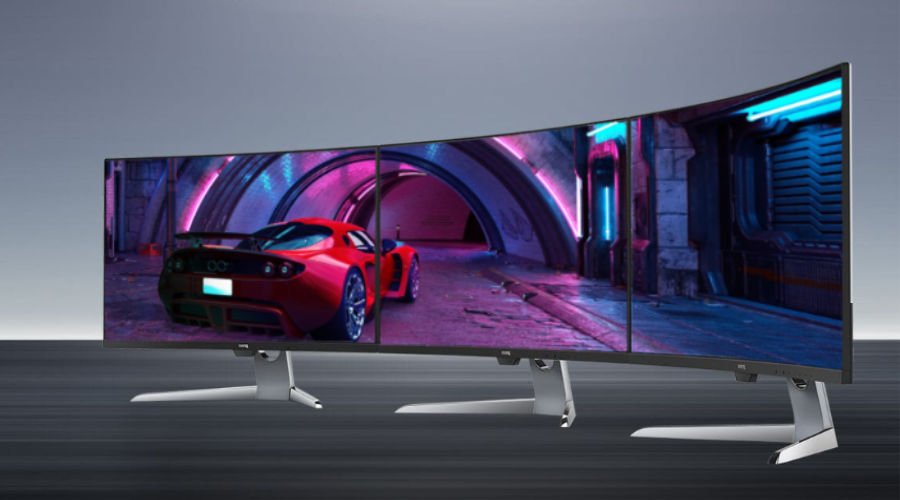
So many numbers for curved gaming monitors: 1000R, 1500R, 1800R, 1900R, 3800R.
We quickly explain what those mean for 16:9 and also 21:9 ultrawide displays so you can make a more informed choice.
Explaining monitor curvature presents a slight challenge because the concept has a counter-intuitive aspect to it.
You’ll see figures like 1000R, 18000R and 3800R, and perhaps assume that 3800R somehow means a more curved monitor because it’s a bigger number. The opposite is actually true.
So when shopping for a curved monitor for gaming, entertainment, and productivity, what should you keep in mind?
Standing for radius, the R in curved monitor specs means the total distance from the edges of the curved screen to its center. The radius plays a vital role because the human field of view has a natural curvature to it, which is why curved displays are easier on us with regards to eye strain. As people by default have two eyes, we see things in “stereo”, or with depth of field. We do not perceive the world like a flat surface, and so a curved monitor technically comes closer to replicating the human viewing experience. Think of it like a regular movie theater being a flat screen, while a curved monitor is more like IMAX.
From 1000 through 1800 to 3800 and even 4000, that’s quantification of the R, or radius.
So, 1800R means radius of 1800mm of curvature, and 3800R refers to radius of 3800mm of curvature and so on.
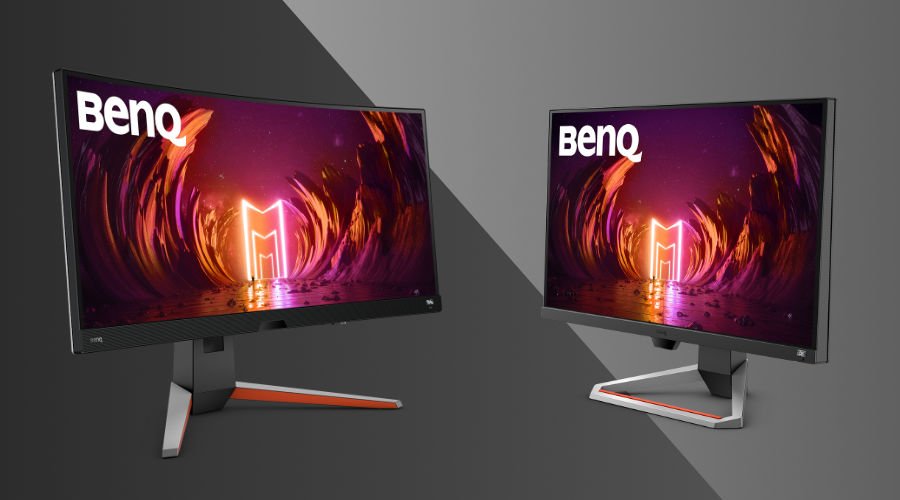
This is very subjective and there’s no single answer. If you want an aggressive, more accentuated display curve, then get an 1800R or a 1500R, even a 1000R if you can find one. That kind of curvature is more likely to give you the much talked about “immersion factor”, especially in gaming.
As for 3800R and ultrawide, those are awesome for a combination of massively wide screen real estate and a slight curve that better accommodates natural human viewing.
In summation, if you want a curved, non-ultrawide display then 1800R is ideal. If you do want ultrawide, then 3800R is by far the most popular choice, and for good reason – it’s a comfortable and impressive middle ground between size and curvature.
{{item.productWordingTag}}
{{currency}}{{item.finalPrice| numberThousandsCommas | numberDecimalPoint}} Save {{currency}}{{item.saveAmount | numberThousandsCommas | numberDecimalPoint}} Save {{item.savePercent | numberThousandsCommas | numberDecimalPoint}}%
new device price{{currency}}{{item.regularPrice| numberThousandsCommas | numberDecimalPoint}}