{{item.name}}
Price: {{currency}}{{item.price| numberThousandsCommas | numberDecimalPoint}}
Qty: {{item.amount}}


BenQ and Optoma are two of the largest projector brands in the world, so it’s not surprising that they both have 4K UHD projectors with a 0.50 throw ratio that are ideal for squeezing a golf simulator into a tight space. While both units share similar specifications for brightness, and resolution – how do they compare when it comes to using them in a golf simulator? We’ll take a closer look at both models using their specification sheets, user manuals, and reviewer feedback to break down which one would be best for your setup using the following criteria:
According to a national survey of golf simulator buyers, the #1 thing they want from a projector is an accurate and realistic image. If you’re fortunate enough to have played an iconic course in real life you know exactly what it looks like in your mind, so it’s natural you want to see it the same way on your screen.
All major golf simulator software uses the Rec. 709 color standard to create on-screen courses. This is the same standard used for broadcast television for HD, and nearly every television and monitor support this standard. The BenQ LK830ST is designed specifically for golf simulation and house mapping, applications where accurate color is essential, and delivers 93% of the Rec. 709 standard. According to Projector Reviews, golf course colors looked realistic rather than overly saturated.
The Optoma GT projector series was originally designed for gaming, where color accuracy isn’t as important. Optoma does not provide any color accuracy specifications on the GT3900UHD projector.
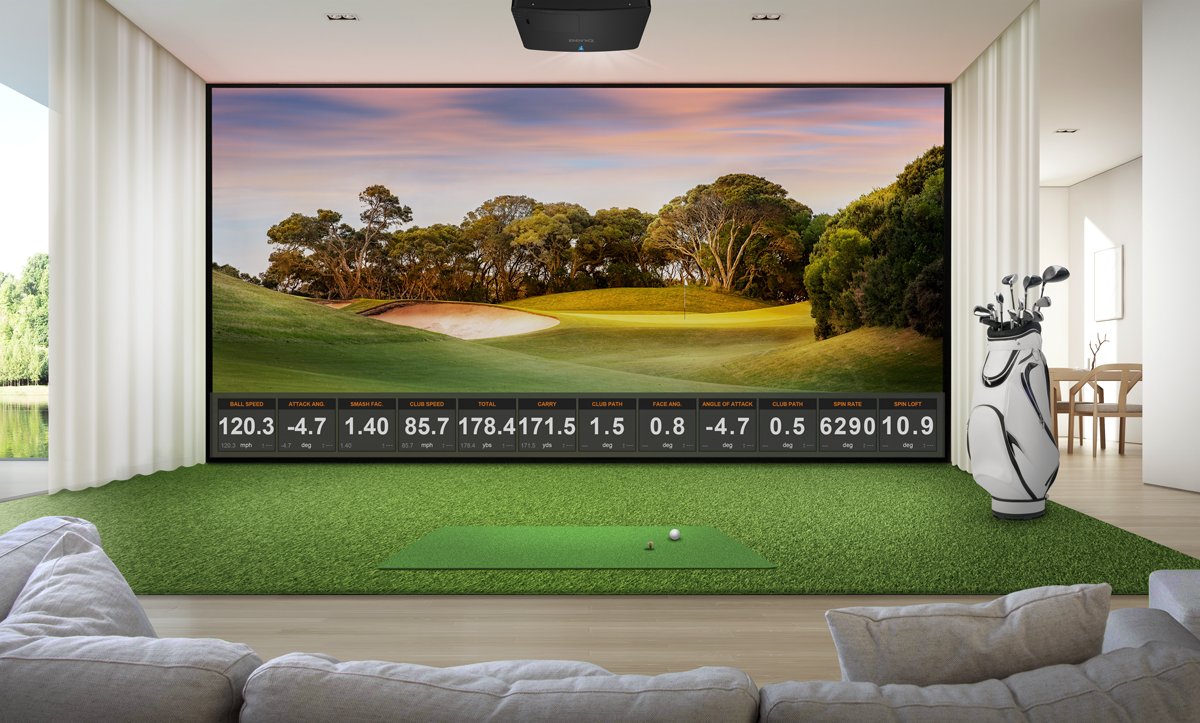
In 2021 BenQ invented the first “golf mode” color algorithm for projectors, winning the Best of InfoComm award. By leveraging this algorithm with high Rec. 709 color accuracy, the BenQ LK830ST projector can not only display the difference between a Tif-Eagle Bermuda and a Bentgrass green, but also the right color for Georgia pine straw and distinctive earth tones of Arizona desert rough and Scotland pot bunkers. You can see how this looks on GSPro platform here on this video.
Figure 1- The video review of the LK830ST from Golf Simulator Videos highlights the exceptional realism of BenQ's Golf mode
Like many other brands today, Optoma recently has developed a “golf mode” for their projector for “brighter blue skies, deeper shadows” but it’s hard to tell how this looks on a real impact screen using different platforms on different courses.
Most golfers who are setting up a projector have never done this before, so what is the difference in how easy these models are to set up?
BenQ is the only projector brand to offer an advanced 3D planning tool for their projectors to enable you to plan out your impact screen, launch monitor, hitting area, and projector all from one tool. Let’s say you’re setting up a projector in a garage with an 8-foot tall 1:1 screen and a Uneekor Eye Mini. Simply Google “golf sim planner” and you’ll find the tool where you can setup your room and determine all the critical measurements to start. In a few minutes’ time, you’ll have a detailed drawing of your room that looks like this.
Figure 2 - BenQ's Golf Sim Planner tool enables you to map out all your key components in just a few minutes' time for your space.
You can see the location of the launch monitor, and adjust the depth of your hitting area, height of the golfer, and ceiling height to match your setup. You can try different short throw projectors in your setup to make sure your projector’s mounting location works with your room. Then a simple click will send a detailed drawing to your inbox. All for free. Optoma does not have a golf simulator planning tool for their projectors.
While 4K projectors use a native 16:9 aspect ratio, the BenQ LK830ST is designed for different non-native aspect ratio impact screens. With a touch of a button on the remote, the projector can automatically calculate the resolution for 1:1, 4:3, 16:10, and even a 5:4 aspect ratio impact screens that eliminate squishing or stretching the image. The projector will coordinate the new resolution with the computer in a few seconds – and you’ll have a perfectly filled screen in a fraction of the time it takes to do this by programming your graphics card.
You can see how this works in this video where this is done automatically by the BenQ AK700ST projector. But for the LK830ST, you’ll need to select the aspect ratio you want from the menu.
While the Optoma GT3900UHD can be configured for a 1:1 or 4:3 screen, we couldn’t find a video to show how to do this prior to the writing of this article.
The last tool you’ll want to look at is keystone correction and corner fit. If you mount your projector off center, too high, or too low, you’ll need to tilt the projector to make it fit the screen. Keystone correction fixes the shape of the image, so it fills the screen properly.
The BenQ LK830ST assumes you’re not going to mount the projector correctly, so instead of having to remount the projector – the engineers provided a whopping 30% horizontal and vertical keystone correction. That enables a massive amount of corner fit correction, so if your image can fill the screen, you can use both tools- as well as digital shrink – to properly format the image on the screen in just a few minutes.
The Optoma GT3900UHD also has keystone correction, but only 15% horizontal and vertical correction. This may be enough if you make a small mistake on your mounting, but you have a higher risk of re-mounting the projector if you miss the mark on your initial mounting location.
In the past, all brands used the most conservative brightness measurement – ANSI lumens. But some brands banded together to create another more liberal standard – ISO lumens, which have a higher number on the same projector. Some brands like Christie quote both measurements on their projectors to avoid customer confusion when comparing models.
BenQ uses the original ANSI lumen standard, and the LK830ST is rated at 4000 lumens. So how bright is it? According to Projector Reviews, “The LK830ST's brightness is excellent for use in environments where users cannot control ambient light sources. It is a powerhouse that can compensate for moderate amounts of uncontrolled ambient light while maintaining decent on-screen color.” A good recipe for golf simulators.
The Optoma GT3900UHD uses the more liberal ISO lumen standard and is also rated at 4000 lumens. There were no third-party reviews or testing on the projector available at the time of this article.
If you’re going to spend a couple of thousand dollars for a 4K projector for your golf simulator, you’ll want to know how it will perform and look on the screen before you get it. BenQ works with the golf simulator industry to provide them with units to test out and share their experiences with fellow golf simulator buyers. You can see your favorite GS-Pro, TrackMan, and other software platforms like Infinite Tee and Pureplay on the screen right from your phone.
Here are some of the major reviews of the BenQ LK830ST Golf Simulator projector that showcases its capabilities such as throw ratio, setup, and color performance.
Reviewer
Website
Projector Reviews
Golf Simulator Videos
Friendly Golfer
The Optoma GT3900UHD doesn’t have any third-party reviews as of the writing of the article.
In the past, nearly all projectors sold for golf simulators were conference room or classroom models converted to be used in a simulator. In 2026, there are now many different projectors that have been designed from the ground up specifically to tackle the unique challenges of setup and use with a golf simulator. The award winning BenQ LK830ST is one of the best purpose-built projectors today for creating an ultra-realistic golf sim space in your garage, basement, or man cave.
BenQ has trained staff to help you find the perfect golf simulator projector – within your room size and budget. To help you make the best decision, you can reach out to one of our experts to set up anything from a chat to a complete online demo, to help you find the right projector for your needs.
{{item.productWordingTag}}
{{currency}}{{item.finalPrice| numberThousandsCommas | numberDecimalPoint}} Save {{currency}}{{item.saveAmount | numberThousandsCommas | numberDecimalPoint}} Save {{item.savePercent | numberThousandsCommas | numberDecimalPoint}}%
new device price{{currency}}{{item.regularPrice| numberThousandsCommas | numberDecimalPoint}}