{{item.name}}
Price: {{currency}}{{item.price| numberThousandsCommas | numberDecimalPoint}}
Qty: {{item.amount}}


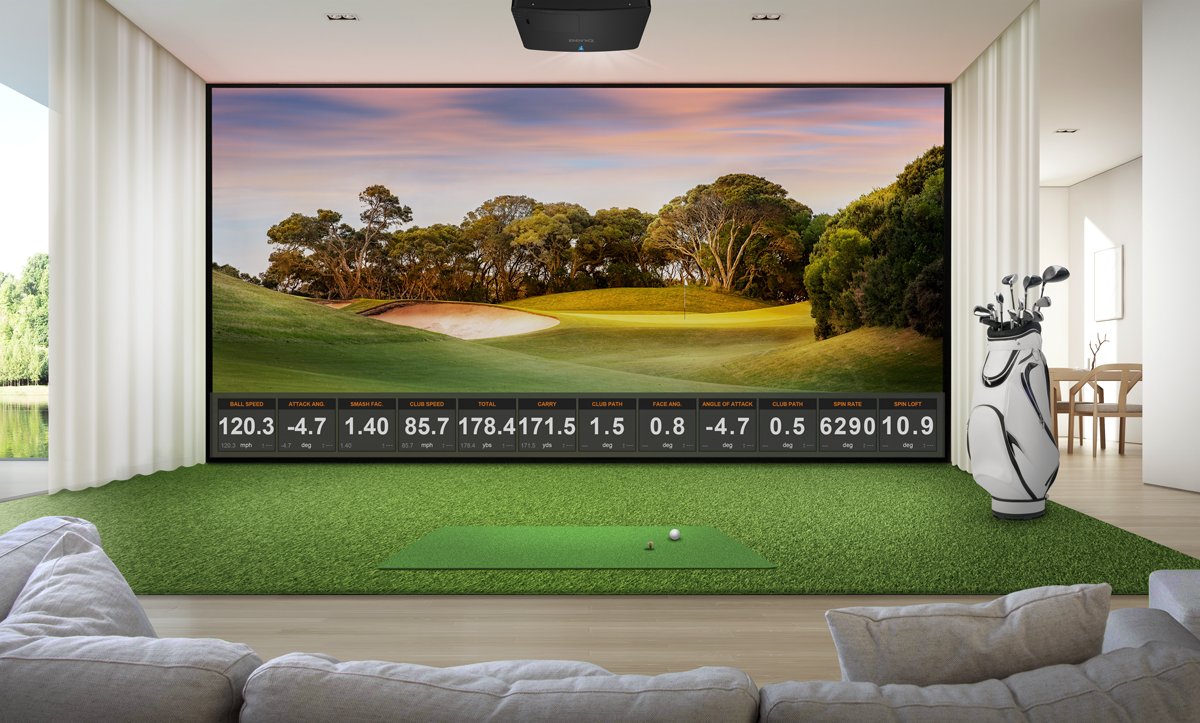
What exactly does “Golf Mode” mean when trying to decide the right projector for your simulator. We layout all the details (and some secrets) for you to make the best choice for your setup.
When BenQ invented the first projector with “Golf Mode” in 2022, the projector industry thought we were nuts. Back then, most golf simulator software topped out at 1080p resolution, and many software packages looked only slightly more realistic than Wii Golf. But once golfers began to see the stunning realism that pops off the screen with a color accurate high-resolution projector, golf mode has become an essential part of the golf simulation ecosystem. So, what makes BenQ’s golf mode so much better in 2026 than other projectors that have “Golf Mode” on their models?
Every BenQ golf simulator projector starting from the LK936ST in 2022 has a larger color space than other conference room projectors that are sold as golf simulator models. As of May 2026, BenQ is still the only major projector brand outside of Barco and Christie that specifies the percentage of Rec. 709 in every laser projector model. This enables the color engineers to match more complex colors – just like a TV or a home theater projector. Conference room projectors without Rec. 709 specifications typically use better adjectives in describing their color performance in their marketing.
The reason that Rec. 709 is so important is that the natural color of a Fescue fairway on the golf course doesn’t look like anything like the green in PowerPoint. So, adding more green or blue to the projector’s picture often doesn’t do much to make a GSPro or Play FSX course look more realistic. Here are just a few things that BenQ Golf Mode color mode does that add realism to these platforms.
Golf courses grass is never “green” because the shades of green used in a golf simulator must simulate the actual grass on the course. For example, many of the most famous championship courses use bent grass greens – which are wicked fast and hard to read. These tiny blades typically have a blue-green tint and a waxy texture that scatters light (effective at hiding breaks). By contrast, Pebble Beach and other Pacific courses often have Poa Annua greens that have a patchy light green look at them. BenQ color scientists look at the color profiles of TifEagle, Kentucky Bluegrass, and Zoysia colors as well to make sure your course looks right on your projector.
If you’ve played Troon North in Scottsdale, the visual contrast between the ochre-browns of the desert rough against the rich grass is a key part of the experience. But the ability to accurately replicate the subtle tans, browns, and reddish stones on a simulator projector requires precise tones of red and green along with detailed brightness levels to make both the rocks and shadows look realistic. BenQ’s golf mode is designed to accurately replicate both rocks, pine straw, and other complex organic earth tones.
The projector needs to mix a complex recipe of blues, greens, and grey tones to be able to create a reflective surface effect generated by the rendering engine. It also must be able to handle the reflective colors from the water to be as visually distracting on your impact screen as it is on the real course.

BenQ’s golf mode leverages its expertise in matching complex colors over a variety of display devices.
BenQ’s has color accurate monitor models that have been certified using the FOGRA, G7, and UGRA color standards under testing at the Rochester Institute of Technology. Multiple BenQ monitor models have been tested and approved for their School of Film and Animation as well. For commercial and advertising use, BenQ also has multiple models of monitors and digital signage displays that are certified by Pantone for color accuracy. On projectors, BenQ is one of the only brands of home theater projectors besides Barco and Christie that can achieve 100% color accuracy coverage of the commercial Digital Cinema Initiative standard DCI-P3. The same engineers and Ph.D.’s who created these color accurate displays also work to create more realistic images with BenQ’s golf mode.
Looking forward, as projectors become more color accurate, the ability to leverage 4K UHD resolution matched with larger color spaces will create more realistic and impactful indoor golfing experiences. Because BenQ’s golf mode is made specifically for rendering engines, the projector software will have a more advanced understanding of how rendering engines use lighting techniques and texture management for more realistic details with less lag time.
BenQ has trained staff to help you find the perfect golf simulator projector – within your room size and budget. To help you make the best decision, you can reach out to one of our experts to set up anything from a chat to a complete online demo, to help you find the right projector for your needs.
{{item.productWordingTag}}
{{currency}}{{item.finalPrice| numberThousandsCommas | numberDecimalPoint}} Save {{currency}}{{item.saveAmount | numberThousandsCommas | numberDecimalPoint}} Save {{item.savePercent | numberThousandsCommas | numberDecimalPoint}}%
new device price{{currency}}{{item.regularPrice| numberThousandsCommas | numberDecimalPoint}}