{{item.name}}
Price: {{currency}}{{item.price| numberThousandsCommas | numberDecimalPoint}}
Qty: {{item.amount}}


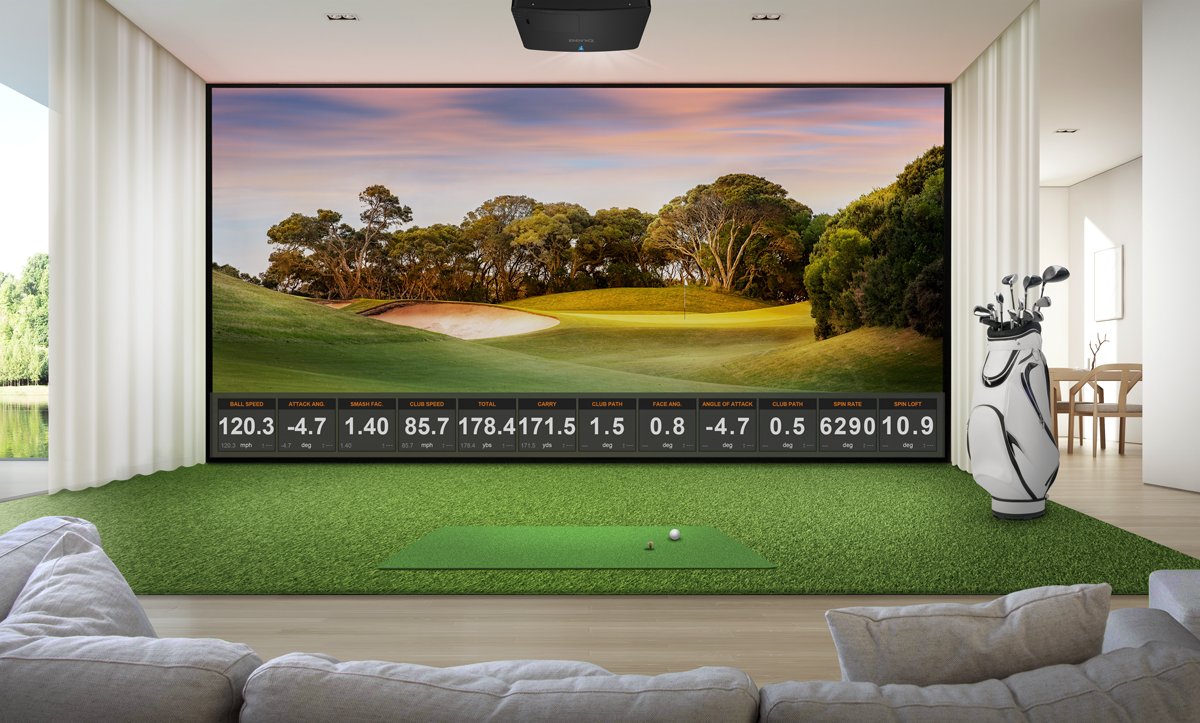
If you are thinking about converting a spare bedroom or your basement into St. Andrews or Torrey Pines – you are not alone. According to Forbes, over 6 million Americans hit golf balls on a simulator last year. Golf sim systems use a projector to deliver an immersive experience of nearly any golf course you want. These projectors can cost from $800 to $6000 depending on the features you want for your room.
Which model is right for your setup – and budget? This article will help you break down how much a good golf simulator projector will cost. Here are five key factors to consider:
To get a large and immersive image without having the golfer create a shadow on the screen, you will want to look at a “short throw” projector. These models have a specification from 0.5 to 1.0 in the specification sheet. The smaller the throw ratio number, the closer you can place to the screen to avoid creating a shadow. If the throw ratio is greater than 1.0, you’ll have to have your hitting area much farther back from the screen. Short throw projectors are about 10%-15% more expensive than regular throw projectors used for conference rooms.
You can use tools like the BenQ golf simulation planning tool to see how the different throw ratios on various models will enable you to place your projector in the right spot – without a shadow. BenQ has three different throw ratios for golf, with the shortest being a 0.5 throw ratio like the BenQ AH500ST.
One of the most common questions when looking into projectors is brightness. You’ll want to avoid low-priced portable models with less than 2500 lumens because they simply don’t deliver enough light for a golf sim screen. Quality golf sim projectors use “ANSI lumens”, and 3000 ANSI lumens is enough brightness for a smaller setup while larger installations usually use 4000 - 6000 ANSI lumen projectors.
Today, most golf simulation projectors use advanced lasers or LED’s instead of lamps. In 2026, a laser projector for golf simulators starts around $1300, with the most popular models with 4K resolution costing under $3000. The brightest models typically sell between $4000-$6000. While some mercury lamp powered projectors have price points under $1000 – government regulations phasing them out, so the cost and availability of a replacement mercury lamp in the future is uncertain, especially higher brightness models.
Business and classroom projectors are designed for brightness – not for color accuracy. But to replicate a course like Bethpage Black, golf simulator projectors need Rec. 709 color accuracy (the industry standard for television color performance) to show a realistic picture on your impact screen. If you are planning on using GSPro, TrackMan or Foresight software to play your favorite course, then you will want to look for this specification to ensure your course looks real. If it’s missing this specification, chances are the color performance is well below the Rec. 709 industry standard, which also makes it harder to watch movies and television.
Selecting the right resolution for your golf simulator is one of the biggest choices for your investment. Why? The larger your screen – the more important resolution is to enable an immersive experience. This is especially important if you’re using GSPro, Foresight, Trackman, and other launch monitor software that uses a 4K engine like Unreal or Unity. Here are the common resolutions you should consider for your golf simulator.
According to Futuresource in 2026, 4K UHD resolution is now the most popular resolution for golf simulator projectors in the US. It creates 8.3 million pixels on the screen for your software and video card to generate the most realistic textures, lighting and depth of the fairway, bunker or green. The cost difference between 4K and 1080p has shrunk to around $600 – as you can see when comparing the BenQ AK700ST (4K UHD) and the AH700ST (1080p) that have the same features. Beware of projectors that market “4K Compatible” or “4K Enhancement” as these are marketing terms to indicate that they can receive the 4K signal – but don’t have all the 8.3 million pixels your software platform needs to render a detailed image.
Even though 4K UHD resolution has a native 16:9 aspect ratio, BenQ golf sim projectors can adjust the resolution to fit nearly any popular impact screen such as a 4:3, 16:10, or even 1:1 while maintaining the same pixel density and detail without stretching or squishing the image.
This is the original “High Definition” resolution but only displays over 2 million pixels on the screen. This is the second most popular resolution with short throw laser models starting around $1500 -$2000 depending on the throw ratio and color performance of the projector. BenQ. It is also an affordable resolution for golf sims that will be used for movies and gaming as well.
WUXGA is the least popular resolution, even though a few years ago, this was the highest resolution that most golf sim packages could support. Now that 4K software and projectors are available, WUXGA is rapidly declining in popularity. WUXGA is not a native resolution for TV or movies content, so if you are looking at using this as a home theater or TV viewing room, you may want to consider moving to either 4K or 1080p resolution.
Any projector resolution below 1080p has less than 1 million pixels, and while it will create a usable golf image, the low pixel density doesn’t come close to creating a realistic image. For example, a WXGA projector can cost less than a 1080p model but on a 200” screen will only show around 50 pixels per square inch compared to a 1080p projector that has 120 pixels in the same space. In general, it’s worth the small price difference to move to 1080p for golf sim use.
In 2026, there are new advanced setup features to make it easy to set up your projector for golf simulation. First, if you want a narrower screen for your space – such as a 4:3 or 1:1, the BenQ golf sim models have a “Screen Fill” function, where you press a button on the menu, and the projector configures the resolution to fit in your screen automatically. In addition, there are now models that have “Auto Screen Fit” using an integrated camera that will display a pattern on your screen and adjust the image instantly – saving hours of setup time to get a full image on the screen.
A projector is one of the less expensive components of a golf sim setup – but makes a big difference in how your simulator looks, plays – and how much the room is used for other family activities such as watching movies, gaming, and streaming golf content when you are not playing. Here is a breakdown of the cost and features of models you may want to consider that have the right throw ratios for golf simulation placement and an estimated cost. Note that many of these models may have special pricing or promotions, so check with us or your reseller for the latest price.
Projector Model/Feature
BenQ
AH30ST
BenQ AH500ST
BenQ AH700ST
BenQ AK700ST
BenQ LK936ST
Resolution
1080p
1080p
1080p
4K UHD
4K UHD
Brightness (ANSI Lumens)
3000
4000
4000
4000
5100
Rec. 709 Color Accuarcy
95%
83%
95%
95%
92%
Throw Ratio
0.69 - 0.83
0.50
0.69 - 0.83
0.69 - 0.83
0.81 - 0.89
Screen Fill
Yes
Yes
Yes
Yes
Yes
Auto-Screen Fit
No
No
Yes
Yes
No
Street Price
$1499
$1999
$2299
$2899
$4899
BenQ has trained staff to help you find the perfect golf simulator projector – within your room size and budget. To help you make the best decision, you can reach out to one of our experts to set up anything from a chat to a complete online demo, to help you find the right projector for your needs.
{{item.productWordingTag}}
{{currency}}{{item.finalPrice| numberThousandsCommas | numberDecimalPoint}} Save {{currency}}{{item.saveAmount | numberThousandsCommas | numberDecimalPoint}} Save {{item.savePercent | numberThousandsCommas | numberDecimalPoint}}%
new device price{{currency}}{{item.regularPrice| numberThousandsCommas | numberDecimalPoint}}