The No.1 🏆 selling projector - GV50

Learn more

The No.1 🏆 selling projector - GV50

MA Series Monitor - Up to 13% Off All December Plus A Lucky Draw 🍏

Learn more

MA Series Monitor - Up to 13% Off All December Plus A Lucky Draw 🍏

ScreenBar Halo 2 – Comfortable, Focused Lighting for Work

Learn more

ScreenBar Halo 2 – Comfortable, Focused Lighting for Work

GP520: The Ultimate Smart 4K Projector for Every Entertainment Need

Learn more

GP520: The Ultimate Smart 4K Projector for Every Entertainment Need

The No.1 🏆 selling projector - GV50

Learn more

The No.1 🏆 selling projector - GV50

MA Series Monitor - Up to 13% Off All December Plus A Lucky Draw 🍏

Learn more

MA Series Monitor - Up to 13% Off All December Plus A Lucky Draw 🍏

Matte Monitor with Nano Matte Panel for Clarity & Comfort

  • 2024-09-27

benq nano matte panel

For many professionals, a large part of their daily life involves staring at a monitor. As a result, they are increasingly focused on choosing monitors that protect their eyes without compromising performance. This need drives interest in monitors that effectively reduce glare and reflected light while maintaining high visual quality. In response, BenQ has introduced its groundbreaking Nano Matte Panels and implemented them across its entire product line as an exclusive technology that reduces screen glare and reflections, redefining the capabilities of modern monitors.

Glass, Matte Panels, and Nano Matte Panels: How Do They Differ?

glass, matte panels, and nano matte panel's reflection rate
  • Glass Panels: The features mentioned above indicate how a panel reduces the effects of ambient light on the displayed image. A typical monitor that features a glass panel without any of these features tends to have a reflection rate of over 4%.

glass, matte panels, and nano matte panel's reflection rate
  • Matte Panels: These panels use a film substrate instead of glass and feature a hard coating to diffuse ambient light, resulting in a reflection rate of approximately 3.5%.

glass, matte panels, and nano matte panel's reflection rate
  • BenQ Nano Matte Panels: Enhanced with anti-glare and low-reflection features, these panels add an additional protective layer on top of the anti-glare coating, reducing the reflection rate to below 3%.

glass, matte panels, and nano matte panel's reflection rate
  • BenQ Nano Matte Pro Panels: Compared to Nano Matte Panels, the Pro version divides the low-reflection layer into multiple thin layers, meticulously stacked to achieve an exceptionally low reflection rate of less than 1%. This advanced structure, combined with anti-glare and anti-reflective properties, provides a paper-like feel and significantly reduces reflections by refracting ambient light, effectively canceling out reflections from the film substrate.

BenQ Nano Matte Panel Technology Reduces Screen Glare and Reflections

How BenQ’s Nano Matte Panel Technology Reduces Screen Glare and Reflections

BenQ Nano Matte Panel Technology Reduces Screen Glare and Reflections

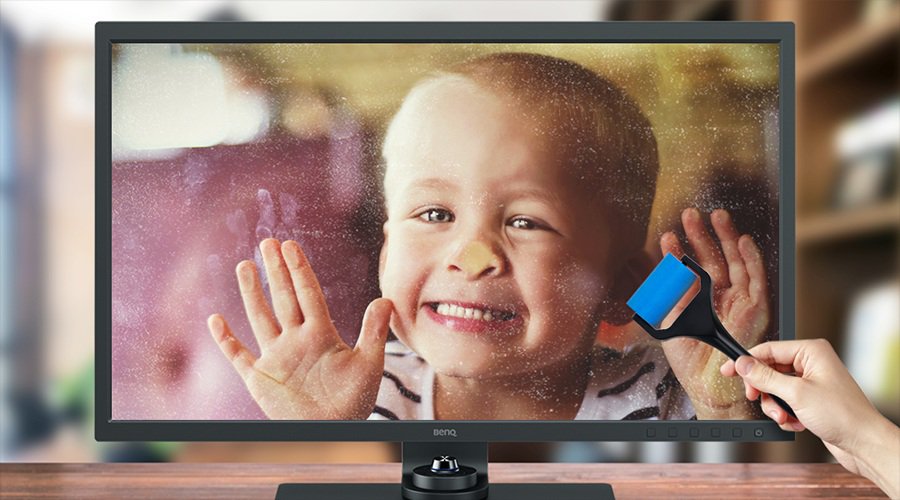
The anti-glare layer comprises particles from various materials, carefully blended to optimize their anti-glare properties. As a finishing touch, a meticulously applied, high-precision anti-reflection coating is added to the anti-glare layer to ensure a very low reflection rate. Most importantly, this combination of particles and coating effectively diffuses light and controls ambient light. This precise panel technology ensures that Nano Matte Panels maintain the overall viewing quality. By eliminating glare and reflections, The Nano Matte Panels help protect the eyes of both home office workers and professionals who spend extended hours in front of monitors.

However, when additional layers are applied, the perceived color may be subtly altered. Although the difference is often hard to be aware of, BenQ AQCOLOR technology strived to address this subtle difference. By fine-tuning the color after the layers are added, it ensures that color-critical professionals, such as designers, photographers, and videographers, can rely on accurate color reproduction on the monitor.

Why BenQ Nano Matte Panels Stand Out

The Nano Matte Panels ensure that users get a clear, accurate, vibrant image without worrying about ambient brightness

The effectiveness of Nano Matte Panel in reducing glare and reflections while preserving image quality is the reason why BenQ is applying them to their entire slate of monitors. The Nano Matte Panels ensure that users get a clear, accurate, vibrant image without worrying about ambient brightness, making them a superior choice over monitors from other brands. 

For color-critical workers such as photographers, designers, and videographers, BenQ AQCOLOR also ensures the colors are reproduced accurately, enhancing the eye-care effects brought by the Nano Matte Panel, providing users with a highly comfortable and color-accurate screen.

Was this article helpful?

Yes No

Explore Monitors with Nano Matte Panels

  • New

    RD320U|32” 4K BenQ Programming Monitor with MoonHalo Backlight

    • BenQ Nano Matte Panel and advanced coding modes for improved code differentiations: BenQ Programming Series is crafted for programmers.
    • Night Hours Protection's ambient light detection and auto-switch capabilities require minimal user intervention, ensuring effortless and consistent eye care.
    • 2000:1 contrast ratio for deeper blacks and high contrast with a premium 4K display for coding, movies, and gaming, ensuring exceptional visual performance.
  • RD320UA|32” 4K BenQ Programming Monitor with MoonHalo and Flexible Arm

    • BenQ Nano Matte Panel and advanced coding modes for improved code differentiations: BenQ Programming Series is crafted for programmers.
    • Night Hours Protection's ambient light detection and auto-switch capabilities require minimal user intervention, ensuring effortless and consistent eye care.
    • BenQ Ergo Arm enhances flexibility and provides the optimal screen position for a more comfortable and productive user experience.
  • MA Series Good Design Award - 2

    Recommended

    MA320U | 32" 4K UHD Monitor for MacBook Pro and MacBook Air

    • Expand your MacBook’s view with consistent Mac colors through just one cable
    • Sync brightness and volume between your MacBook and monitor effortlessly
    • Features 2 USB-C ports with 90W and 15W charging for your devices
  • MA Series Good Design Award - 1

    Recommended

    MA270U | 27" 4K UHD Monitor for MacBook Pro and MacBook Air

    • Expand your MacBook’s view with consistent Mac colors through just one cable
    • Sync brightness and volume between your MacBook and monitor effortlessly
    • Features 2 USB-C ports with 90W and 15W charging for your devices.
  • RD280UA|28” 4K+ BenQ Programming Monitor with Backlight and Flexible Arm

    • BenQ Nano Matte Panel and advanced coding modes for improved code differentiations.
    • Night Hours Protection's ambient light detection and auto-switch capabilities require minimal user intervention, ensuring effortless and consistent eye care.
    • BenQ Ergo Arm enhances flexibility and provides the optimal screen position for a more comfortable and productive user experience.
  • New

    RD280U|28” 4K+ BenQ Programming Monitor with Backlight MoonHalo

    • BenQ Nano Matte Panel and advanced coding modes for improved code differentiations.
    • Night Hours Protection's ambient light detection and auto-switch capabilities require minimal user intervention, ensuring effortless and consistent eye care.
    • Experience MoonHalo by BenQ – a seamless blend of immersive illumination and comforting ambiance. With customizable color temperature, brightness, and light modes.
  • RD240Q|24.1” WQXGA BenQ Programming Monitor

    • Advanced coding modes for improved code differentiations: BenQ Programming Series is crafted for crafted for programmers
    • Boost productivity with a swift press of the </> Coding HotKey to instantly enter the coding realm
    • BenQ Programming Monitors prioritize comforts during long-term projects with ergonomics and eye-care
  • SW242Q|24-inch 2K AdobeRGB 90W USB-C Photographer Monitor

    • Nano Matte Panel with TUV anti-reflection certification ensures the high quality of professional deliverables
    • 90W USB Type-C to transfer various data and deliver power
    • 99% Adobe RGB/DCI-P3/Display P3, Delta E ≤ 1.5, 16 bit 3D LUT, for accurate color delivery
  • SW272U|27-inch 4K AdobeRGB 90W USB-C Photographer Monitor

    • Fine-Coated Panel with TUV anti-reflection certification ensures the high quality of professional deliverables
    • 90W USB-C to transfer various data and deliver power, cordless Hotkey Puck for unlimited convenience
    • 99% Adobe RGB/DCI-P3/Display P3, Delta E ≤ 1.5, 1.07 billion colors, 16 bit 3D LUT, for accurate color delivery
  • SW272U|27-inch 4K AdobeRGB 90W USB-C Photographer Monitor

    • Fine-Coated Panel with TUV anti-reflection certification ensures the high quality of professional deliverables
    • 90W USB-C to transfer various data and deliver power, cordless Hotkey Puck for unlimited convenience
    • 99% Adobe RGB/DCI-P3/Display P3, Delta E ≤ 1.5, 1.07 billion colors, 16 bit 3D LUT, for accurate color delivery
  • SW272U|27-inch 4K AdobeRGB 90W USB-C Photographer Monitor

    • Nano Matte Panel with TUV anti-reflection certification ensures the high quality of professional deliverables
    • 90W USB-C to transfer various data and deliver power, cordless Hotkey Puck for unlimited convenience
    • 99% Adobe RGB/DCI-P3/Display P3, Delta E ≤ 2, 1.07 billion colors, 16 bit 3D LUT, for accurate color delivery
  • SW272Q|27-inch 2K AdobeRGB 90W USB-C Photographer Monitor

    • Nano Matte Panel with TUV anti-reflection certification ensures the high quality of professional deliverables
    • 90W USB-C to transfer various data and deliver power, cordless Hotkey Puck for unlimited convenience
    • 99% Adobe RGB and 98% DCI-P3/Display P3, Delta E ≤ 1.5, 1.07 billion colors, 16 bit 3D LUT, for accurate color delivery
  • SW321C|32-inch 4K AdobeRGB USB-C Photographer Monitor

    • Nano Matte Pro Panel with TUV anti-reflection certification
    • Uniformity Technology for Screen-Wide Color Accuracy
    • Paper Color Sync Software Simulates Photo Print Effect on Screen

Temporarily unavailable.

Link under maintenance.