
We use cookies and similar technologies on this website to improve our service for you and bring you a more personalized user experience.
By accepting optional cookies, you can enjoy:
Personalized support and live chat (Functional cookies)
Relevant content via anonymized analytics (Analytics / Performance cookies)
Ads and marketing tailored to your interests (Advertising / Targeting cookies)
By clicking “Accept all”, you consent to the use of cookies, including optional cookies. Click “Reject all” to reject optional cookies or click “Cookie Setting” to manage your preferences. Please note that rejecting optional cookies may affect certain website features and functionality. Find out more in our Cookie Policy and Privacy Policy.
Always active
These cookies are required for the operation of the website and cannot be configured.
These cookies allow us to offer you customized content according to your profile, your interests and your usage. By accepting these cookies, you help us to improve the layout and features of our site.
These cookies allow us to understand how you access the site and your browsing habits (e.g. pages viewed, time spent on a page, content clicked). They allow us to analyze the performance and design of our site and to detect possible errors. Owing to these performance indicators, we are constantly improving our site and our products, content and offers.
These cookies are used for BenQ advertisements displayed on third-party websites, including social media, and are tailored to your preferences and to help us measure the effectiveness of our advertising campaigns. They remember that you have visited our site and share this information with partners, such as advertisers, for the purpose of targeted advertising. If you refuse these cookies, advertising (including ours) will continue to be displayed as you browse the Internet, although they will not be specific to your personal interests, and will therefore be less relevant.
Projector
Explore Business Projector
Professional Installation Exhibition & Simulation Conference Room Meeting Room Education ProjectorsMonitor
Lighting
Interactive Display | Signage
1. Remove all USB devices from the monitor, except the USB-C cable or USB
upstream cable (USB TypeA to TypeB cable) and the calibrator that
connects to the PC/NB and the monitor.
2. Uninstall the current version of the PME program and all of the calibration
programs
3. Refer to the following image and remove the FTDI driver if your OS is
Windows-based.
4. Download the latest version of PME from BenQ's official website and
re-install it
5. The Key Step: When installing PME software, keep the USB-C or USB
upstream cable (USB TypeA to TypeB cable) connected to the monitor and
PC/NB directly and make sure all drivers are correctly installed during the
installation.
6. Reboot the PC/NB and open PME to check if the FTDI driver works.
7. If the FTDI error message persists, unplug and re-plug the USB upstream
cable (USB TypeA to TypeB cable) or replace a new one.
8. If the FTDI error persists and your OS is Windows-based. , please follow
Step 3 to uninstall the FTDI driver and install the FTDI driver independently.
(You could download it from BenQ's official website)
If the issue still exists, please contact your BenQ local service center.
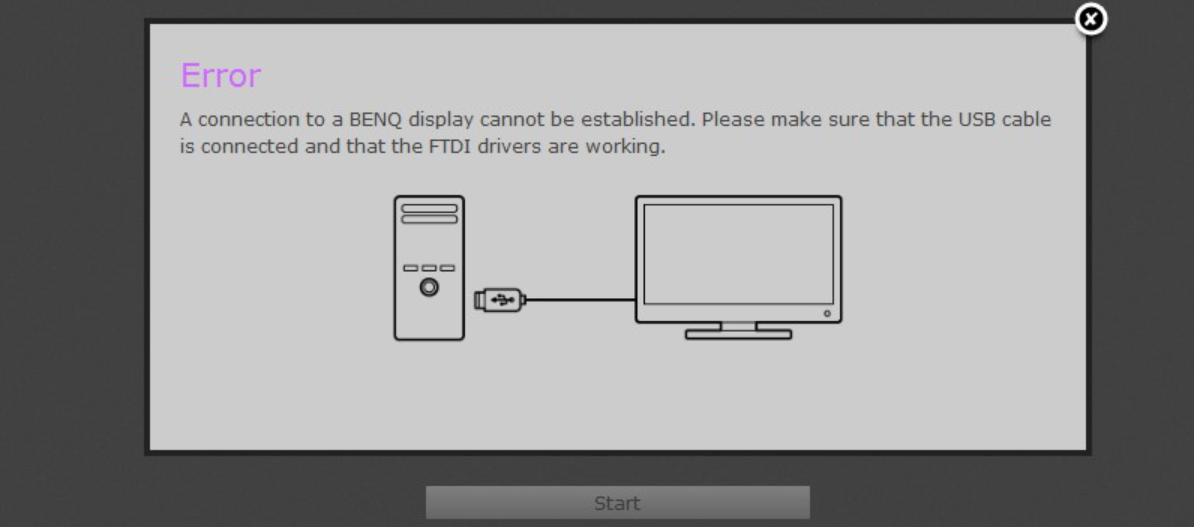
Problem Symptom
Applicable Models
SW240, SW2700PT, SW270C, SW271, SW271C, SW320, SW321C,
Thanks for letting us know. How would you describe this FAQ?
Thanks for your feedback!
Get real time support from our BenQ Experts.