BenQ respect your data privacy. We use cookies and similar technologies to ensure you get the best experience when visiting our website. You can either accept these cookies by clicking “Accept Cookies”, or click “Only Required Cookies” to refuse all non-essential technologies. You can customise your cookie settings here at any time. For further information, please visit our Cookie Policy and our Privacy Policy.
Page updated: May 2020
Some essential features on BenQ sites just won’t work without cookies. And having other cookies switched off can seriously affect the way you’ll be able to enjoy our services.
Please check your cookie settings below and turn on any cookies you’re happy with.
“Strictly necessary” cookies can’t be turned off. But Functional and Performance cookies can be turned on or off below. You can learn more about cookies and what they do on our other pages.
If you've chosen to block third-party cookies on your browser, your cookie preferences won't carry over from benq.eu to benq.xx and vice versa. Please make sure to set your cookie preferences in both places.
On
These cookies are essential so that you can move around the website and use its features. Without these cookies services you have asked for cannot be provided.
On
Off
These cookies allow the website to remember choices you make to give you better functionality and personal features.
On
Off
Performance cookies
These cookies help to improve the performance of BenQ. If you want to opt-out of advertising cookies, you have to turn-off performance cookies. We also use Google Analytics, SessionCam and Hotjar to track activity and performance on the BenQ website. You can control the information provided to Google, SessionCam and Hotjar. To opt out of certain ads provided by Google you can use any of the methods set forth here or using the Google Analytics opt out browser add-on here. To opt-out of SessionCam collecting data, you can disable tracking completely by following link:https://sessioncam.com/choose-not-to-be-recorded/. To opt-out of Hotjar collecting data, you can disable tracking completely by following link:https://www.hotjar.com/privacy/do-not-track/.
Advertising cookies
These cookies are used to track your activity on the BenQ website and other websites across the Internet, help measure the effectiveness of our advertising campaign and deliver advertisements that are more relevant to you and your interests. We use various advertising partners, including Amazon, Facebook, and Google. These cookies and other technologies capture data like your IP address, when you viewed the page or email, what device you were using and where you were. You can find out how to avoid them below.
BenQ respect your data privacy. We use cookies and similar technologies to ensure you get the best experience when visiting our website. You can either accept these cookies by clicking “Accept Cookies”, or click “Only Required Cookies” to refuse all non-essential technologies. You can customise your cookie settings here at any time. For further information, please visit our Cookie Policy and our Privacy Policy.
Projector
Explore Business Projector
Professional Installation Exhibition & Simulation Conference Room Meeting Room Education ProjectorsMonitor
Lighting
Interactive Display | Signage
Although both terms encompass HDR, the essence of HDR photography on a high-end smartphone is different from the effect on an HDR monitor. HDR photography enhances picture quality by simultaneously shooting several photos with different exposure values (EV) and combining them into one photo with the largest EV. HDR monitors implement a new image standard which displays images by enhancing the brightness/darkness of signals and color range. HDR monitors can show details more clearly and vividly and achieve a more natural-looking image.
| HDR Photography on Smartphone | HDR on Display | |
Attributes | HDR Photography on Smartphone Secondary function | HDR on Display Built-in feature |
Principles | HDR Photography on Smartphone Shoot 3 photos with different EV and merge into the best shot | HDR on Display Eliminate imaging loss during video post-production and reveal natural-looking images on HDR monitor |
Advantages | HDR Photography on Smartphone Compensate for either over- or under-exposure to achieve a more detailed image | HDR on Display Increase image clarity and vividness by enhancing the contrast and color. All details are revealed to achieve natural-looking images. |
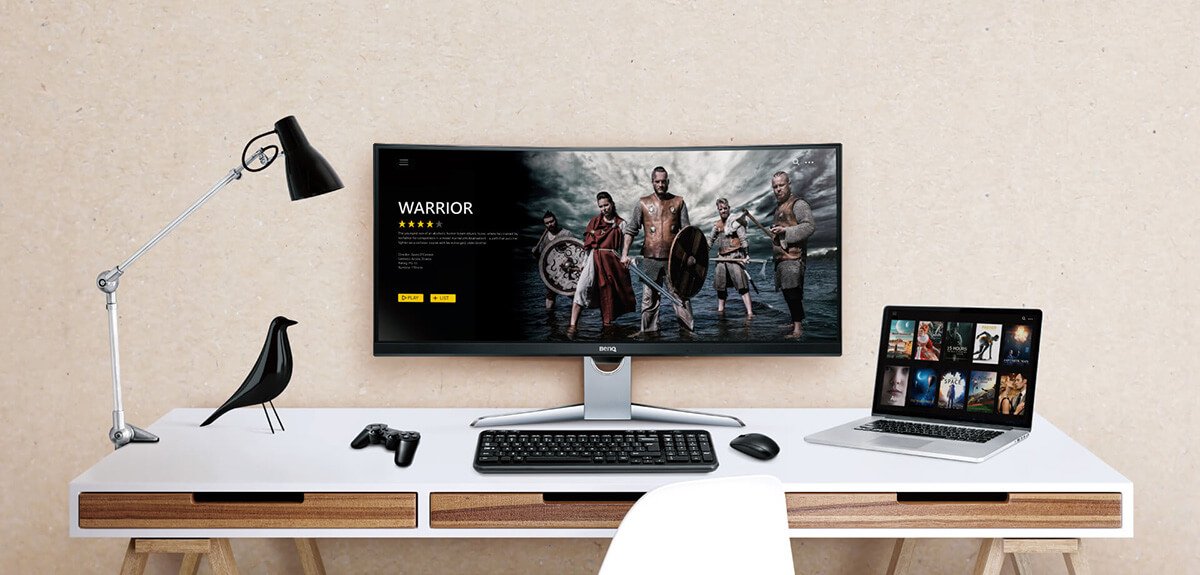
An HDR display is your ticket to the HDR world, and the next step is to decide how to explore HDR content. There are several ways to enjoy supreme image quality on your HDR display:
1. Rent or buy an HDR Blu-ray, HDR game or HDR streaming services (Internet connection that’s fast enough to stream high quality HDR content.)
2. Devices (including monitors, players, and cables) that support high quality HDR content.
With more and more channels providing HDR content, the most frequently used and popular internet platforms are providing HDR content. The easiest ways to enjoy HDR content are:
1. Shoot your own HDR videos and view the content via the HDMI, DP or USB Type-C port on the host or player.
2. Many online videos, such as music videos or movies, are now available in HDR. Download them directly or play them via online streaming.
3. Leading media sites and streaming services such as YouTube, Netflix, and Apple TV now provide HDR content.
Apple TV 4K
PlayStation 4 Pro
RockTek X5 4K HDR (TV Box)
Zidoo Smart TV Box X8 (Multimedia Player)
Samsung UBD-K8500
Xbox One S / Xbox One X
PlayStation 4
Display Card:
a. Intel Graphics 630 or later
b. AMD 5-Series or later
c. Nvidia GTX 10-Series or later
Operating System:
Windows 10 version 1709 (RS3)
Thanks for your feedback!