Page updated: May 2020
Some essential features on BenQ sites just won’t work without cookies. And having other cookies switched off can seriously affect the way you’ll be able to enjoy our services.
Please check your cookie settings below and turn on any cookies you’re happy with.
“Strictly necessary” cookies can’t be turned off. But Functional and Performance cookies can be turned on or off below. You can learn more about cookies and what they do on our other pages.
If you've chosen to block third-party cookies on your browser, your cookie preferences won't carry over from benq.eu to benq.xx and vice versa. Please make sure to set your cookie preferences in both places.
On
These cookies are essential so that you can move around the website and use its features. Without these cookies services you have asked for cannot be provided.
On
Off
These cookies allow the website to remember choices you make to give you better functionality and personal features.
On
Off
Performance cookies
These cookies help to improve the performance of BenQ. If you want to opt-out of advertising cookies, you have to turn-off performance cookies. We also use Google Analytics, SessionCam and Hotjar to track activity and performance on the BenQ website. You can control the information provided to Google, SessionCam and Hotjar. To opt out of certain ads provided by Google you can use any of the methods set forth here or using the Google Analytics opt out browser add-on here. To opt-out of SessionCam collecting data, you can disable tracking completely by following link:https://sessioncam.com/choose-not-to-be-recorded/. To opt-out of Hotjar collecting data, you can disable tracking completely by following link:https://www.hotjar.com/privacy/do-not-track/.
Advertising cookies
These cookies are used to track your activity on the BenQ website and other websites across the Internet, help measure the effectiveness of our advertising campaign and deliver advertisements that are more relevant to you and your interests. We use various advertising partners, including Amazon, Facebook, and Google. These cookies and other technologies capture data like your IP address, when you viewed the page or email, what device you were using and where you were. You can find out how to avoid them below.
BYOD(Bring Your Own Device)已成為新的商務會議使用趨勢,員工和訪客每天都在使用自己的個人設備參加不同會議間,但自己的設備與會議室投影機是否具有相容性,常常會造成設定操作上的問題與困擾。BenQ InstaShare 希望消除BYOD工作場所的兼容性問題,軟體多用戶協作解決方案可以將自己設備中的內容無線共享給BenQ的交互式平台上(IFP)。 同一VLAN上的用戶可以輕鬆共享或投射他們的螢幕畫面。 透過InstaShare的雙向鏡像功能,用戶還可以將內容從個人設備鏡像到BenQ IFP共享給會議中的所有設備,反之亦然。
讓手機、平板無線投影更簡單,只需要安裝在Android、iOS系統的行動裝置安裝InstaShare™ APP,便可立即無線串流至大畫面上。
下載 InstaShowTM APP:
BenQ InstaShare-Google Play市集下載連結
BenQ InstaShare-App Store市集下載連結
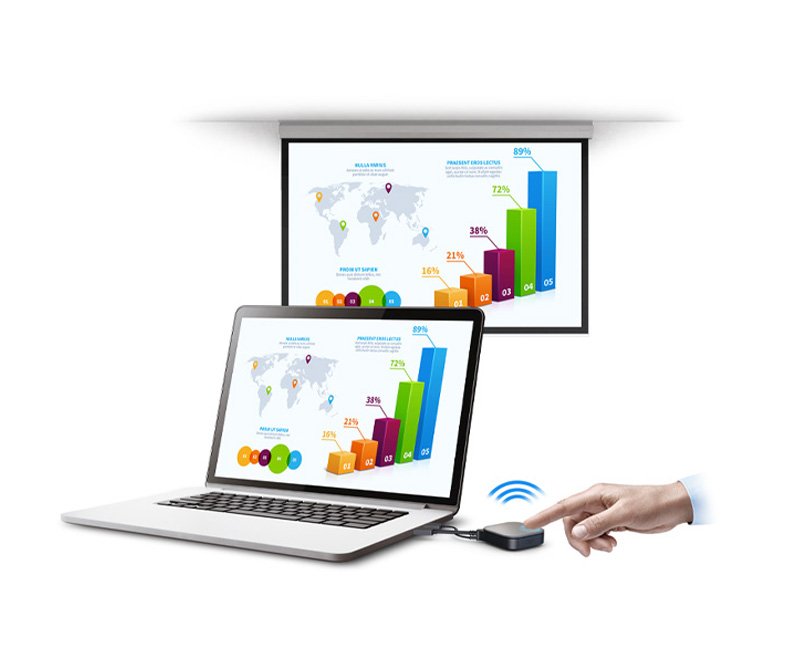
對於使用筆記型電腦、投影機為主的公司和教室,InstaShow WDC 10 無線投影解決方案,提供標準HDMI能串接您的簡報設備。如您想與其他USB type C型設備一起使用InstaShow,還可以選擇InstaShow WDC 10C。對於習慣使用平板電腦和手機進行簡報的人員,S系列的InstaShow WDC 20除了標準的HDMI串接功能外,只需要在Android、iOS系統的行動裝置安裝InstaShare™ APP,Airplay和Miracast為BYOD設備提供了更多的連線選擇。
BenQ InstaShow 無線投影不但增加了會議簡報的靈活性,在Windows和MacOS平台上還支援雙向投屏功能,可以使用BenQ IFP或個人設備控制顯示的內容。 公司可以大幅提高生產效率,增加設備簡報運用的多元性。 除此之外,InstaShow 提供多達四台設備同時IFP共享螢幕,增加了團隊之間協作流程,讓會議主持人可以通過按鈕切換選擇要聚焦的螢幕以及要播放的設備音頻。
InstaShow™ S WDC20 最高可支援 32個裝置聯繫,只需要按下按鍵,立即切換畫面。此外InstaShow™ S WDC20 是採用硬體解碼、無線串聯,最高可播放4K 30Hz高畫質影音,順利分享影音內容。
按一下,2台筆電、3支手機、4台平板,畫面通通顯示在投影幕上。 InstaShow™S WDC20 最高可支援4畫面分割,如此一來想要多個畫面交叉比對,可以更快速有效率。
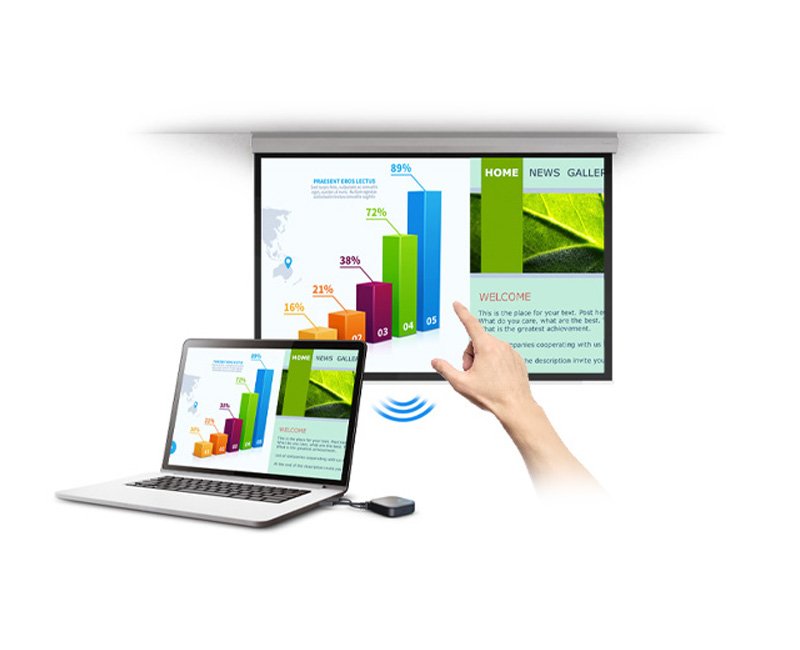
InstaShow™ S WDC20 的「無線觸控」功能,可以透過觸控顯示器控制遠方的筆電,切換投影片、播放影片等等,讓演講者不用在東奔西跑,讓會議更有效率。
隨插即用
Wireless 802.11ac
免軟體、免安裝
可無線傳輸影音
支援1080p高畫質無線傳輸
穩定可靠的無線表現
自動跳頻,尋找最穩頻段
支援電腦延伸桌面顯示模式
Thanks for your feedback!