Page updated: May 2020
Some essential features on BenQ sites just won’t work without cookies. And having other cookies switched off can seriously affect the way you’ll be able to enjoy our services.
Please check your cookie settings below and turn on any cookies you’re happy with.
“Strictly necessary” cookies can’t be turned off. But Functional and Performance cookies can be turned on or off below. You can learn more about cookies and what they do on our other pages.
If you've chosen to block third-party cookies on your browser, your cookie preferences won't carry over from benq.eu to benq.xx and vice versa. Please make sure to set your cookie preferences in both places.
On
These cookies are essential so that you can move around the website and use its features. Without these cookies services you have asked for cannot be provided.
On
Off
These cookies allow the website to remember choices you make to give you better functionality and personal features.
On
Off
Performance cookies
These cookies help to improve the performance of BenQ. If you want to opt-out of advertising cookies, you have to turn-off performance cookies. We also use Google Analytics, SessionCam and Hotjar to track activity and performance on the BenQ website. You can control the information provided to Google, SessionCam and Hotjar. To opt out of certain ads provided by Google you can use any of the methods set forth here or using the Google Analytics opt out browser add-on here. To opt-out of SessionCam collecting data, you can disable tracking completely by following link:https://sessioncam.com/choose-not-to-be-recorded/. To opt-out of Hotjar collecting data, you can disable tracking completely by following link:https://www.hotjar.com/privacy/do-not-track/.
Advertising cookies
These cookies are used to track your activity on the BenQ website and other websites across the Internet, help measure the effectiveness of our advertising campaign and deliver advertisements that are more relevant to you and your interests. We use various advertising partners, including Amazon, Facebook, and Google. These cookies and other technologies capture data like your IP address, when you viewed the page or email, what device you were using and where you were. You can find out how to avoid them below.
今年開始4K藍光播放機與4K UHD BD已陸續到位,我們要看4K影片已有健全的軟硬體可以支援。但在4K播放機與UHD BD問世前,可提供線上觀看與下載的4K影片是當時人們觀賞4K的主要來源。經過這些年的發展,目前台灣可提供民眾下載、線上觀賞4K影片的平台不算少,對於尚未添購4K播放機、UHD BD的人來說,只要是在有區域網路的環境下,也可以順利觀賞到品質不錯、內容豐富的4K內容。
說到線上4K影片,第一個要提的一定是風靡全球、並在2016年1月正式進軍台灣的Netflix。這個目前全世界最受歡迎、使用者最多的網路串流影片供應商,早年從DVD郵寄出租服務開始發跡,隨著網際網路時代的來臨,Netflix成功轉型網路串流服務,並且逐步成為美國最大的網路串流影片供應商。
2015年的9月Netflix在日本推出服務,首度在亞洲開拓據點。2016年1月Netflix在CES展覽上宣布服務範圍新增為130個國家,包括台灣在內的亞洲各主要地區都開啟服務。
Netflix在台灣目前提供270、330、390元三種價格等級,內容都是無時限全部內容看到飽。三個收費透過兩種方式來區分等級,第一是支援多少台裝置同時收看的方式不一樣,390元支援最多四台裝置同時收看(四個使用者可同時在不同裝置上觀看)、330元支援最多兩台裝置、270元僅支援一台裝置。第二就是每個等級可以支援播放的「最高畫質」不同,330元等級支援高畫質HD(720p、1080p),390元則是可以支援到超高畫質UHD(4K)。
作為全球最知名的影音分享網站,YouTube在2010年就已開始推出支援4K超高解析度影片的上傳與播放,隨著支援4K的手機、平板、電腦、電視等裝置的普及,越來越多4K影片的上傳讓YouTube成為當今網路上4K影片資料庫最龐大的影音平台。2016年底,YouTube甚至更進一步開放4K串流直播服務,讓登入戶能以標準甚至360度全景影片模式進行4K直播。
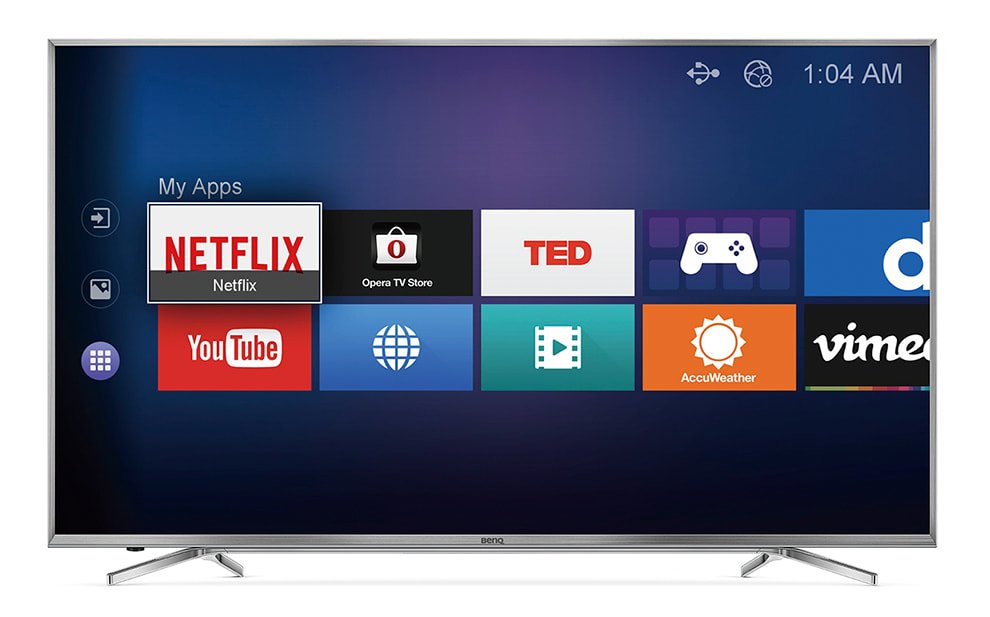
如果你想用4K電視觀賞YouTube上的影片,現在許多電視品牌都有內建YouTube TV版應用程式,像是BenQ新一代的4K電視就提供快速觀看YouTube的服務,透過電視遙控器上的快捷按鍵讓你快速進入YouTube介面,只要登入自己的帳號就可以觀看自己喜愛的影片與瀏覽過去的觀看紀錄,而BenQ 4K TV的YouTube介面也會提供4K影片的分類,方便你快速搜尋YouTube上頭的所有4K內容。
Thanks for your feedback!