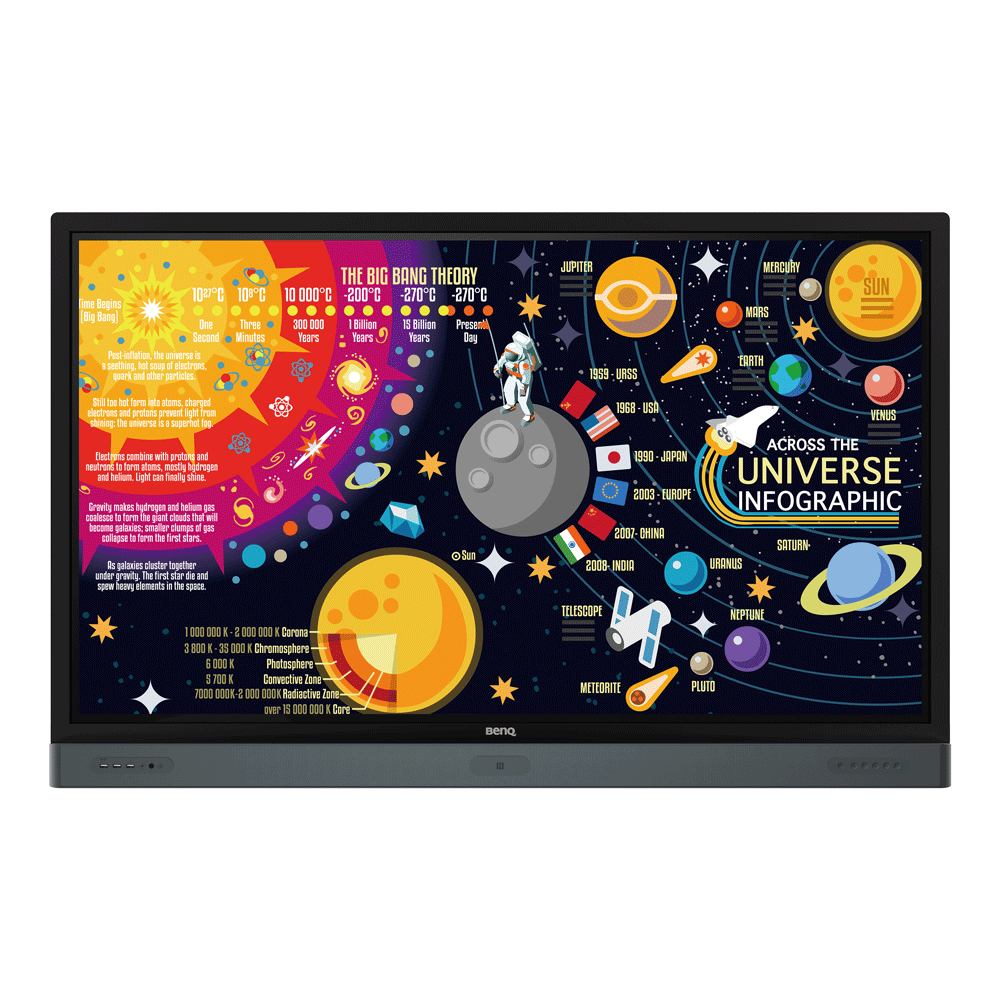
商務型 4K UHD 65" 大型互動觸控顯示器 | RP6501K
創新整合互動,提高企業會議效率
Application
 DMS Local可以用來控制哪些選項與功能?

DMS Local可讓您在遠端透過電腦連上區域網路,控制、監測您的顯示器。這個方式可以有效降低您的總體擁有成本(TCO)與運營能源消耗。下方影片將引導您連接並開始使用DMS Local。
了解更多
DMS Cloud如何解除綁定?
您可以透過以下的示範影片得到更詳細的步驟。
了解更多
為什麼不能將顯示器加進DMS Local?
請先更新 Device definitions (Json檔)再開始使用 DMS Local。
了解更多
為什麼不能使用DMS Local打開本機?
1.請先確認此型號支援網路喚醒功能(WOL)且可在顯示器上執行。
2.確認顯示器是通過RJ-45 乙太網路連接,WOL無法通過Wi-Fi運作。 了解更多
2.確認顯示器是通過RJ-45 乙太網路連接,WOL無法通過Wi-Fi運作。 了解更多
DMS cloud 如何使用Device ID綁定?
必須先綁定設備,才能進行遠端監視、控制或配置。 請您按照以下示範影片的步驟,透過DMS Cloud的設備唯一識別碼綁定設備。
了解更多
DMS Cloud 如何使用QRcode綁定?
必須先綁定設備,才能進行遠端監視、控制或配置。 請您按照以下示範影片的步驟,透過DMS Cloud的QRcode綁定設備。
了解更多
如何使用DMS Cloud 遠端控制?
設備可以透過DMS Cloud 遠端控制。您可以透過以下的示範影片得到更詳細的步驟。
了解更多
在設備上註冊EasySetting時為什麼顯示“ID無效 (Display ID is invalid)”?
請先檢查以下內容:
1.網路是否正常:使用乙太網路而不是Wi-Fi。
2.確認已設置EasySetting白名單 (whitelist)。 了解更多
1.網路是否正常:使用乙太網路而不是Wi-Fi。
2.確認已設置EasySetting白名單 (whitelist)。 了解更多
我可以去哪裡下載Android/iOS/Windows/MAC OS版本的InstaShare App?
Android系統:在Google Play上搜尋並下載InstaShare。
iOS系統:在App Store上搜尋並下載InstaShare。
Windows/MAC:請依照下列指示從IFP上下載。
1.確認IFP和PC連接相同網路。
2.開啟IFP InstaShare app。
3.依照指示下載。 了解更多
iOS系統:在App Store上搜尋並下載InstaShare。
Windows/MAC:請依照下列指示從IFP上下載。
1.確認IFP和PC連接相同網路。
2.開啟IFP InstaShare app。
3.依照指示下載。 了解更多
如何以 X-Sign Broadcast發布廣播訊息?
廣播訊息可以通過 X-Sign Broadcast輕鬆發布,您可以參考以下的示範影片 :
了解更多
如何以X-Sign Broadcast建立標籤和更新IFP?
透過X-Sign Broadcast可以輕鬆建立標籤和更新IFP,您可以透過以下的示範影片得到更詳細的步驟 :
了解更多
如何以X-Sign Broadcast新增及刪除設備?
使用前必須將IFP設備添加到X-Sign Broadcast,您可以透過以下的示範影片得到更詳細的步驟 :
了解更多
如何在X-Sign Broadcast中註冊新帳戶?
使用前必須在X-Sign Broadcast中註冊新帳戶,您可以透過以下的示範影片得到更詳細的步驟 :
了解更多
IFP如何解除AMS綁定?
必須先將IFP與AMS解除綁定,才能再綁定到另一個帳戶,您可以透過以下的示範影片得到更詳細的步驟 :
了解更多
IFP如何啟用AMS模式?
必須先將IFP綁定到AMS才能登入個人帳戶,您可以透過以下的示範影片得到更詳細的步驟 :
了解更多
可傳入EZWrite 5.0的文檔頁面數上限是多少?
可傳入EZWrite 5.0的文檔頁面數上限是15頁。
了解更多
如何在IFP中設定電子郵件帳戶?
您可以透過以下的示範影片得到更詳細的步驟。
了解更多
如何使用InstaQPrint功能?
InstaQPrint是一站式移動列印解決方案,有關設定InstaQPrint和列印所選文件的步驟,請參考以下的示範影片 :
了解更多
InstaShare是否支援將內容從Chrome操作系統設備投射到IFP?
是,InstaShare支援將內容從Chrome操作系統設備投射到IFP。
了解更多
為什麼當我在EZWrite 5.0中選擇「通過電子郵件分享」時,系統會當機?
要在EZWrite 5.0中執行「通過電子郵件分享」,必須先在IFP中完成電子郵件的設定。
了解更多
在AMS的管理下,設備名稱的命名規則是什麼?
設備名稱的命名規則為「設備型號名稱」 +「 MAC地址後4碼」。綁定設備後,可以更改設備名稱。
了解更多
可以在AMS中建立多少個帳戶?
AMS帳戶的建立數量沒有限制。 當用戶插入NFC卡片時,IFP會讀取卡上的資訊。
了解更多
是否允許同一帳戶同時登入到不同的IFP?
否,出於安全原因,一次僅允許一個帳戶登入AMS。
了解更多
AMS帳戶的命名規則是什麼?
僅能使用英文字母、數字和 .-_。
了解更多
AMS名稱的命名規則是什麼?
建立名稱時不允許使用特殊符號。
了解更多
AMS密碼的設定規則是什麼?
必須是英文字母和數字的組合,允許使用特殊符號,且密碼不能和帳號相同。
了解更多
用來登入 IAM / AMS / DMS Cloud / X-Sign Manager / X-Sign Broadcast 的網站是什麼?
用戶可以從以下網站登入到IAM / AMS / DMS Cloud / X-Sign Manager / X-Sign Broadcast:
https://service-portal.benq.com/login
了解更多
哪裡可以下載AMS使用手冊?
您可以從以下位置下載AMS使用手冊:
https://www.benq.com/zh-CN/business/ifp/account-management-system.html
了解更多
InstaQshare是否支援將內容從Chrome操作系統設備投射到IFP?
是, InstaQshare有支援將內容從Chrome操作系統設備投射到IFP。
了解更多
當我嘗試在iPhone或iPad上啟用iMirror(InstaQShare)時,為什麼IFP會顯示白色線條或持續當機?
此問題可能是由iOS版本引起的,請從App Store下載v1.5.0的InstaQshare APP,以解決與iOS12的相容性問題。
了解更多
我可以將登出時間設定為「0分鐘」或是「從不登出」嗎?
登出時間不能設定為「0分鐘」或是「從不登出」。 請從帳戶管理服務(AMS)網站進入,並將其登出時間設定為「0」。
了解更多
是否有建議的AMS NFC讀卡機/寫入器?
以下是我們建議的產品:
1. ACS:ACR1242U http://www.acr1252.com/
2. Synnix:CL-2100R http://www.synnix.com/Chinese/Products-2/info-contactless-6-2.html
3. D-Logic:https://www.d-logic.net/nfc-rfid-reader-sdk/products/ufr-advance-nfc-rfid-reader-writer/
4. InfoThink:InfoThink IT-101MU http://infothink.com.tw/tw/tw/items/infothink-%E6%84%9F%E6%87%89%E5%8D%A1nfc%E8%AE%80%E5 %8D%A1%E6%A9%9F-it-101mu
5. ONETAK:http://www.onetak.com/index.php?main_page=product_info&products_id=9 了解更多
1. ACS:ACR1242U http://www.acr1252.com/
2. Synnix:CL-2100R http://www.synnix.com/Chinese/Products-2/info-contactless-6-2.html
3. D-Logic:https://www.d-logic.net/nfc-rfid-reader-sdk/products/ufr-advance-nfc-rfid-reader-writer/
4. InfoThink:InfoThink IT-101MU http://infothink.com.tw/tw/tw/items/infothink-%E6%84%9F%E6%87%89%E5%8D%A1nfc%E8%AE%80%E5 %8D%A1%E6%A9%9F-it-101mu
5. ONETAK:http://www.onetak.com/index.php?main_page=product_info&products_id=9 了解更多
將帳戶連接到AMS下的Google雲端硬碟時,使用者是否可以看到「與我共用」的資料夾?
不可以,Google雲端硬碟的API目前僅支援個人資料夾,使用者無法可以看到「與我共用」的資料夾。
了解更多
如果連接到PC或Mac,如何開啟觸控功能?
請同時將 touch USB線和訊號輸入的電線連接到本機,無需使用其他驅動程式。
了解更多
如何連接InstaShare?
InstaShare是一款專為無線投影和簡報而生的軟體,能順暢地傳輸音源和 Full HD 高畫質影音內容。使用者還可以跨裝置設備(包括 BenQ IFP,PC,平板和手機)透過鏡射和觸控方式使用所有數位內容,而與會者也能利用這些豐富的多媒體資源來豐富他們的會議。
有關將設備連接到InstaShare的詳細步驟您可以參考示範影片。 了解更多
有關將設備連接到InstaShare的詳細步驟您可以參考示範影片。 了解更多
如何正確的清潔螢幕?
由於我們的IFP在面板模組上有覆蓋玻璃,因此可以直接用酒精與擦拭布清潔。但提醒您,請勿讓液體碰到玻璃螢幕和邊框之間的紅外線感測器。
了解更多
為什麼在InstaShare安裝過程中需要安裝「Eumus Design Sound Cards & Media Devices」?
「Eumus Design Sound Cards & Media Devices」是虛擬音效卡。 由於市場上有太多支援不同Windows版本(Windows 7、Windows 8、Windows 10甚至更早版本)的音效卡,安裝虛擬音效卡驅動程式可以解決使用InstaShare時可能遇到的問題,避免與InstaShare產生相容性問題。
了解更多
如何通過 Firefox 訪問雲端儲存文件?
Explanation
DMS Cloud和DMS Local有什麼區別?
您可以參考下表,了解兩者區別。
了解更多
Further Query
為什麼設備上沒有顯示「顯示ID」?
如果網路無法使用,則不會顯示「顯示ID」。 請確認您的設備有成功連網。
了解更多
為什麼不能在廣播中播放 YouTube 視頻?
1. 請確保您的視頻設置為“允許嵌入”。
轉到您的 YouTube 工作室,然後在視頻詳細信息下單擊“顯示更多”。
了解更多
DMS Cloud和DMS Local有什麼區別?
您可以參考下表,了解兩者區別。
了解更多
DMS Local可以用來控制哪些選項與功能?
DMS Local可讓您在遠端透過電腦連上區域網路,控制、監測您的顯示器。這個方式可以有效降低您的總體擁有成本(TCO)與運營能源消耗。下方影片將引導您連接並開始使用DMS Local。
了解更多
DMS Cloud如何解除綁定?
您可以透過以下的示範影片得到更詳細的步驟。
了解更多
為什麼不能將顯示器加進DMS Local?
請先更新 Device definitions (Json檔)再開始使用 DMS Local。
了解更多
為什麼不能使用DMS Local打開本機?
1.請先確認此型號支援網路喚醒功能(WOL)且可在顯示器上執行。
2.確認顯示器是通過RJ-45 乙太網路連接,WOL無法通過Wi-Fi運作。 了解更多
2.確認顯示器是通過RJ-45 乙太網路連接,WOL無法通過Wi-Fi運作。 了解更多
DMS cloud 如何使用Device ID綁定?
必須先綁定設備,才能進行遠端監視、控制或配置。 請您按照以下示範影片的步驟,透過DMS Cloud的設備唯一識別碼綁定設備。
了解更多
DMS Cloud 如何使用QRcode綁定?
必須先綁定設備,才能進行遠端監視、控制或配置。 請您按照以下示範影片的步驟,透過DMS Cloud的QRcode綁定設備。
了解更多
如何使用DMS Cloud 遠端控制?
設備可以透過DMS Cloud 遠端控制。您可以透過以下的示範影片得到更詳細的步驟。
了解更多
在設備上註冊EasySetting時為什麼顯示“ID無效 (Display ID is invalid)”?
請先檢查以下內容:
1.網路是否正常:使用乙太網路而不是Wi-Fi。
2.確認已設置EasySetting白名單 (whitelist)。 了解更多
1.網路是否正常:使用乙太網路而不是Wi-Fi。
2.確認已設置EasySetting白名單 (whitelist)。 了解更多
我可以去哪裡下載Android/iOS/Windows/MAC OS版本的InstaShare App?
Android系統:在Google Play上搜尋並下載InstaShare。
iOS系統:在App Store上搜尋並下載InstaShare。
Windows/MAC:請依照下列指示從IFP上下載。
1.確認IFP和PC連接相同網路。
2.開啟IFP InstaShare app。
3.依照指示下載。 了解更多
iOS系統:在App Store上搜尋並下載InstaShare。
Windows/MAC:請依照下列指示從IFP上下載。
1.確認IFP和PC連接相同網路。
2.開啟IFP InstaShare app。
3.依照指示下載。 了解更多
如何以 X-Sign Broadcast發布廣播訊息?
廣播訊息可以通過 X-Sign Broadcast輕鬆發布,您可以參考以下的示範影片 :
了解更多
如何以X-Sign Broadcast建立標籤和更新IFP?
透過X-Sign Broadcast可以輕鬆建立標籤和更新IFP,您可以透過以下的示範影片得到更詳細的步驟 :
了解更多
如何以X-Sign Broadcast新增及刪除設備?
使用前必須將IFP設備添加到X-Sign Broadcast,您可以透過以下的示範影片得到更詳細的步驟 :
了解更多
如何在X-Sign Broadcast中註冊新帳戶?
使用前必須在X-Sign Broadcast中註冊新帳戶,您可以透過以下的示範影片得到更詳細的步驟 :
了解更多
IFP如何解除AMS綁定?
必須先將IFP與AMS解除綁定,才能再綁定到另一個帳戶,您可以透過以下的示範影片得到更詳細的步驟 :
了解更多
IFP如何啟用AMS模式?
必須先將IFP綁定到AMS才能登入個人帳戶,您可以透過以下的示範影片得到更詳細的步驟 :
了解更多
可傳入EZWrite 5.0的文檔頁面數上限是多少?
可傳入EZWrite 5.0的文檔頁面數上限是15頁。
了解更多
如何在IFP中設定電子郵件帳戶?
您可以透過以下的示範影片得到更詳細的步驟。
了解更多
如何使用InstaQPrint功能?
InstaQPrint是一站式移動列印解決方案,有關設定InstaQPrint和列印所選文件的步驟,請參考以下的示範影片 :
了解更多
InstaShare是否支援將內容從Chrome操作系統設備投射到IFP?
是,InstaShare支援將內容從Chrome操作系統設備投射到IFP。
了解更多
為什麼當我在EZWrite 5.0中選擇「通過電子郵件分享」時,系統會當機?
要在EZWrite 5.0中執行「通過電子郵件分享」,必須先在IFP中完成電子郵件的設定。
了解更多
在AMS的管理下,設備名稱的命名規則是什麼?
設備名稱的命名規則為「設備型號名稱」 +「 MAC地址後4碼」。綁定設備後,可以更改設備名稱。
了解更多
可以在AMS中建立多少個帳戶?
AMS帳戶的建立數量沒有限制。 當用戶插入NFC卡片時,IFP會讀取卡上的資訊。
了解更多
是否允許同一帳戶同時登入到不同的IFP?
否,出於安全原因,一次僅允許一個帳戶登入AMS。
了解更多
AMS帳戶的命名規則是什麼?
僅能使用英文字母、數字和 .-_。
了解更多
AMS名稱的命名規則是什麼?
建立名稱時不允許使用特殊符號。
了解更多
AMS密碼的設定規則是什麼?
必須是英文字母和數字的組合,允許使用特殊符號,且密碼不能和帳號相同。
了解更多
用來登入 IAM / AMS / DMS Cloud / X-Sign Manager / X-Sign Broadcast 的網站是什麼?
用戶可以從以下網站登入到IAM / AMS / DMS Cloud / X-Sign Manager / X-Sign Broadcast:
https://service-portal.benq.com/login
了解更多
哪裡可以下載AMS使用手冊?
您可以從以下位置下載AMS使用手冊:
https://www.benq.com/zh-CN/business/ifp/account-management-system.html
了解更多
InstaQshare是否支援將內容從Chrome操作系統設備投射到IFP?
是, InstaQshare有支援將內容從Chrome操作系統設備投射到IFP。
了解更多
當我嘗試在iPhone或iPad上啟用iMirror(InstaQShare)時,為什麼IFP會顯示白色線條或持續當機?
此問題可能是由iOS版本引起的,請從App Store下載v1.5.0的InstaQshare APP,以解決與iOS12的相容性問題。
了解更多
我可以將登出時間設定為「0分鐘」或是「從不登出」嗎?
登出時間不能設定為「0分鐘」或是「從不登出」。 請從帳戶管理服務(AMS)網站進入,並將其登出時間設定為「0」。
了解更多
是否有建議的AMS NFC讀卡機/寫入器?
以下是我們建議的產品:
1. ACS:ACR1242U http://www.acr1252.com/
2. Synnix:CL-2100R http://www.synnix.com/Chinese/Products-2/info-contactless-6-2.html
3. D-Logic:https://www.d-logic.net/nfc-rfid-reader-sdk/products/ufr-advance-nfc-rfid-reader-writer/
4. InfoThink:InfoThink IT-101MU http://infothink.com.tw/tw/tw/items/infothink-%E6%84%9F%E6%87%89%E5%8D%A1nfc%E8%AE%80%E5 %8D%A1%E6%A9%9F-it-101mu
5. ONETAK:http://www.onetak.com/index.php?main_page=product_info&products_id=9 了解更多
1. ACS:ACR1242U http://www.acr1252.com/
2. Synnix:CL-2100R http://www.synnix.com/Chinese/Products-2/info-contactless-6-2.html
3. D-Logic:https://www.d-logic.net/nfc-rfid-reader-sdk/products/ufr-advance-nfc-rfid-reader-writer/
4. InfoThink:InfoThink IT-101MU http://infothink.com.tw/tw/tw/items/infothink-%E6%84%9F%E6%87%89%E5%8D%A1nfc%E8%AE%80%E5 %8D%A1%E6%A9%9F-it-101mu
5. ONETAK:http://www.onetak.com/index.php?main_page=product_info&products_id=9 了解更多
將帳戶連接到AMS下的Google雲端硬碟時,使用者是否可以看到「與我共用」的資料夾?
不可以,Google雲端硬碟的API目前僅支援個人資料夾,使用者無法可以看到「與我共用」的資料夾。
了解更多
如果連接到PC或Mac,如何開啟觸控功能?
請同時將 touch USB線和訊號輸入的電線連接到本機,無需使用其他驅動程式。
了解更多
如何連接InstaShare?
InstaShare是一款專為無線投影和簡報而生的軟體,能順暢地傳輸音源和 Full HD 高畫質影音內容。使用者還可以跨裝置設備(包括 BenQ IFP,PC,平板和手機)透過鏡射和觸控方式使用所有數位內容,而與會者也能利用這些豐富的多媒體資源來豐富他們的會議。
有關將設備連接到InstaShare的詳細步驟您可以參考示範影片。 了解更多
有關將設備連接到InstaShare的詳細步驟您可以參考示範影片。 了解更多
如何正確的清潔螢幕?
由於我們的IFP在面板模組上有覆蓋玻璃,因此可以直接用酒精與擦拭布清潔。但提醒您,請勿讓液體碰到玻璃螢幕和邊框之間的紅外線感測器。
了解更多
為什麼在InstaShare安裝過程中需要安裝「Eumus Design Sound Cards & Media Devices」?
「Eumus Design Sound Cards & Media Devices」是虛擬音效卡。 由於市場上有太多支援不同Windows版本(Windows 7、Windows 8、Windows 10甚至更早版本)的音效卡,安裝虛擬音效卡驅動程式可以解決使用InstaShare時可能遇到的問題,避免與InstaShare產生相容性問題。
了解更多
如何通過 Firefox 訪問雲端儲存文件?