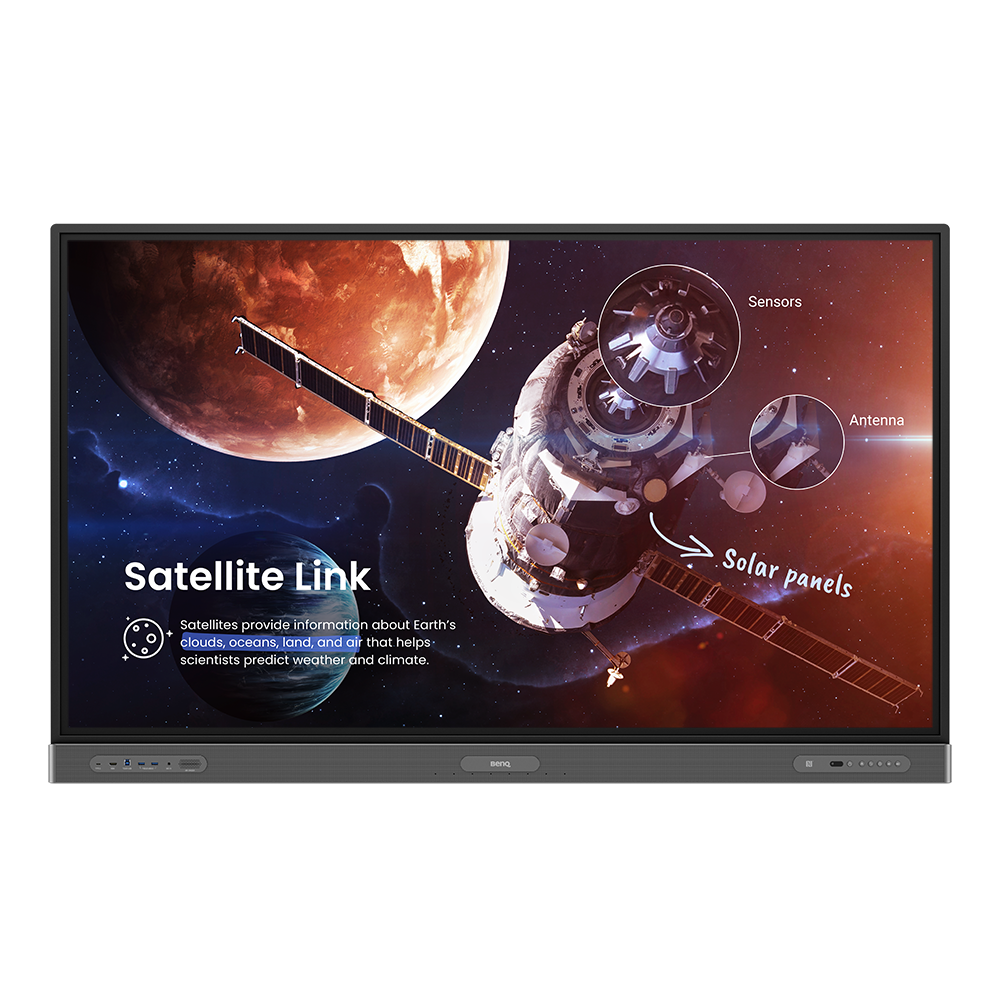
RP8603 | Màn hình tương tác 86” cao cấp cho giáo dục
Khuyến khích sự tham gia tích cực trong lớp đồng thời bảo vệ sức khỏe của học sinh và giáo viên với màn hình tương tác tốt nhất dành cho giáo dục của BenQ.
Application
 Các tùy chọn/chức năng nào có thể được kiểm soát bởi DMS Local?

Phần mềm DMS Local cho phép bạn điều khiển/theo dõi từ xa màn hình của bạn thông qua LAN. Đó là một cách hiệu quả để giảm TCO (tổng chi phí sở hữu) và mức tiêu thụ năng lượng cho hoạt động của bạn.
Video này sẽ cho bạn biết chức năng của DMS Local.
[video]
Tìm hiểu thêm
Cách xóa/hủy liên kết thiết bị khỏi DMS Cloud?
Nếu bạn muốn xóa/hủy liên kết khỏi DMS Cloud, vui lòng làm theo video hướng dẫn để biết các bước chi tiết.
Tìm hiểu thêm
Cách thêm thiết bị bằng cách sử dụng ID duy nhất cho DMS Cloud?
Thiết bị phải được thêm vào trước tiên để giám sát, điều khiển và cấu hình riêng lẻ hoặc theo nhóm từ xa. Vui lòng làm theo video hướng dẫn để thêm thiết bị bằng ID duy nhất cho DMS Cloud.
Tìm hiểu thêm
Làm cách nào để thêm thiết bị bằng mã QR cho DMS Cloud?
Thiết bị phải được thêm vào trước tiên để giám sát, điều khiển và cấu hình riêng lẻ hoặc theo nhóm từ xa. Vui lòng làm theo video hướng dẫn để thêm thiết bị bằng mã QR cho DMS Cloud.
Tìm hiểu thêm
Làm thế nào tôi sử dụng DMS Cloud để điều khiển thiết bị từ xa?
Các thiết bị có thể được điều khiển từ xa trong DMS Cloud. Vui lòng làm theo video hướng dẫn để biết các bước chi tiết.
Tìm hiểu thêm
Tại sao có thông báo ID màn hình không hợp lệ "Display ID is invalid" khi tôi đăng ký EasySetting với thiết bị của mình?
Đảm bảo đã kiểm tra tất cả các mục sau đây:
(1) Mạng có hoạt động bình thường không? Đảm bảo sử dụng LAN thay vì Wi-Fi để truy cập internet.
(2) Đảm bảo danh sách cho phép EasySetting đã được thiết lập sẵn. Tìm hiểu thêm
(1) Mạng có hoạt động bình thường không? Đảm bảo sử dụng LAN thay vì Wi-Fi để truy cập internet.
(2) Đảm bảo danh sách cho phép EasySetting đã được thiết lập sẵn. Tìm hiểu thêm
Tôi có thể tải xuống Ứng dụng InstaShare cho hệ điều hành Android/iOS/Windows/MAC ở đâu?
Vui lòng vào các trang web tải xuống sau đây cho ứng dụng:
- Điện thoại/máy tính bảng Android: Tìm kiếm "InstaShare" trên Google Play và tải xuống ứng dụng.
- Điện thoại/máy tính bảng iOS: Tìm kiếm "InstaShare" trên App Store và tải xuống ứng dụng.
- Windows/MAC: Làm theo các bước dưới đây để tải xuống ứng dụng từ IFP:
(1) Đảm bảo cả IFP và PC được kết nối với cùng một mạng.
(2) Mở ứng dụng IFP InstaShare.
(3) Làm theo hướng dẫn InstaShare để tải xuống ứng dụng. Tìm hiểu thêm
- Điện thoại/máy tính bảng Android: Tìm kiếm "InstaShare" trên Google Play và tải xuống ứng dụng.
- Điện thoại/máy tính bảng iOS: Tìm kiếm "InstaShare" trên App Store và tải xuống ứng dụng.
- Windows/MAC: Làm theo các bước dưới đây để tải xuống ứng dụng từ IFP:
(1) Đảm bảo cả IFP và PC được kết nối với cùng một mạng.
(2) Mở ứng dụng IFP InstaShare.
(3) Làm theo hướng dẫn InstaShare để tải xuống ứng dụng. Tìm hiểu thêm
Làm thể nào để tôi kết nối với InstaShare?
InstaShare là phần mềm được thiết kế cho trình chiếu không dây và cộng tác liền mạch, đảm bảo truyền phát mượt mà cả tệp tin âm thanh và video Full HD.
Người dùng cũng có thể phản chiếu màn hình và kiểm soát tất cả nội dung kỹ thuật số trên các thiết bị bao gồm các IFP BenQ, máy tính cá nhân, máy tính bảng và điện thoại thông minh, cho phép người đóng góp làm phong phú phiên làm việc của họ với nhiều tài nguyên đa phương tiện khác nhau.
Đây là hướng dẫn từng bước để kết nối thiết bị của bạn với InstaShare.
Tìm hiểu thêm
How to manage tags in X-Sign Broadcast?
X-Sign Broadcast is a wireless broadcast system that can push alerts, messages and announcements during class.
This video will guide you on how to manage tags in X-Sign Broadcast.
Tìm hiểu thêm
How to schedule messages in X-Sign Broadcast?
X-Sign Broadcast is a wireless broadcast system that can push alerts, messages and announcements during class.
This video will guide you on how to schedule messages in X-Sign Broadcast.
Tìm hiểu thêmExplanation
Sự khác biệt giữa DMS Cloud và DMS Local là gì?
Vui lòng xem bảng đối chiếu dưới đây để biết sự khác biệt giữa DMS Cloud và DMS Local.
Tìm hiểu thêm
Further Query
Tại sao "Display ID" không được hiển thị trên thiết bị?
"Display ID" sẽ không được hiển thị nếu không có mạng. Vui lòng đảm bảo thiết bị của bạn được kết nối với Internet.
Tìm hiểu thêm
Làm cách nào tôi có thể xuất nhật ký trên các mẫu sê-ri RP/RM/RE?
Để hỗ trợ thêm cho bạn, sẽ rất hữu ích nếu bạn có thể cung cấp cho chúng tôi nhật ký hệ thống khi bạn gặp bất kỳ sự cố nào với màn hình BenQ.
Video này sẽ hướng dẫn bạn cách xuất nhật ký hệ thống cho dòng BenQ RP/RM/RE.
Tìm hiểu thêm
Sự khác biệt giữa DMS Cloud và DMS Local là gì?
Vui lòng xem bảng đối chiếu dưới đây để biết sự khác biệt giữa DMS Cloud và DMS Local.
Tìm hiểu thêm
Các tùy chọn/chức năng nào có thể được kiểm soát bởi DMS Local?
Phần mềm DMS Local cho phép bạn điều khiển/theo dõi từ xa màn hình của bạn thông qua LAN. Đó là một cách hiệu quả để giảm TCO (tổng chi phí sở hữu) và mức tiêu thụ năng lượng cho hoạt động của bạn.
Video này sẽ cho bạn biết chức năng của DMS Local.
[video]
Tìm hiểu thêm
Cách xóa/hủy liên kết thiết bị khỏi DMS Cloud?
Nếu bạn muốn xóa/hủy liên kết khỏi DMS Cloud, vui lòng làm theo video hướng dẫn để biết các bước chi tiết.
Tìm hiểu thêm
Cách thêm thiết bị bằng cách sử dụng ID duy nhất cho DMS Cloud?
Thiết bị phải được thêm vào trước tiên để giám sát, điều khiển và cấu hình riêng lẻ hoặc theo nhóm từ xa. Vui lòng làm theo video hướng dẫn để thêm thiết bị bằng ID duy nhất cho DMS Cloud.
Tìm hiểu thêm
Làm cách nào để thêm thiết bị bằng mã QR cho DMS Cloud?
Thiết bị phải được thêm vào trước tiên để giám sát, điều khiển và cấu hình riêng lẻ hoặc theo nhóm từ xa. Vui lòng làm theo video hướng dẫn để thêm thiết bị bằng mã QR cho DMS Cloud.
Tìm hiểu thêm
Làm thế nào tôi sử dụng DMS Cloud để điều khiển thiết bị từ xa?
Các thiết bị có thể được điều khiển từ xa trong DMS Cloud. Vui lòng làm theo video hướng dẫn để biết các bước chi tiết.
Tìm hiểu thêm
Tại sao có thông báo ID màn hình không hợp lệ "Display ID is invalid" khi tôi đăng ký EasySetting với thiết bị của mình?
Đảm bảo đã kiểm tra tất cả các mục sau đây:
(1) Mạng có hoạt động bình thường không? Đảm bảo sử dụng LAN thay vì Wi-Fi để truy cập internet.
(2) Đảm bảo danh sách cho phép EasySetting đã được thiết lập sẵn. Tìm hiểu thêm
(1) Mạng có hoạt động bình thường không? Đảm bảo sử dụng LAN thay vì Wi-Fi để truy cập internet.
(2) Đảm bảo danh sách cho phép EasySetting đã được thiết lập sẵn. Tìm hiểu thêm
Tôi có thể tải xuống Ứng dụng InstaShare cho hệ điều hành Android/iOS/Windows/MAC ở đâu?
Vui lòng vào các trang web tải xuống sau đây cho ứng dụng:
- Điện thoại/máy tính bảng Android: Tìm kiếm "InstaShare" trên Google Play và tải xuống ứng dụng.
- Điện thoại/máy tính bảng iOS: Tìm kiếm "InstaShare" trên App Store và tải xuống ứng dụng.
- Windows/MAC: Làm theo các bước dưới đây để tải xuống ứng dụng từ IFP:
(1) Đảm bảo cả IFP và PC được kết nối với cùng một mạng.
(2) Mở ứng dụng IFP InstaShare.
(3) Làm theo hướng dẫn InstaShare để tải xuống ứng dụng. Tìm hiểu thêm
- Điện thoại/máy tính bảng Android: Tìm kiếm "InstaShare" trên Google Play và tải xuống ứng dụng.
- Điện thoại/máy tính bảng iOS: Tìm kiếm "InstaShare" trên App Store và tải xuống ứng dụng.
- Windows/MAC: Làm theo các bước dưới đây để tải xuống ứng dụng từ IFP:
(1) Đảm bảo cả IFP và PC được kết nối với cùng một mạng.
(2) Mở ứng dụng IFP InstaShare.
(3) Làm theo hướng dẫn InstaShare để tải xuống ứng dụng. Tìm hiểu thêm
Làm thể nào để tôi kết nối với InstaShare?
InstaShare là phần mềm được thiết kế cho trình chiếu không dây và cộng tác liền mạch, đảm bảo truyền phát mượt mà cả tệp tin âm thanh và video Full HD.
Người dùng cũng có thể phản chiếu màn hình và kiểm soát tất cả nội dung kỹ thuật số trên các thiết bị bao gồm các IFP BenQ, máy tính cá nhân, máy tính bảng và điện thoại thông minh, cho phép người đóng góp làm phong phú phiên làm việc của họ với nhiều tài nguyên đa phương tiện khác nhau.
Đây là hướng dẫn từng bước để kết nối thiết bị của bạn với InstaShare.
Tìm hiểu thêm
How to manage tags in X-Sign Broadcast?
X-Sign Broadcast is a wireless broadcast system that can push alerts, messages and announcements during class.
This video will guide you on how to manage tags in X-Sign Broadcast.
Tìm hiểu thêm
How to schedule messages in X-Sign Broadcast?
X-Sign Broadcast is a wireless broadcast system that can push alerts, messages and announcements during class.
This video will guide you on how to schedule messages in X-Sign Broadcast.
Tìm hiểu thêm