azure-location

완벽한 홈 시어터 프로젝터 설치 방법

  • BenQ
  • 2022-12-22

프로젝션 계산기로 이상적인 화면 크기와 거리 측정하기

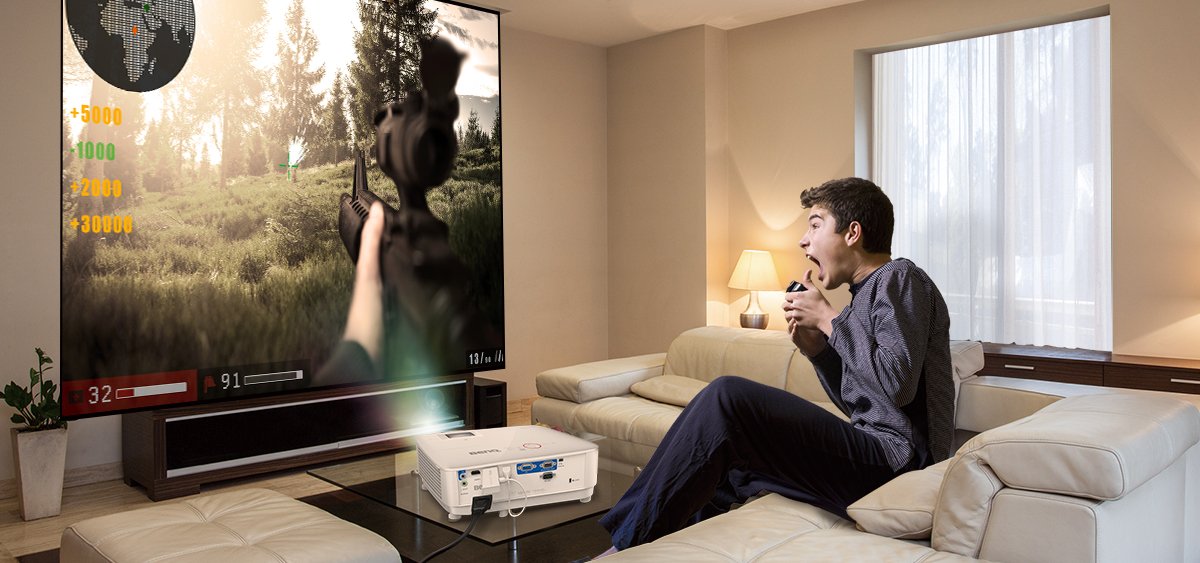
short throw projection for immersive viewing experiences

화면 크기와 투사 거리의 비율을 이해합니다(예: 100인치 @ 8피트).

일반적으로 대형 스크린에 투사하려면 넓은 공간이 필요하다고 생각하지만, 오늘날의 단초점 및 초단초점 프로젝터를 사용하면 이상적인 스크린 크기와 투사 거리만 결정하면 어떤 크기의 공간에서도 100인치 이상의 스크린을 쉽게 즐길 수 있습니다.

먼저, 대부분의 프로젝터 모델 사양에서 일반적으로 화면 크기@스크린과의 거리로 표시되는 화면 크기 및 거리에 대한 정보를 찾습니다. 예를 들어, 100인치@8피트 사양은 100인치 화면을 투사하는 데 필요한 프로젝터와 스크린 사이의 최소 거리가 8피트라는 것을 의미합니다. 16:9 화면비의 100인치 이미지는 폭이 약 7피트이므로 이 예에서 100인치 영상을 투사하려면 작은 침실 크기인 약 21평방피트에서 32평방피트의 공간이 필요하다는 의미입니다.

집에 적합한 프로젝터를 선택하려면 방의 길이와 너비를 측정하고 프로젝터를 스크린에서 배치할 수 있는 최대 거리를 사용하여 해당 거리에서 이상적인 화면 크기를 충족하는 특정 프로젝터 모델을 필터링하기만 하면 됩니다. 공간이 L자형이나 다각형과 같이 불규칙한 모양인 경우 먼저 가구 배치를 확인한 다음 프로젝터 구매 시 기준으로 두 벽 사이의 거리를 측정합니다. 가장 좋은 설치 위치는 공간에서 두 벽이 가장 멀리 떨어져 있는 곳이라는 점을 명심하세요.

투사되는 화면 크기 및 거리에 대한 데이터 참조 벤큐 투사거리 계산기

projector setup in the living room

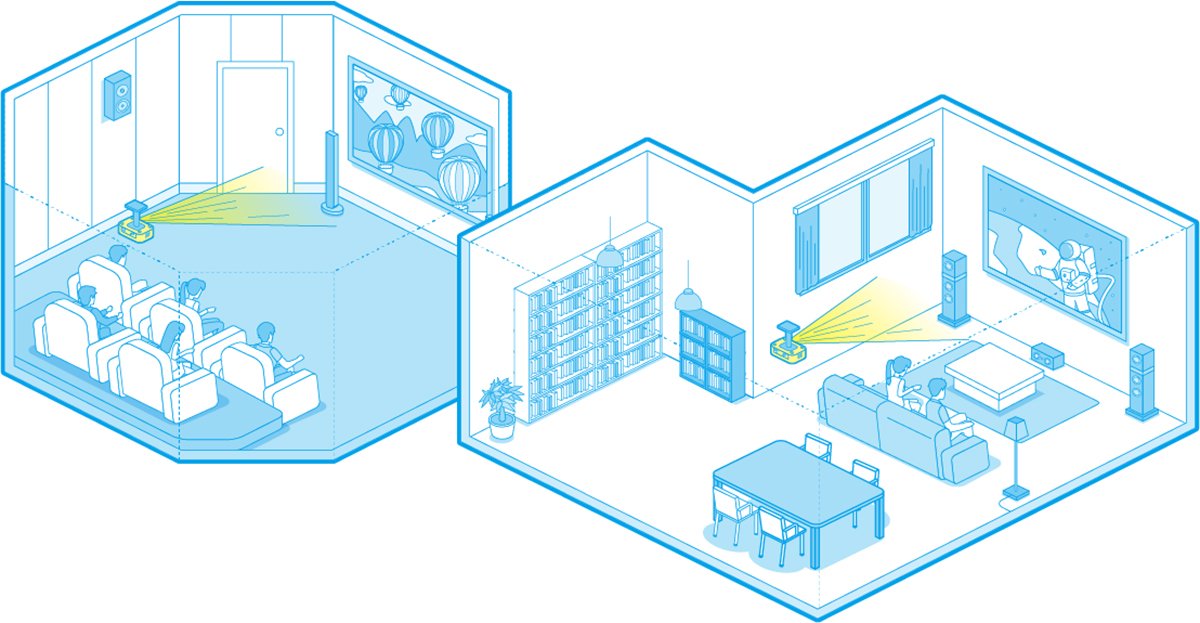
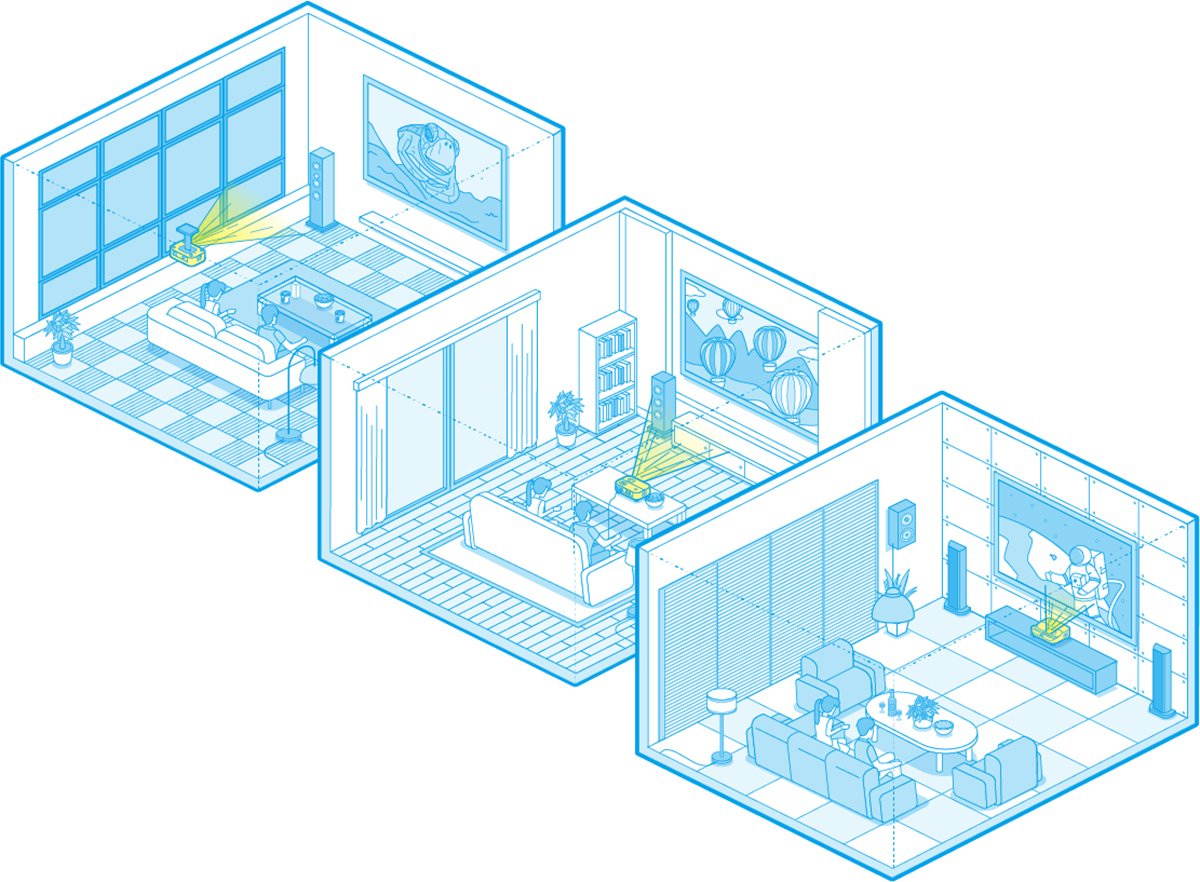
오늘날의 단초점 및 초단초점 프로젝터는 천장 설치, 탁상 배치, 거실 또는 모서리에서 중심을 벗어난 투사 등 어떤 설치 환경에서도 쉽게 사용할 수 있습니다.

기기 크기와 프로젝터 렌즈 디자인 측면에서 많은 선택지가 있습니다. 프로젝터를 선택할 때는 프로젝터를 배치할 위치를 결정하기만 하면 됩니다. 천장 장착 외에도 테이블, 캐비닛 또는 스크린 아래에 설치할 수 있는 다른 모델도 있습니다. 프로젝터를 화면 중앙에 정렬된 위치에 놓을 수 없더라도 화면 왜곡 보정 및 렌즈 시프트 기능이 있는 모델이 있습니다.

ceiling-mounted and table top projector setup

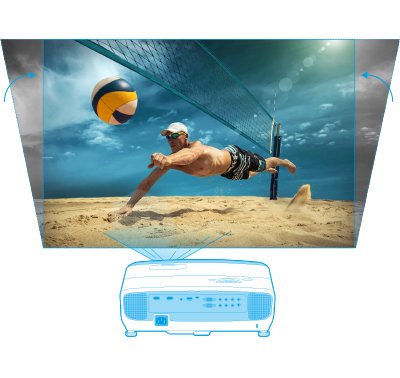
프로젝터를 천장에 설치하거나 화면 중앙에 정렬된 테이블 위에 놓을 수 있는 경우 프로젝터를 선택할 때 화면 크기@거리 정보만 있으면 됩니다. 그러나 프로젝터를 화면 중앙에 정렬할 수 없는 경우 프로젝터에 키스톤 보정 또는 렌즈 시프트 설계가 장착되어 있어야 합니다. 일부 프로젝터는 수직 ㅋ니스톤 보정 기능을 제공하는 반면, 다른 프로젝터는 수직 및 수평 키스톤 보정 기능을 모두 포함합니다. 프로젝터를 화면 중앙에 정렬할 수 있지만 화면을 채우기 위해 비스듬히 기울여야 하는 경우, 이미지를 완전하고 정확하게 투사하려면 수직 키스톤 보정만 필요합니다. 그러나 실내 장식으로 인해 프로젝터를 화면 중앙에 정렬할 수 없고 벽이나 모서리에 배치해야 하는 경우 수직 및 수평 키스톤 보정 기능이 모두 있는 모델이 필요합니다.

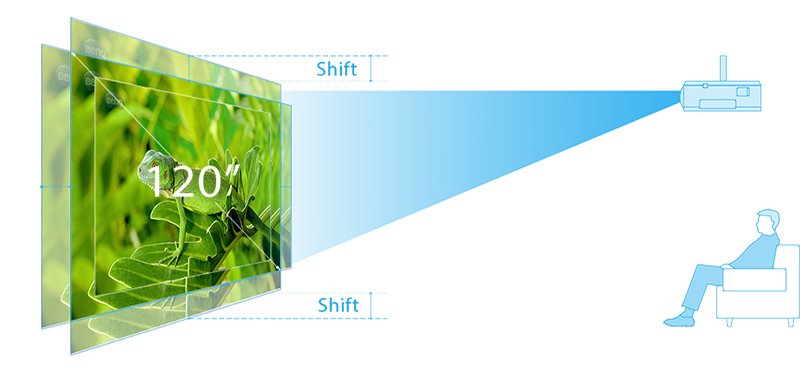
렌즈 시프트와 키스톤 보정의 차이점은 렌즈 시프트는 물리적 메커니즘이고 키스톤은 디지털 보정을 기반으로 한다는 점입니다. 렌즈 시프트를 사용하면 렌즈가 특정 범위 내에서 상하좌우로 움직일 수 있으므로 영사된 영상이 키스톤(사다리꼴 왜곡)없이 수직 또는 수평으로 움직일 수 있습니다. 따라서 프로젝터를 어디에 설치하든 렌즈 시프트 또는 키스톤 보정 기능이 탑재된 모델을 선택하기만 하면 홈 시어터에서 바로 100인치 이상의 영화 같은 경험을 즐길 수 있습니다.

vertical keystone to fine-tune projector setup

수직 키스톤

lens shift to fine-tune projection

렌즈 시프트

설치 거리에 대한 기준이 다른 100인치 이상의 스크린을 즐기기 위한 주요 프로젝터 사양 이해하기

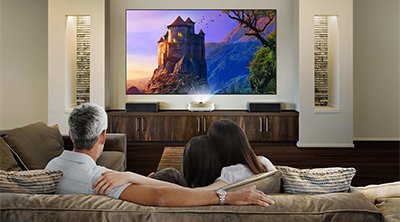
short throw projection in living room for immersive viewing experiences

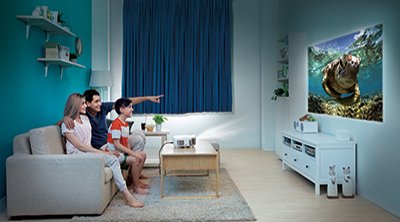
short throw projection in living room for immersive viewing experiences

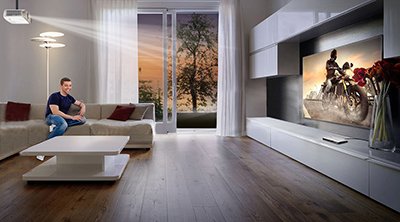
short throw projection in living room for immersive viewing experiences

필요에 맞는 4K프로젝터를 찾으려면 프로젝터를 배치할 위치와 스크린과의 거리 또는 이미지를 투사할 벽을 결정해야 합니다. 현존하는 모든 프로젝터 중에서 가장 일반적인 디자인은 렌즈가 프로젝터 전면에 있는 디자인입니다. 이러한 디자인은 100인치 화면을 투사하기 위해 8.2피트 정도의 짧은 거리가 필요할 수 있습니다.

렌즈가 프로젝터 본체 내부에 배치되어 프로젝터 본체 위와 뒤의 스크린에 이미지를 투사하는 모델도 있으며, 이러한 초단초점 모델은 100인치 화면을 투사하는데 6인치의 거리만 있으면 됩니다. 따라서 공간이 21.6평방피트보다 작아도 대형 스크린을 쉽게 즐길 수 있습니다.

프로젝터를 스크린 중앙에 정렬할 수 없는 공간에서는 수직/수평 키스톤 보정 또는 렌즈 시프트 기능이 탑재된 모델을 선택하면 극장에서만 볼 수 있는 대형 스크린의 몰입감을 경험할 수 있습니다.

참고 사이트:

short throw projection for immersive viewing experiences

Understand the relationship between screen size and projection distance (for example, 100” @ 8ft)

Though it is commonly believed that a large space is needed in order to project onto large screens, today’s short throw and ultra short throw projectors make it easy to enjoy 100”+ screen sizes in rooms of any size simply by determining the ideal screen size and projection distance.

First, look for information about screen size and distance, which is typically expressed as screen size @ distance from screen within the specification of most projector models. For example, the specification 100-inch @ 8ft means that the minimum distance required between the projector and the screen is 8ft to project a 100-inch screen. Because a 100-inch image with a 16:9 aspect ratio has a width of approximately 7ft, this means that a space of about 21 square ft to 32 square ft, about the size of a small bedroom, is needed to project a 100-inch picture in this example.

To select the ideal projector for your home, you only need to measure the length and width of the room, and use the maximum distance the projector can be placed from the screen to filter for the specific projector model that will meet your ideal screen size from that distance. If the space has an irregular shape, such as an L shape or a polygon, first confirm furniture placement, then measure the distance between the two walls as the reference for purchasing a projector. Keep in mind the best setup position is where two walls are furthest apart in the space.

projector setup in the living room

Data reference for projected screen size and distance BenQ Projection Calculator Data reference for projected screen size and distance BenQ Projection Calculator http://projectorcalculator.benq.com/

Today’s short throw and ultra-short throw projector choices can facilitate any setup – ceiling mounting, tabletop placement, living room or off-center projection from a corner

There are many choices in terms of machine size and projector lens design. When choosing a projector, simply determine where you want to place the projector. In addition to ceiling mounting, there are other models that can be placed on a table, in a cabinet, or even below the screen. Even if the projector cannot be placed at a position aligned to the center of the screen, there are models with screen distortion correction and lens shift functions.

ceiling-mounted and table top projector setup

If the projector can be mounted on the ceiling or placed on a table aligned to the center of the screen, only the screen size @ distance information is needed when selecting a projector. But if the projector cannot be aligned to the center of the screen, the projector must be equipped with keystone correction or lens shift design. Some projectors offer vertical keystone correction, while others include both vertical and horizontal keystone correction. If the projector can be aligned to the center of the screen but must be tilted at an angle to fill the screen, then only vertical keystone correction is needed to project images fully and accurately. But if the projector cannot be aligned to the center of the screen due to room décor and must be placed by a wall or a corner, a model with both vertical and horizontal keystone correction is needed.

The difference between lens shift and keystone correction is that lens shift is a physical mechanism and keystone is based on digital correction. Lens shift allows the lens to move up, down, left and right within a certain range, so the projected picture can be moved vertically or horizontally without causing keystoning (trapezoidal distortion). So regardless of where the projector will be placed, simply select a model equipped with lens shift or keystone correction to enjoy 100”+ cinematic experiences right in your home theater.

vertical keystone to fine-tune projector setup

Vertical Keystone

lens shift to fine-tune projection

Lens shift

Understand key projector specs to enjoy 100”+ theaters with different criteria for setup distances

short throw projection in living room for immersive viewing experiences

short throw projection in living room for immersive viewing experiences

short throw projection in living room for immersive viewing experiences

To find a projector that meets your needs, you need to determine where the projector will be placed and its distance to the screen or which wall to project the image. Among all existing projectors, the most common design has the lens in the front of the projector. These designs can require distances as short as 8.2 ft to project a 100-inch screen. There are also models with the lens placed inside the projector body to project images upward onto a screen above and behind the projector body, and these ultra short throw models only require a distance of 6 inches to project a 100-inch screen. So it’s easy to enjoy large screens even if the room is smaller than 21.6 ft². For spaces where the projectors cannot be aligned to the center of the screen, simply select a model equipped with vertical/horizontal keystone correction or lens shift to experience the immersive thrill of a huge screen that’s only available at theaters.

이 글이 도움 되었나요?

아니요

Recommended Products

  • 할인 {{currency}}{{item.saveAmount| numberThousandsCommas | numberDecimalPoint}}
    할인 {{item.savePercent| numberThousandsCommas | numberDecimalPoint}}%

    {{item.productWordingTag}}

    {{item.title}}

    • {{point}}

    {{currency}}{{item.finalPrice| numberThousandsCommas | numberDecimalPoint}} 할인 {{currency}}{{item.saveAmount | numberThousandsCommas | numberDecimalPoint}} 할인 {{item.savePercent | numberThousandsCommas | numberDecimalPoint}}%

    새제품 가격{{currency}}{{item.regularPrice| numberThousandsCommas | numberDecimalPoint}}