Solusi Pendidikan Premium
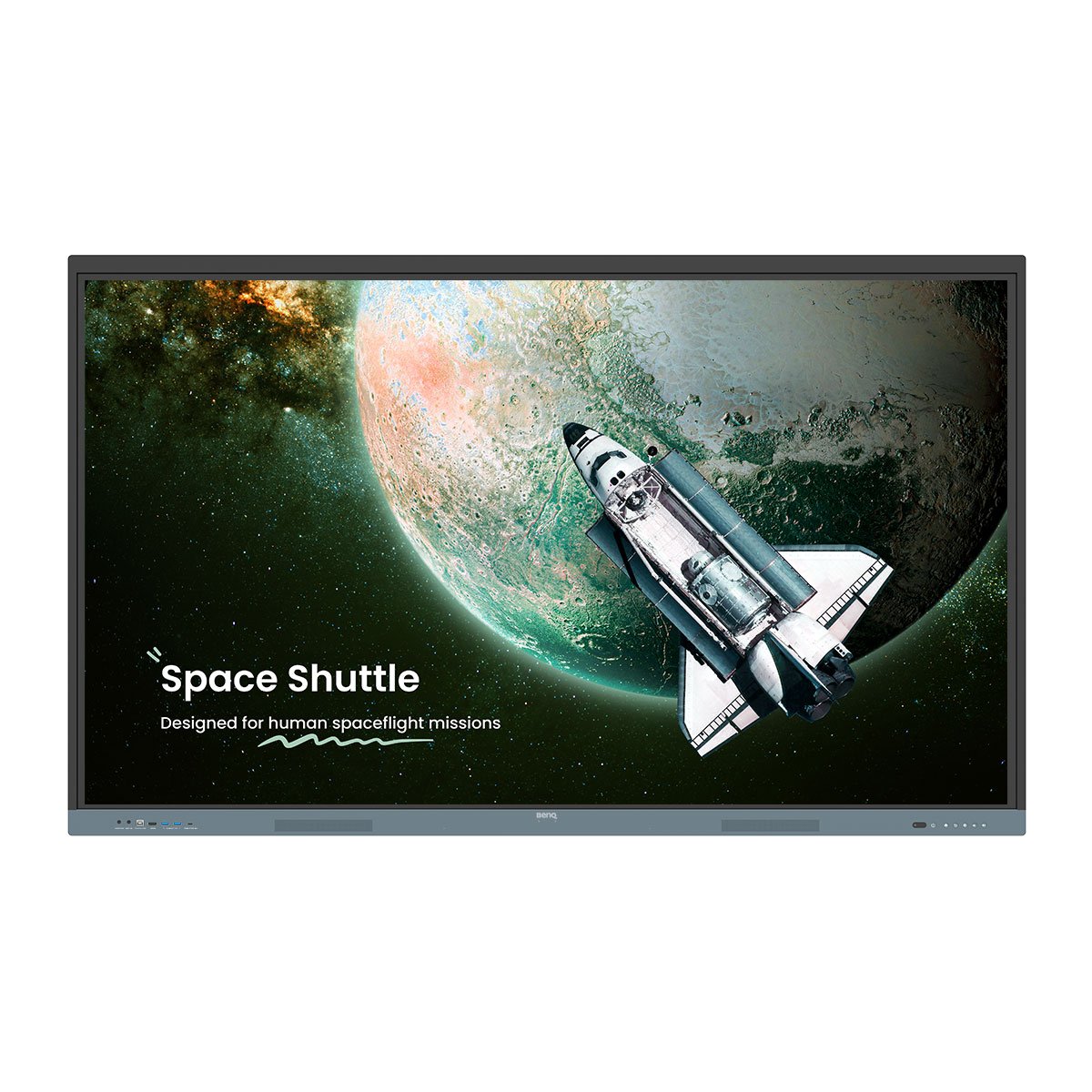
BenQ Board Pro RP05 Interactive Display
Papan paling canggih dari BenQ. Intuitif untuk guru, mudah dan aman untuk IT.
Sertifikasi Google EDLA
Dukungan Google Play
10 TOPS NPU
AI terdepan di industri
Fitur AI terintegrasi
Asisten mengajar serba bisa
Eyesafe 3.0
Perlindungan cahaya biru maksimal
Sistem suara 70W
Audio yang kuat dan jernih
Sinkronisasi direktori
Penyiapan akun otomatis
Login multi-pengguna
QR Code dan NFC
Android 15
Bisa diupgrade di masa depan
Tidak perlu penyiapan akun manual dengan sinkronisasi direktori. Impor pengguna dari ClassLink, Clever, Google, Microsoft, dan penyedia identitas lain, lalu kelola dengan mudah.


Dirancang untuk guru, didukung oleh AI. Mudah digunakan dan siap untuk mentransformasi pembelajaran.

Tanya AI
Dapatkan jawaban secara instan
Lasso Search
Lingkari, cari, temukan
EZMath
Rumus dan bentuk rapi serta mudah dibaca
Lingkari untuk Artify
Dari catatan & sketsa menjadi karya seni
Tingkatkan metode pengajaran masa kini, dan siap untuk kebutuhan kelas masa depan.


Setiap siswa dan lingkungan belajar itu unik. RP05 memberikan fleksibilitas yang Anda perlukan untuk mendukung pembelajaran di segala tipe kelas.
Tinta bergulir
Tinta bergerak mengikuti halaman saat kamu menggulir di Note Browser
Tulis bebas
Tambah catatan dan sorot di atas aplikasi, dokumen, atau layar mana pun
Drag and drop berdampingan
Pindahkan konten dengan mudah dari berbagai aplikasi
Tampil lebih besar
Tampilan ke proyektor untuk ruangan lebih besar
Gandakan area kerjamu
Ruang lebih luas dengan perpanjangan layar
Kompatibilitas maksimal
Mendukung Android, Windows, MacOS, ChromeOS, dan lainnya
BenQ Board dirancang agar mudah diadopsi. Guru dan tim IT juga dapat mengakses berbagai sumber daya untuk mempelajari cara memaksimalkan tampilan interaktif kami.
Panduan Onboarding
Panduan untuk Guru
BenQ Academy
SKOV menghidupkan kembali pembelajaran dengan BenQ Board
“BenQ Board memungkinkan siswa belajar sendiri atau bersama kelompok. Inilah inti dari pendidikan.”
PINGUIN pilih BenQ Board untuk pembelajar muda
“Dengan papan tulis digital dari BenQ, kami kini selangkah lebih dekat ke Taman Kanak-Kanak 4.0.”
BenQ ClassroomCare® menawarkan banyak fitur perlindungan untuk memastikan lingkungan belajar yang aman.
Kehadiran membangun prestasi
BenQ ClassroomCare® menawarkan banyak fitur perlindungan untuk memastikan lingkungan belajar yang aman.
Eyesafe 3.0
Perlindungan cahaya biru tingkat tertinggi
Optimisasi sirkadian
Mendukung tidur sehat
Tahan kuman
Efektif melawan 99,9% kuman umum
Anti-silau, tanpa kedipan
Mengurangi kelelahan mata, visual lebih baik
Pemantauan kualitas udara
Pantau CO₂, PM₂.₅, dan TVOC secara real time
Ionizer terintegrasi
Mengatur polusi udara
See all specifications

Hubungi Penjualan


Hubungi Penjualan
Hubungi Penjualan
Jelajahi
Pertanyaan yang Sering Diajukan
What is the BenQ Board Pro RP05?
The BenQ Board RP05 is a premium interactive display designed for modern classrooms. It empowers teachers with AI-enabled teaching tools, ensures student safety with ClassroomCare® technology, and simplifies IT management through secure, automated account setup.
What is an NPU and why does the BenQ Board Pro RP05 need one?
Most AI features rely on remote servers to process data. This setup works well for complex tasks that don’t require instant responses. However, for AI tasks that demand real-time performance, a Neural Processing Unit (NPU) enables these operations to run directly on the board. By processing AI tasks locally, the NPU not only delivers faster, more responsive performance but also enhances data privacy, since sensitive information doesn’t need to be transmitted to external servers.
Is the BenQ Board Pro RP05 easy to adopt for schools?
Yes, the board is designed for intuitive use from day one. Most teachers can walk up to the display and start using it immediately. For additional support, BenQ offers teacher guides, training resources, and BenQ Academy courses to support ongoing professional development.
Can multiple teachers or students use the BenQ Board Pro RP05 at the same time?
Yes. With up to 50 touchpoints and special feature that divide the board for friendly competition, teachers and students can both use the BenQ Board at the same time. To go farther the RP05 also supports multi-user logins via QR code or NFC. Teachers can log in instantly to securely access their personalized apps, files, and cloud accounts without worrying about data exposure.
How easy is it for IT teams to manage BenQ Boards?
All BenQ smart displays support directory syncing with existing services (ClassLink, Clever, Google, and Microsoft), eliminating the need to manually create user accounts. Admins can also remotely install apps, update firmware, create power schedules, and adjust settings.
Can teachers use their preferred apps on the BenQ Board Pro RP05?
Yes. The RP05 is Google EDLA Certified, giving teachers access to the Google Play Store to download their preferred educational apps. They can also connect their laptop via HDMI or USB-C and control it directly from the BenQ Board to use any app on the large screen.
How can the BenQ Board Pro RP05 be used beyond whiteboarding?
Beyond whiteboarding, the RP05 enhances every part of teaching. Teachers can share content wirelessly, use interactive learning apps, and annotate over any lesson material. With built-in AI tools, cloud access, and video conferencing, it supports engaging, flexible, and connected classroom experiences.
What kind of advanced screen sharing capabilities are on the BenQ Board Pro RP05?
BenQ’s screen-sharing software lets up to nine devices share their screens to the board, or allows the board to broadcast its screen to all devices in the classroom such as laptops and iPads. Teachers have full control over who can share or annotate on the display.
Is the BenQ Board Pro RP05 secure?
Yes. The BenQ Board Pro RP05 incorporates comprehensive security measures, including user and device access controls, single sign-on, multi-factor authentication, and Google Play Protect. It also adheres to key international data protection regulations such as GDPR, CCPA, and PSTI, ensuring compliance and safeguarding user information.
Where can I buy the BenQ Board?
Learn more on how to buy our product on this page.