{{item.name}}
Price: {{currency}}{{item.price| numberThousandsCommas | numberDecimalPoint}}
Qty: {{item.amount}}


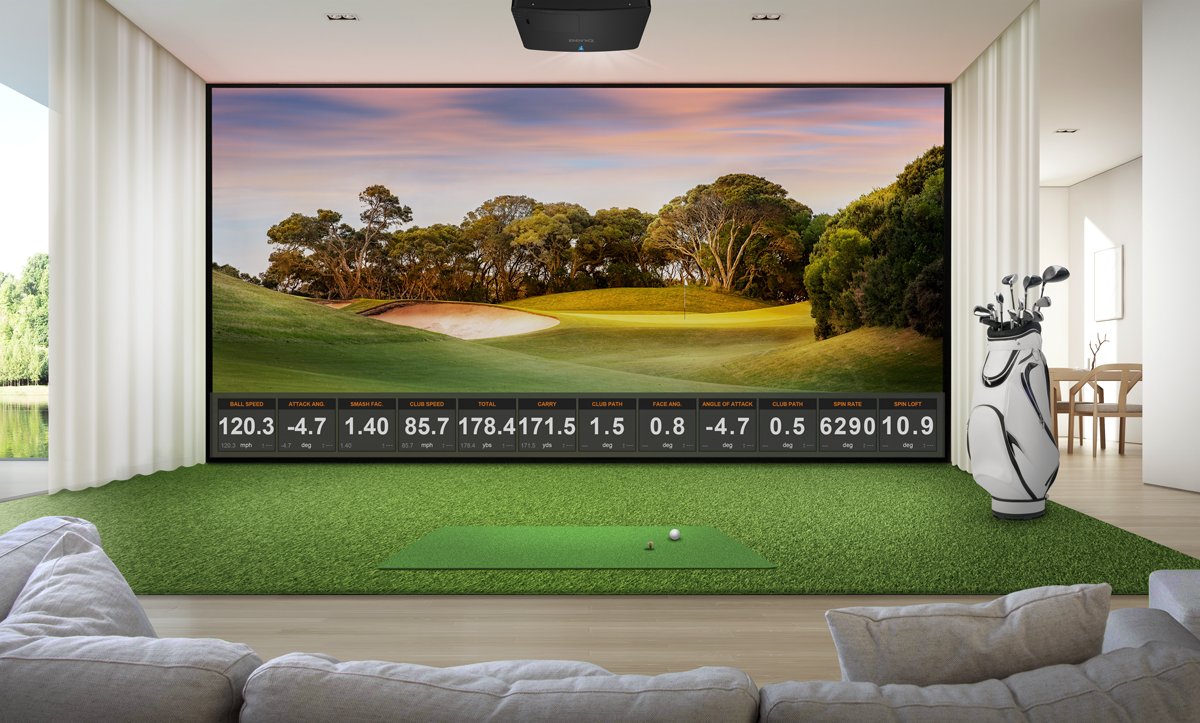
In 2025, short throw laser projectors were the fastest growing segment of the projector market in the US, primarily driven by use in golf and other simulation applications. Epson’s new PowerLite L695SE is a high brightness projector with a short-throw lens that is designed for immersive projection as well as golf simulation. So how does it compare against the top-selling BenQ LK936ST short throw laser projector for use as a dedicated golf simulation or multipurpose “Sim Theater” used for video streaming and gaming as well as golf? Here is a fair comparison that addresses the following areas.
4K Resolution vs “Faux K” Resolution
Color accuracy & HDR specifications.
Maintenance requirements
Dolby Atmos Audio Support
24/7 Use and Input Lag
Purchase price
Both projectors have many things in common. First, they both have short throw lenses that enable the projector to be mounted above and behind the golfer to avoid shadows, lens shift to make installation easier, and similar brightness levels. The BenQ LK936ST is rated at 5100 ANSI lumens, which is the most conservative measurement standard. The Epson L695SE is rated at 6000 ISO lumens, which is a more liberal standard according to Projector Central. One brand represents both ISO Lumens and ANSI lumens on the same projector and showing ISO lumen number about 9% higher than ANSI. Bottom line, both are bright and the Epson has a slight advantage over the BenQ LK830ST. Here are the major differences to consider when choosing the right projector for your setup.
The first major difference is the resolution. The BenQ LK936ST is the only projector to deliver true 4K UHD resolution standard set by the Consumer Technology Association (CTA) with over 8.3 million pixels. The top six golf simulation software platforms all now support 4K UHD projectors, enabling you to see every little detail on the course. With the BenQ LK936ST, you get every pixel rendered on the following golf simulator software platforms.
Golf Simulator Software Platfrom
Native 4K UHD Resolution Support (8.3M Pixels)
GSPro
Yes
Uneekor GameDay
Yes
FSX Play
Yes - up to 5K
E6 Connect
Yes
TGC 2019 / TGC 2026
Yes
Trackman Virtual Golf 3
Yes
The Epson L695SE does not have 4K UHD resolution, despite its “4K Enhancement” name that may lead you to believe otherwise (it’s a proprietary marketing term owned by Epson). The Epson L695SE uses the “4K Enhancement term” for the process of doubling the pixels of a native WUXGA LCD panel with only 2.4 million pixels. This makes the PowerLite L695SE about 3.5 million pixels short of the number needed to achieve the CTA 4K UHD standard. Without all 8.3 million pixels, the computer and projector will struggle to find the right way to render the screen, since it is missing the correct pixel addresses to render the details on the missing 3+ million pixels. The projector may need to upscale the image using the native WUXGA pixel addresses, resulting in an image that is not as crisp as a true 4K projector.
Because golf simulator impact screens are so much larger than traditional home theater screens, the pixel density of a 4K projector makes a significant difference, especially if you’re hitting area is 10 feet or closer to the screen. For a larger impact screen of 300 diagonal inches – the BenQ LK936ST 4K projector will render 216 pixels in every square inch (about the size of your thumbnail) of your screen. On the Epson L695SE at its native resolution, it can only deliver 57 pixels in the same space. With “4K Enhancement” technology, the projector will double the number of pixels in that area, but it may not render those pixels as the course designer intended as the projector is determining the content, not the golf simulator software.
The other thing to consider is that over 60% of golf simulators setups are used for sports / video streaming, movie watching, and family gaming. Apple TV, Netflix and other have direct support for 4K UHD resolution using the CTA standard, but there is no published support for Epson’s proprietary “4K Enhancement” resolution, and there is no way to upgrade the projector’s resolution.
Color performance is a key part of any projector. Both BenQ and Epson both use the CTA defined Rec.709 color specifications in their home theater models (typically under 3000 lumens) to enable consumers to compare color performance, but what about the high brightness projectors used for golf simulation?
The BenQ LK936ST is specified to deliver over 92% of the Rec. 709 color gamut, making it one of the most color accurate projectors in its brightness class. According to Projector Reviews testing, “The BenQ LK936ST's color reproduction out of the box was excellent.” BenQ also has a golf mode that is designed add additional color depth to blues, greens, and extra horsepower to render more difficult organic colors like Augusta bentgrass greens, Troon pot bunkers, and Pinehurst’s nasty wiregrass and pine needle roughs.
This delivers maximum realism to enable you to play like you are there. The Epson L695SE does not have any Rec. 709 color accuracy specifications, and no special golf mode in either the specification sheet or manuals.
If you want your golf simulation projector to double as a giant television, you’ll need HDR support to get the maximum effect out of video streaming services and traditional media players. NBC currently broadcasts some of its higher profile golf tournaments using HDR, and most streaming services also support the additional contrast and realism that HDR delivers in their shows and movie content. The BenQ LK936ST has built in HDR / HLG support for these networks:
Streaming Service HDR
BenQ LK936ST
Epson L695SE
Netflix
✔️
❌
Apple TV +
✔️
❌
Disney +
✔️
❌
Amazon Prime Video
✔️
❌
MAX
✔️
❌
Paramount +
✔️
❌
Peacock
✔️
❌
Google Play / YouTube
✔️
❌
Hulu
✔️
❌
The Epson L695SE does not support rendering HDR or HLG content.
Golf simulator projectors often live in dusty areas near ceilings, garages, and in basements. According to a national survey of golf simulator buyers, a maintenance free projector was one of the most important attributes for purchase consideration. The BenQ LK936ST projector uses an advanced sealed laser engine that has been dust torture tested by a third-party laboratory using the same IP5X standard as the latest Apple watch. There are no filters to clean, no risk of damaging the projector, and no annoying “Clean Filter Now” warning messages that pop up unexpectedly.
The Epson L695SE has filters that have to be kept clean to keep the projector cool – and keep dust from getting inside the laser engine. Replacement filters cost about $60, and it’s unclear how often you need to clean the filter. For example, on the product webpage, they estimate how many hours - but based on a proprietary dust measurement, not the industry standard IP5X or IP6X test.
Other online sources such as projector resellers and golf simulator brands that sell Epson models recommend filter cleaning from as low as every 100 hours, to every three months as you can see below. The warranty language on the Epson L695SE specifically excludes coverage if the projector is damaged from lack of maintenance or excessively dusty conditions, so your filter cleaning interval could be different than the interval used in the proprietary Epson test.
For a projector to be used as part of a multipurpose golf simulation / theater, the ability to support premium audio is a key factor. Traditional classroom projectors have small speakers that might be handy for light ambient golf sim sounds, but if you want to create a 3.1 or a 5.1 immersive sound experience for golf and video content, the BenQ LK936ST has an integrated e-ARC (Audio Return Channel) connector to pass through the audio signal to your AV receiver that can support Dolby Atmos audio. Currently all the major US streaming services support Dolby Atmos either in their free or premium service levels. A simple connection from the projector to your AV receiver or Sonos system, and you can have an immersive 3D audio experience with sound that moves above, around, and behind you with pinpoint accuracy as well as an immersive cinematic experience.
The Epson L695SE doesn’t have any support for eARC or Dolby Atmos.
Another advantage of BenQ LK936ST over the Epson L695SE is the DLP chip technology used in nearly every commercial cinema today. This enables the projector to be used 24/7 without the risk of yellowing, a big plus if you are using the projector for a commercial golf simulator or at a country club. The Epson projector must be turned off daily, and failure to do so can result in the warranty being voided.
If you want to use your projector for family gaming and entertainment the BenQ LK936ST has a relatively fast 34 milliseconds (ms) at 1080p / 60 Hz, making it easy to connect a PlayStation, Xbox, or Nintendo Switch to your system. While its not as fast as a purpose built gaming projector, its more than adequate for an immersive Baldur’s Gate experience or group Mario Kart nights
The Epson L695SE uses older LCD technology, and does not specify its input lag.
Here is a breakdown of the cost and features of the BenQ LK936ST and the Epson L695SE. While the Epson L695SE is slightly brighter than the BenQ LK936ST, it has a proprietary resolution not supported by the golf simulation software platforms, is more expensive, and lacks many of the key features needed for both standalone golf simulators as well immersive “Sim Theater” family entertainment areas. All projector pricing data comes from each manufacturer’s website.
Product / Feature
BenQ LK936ST
Epson PowerLite L695SE
Resolution
Standard 4K UHD (8.3M Pixels)
WUXGA x2 (~4.4M Pixels) - called "4K Enhancements"
Brightness
5100 ANSI Lumens
6000 ISO Lumens
Color Accuracy
92% Rec. 709
Not Specified
Golf Mode
Yes
No
HDR Support
Yes
No
Sealed IPX5 Dustproof Laser Engine
Yes
No - uses paper filters
Replacement Filter Cost
N/A
$60
e-ARC Connector for Dolby Atmos Audio
Yes
No
24/7 Use
Yes
No - must be turned off daily
Input Lag
34 ms at 1080p / 60Hz
Not Specified
Price
$4899
$5710
BenQ has trained staff to help you find the perfect golf simulator projector – within your room size and budget. To help you make the best decision, you can reach out to one of our experts to set up anything from a chat to a complete online demo, to help you find the right projector for your needs.
{{item.productWordingTag}}
{{currency}}{{item.finalPrice| numberThousandsCommas | numberDecimalPoint}} Save {{currency}}{{item.saveAmount | numberThousandsCommas | numberDecimalPoint}} Save {{item.savePercent | numberThousandsCommas | numberDecimalPoint}}%
new device price{{currency}}{{item.regularPrice| numberThousandsCommas | numberDecimalPoint}}