{{item.name}}
Price: {{currency}}{{item.price| numberThousandsCommas | numberDecimalPoint}}
Qty: {{item.amount}}


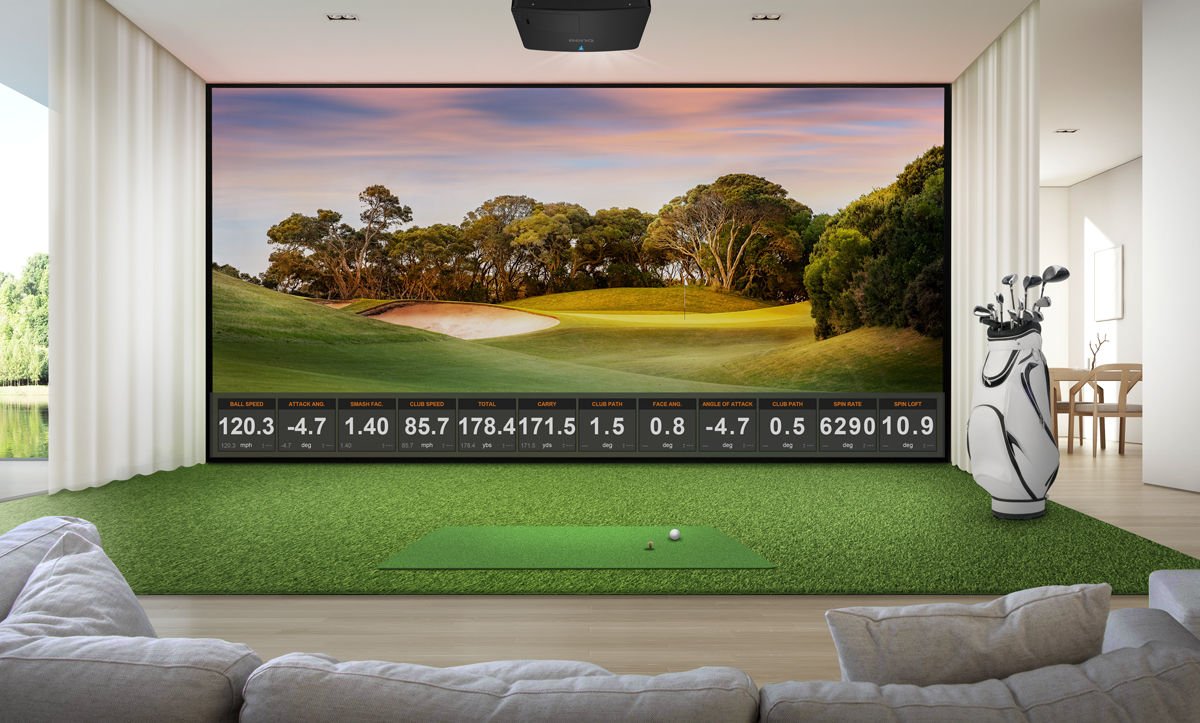
There are many components to building your Golf-Sim system or Sim-Theater, starting with a projector. For a picture like you see at the real golf course and the cinema, you’ll need to get a Golf Sim projector that’s capable of true 4K resolution, with 3840x2160 or 4096x2160 pixels. The more pixels, the more vivid and detailed the image. The technology used inside your projector to produce the picture is important too. DLP (Digital Light Processing) is the leading projection display technology on the market. The DLP chip inside BenQ’s 4K projectors uses pixel-shifting technology to achieve true 4K resolution with 8.3 million distinct pixels.
We’ve put together a few questions to help you pick out the right 4K Golf Sim DLP projector.
Building a 4K golf simulator starts with selecting the right projector. For immersive, true-to-life simulation experiences, a projector capable of true 4K resolution (3840 × 2160) is recommended. Higher pixel density improves image detail, helping golfers better visualize ball flight, course textures, and environmental depth.
Resolution
Horizontal x Vertical Pixels
Total Number of Distinct Pixels
Other Names
Devices
2160p
3840x2160, 4096x2160
8.3+ Million
4K, UHD, Ultra HD, Ultra-High Definition
Projectors, TVs
WUXGA
1920x1200
2.3 Million
Widescreen Ultra Extended Graphics Array
Projectors, monitors
1080p
1920x1080
2.1 Million
Full HD, FHD
Projectors, TVs, monitors
720p
1280x720
0.92 Million
HD, High Definition
Projectors, TVs
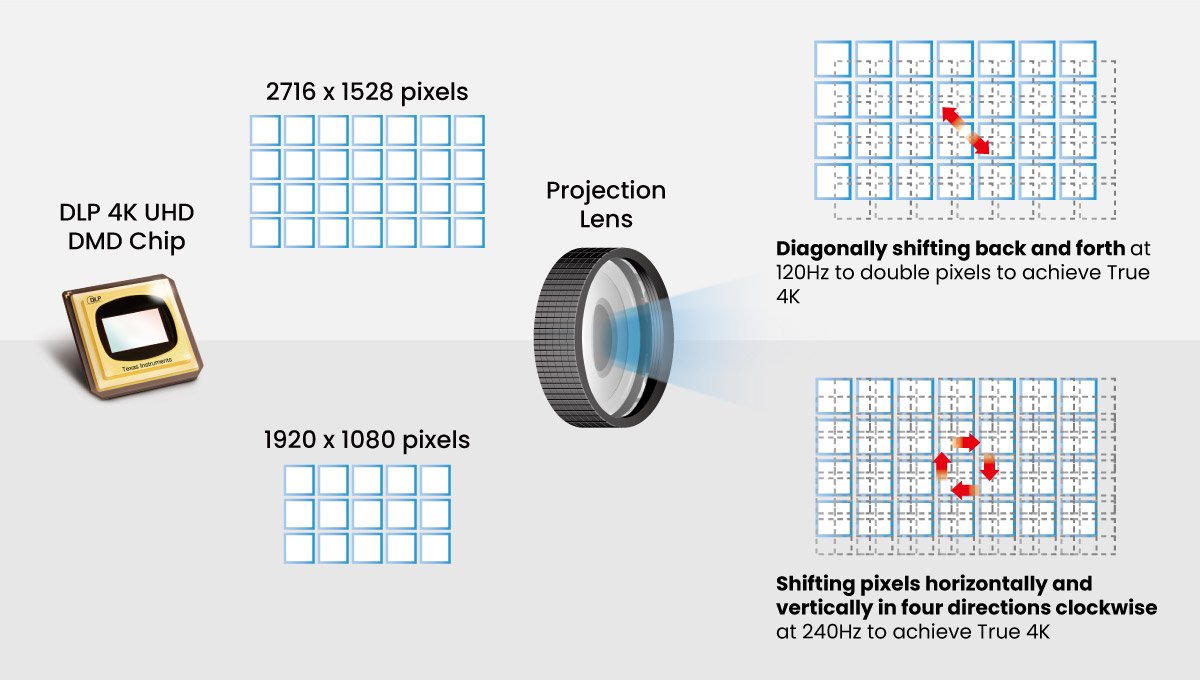
Our True 4K DLP technology, developed by Texas Instruments, empowers projectors to achieve authentic 4K resolution with 8.3 million distinct pixels, regardless of the native pixel count on the DMD chip. It achieves this by either doubling the DMD's 2716x1528 pixels or quadrupling a 1920x1080 DMD chip, resulting in genuine 4K quality with lightning-fast pixel shifting speed.
Both True 4K DLP technology for DLP projectors and 4K-enhancement technology for other projector systems utilize pixel-shifting techniques, but they yield fundamentally different results.
True 4K DLP Technology
True 4K DLP Technology generates 8.3 million distinct pixels, achieved by doubling the DMD's 2716x1528 pixels or quadrupling 1920x1080 pixels. This results in genuine 4K resolution of 8.3 million pixels with a rapid pixel shifting rate.
Note
How True 4K DLP Technology Makes the Visuals Smoother
True 4K DLP technology features an actuator that increases resolution via pixel displacement on the DMD and then superimposes the pixels four times before outputting them as a single image composed of 8.3 million unique pixels. In order to make the visuals smoother, the high-speed pixel displacement utilized by the actuator entails a degree of vibration that does cause it to produce some high frequency noise.
4K-Enhancement Technology
4K-enhancement technology can only produce 4.1 million pixels by doubling the native 1920x1080 pixel resolution, falling short of the 8.3 million pixels required for true 4K resolution. This is due to the nature of liquid crystals, which cannot withstand the switching speed required to produce 8.3 million pixels.
When comparing two projectors at 180-inch screen sizes, the difference in Pixels Per Square Inch (PPI²) is clear: BenQ 4K DLP reaches 600 PPI² (actual: 598.7), while 3CLD competition provides 300 PPI² (actual: 330). The disadvantage is obvious: competitors offer about 50% lower pixel density.
Competitive projectors with approximately 4.6 million pixels exhibit image blur and loss of clarity due to processing artifacts and pixel overlapping. Original content pixels are split into sub-frames (A and B), introducing interpolation and blending. At the same time, the physical overlap of these sub-frames creates a softer image.
By contrast, BenQ’s 8.3 million addressable pixels enable 1:1 pixel mapping, delivering a direct match with original 4K source content. Each pixel is independently addressed, resulting in superior sharpness and preserved fine detail.
The gap remains significant, around 50% lower pixel density on competing systems, along with noticeable loss of fine details.
Core Components for a 4K Golf Simulator
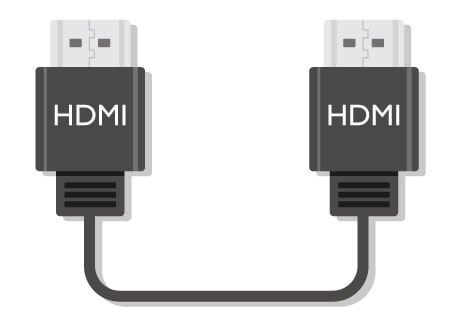
Not all HDMI cables can support 4K UHD resolution or HDR content. What is the difference between HDMI cable versions, and which one do you need?
Certification Standard
Version
Characteristics
Remark
Standard
Pre-1.4
Cannot support 4K or HDR
-
High-Speed
1.4
Certified for 4K at 24/30Hz fps only
-
High-Speed
2.0
Certified for 4K at 60Hz fps
-
High-Speed
2.0a/b
Certified for 4K at 60Hz fps with HDR
Great Choice
Premium High-Speed
N/A
Stricter testing for 4K HDR at 60Hz fps and expanded color
Best Choice
HDCP 2.2 is a copy protection standard, and all standard Blu-ray discs are protected by it. For those who want to enjoy a smooth Blu-ray disc viewing experience without any hindrance, all associated disc players, amplifiers, projectors, and HDMI cables should be checked for compatibility with HDCP 2.2 to ensure proper playback.
BenQ has trained staff to help you find the perfect golf simulator projector – within your room size and budget. To help you make the best decision, you can reach out to one of our experts to set up anything from a chat to a complete online demo, to help you find the right projector for your needs.


{{item.productWordingTag}}
{{currency}}{{item.finalPrice| numberThousandsCommas | numberDecimalPoint}} Save {{currency}}{{item.saveAmount | numberThousandsCommas | numberDecimalPoint}} Save {{item.savePercent | numberThousandsCommas | numberDecimalPoint}}%
new device price{{currency}}{{item.regularPrice| numberThousandsCommas | numberDecimalPoint}}