{{item.name}}
Price: {{currency}}{{item.price| numberThousandsCommas | numberDecimalPoint}}
Qty: {{item.amount}}

By Scenario
Home Entertainment Projectors Best 4K Projectors Video Streaming GV Series Portable Ceiling ProjectorsBy Trending Word
4K UHD (3840×2160) Short Throw 2D, Vertical/Horizontal Keystone LED Laser With Android TV With Low Input LagExplore Commercial Projector
Professional Installation Exhibition & Simulation Small Business & Corporation Education Golf SimulatorRemote Work & Learning


Projector

Monitor
Lighting
Interactive Display | Signage
Remote Work & Learning
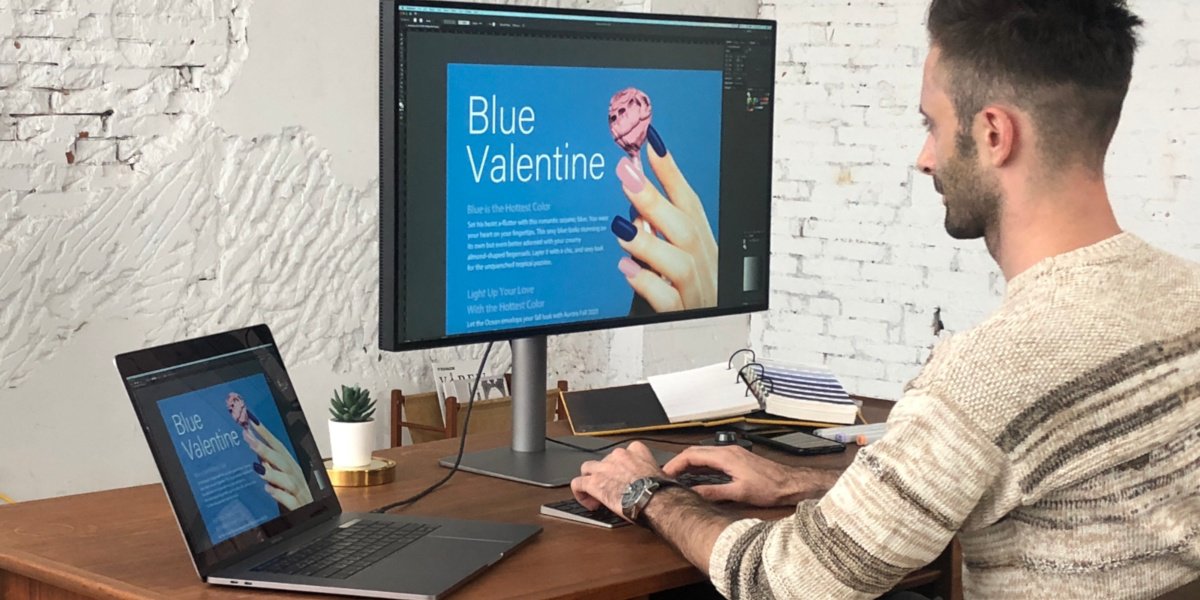
Since Apple began to incorporate their proprietary M1/M2/M3/M4/M5 chip design into their products, we at BenQ have received a significant number of inquiries and questions concerning the compatibility of our monitors with these new M1, M2, M3, M4 and M5 based apple products. People are wondered about connectivity between an M1, M2, M3, M4 and M5 based Mac devices, such as the MacBook Pro and Mac mini, and their BenQ monitors and the different ways that can be accomplished. We're here to discuss the most frequently asked questions about connected your M1, M2, M3, M4 and M5 based Mac devices to your favorite BenQ design or photo editing monitor.
If you'd like to explore available Mac monitors click here:
If you are unable to find an answer to your question and would like assistance with your BenQ product - please reach out to us at BenQ Support. Set up a quick live chat and get your questions answered right away.
Table of Contents
Yes. We strongly recommend connecting BenQ monitors to Mac M1/M2/M3/M4/M5 directly via HDMI or Thunderbolt 3/4 (USB-C) in order to maintain consistent performance.
BenQ has a series of monitors that support M1, M2, M3, M4 or M5 based Mac mini and MacBook Pro laptops, so you can select one of those to achieve the connectivity you need.
Expand Mac Devices Color Perfection
Looks perfect as you'd expect
If your BenQ monitor uses HDMI, DisplayPort, and Mini DisplayPort for video input, it will work with any properly-certified and made USB-C to DisplayPort or HDMI adapters. But in order to get the best experience, we suggest you buy Thunderbolt 3/4 (or USB-C Alt Mode) compatible monitors. BenQ cannot vouch for the quality or performance of third party adapters.
We recommend connecting your monitor directly to Mac M1/M2/M3/M4/M5 via Thunderbolt 3/4 (USB-C) or HDMI to ensure the best performance. Make sure your monitors support either of these connection types.
Yes, the newly released PMU works on Apple M1/M2/M3/M4/M5 devices via Rosetta 2. Download the latest PMU version from our official site.
The current PME version only works on Apple M1/M2/M3 devices via Rosetta 2. Download the latest PME version from our official site.
*Please note: The listed OS versions represent the currently supported systems. BenQ will no longer continue to update software compatibility. For any issues, please contact BenQ Service support.
Yes, the newly released DCT works on Apple M1/M2/M3/M4/M5 devices via Rosetta 2. Download the latest DCT version from our official site.
Yes, the newly released PCS works on Apple M1/M2/M3/M4/M5 devices via Rosetta 2. Download the latest PCS version from our official site.
Display Pilot 2 Compatibility
Mac Devices
Mac mini
Mac mini
MacBook Air
MacBook Air
Chip
Intel
M1/M2/M4/M4 Pro
Intel
M1/M2/M3/M4
Using Thunderbolt 3/4/USB-C
Y
Y
Y
Y
Using HDMI
N
Y
Y
N/A*
Two same model monitor detection in
Display Pilot 2
Y
N/A*
Y
N/A*
Mac Devices
MacBook Pro
MacBook Pro
MacBook Pro
Mac Studio
Chip
Intel
M1/M2/M3/M4/M5
M1 (Pro/Max/Ultra)
M2 (Pro/Max)
M3 (Pro/Max)
M4 (Pro/Max)
M1 (Max/Ultra)
M2
Using Thunderbolt 3/4/USB-C
Y
Y
Y
Y
Using HDMI
Y
Y
Y
Y
Two same model monitor detection in
Display Pilot 2
Y
N/A*
Y
Y
Display Pilot Compatibility
Mac Devices
Mac mini
Mac mini
MacBook Air
MacBook Air
Chip
Intel
M1/M2
Intel
M1/M2/M3
Using Thunderbolt 3/4/USB-C
Y
Y
Y
Y
Using HDMI
N
N
Y
N/A*
Two same model monitor detection in
Display Pilot 2
Y
N/A*
Y
N/A*
Mac Devices
MacBook Pro
MacBook Pro
MacBook Pro
Mac Studio
Chip
Intel
M1/M2/M3
M1 (Pro/Max/Ultra)
M2 (Pro/Max)
M3 (Pro/Max)
M1 (Max/Ultra)
M2
Using Thunderbolt 3/4/USB-C
Y
Y
Y
Y
Using HDMI
Y
N
N
N
Two same model monitor detection in
Display Pilot
Y
N/A*
Y
Y
*M1, M2, and M3 Mac devices don't support multiple monitors, except for the Macbook Air M3 and MacBook Pro M3 with laptop lid closed.
Please download the latest version of Display Pilot and other drivers & software here: Download.
BenQ DesignVue PD series designer monitors currently support the Apple M1, M2, M3 and M4 based devices natively when using our Display Pilot software with version 1.0.9.5 or later. However, Some Mac devices cannot sync with our PD series monitors when using the HDMI port. Thus, we recommend connecting the monitor via the Thunderbolt 3/4 (USB-C) cable or USB-C to DisplayPort cable when using Display Pilot/Display Pilot 2 as part of your workflow.
The table below shows detailed information about the compatibility of DisplayPilot and different Mac devices.
Yes, Eye-CareU works on Apple M1, M2, M3 and M4 based devices. However, Some Mac devices cannot sync with the monitors when using the HDMI port. Thus, we recommend connecting the monitor via the Thunderbolt 3/4 (USB-C) cable or USB-C to DisplayPort cable when using Eye-CareU. The table below shows detailed information about the compatibility of Eye-CareU and different Mac devices.
Eye-CareU Compatibility
Mac mini
Mac mini
MacBook Air
MacBook Air
Chip
Intel
M1/M2/M4/M4 Pro
Intel
M1/M2/M3/M4
Using Thunderbolt 3/4/USB-C
Y
Y
Y
Y
Using HDMI
N
Y
Y
N/A*
Two same model monitor detection in
Eye-CareU
Y
N/A*
Y
N/A*
Eye-CareU Compatibility
MacBook Pro
MacBook Pro
MacBook Pro
Mac Studio
Chip
Intel
M1/M2/M3/M4/M5
M1 (Pro/Max/Ultra)
M2 (Pro/Max)
M3 (Pro/Max)
M4 (Pro/Max)
M1 (Max/Ultra)
M2
Using Thunderbolt 3/4/USB-C
Y
Y
Y
Y
Using HDMI
Y
Y
Y
Y
Two same model monitor detection in
Eye-CareU
Y
N/A*
Y
Y
*M1, M2, M3 and M4 Mac devices don't support multiple monitors, except for the Macbook Air M3 with laptop lid closed.
Please download the latest version of Eye-CareU and other drivers & software here: Download.
Display Pilot & Display Pilot 2: When using the latest Display Pilot version, BenQ DesignVue PD series monitors natively support the Apple M1/M2/M3/M4/M5 platform and do not require the installation of Rosetta virtualization and emulation software.
PMU (Palette Master Ultimate), PME (Palette Master Element), and PCS (Paper Color Sync) support M1/M2 devices via Rosetta 2, so users will need to install Rosetta 2 if not installed yet. This does not affect normal usage.
For more detail, please refer to the Apple FAQ link :https://support.apple.com/en-us/HT211861
If you are unable to find an answer to your question and would like assistance with your BenQ product - please reach out to us at BenQ Support. Set up a quick live chat and get your questions answered right away.
Mac, MacBook, and Mac mini are trademarks of Apple Inc.
Recommended Products
{{item.productWordingTag}}
{{currency}}{{item.finalPrice| numberThousandsCommas | numberDecimalPoint}} Save {{currency}}{{item.saveAmount | numberThousandsCommas | numberDecimalPoint}} Save {{item.savePercent | numberThousandsCommas | numberDecimalPoint}}%
new device price{{currency}}{{item.regularPrice| numberThousandsCommas | numberDecimalPoint}}