InstaShare 2
無線投影軟體
在任何裝置上使用 InstaShare 2 無線投影軟體,以流暢的互動螢幕分享升級教學方式。
無線投影軟體
在任何裝置上使用 InstaShare 2 無線投影軟體,以流暢的互動螢幕分享升級教學方式。
無線投影軟體
在任何裝置上使用 InstaShare 2 無線投影軟體,以流暢的互動螢幕分享升級教學方式。
讓學生一起探索想法,沉浸在高度參與的課程之中。
課程教學
從 BenQ 教育互動顯示器控制您的裝置
分享想法
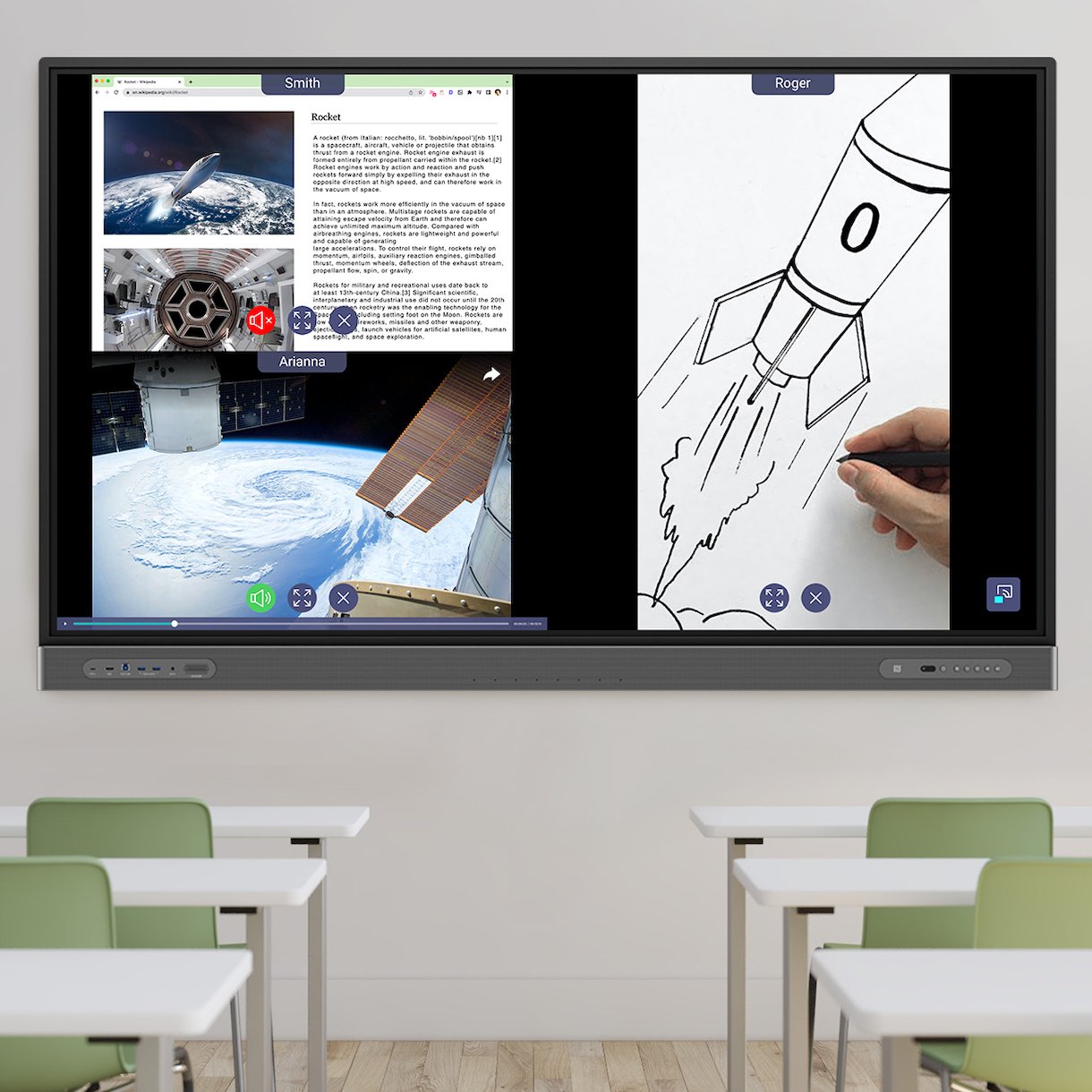
同時共用多個螢幕
舉行討論
將 BenQ 教育互動顯示器螢幕投影到連接的裝置上
無論您使用何種裝置,都能在課程中加入無線螢幕共用功能。InstaShare 2 可與 Windows、Android、macOS、iOS、iPad OS 和 Chrome OS 裝置無縫銜接。
無需下載任何應用程式即可共用螢幕。InstaShare 2 支援 Apple 和 Windows 裝置、Chromebook 和 Chrome 瀏覽器的原生投影。
您可以從任何地方分享您的螢幕,無需與顯示器連接到同一網路。只需打開網頁瀏覽器,輸入房間 ID,即可立即分享您的內容。
InstaShare 2 與您的裝置無縫銜接,因此您可以透過方便靈活的螢幕共用,用您喜歡的方式教學。
使用 InstaShare 2 讓您可以在房間內任何地方自由教學。輕鬆將您的筆記型電腦、平板電腦或智慧型手機螢幕分享到 BenQ 教育互動顯示器。
觸控功能可讓您直接從 BenQ 教育互動顯示器控制共用裝置,以便導覽課程材料並開啟新文件,而無需來回操作。
將您的個人裝置變成遙控器以管理螢幕共用工作階段。您也可以瀏覽螢幕、調整音量、使用語音助理,以及存取 BenQ 教育互動顯示器上的其他應用程式。
開啟浮動視窗模式,在共用螢幕旁邊使用白板、瀏覽器或其他軟體。可移動和可擴展的視窗可根據課程需要進行調整。
只需輕輕一碰,即可您的手機或平板電腦的內容投射到大屏幕上。NFC分享功能自動將您的設備連接到顯示器並分享您的螢幕畫面。
透過 InstaShare 2 快捷鍵立即分享您手機中的相簿圖片、影片、Microsoft Office 檔案和 PDF。

讓最多九名學生分享他們的螢幕,同時完全掌控課程。InstaShare 2 會根據鏡像裝置的數量自動分割螢幕,讓學生可以輪流分享想法,而不會中斷課程流程。


控制鏡像的裝置和數量、可以註解的裝置以及使用的螢幕共用模式。
AI 守護者功能會自動辨識和阻止任何不當內容的播放,防止參與者在螢幕上分享不當的內容。。
透過封鎖傳入的螢幕共用要求,確保參與者專注於目前的螢幕。
工作階段控制項也位於主持人的裝置上,讓您有更多彈性,從座位上管理工作階段。
與所有連接的裝置共用 BenQ 教育互動顯示器螢幕,並啟用遠距註解,讓每個學生都能獲得更身歷其境的學習體驗。
一起學習
確保學生在課堂上不會毫無頭緒。透過將 BenQ 教育互動顯示器螢幕投影到他們的個人裝置上,控制學生看到的內容。
一起討論
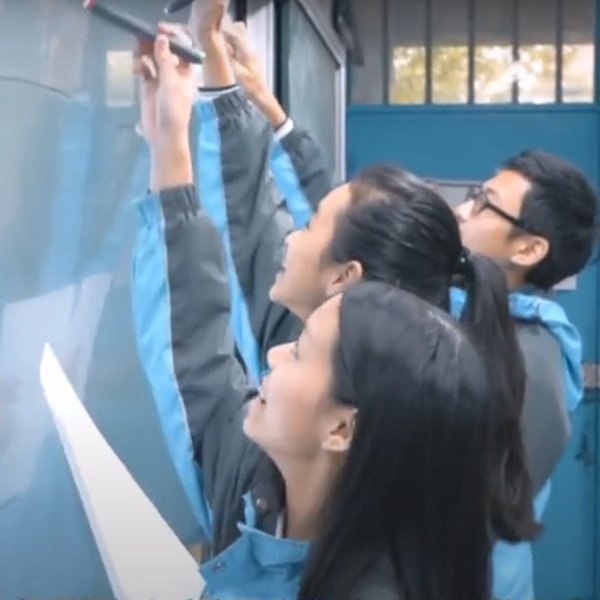
讓學生直接從座位上在全班共享內容上做筆記,以便在 BenQ 教育互動顯示器上看到。
了解教育互動觸控顯示器
了解更多