How to Choose the Right Interactive Display for Corporate Meetings and Training
- BenQ
- 2026-07-27

Modern businesses need meeting and training spaces that do more than display information. An interactive display can turn a conference room or training room into a collaborative workspace where teams can present, annotate, share content, and work together in real time.
For businesses evaluating an interactive whiteboard, the right solution should combine easy connectivity, wireless screen sharing, annotation, collaboration, video conferencing, and IT-friendly management.
Explore BenQ Business Solutions
How to Select a Smart Board for Corporate Training?
When selecting a smart board for corporate training, look for features that make it easy for trainers and participants to interact with content.
Key features to consider include:
- Interactive whiteboarding and annotation for explaining concepts and highlighting content.
- Wireless screen sharing for presentations from laptops, tablets, and smartphones.
- Collaboration tools that allow participants to contribute ideas.
- Video conferencing for hybrid training sessions.
- Cloud and file access for presentations and training materials.
- AI-powered features that can improve productivity and meeting documentation.
- IT management and security for organizations managing multiple displays.
BenQ Boards combine these capabilities to support corporate training, meetings, presentations, and collaborative workspaces.
Interactive Whiteboard with Wireless Connectivity and Screen Sharing
Wireless screen sharing is essential in modern meeting rooms. Instead of connecting and disconnecting cables, employees can share presentations and other content directly from their devices.
BenQ's collaboration solutions support wireless content sharing and interactive collaboration, allowing teams to move easily between presenting, discussing, annotating, and sharing.
Best Interactive Display for Conference Room Collaboration
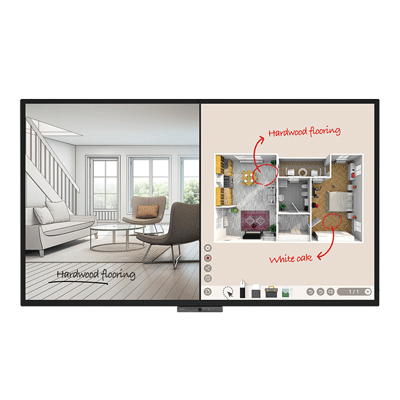
The best interactive display for a conference room should combine a high-quality screen with collaboration, annotation, wireless sharing, and video conferencing capabilities.
BenQ Boards are designed to help teams work through an entire meeting from one interactive workspace:
Present → Discuss → Annotate → Collaborate → Share
This makes an interactive display particularly useful for brainstorming, project reviews, business presentations, team meetings, and hybrid collaboration.
Which Interactive Whiteboard Is Best for Business Presentations?
A business presentation becomes more engaging when presenters can interact directly with their content.
An interactive whiteboard should allow users to:
- Annotate presentations in real time.
- Highlight key information.
- Draw diagrams and explain ideas.
- Share content wirelessly.
- Switch between different sources.
- Collaborate with meeting participants.
- Save and share meeting notes.
BenQ Boards bring these presentation and collaboration capabilities together, turning the meeting-room display from a passive screen into an interactive workspace.
BenQ Board CP05: Built for Smarter Business Meetings
For businesses looking for an interactive display with built-in AI capabilities, BenQ Board CP05 introduces a new approach to corporate meetings.
The CP05 features a dedicated 10 TOPS Neural Processing Unit (NPU) that enables AI functions directly on the device. Its AI capabilities include handwriting recognition, gesture control, image analysis and meeting assistance.
One of its key features is SummarAI, which can transcribe meetings and generate summaries to help teams capture important discussions and action items.
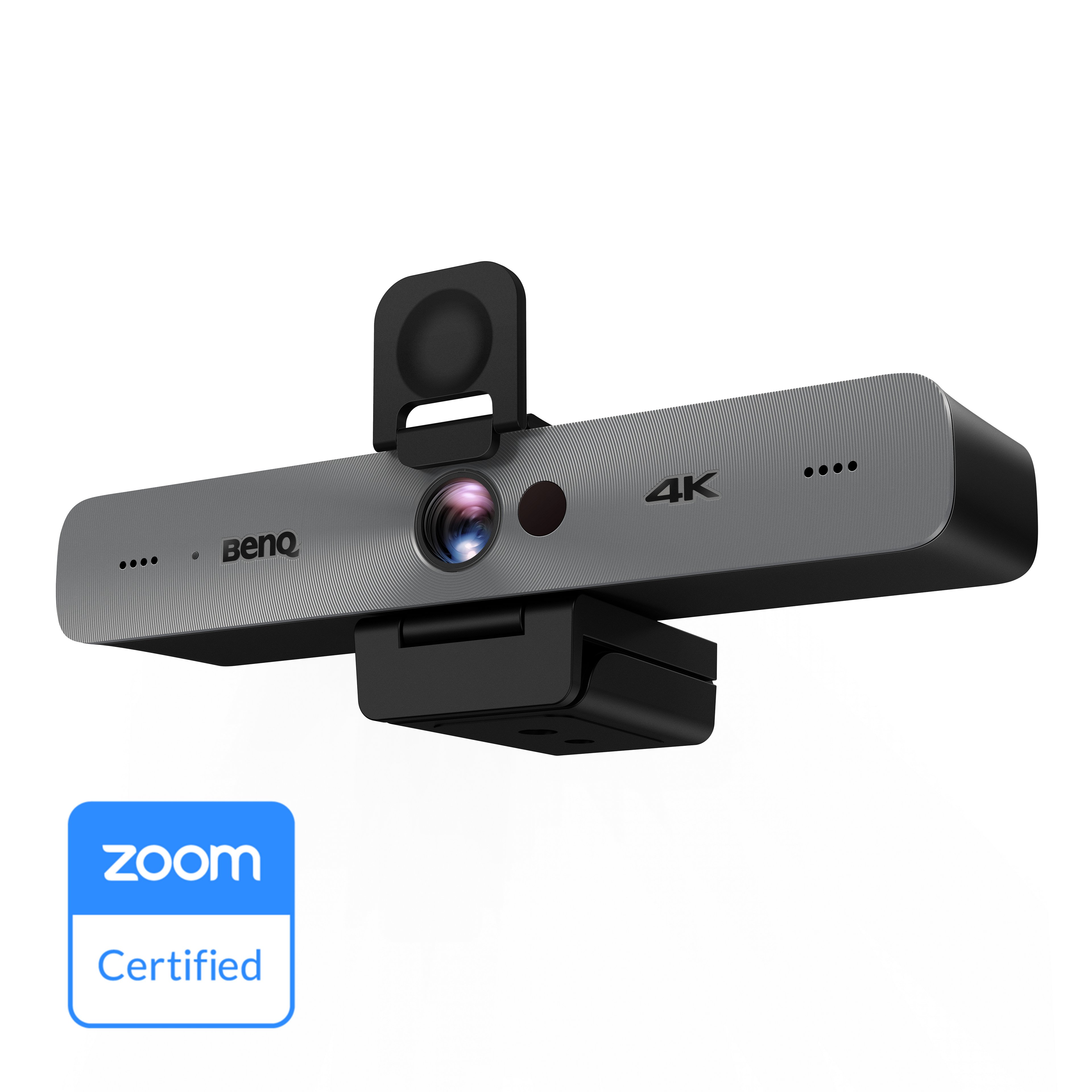
The CP05 also features a 50MP camera with a 160° field of view, with AI-powered framing and voice tracking designed to improve hybrid meetings.
For businesses where visual quality matters, the CP05 is Pantone Validated and SkinTone Validated, with 95% DCI-P3 colour gamut coverage.
The display also works with BenQ's MeetingRoom System, supporting meeting-room management and scheduling for corporate environments.
Why Choose BenQ Boards for Business?
For organizations comparing interactive displays for corporate use, BenQ Boards offer a combination of:
- Interactive whiteboarding and annotation
- Wireless screen sharing
- Collaboration tools
- Video conferencing
- AI-powered meeting capabilities
- High-quality display performance
- Enterprise-focused management
Whether the requirement is a smart board for corporate training, an interactive whiteboard for business presentations, or an interactive display for conference room collaboration, BenQ offers solutions designed to help teams communicate, collaborate, and work more efficiently.