X-Sign Broadcast
The fastest way to deliver content to your displays
- Simultaneously push content to multiple displays
- Remotely manage content and settings from anywhere
- Create groups for targeted content delivery
- Share local or cloud-based multimedia content


X-Sign Broadcast
The fastest way to deliver content to your displays
- Simultaneously push content to multiple displays
- Remotely manage content and settings from anywhere
- Create groups for targeted content delivery

The requested qty is not available
The requested qty exceeds the maximum qty allowed in shopping cart
Product that you are trying to add is not available.
X-Sign Broadcast Tutorial Video
Personalized User Environment and Instant Access to Cloud Storage through AMS
Instant and Smart Message Broadcasting
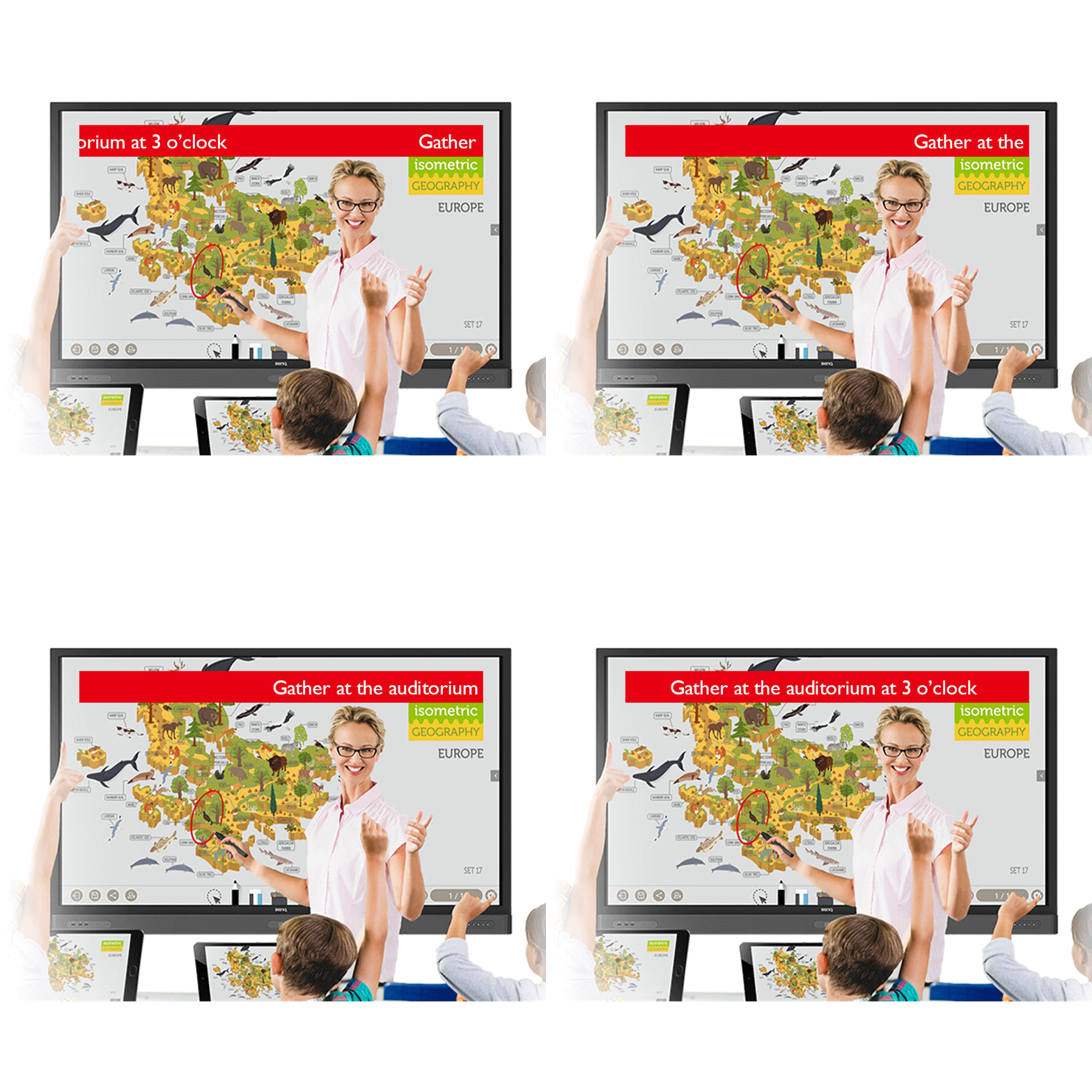
X-Sign Broadcast delivers all kinds of customized messages, including evacuation and emergency alerts. There are two modes of message delivery: Interrupt and Schedule. Interrupt messages are delivered to the class immediately, appearing on the IFP screen during class. Schedule messages can be scheduled beforehand to appear on the IFP at a certain date and time. And because the client is connected to the web, it’s possible to schedule messages using any computer, Android smart device, or X-Sign-compatible IFP.
Easy-to-Manage System Anywhere
X-Sign Broadcast lets administrators manage which users can send messages to a group by adding or removing them from the group. It’s also possible to use the Device Report feature to view the message history from a given device.

Interrupt / Schedule
X-Sign Broadcast delivers all kinds of customized messages, including evacuation and emergency alerts. There are two modes of message delivery: Interrupt and Schedule.

Account Privilege
X-Sign Broadcast lets administrators manage which users can send messages to a group by adding or removing them from the group.

Device Report (view all tasks)
It’s possible to use the Device Report feature to view the message history from a given device.
Intelligent Grouping Function for Specific Recipients

With its grouping function, X-Sign Broadcast can send messages to a selected group of screens, a single classroom or the whole school. The grouping function helps ensure information is only sent to the recipients for whom it’s intended, while also reducing the time and labor required to send messages to multiple people.
Multimedia Support for Enriching Learning Experience

X-Sign Broadcast makes it easy to share content that’s stored either locally or in the cloud, with support for text, images, videos, office files, YouTube and more. Students can receive a variety of teaching materials throughout the day, including during lunchtime and other breaks, so that they can continue learning even outside of class.

Google Docs

Support YouTube link
X-Sign Broadcast makes it easy to share content that’s stored either locally or in the cloud, with support for text, images, videos, office files, YouTube and more.