Best Wireless HDMI Screen Mirroring System for Linux Devices?
- BenQ
- 2020-08-06
How to wirelessly connect to a projector or flat panel display

A recent IDC report identified Linux as one of the fastest-growing worldwide operating systems as the open-source OS is now used in desktop computers, thin clients, development boards, and other innovative applications. Yet when it comes time to connect these devices to a meeting room display, most of the time you are stuck stringing an HDMI cable over the floor or through a wall. No longer.
With wireless presentation systems now growing at 40% in 2018, it only makes sense that companies will eventually enable Linux devices to connect to a projector or TV in a meeting room wirelessly without a cable. But which systems work with Linux – and how hard are they set up and use? In this article, we will evaluate different solutions for wireless screen mirroring on flexibility to use with other devices except for Linux, data protection and cost.
What are these devices? Can I connect other devices except for Linux?
The three popular systems for wireless screen mirroring that support Linux devices to some degree are: BenQ InstaShow, BenQ InstaShow S and AirTame2. While Barco ClickShare CS-200 has discontinued support for their Linux client but does support Google cast.
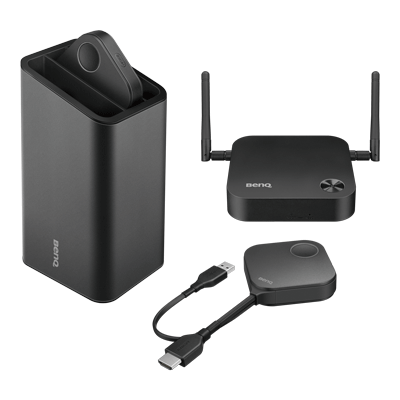
The BenQ InstaShow can support any Linux device that outputs an HDMI 1.4 signal, which includes nearly every development board such as Raspberry Pi, Ubuntu, and other Linux devices. Just connect the HDMI button to your device – and tap to present onto a projector or larger flat panel display. BenQ designed InstaShow for a wide variety of devices and technical instruments beyond traditional notebooks, phones, and tablets.
Another alternative is the Airtame2 system that uses a proprietary application that supports Ubuntu but is not officially supported on Fedora or other Linux based OS.
Is the content protected?
IT experts prefer Linux due to its ability to move data securely with less risk of attack. For a wireless screen mirroring solution, this is also a concern as unsecured wireless transmissions could be recorded or captured.
The BenQ InstaShow systems seamlessly encrypt all the data being transmitted through the InstaShow button to the receiver using advanced 128-bit security.
The Airtame does not encrypt any transmissions sent through the network.
BenQ InstaShow - WDC10

Can I use it with other devices except for Linux?
Professionals such as engineers, scientists, photographers, and realtors often utilize Linux based devices, and also have other equipment such as cameras, media players, and technical instruments that may need to connect to a wireless collaboration system.
With an InstaShow, you can connect nearly any device (such as a Raspberry Pi or digital camera) that outputs HDMI to a projector or flat panel display simply by plugging in a button.
How much does it cost?
For commercial systems that wireless enable screen mirroring, many IT managers utilize the Gartner TCO model for wireless presentation systems to calculate the cost of setup, network configuration, app deployment, and network device management.
While both the BenQ and the Barco ClickShare CS-200 have a higher initial cost, they don’t need complicated network setup or testing and don’t impact the available bandwidth of the network typically needed with the AirTame2.
Comparison Table: Wireless Screen Mirroring System for Linux Devices
While there are many choices for wireless screen mirroring systems with HDMI, here is a summary of how the top-selling commercial wireless presentation systems that are popular for corporate and education collaboration stack up when using Linux devices.
| Feature | BenQ InstaShow S | BenQ InstaShow | Barco Clickshare CS-200 | Airtame2 |
|---|---|---|---|---|
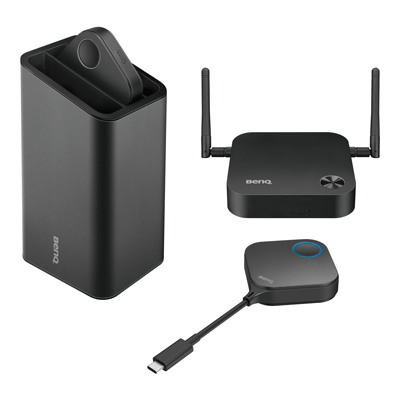
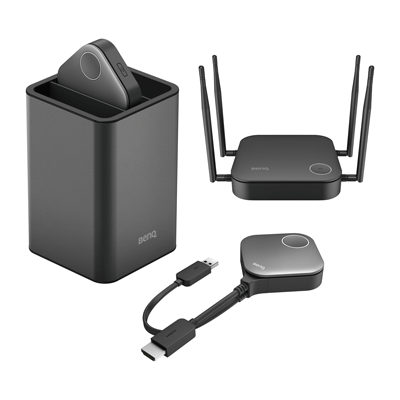
Feature Easy to use - Connection options | BenQ InstaShow S USB-C Button | BenQ InstaShow USB-C Button | Barco Clickshare CS-200 No Linux support - only Google Chromecast | Airtame2 Airtame Linux App for Ubuntu devices |
Feature Easy to set up | BenQ InstaShow S Very Easy - no networking or apps required | BenQ InstaShow Very Easy - no networking or apps required | Barco Clickshare CS-200 Easy - no networking required | Airtame2 Complicated – Excess bandwidth and network configuration required. App required for use |
Feature Security - Encryption | BenQ InstaShow S 128-bit encryption | BenQ InstaShow 128-bit encryption | Barco Clickshare CS-200 128-bit encryption | Airtame2 No encryption |
Feature # of Presenters on the screen at once | BenQ InstaShow S Four | BenQ InstaShow One | Barco Clickshare CS-200 Two | Airtame2 One |
Why should I choose InstaShow for Linux devices?
InstaShow delivers a simple and reliable way to wirelessly present from nearly any Linux device with an HDMI port. The InstaShow button takes the HDMI 1.4 output and wirelessly encrypts and transmits the stream to the receiver for a stress-free presentation. And with the InstaShow S, you can add up to four presenters at the same time – perfect for scrums and detailed collaboration sessions.
Recommended Articles
-
Trends & Knowledge
What Is Screen Mirroring?
Screen mirroring is a technology that allows you to wirelessly view content from your laptop or mobile device on a bigger screen. Learn more about what is screen mirroring and its features.
2019.07.24 -
Trends & Knowledge
How to Connect Your Laptop to TV? HDMI and Wireless
The easiest way to connect a laptop to a TV is with HDMI cable. You can also choose to connect wirelessly with BenQ Wireless Presentation System. We explain both wired and wireless options.
2020.04.10 -
Trends & Knowledge
How to Connect an Android Phone to Projector Wirelessly?
Connecting your Android phone to a projector or TV wirelessly is easy. Learn more about wireless screen mirroring with BenQ InstaShow.
2019.11.26