BenQ Creative Pro for Mac
See more. Keep it true.
See every detail from your Mac computer on a larger screen, while keeping color true from screen to output.

See more. Keep it true.
See every detail from your Mac computer on a larger screen, while keeping color true from screen to output.

Bring back the warmth of the clay, the softness of skin, and the quiet depth of the studio with a color foundation you can trust. A wide 99% Adobe RGB color gamut captures subtle tonal variations, while hardware calibration and a 16-bit 3D LUT ensure those colors remain accurate and consistent over time.

Move from the expression in her eyes to the clay on her hands without questioning what changes across the screen. Uniformity Control helps keep color and brightness even throughout the display, while the Nano Matte Panel reduces reflections that can distract from the image.

Prepare the image for digital delivery with the right color reference in place. Use the HotKey Puck to switch between Adobe RGB and P3 viewing modes, while ICCsync keeps the corresponding macOS ICC profile aligned.

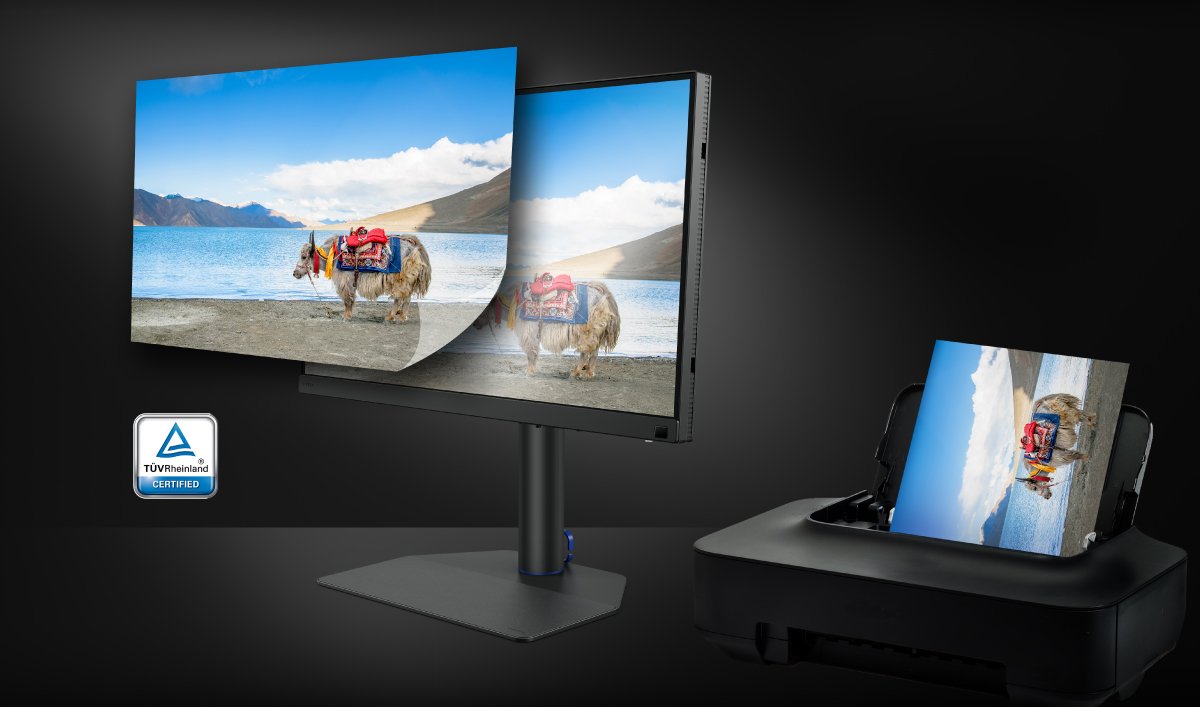
See how the photograph may change before it leaves the screen. Paper Color Sync previews supported printer and paper combinations, helping you refine tone, contrast, and color so the light, texture, and feeling of the image can carry into the finished print.

Choose the screen size, resolution, color coverage, calibration tools, and print workflow support that fit the way you capture, refine, and bring your work to life.


3840x2160 4K
Resolution
2560x1440 2K
Resolution
2560x1600 2K
Resolution
99% Adobe RGB; 99% P3
Color space
99% Adobe RGB; 99% P3
Color space
99% Adobe RGB; 98% P3
Color space
16bit 3D LUT
Hardware Calibration
16bit 3D LUT
Hardware Calibration
16bit 3D LUT
Hardware Calibration
Delta E ≤ 1.5
Color Accuracy
Delta E ≤ 1.5
Color Accuracy
Delta E ≤ 1.5
Color Accuracy
1000:1
Native Contrast
1000:1
Native Contrast
1000:1
Native Contrast
Calman Ready & Calman Verified
Calman Ready & Calman Verified
Calman Ready & Calman Verified
USB-C x1 (90W)
HDMI x2
DisplayPort x1
USB-C x1 (90W)
HDMI x2
DisplayPort x1
USB-C x1 (90W)
HDMI x2
DisplayPort x1
AQCOLOR Pilot/ Paper Color Sync
Feature Support
AQCOLOR Pilot/ Paper Color Sync
Feature Support
AQCOLOR Pilot/ Paper Color Sync
Feature Support
Nano Matte Panel
Screen Surface
Nano Matte Black Panel
Screen Surface
Nano Matte Panel
Screen Surface
TUV Reflection Free
-
-
Both SW and PD series are optimized for Mac users, but they cater to different creative needs:
SW Series - For Photo, Print, & Master Color Accuracy:
Choose the SW series if your primary focus is photography, photo retouching, or soft-proofing for print. SW monitors feature 99% Adobe RGB wide color gamut, Hardware Calibration (3D LUT) via AQCOLOR Pilot for ultra-precise accuracy, and a Nano Matte Panel with Paper Color Sync to ensure your screen matches your print output.
PD Series - For Design, & Mac Ecosystem Integration:
Choose the PD series if you are a graphic designer or UI/UX creator. PD monitors emphasize seamless Mac integration with M-Book Mode, Display P3 color space, Display Pilot 2 (for Mac keyboard control and ICCsync), and productivity-boosting tools like KVM switching and Daisy Chaining.
Note: Feature availability and specs vary by model. Please refer to the product specification page for detailed compatibility.
Hardware calibration adjusts colors through direct monitor processing changes to achieve accurate colors.
Using BenQ AQCOLOR Pilot (or previous named Palette Master Ultimate), SW monitors deliver precise Delta E < 1.5 accuracy.
Your color profile stays consistent no matter which Mac or device you plug into.
Adobe RGB covers a significantly broader spectrum of greens and cyans than standard sRGB or Display P3.
For photographers shooting in RAW, an SW monitor displaying 99% Adobe RGB allows you to view and edit the full range of colors captured by your DSLR or mirrorless camera, ensuring rich detail and preventing clipped colors during printing."
Yes. SW monitors offer USB-C connectivity with high Power Delivery, transmitting 4K video, high-speed data, and charging your MacBook simultaneously.
Note: Included accessories, power delivery wattage, and feature availability vary by model. Please refer to the product specification page for detailed compatibility.
When reviewing photos or preparing prints on a monitor, uneven luminance (brightness) and chrominance (color) across different screen areas can lead to misjudgment in exposure and photo editing.
BenQ’s Uniformity Technology utilizes high-precision apparatus to precisely adjust and optimize both luminance and chrominance across the entire display during manufacturing. This ensures balanced brightness and accurate color performance from corner to corner, providing Mac photographers with an authentic and consistent viewing experience that matches their professional standards.
*Apple, Mac, MacBook, MacBook Pro, MacBook Air, Mac mini, Mac Studio, and Mac Pro are trademarks of Apple Inc.
*BenQ Monitors for Mac and the MA Series for MacBook are not affiliated with, endorsed by, sponsored by, or otherwise associated with Apple Inc. or any of its affiliates.