localNavigation.type = g6-product-overview-page

PD2732U

{{currency}}{{finalPrice.final | numberThousandsCommas | numberDecimalPoint}}

{{currency}}{{regularPrice.final | numberThousandsCommas | numberDecimalPoint}}

BenQ Creative Pro PD2732U | 27" 4K Adobe RGB Monitor

BenQ Creative Pro PD2732U | 27" 4K Adobe RGB Monitor

Adobe RGB for Digital-to-Print Workflows

BenQ Creative Pro PD2732U | 27" 4K Adobe RGB Monitor

Adobe RGB for Digital-to-Print Workflows

  • 99% Adobe RGB
  • 99% DCI-P3
  • 100% sRGB
  • 100% Rec.709
  • DeltaE<2
  • software calibration
  • HDR10 / HLG
  • nano matte black panel
  • ergonamic design
  • colors tonal control for Mac devices
  • thunderbolt 4
  • display P3

Confident Cross-Media Results

  • Print-Ready Designs

    Print-Ready Designs

    Wide Adobe RGB preserves vibrant tones for photography, branding, and print-ready visuals

  • Video-Ready Edits

    Video-Ready Edits

    Rec.709-aligned color assures accurate video editing

  • Digital assets

    Confidence Across Every Platform

    Digital assets remain visually consistent across web, video, and social platforms

Adobe RGB Makes Your Idea Wider

Creative professionals often work across graphic design, photography, print, and video within the same project. With Adobe RGB and 4K clarity, your work stays consistent and reliable across different medium.

sRGB was designed for digital previews. Professional work needs a pro-level standard. m-corner-to-corner-color-precision-flamingo-3.jpg

When sRGB Isn’t Enough

What looks accurate on sRGB displays can change in print or production. Limited color coverage clips blues and greens while flattening subtle gradients. Originally designed for digital previews, sRGB simply wasn’t built for professional work.

sRGB

sRGB color gamut

AdobeRGB

Adobe RGB color gamut

A Wider Gamut for Professional Color Work

Today’s creators work across web, video, and print in a single workflow. With up to 40% more color than sRGB, wider gamuts like Adobe RGB and Display P3 preserve accurate color across every deliverable.

Color Gamut Diagram / CIE 1931 Chromaticity Diagram with sRGB DCI-P3, Adobe RGB, CMYK, sRGB, Rec.709

Uniformity You Can Rely On

Uneven color and brightness can affect visual judgment, especially near the edges of the screen. BenQ uses full-panel global calibration to ensure consistent color and brightness across the entire display. This allows you to proof accurately and deliver without rework.

Non-Uniformity

Color Non-Uniformity

BenQ Color Uniformity

BenQ Color Uniformity

Professional Mac-Ready Workstation

A pro-grade, Mac-ready hub engineered for professional workflows that outperform standard Mac setups, ensuring deliverable-focused production.

Professional Mac-Ready Workstation

A pro-grade, Mac-ready hub engineered for professional workflows that outperform standard Mac setups, ensuring deliverable-focused production.

All-in-One Thunderbolt 4 Connection

Thunderbolt 4

All-in-One Connection

Thunderbolt 4 transmits images, video, and data at up to 40Gbps while delivering 90W of power through a single cable.

*Thunderbolt 4 is fully compatible with USB-C.

Thunderbolt 4

All-in-One Connection

Thunderbolt 4 transmits images, video, and data at up to 40Gbps while delivering 90W of power through a single cable.

*Thunderbolt 4 is fully compatible with USB-C.

Daisy Chain

Boost Workflow with Extended Vision

Daisy chain extends to dual 4K monitors, streamlining complex workflows with smoother multitasking, precise rendering, and enhanced productivity.

*Since Apple Silicon M1 and M2 chips do not support multiple monitors natively, Daisy Chain cannot be applied on M1 and M2-based devices. Daisy Chain can be applied on Apple Silicon Pro, Max, and Ultra-based devices.

Daisy chain extends your workspace

.

.

Mac Device Color Matching & Preview

*Mac and MacBook are trademarks of Apple Inc.

  • M-book Mode

    M-book Mode

    Exclusive M-book mode ensures a perfect match with Mac and MacBook Pro colors.

  • iDevice Color Sync

    iDevice Color Sync

    Preview how colors appear on MacBook, iPhone and iPad before export to ensure visual consistency across devices.

iKeyboard Control

On macOS, operate your MacBook and monitor together as if they were a single system. Press the brightness or volume key once, and both screens adjust in sync.

*Mac, MacBook, iPhone and iPad are trademarks of Apple Inc.

iKeyboard Control
Delivers long-term color accuracy and intuitive color management across displays

aqcolor

Corner-to-Corner Color Precision, From Panel to Production

BenQ’s exclusive AQCOLOR technology delivers studio-grade color accuracy and consistency, trusted by professionals worldwide. Out-of-the-box Delta E≤2 color precision ensures that what you see on screen matches your intended output every time.

AQCOLOR Technology with factory calibration report AQCOLOR Technology with factory calibration report
  • Uniformity Control

    Full Screen Calibration via Micro-Zone Correction

  • Color Tolerance Management

    High-Precision Instrument Alignment

  • Industry Standards Compliance

    From Rec.709, DCI-P3 to Adobe RGB and Beyond

Certified by Third-Party Authorities

Pantone & Pantone SkinTone Validated and Calman Verified, the BenQ PD2732U ensures true-to-life color accuracy for real-world visuals, meeting the high standards creative professionals demand.

Certified by Pantone, Pantone SkeinTone and Calman third-party authorities
BenQ's industry-leading eye-care technologies reduce eye fatigue while ensuring greater user comfort during long periods of use.

AQCOLOR Pilot

Effortless, Steady Color Calibration

Intuitive calibration keeps your display accurate over time, providing a trusted visual reference for creative professionals.

*Schedule and details may vary, please refer to the AQCOLOR Pilot page.

AQCOLOR Pilot

Effortless, Steady Color Calibration

Intuitive calibration keeps your display accurate over time, providing a trusted visual reference for creative professionals.

*Schedule and details may vary, please refer to the AQCOLOR Pilot page.

Nano Matte Black Panel

Nano Matte Black Panel

Preserve Color Accuracy, Visual Contrast, and Eye Comfort

Nano Matte Black Panel reduces reflections while maintaining contrast and tonal accuracy for deeper blacks, clear tonal separation, and comfortable viewing during long work sessions.

Nano Matte Black Panel

Preserve Color Accuracy, Visual Contrast, and Eye Comfort

Nano Matte Black Panel reduces reflections while maintaining contrast and tonal accuracy for deeper blacks, clear tonal separation, and comfortable viewing during long work sessions.

Less Setup. More Focus.

Display Polit 2 customizable interface allows you to organize functions

BenQ Display Pilot 2

Display Pilot 2 customizable interface allows you to organize functions such as ICCsync, Color Modes, and Desktop Partition, enhancing convenience and flexibility in your design tasks.

BenQ Display Pilot 2

Display Pilot 2 customizable interface allows you to organize functions such as ICCsync, Color Modes, and Desktop Partition, enhancing convenience and flexibility in your design tasks.

Wireless Hotkey Puck

BenQ Hotkey Puck simplifies monitor control with Display Pilot 2 sync, allowing you to directly configure shortcut functions. It offers three customizable keys for quick access to Color Mode, Input, KVM, or app launch. The rotation dial provides precise control over brightness, contrast, and volume, no menus needed. Ideal for creatives, it helps you stay focused without interruptions.

With built-in KVM (keyboard, video, mouse) switch functionality, the monitors allows users to control two systems from one keyboard and mouse set

Built-in KVM

Seamless Mac & PC Control

Compatible with Mac and PC, the built-in KVM switch enables effortless control of dual systems with one keyboard and mouse, streamlining cross-platform review and delivery without clutter or interruption.

Built-in KVM

Seamless Mac & PC Control

Compatible with Mac and PC, the built-in KVM switch enables effortless control of dual systems with one keyboard and mouse, streamlining cross-platform review and delivery without clutter or interruption.

Comfort That Keeps You Creating

Position your monitor for optimal comfort. With a variety of tilt, swivel, and pivot control points, whether you’re working on design or presenting your ideas to clients, there’s always the right spot and the right angle to do it.

  • Pivot 90°

    Pivot 90°

  • Swivel 15°/15°

    Swivel 15°/15°

  • Tilt -5°~20°

    Tilt -5°~20°

  • 115mm Height Adjustment

    115mm Height Adjustment

Key to Consistent, Drift-Free Studio Color

Trusted Colors for Every Deliverable

Professional monitors designed for precision and reliability across all creative workflows

Trusted Colors for Every Deliverable

Professional monitors designed for precision and reliability across all creative workflows

Recommended Software

Boost Your Creative Productivity

  • AQCOLOR Pilot

    AQCOLOR Pilot

    More accurate and faster calibration with a calibrator

  • Display Pilot 2

    Display Pilot 2

    Take control of your display settings efficiently

  • Display QuicKit

    Display QuicKit

    Easily update your monitor’s firmware to stay up-to-date
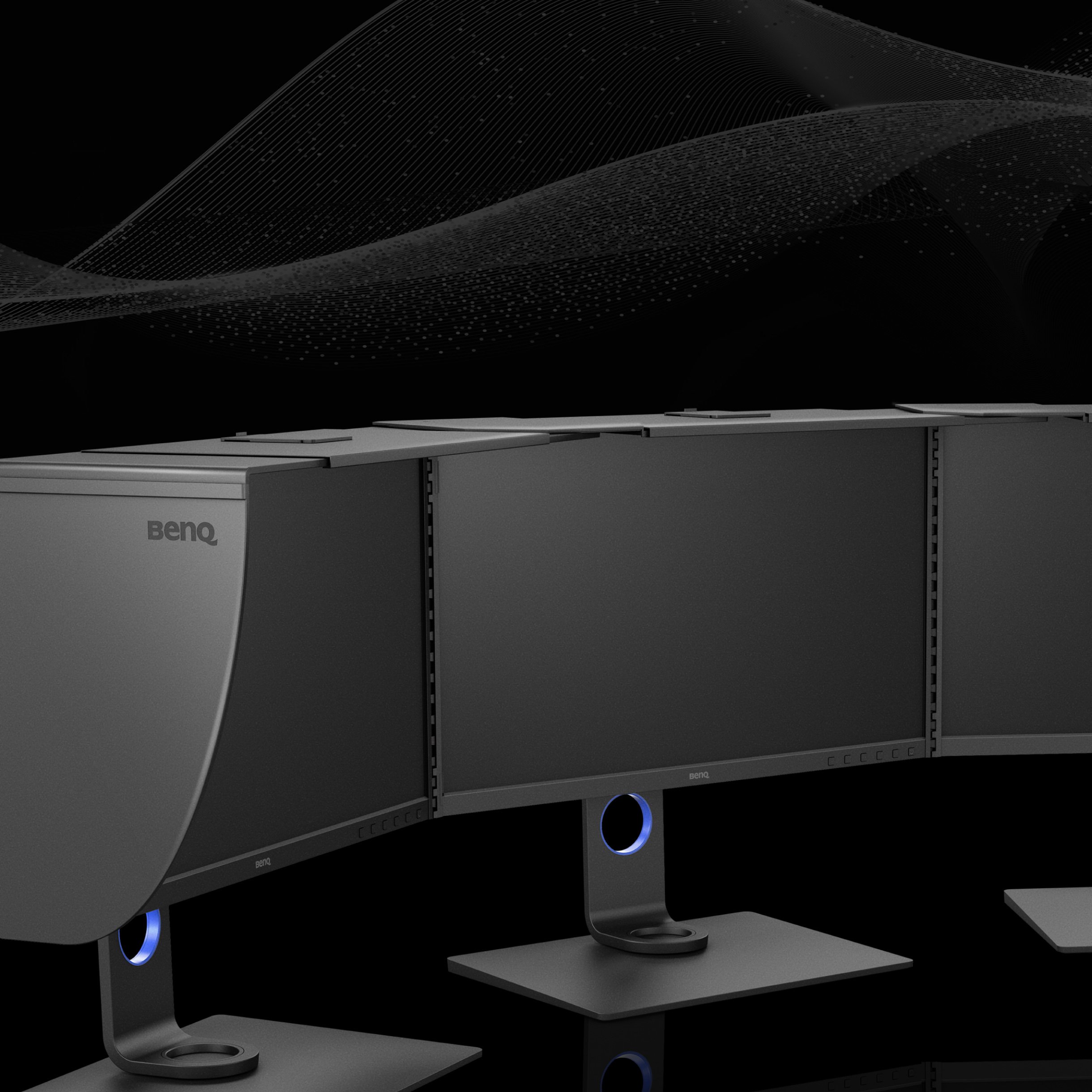
BenQ ESG sustainable product infographic

BenQ sustainable monitor showing carbon footprint reduction journey and eco design innovation

FAQ

FAQ

Unduh

Download