BenQ Palette Master Element Color Calibration Software
Hardware calibration counts. After a display is carefully hardware calibrated, it allows precise control when manipulating images for realistic or stylized results.

By Series
Immersive Gaming Series Home Cinema Series Projectors TV Projector Series Portable Series Golf Simulator ProjectorsBy Scenario
BenQ 4K Home Cinema in Middle East Sports Watching Video Streaming Home Entertainment ProjectorsBy Trending Word
4K UHD (3840×2160) Short Throw 2D, Vertical/Horizontal Keystone LED Laser With Android TV With Low Input LagExplore Commercial Projector
Professional Installation Exhibition & Simulation Small Business & Corporation Education Golf SimulatorBy Scenario
BenQ Monitors for Mac Monitors for Programming EyeCare Monitor Monitors for Movie WatchingCompatible Accessories
Monitor ArmProjector
By Series
Immersive Gaming Series Home Cinema Series Projectors TV Projector Series Portable Series Golf Simulator ProjectorsBy Scenario
BenQ 4K Home Cinema in Middle East Sports Watching Video Streaming Home Entertainment ProjectorsBy Trending Word
4K UHD (3840×2160) Short Throw 2D, Vertical/Horizontal Keystone LED Laser With Android TV With Low Input LagExplore Commercial Projector
Professional Installation Exhibition & Simulation Small Business & Corporation Education Golf SimulatorMonitor
By Scenario
BenQ Monitors for Mac Monitors for Programming EyeCare Monitor Monitors for Movie WatchingCompatible Accessories
Monitor ArmLighting
Interactive Display | Signage
We use cookies and similar technologies on this website to improve our service for you and bring you a more personalized user experience.
By accepting optional cookies, you can enjoy:
Personalized support and live chat (Functional cookies)
Relevant content via anonymized analytics (Analytics / Performance cookies)
Ads and marketing tailored to your interests (Advertising / Targeting cookies)
By clicking “Accept all”, you consent to the use of cookies, including optional cookies. Click “Reject all” to reject optional cookies or click “Cookie Setting” to manage your preferences. Please note that rejecting optional cookies may affect certain website features and functionality. Find out more in our Cookie Policy and Privacy Policy.
Always active
These cookies are required for the operation of the website and cannot be configured.
These cookies allow us to offer you customized content according to your profile, your interests and your usage. By accepting these cookies, you help us to improve the layout and features of our site.
These cookies allow us to understand how you access the site and your browsing habits (e.g. pages viewed, time spent on a page, content clicked). They allow us to analyze the performance and design of our site and to detect possible errors. Owing to these performance indicators, we are constantly improving our site and our products, content and offers.
These cookies are used for BenQ advertisements displayed on third-party websites, including social media, and are tailored to your preferences and to help us measure the effectiveness of our advertising campaigns. They remember that you have visited our site and share this information with partners, such as advertisers, for the purpose of targeted advertising. If you refuse these cookies, advertising (including ours) will continue to be displayed as you browse the Internet, although they will not be specific to your personal interests, and will therefore be less relevant.
BenQ Palette Master Element Color Calibration Software
Hardware calibration counts. After a display is carefully hardware calibrated, it allows precise control when manipulating images for realistic or stylized results.
BenQ Palette Master Element Color Calibration Software
Hardware calibration counts. After a display is carefully hardware calibrated, it allows precise control when manipulating images for realistic or stylized results.
Palette Master Element, BenQ proprietary software for hardware calibration, assists to hardware calibrate your monitor. With its minimalist user interface, you can finish your hardware calibration just clicks away. Apply Palette Master Element to fine tune the color engine on BenQ PhotoVue Monitors to fully support Calibrite / Datacolor colorimeter.
Greet Color-Accurate Vision with Palette Master Element
Palette Master Element, BenQ proprietary software for hardware calibration, assists to hardware calibrate your monitor. With its minimalist user interface, you can finish your hardware calibration just clicks away. Apply Palette Master Element to fine tune the color engine on BenQ PhotoVue Monitors to fully support Calibrite / Datacolor colorimeter.
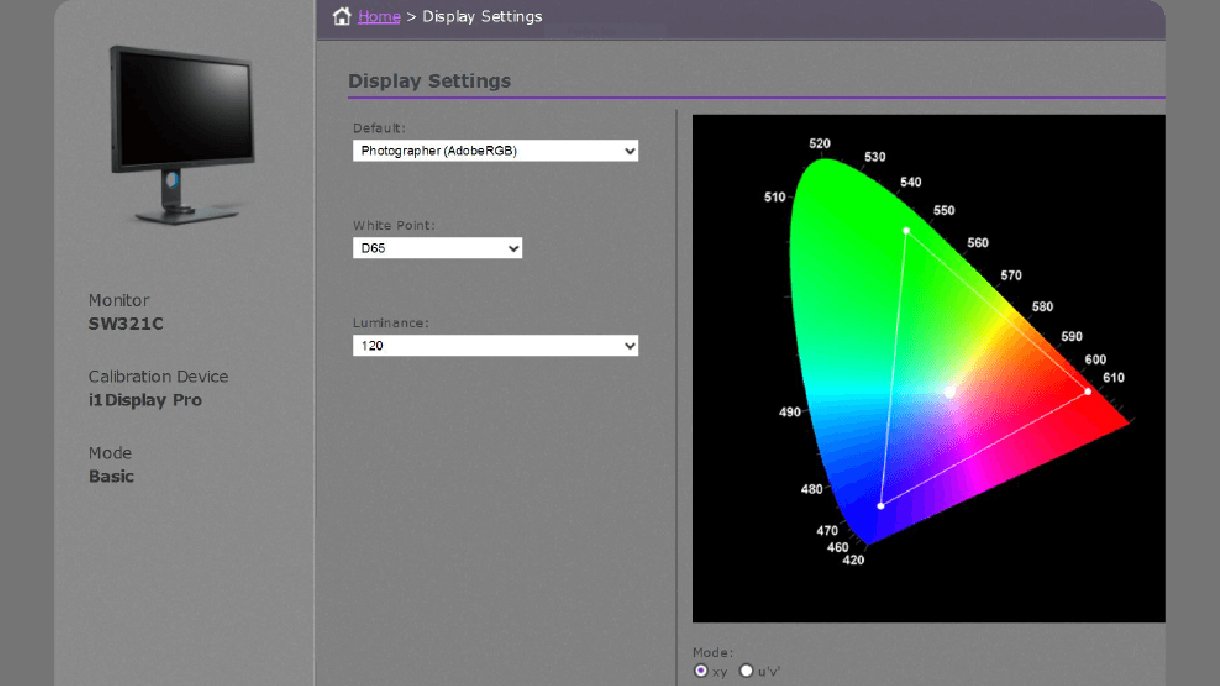
Start with correct default profile, white point and luminance for monitor calibration. It's easy to achieve color accuracy with a simple user interface.
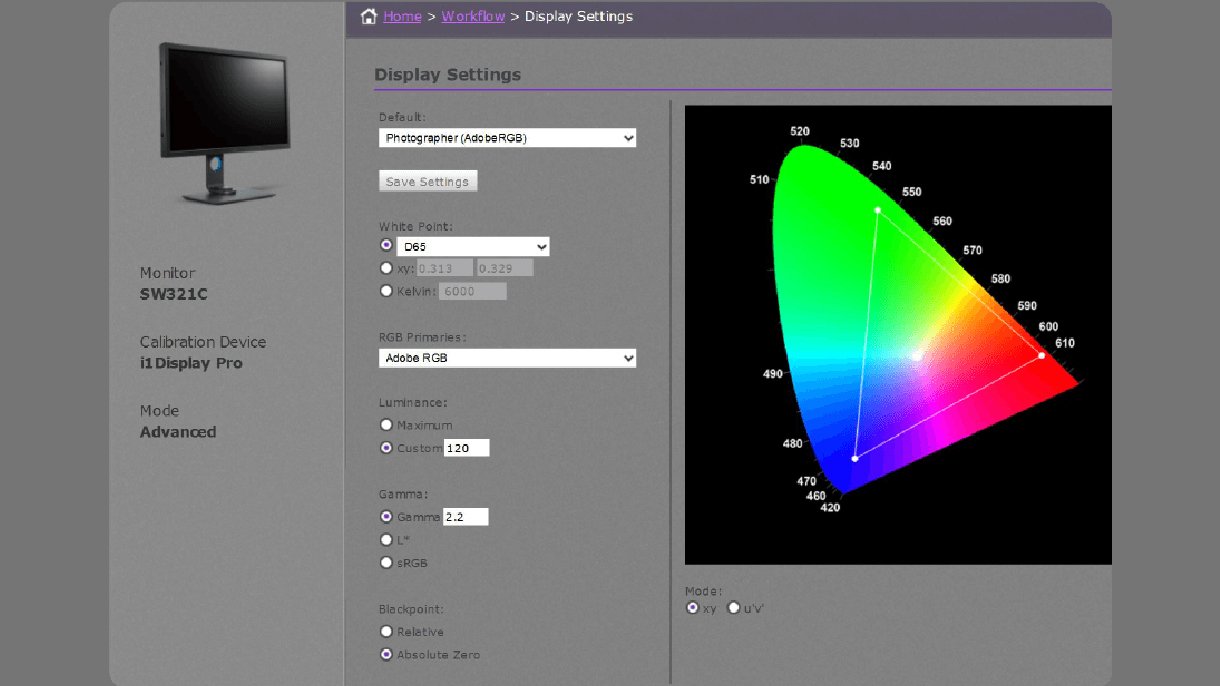
Your professional color calibration completes with customized RGB primaries, white point, luminance, gamma and black point settings to get more refined adjustments.
Take a look at BenQ ambassador Art Suwansang to demonstrate how to do hardware calibration with Palette Master Element. After learned the benefits of how BenQ Palette Master Element can assist in the hardware calibration to your monitors.