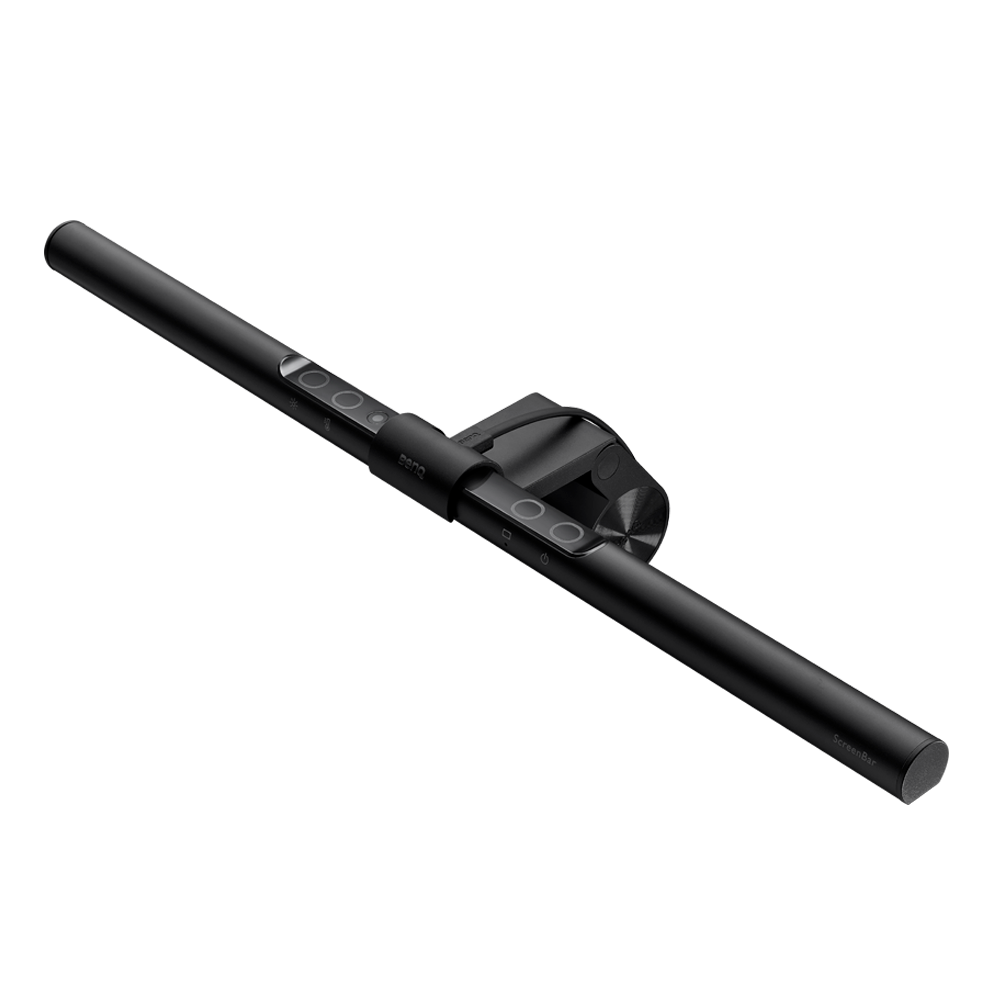
Monitor Light Bar Series

Education Business zowie
Support Knowledge Center
{{cartTotal.length}}
thumbnail
{{item.name}}
Price: {{currency}}{{item.price| numberThousandsCommas | numberDecimalPoint}}
Qty: {{item.amount}}

Cart Subtotal:
{{currency}}{{cartTotal.price| numberThousandsCommas | numberDecimalPoint}}
Check out
account-setting

Account

sign-in

Sign in

sign-in

Sign Out{{userName}}

logo
Projector
Explore All Projector Series

By Series

Immersive Gaming Series Home Cinema Series TV Projector Series Portable Series

By Scenario

BenQ 4K Home Cinema in Middle East Sports Watching Video Streaming Home Entertainment Projectors

By Trending Word

4K UHD (3840×2160) Short Throw 2D, Vertical/Horizontal Keystone LED Laser With Android TV With Low Input Lag

Explore Commercial Projector

Professional Installation Exhibition & Simulation Small Business & Corporation Education Golf Simulator
Compare All Projectors Accessory
Monitor
Explore All Monitor Series

By Series

Gaming Monitors Professional Series Home Series Programming Series

By Scenario

Best Monitors for Mac and MacBook Pro Best Monitor for MacBook Air Monitors for Programming EyeCare Monitor Monitors for Movie Watching

By Trending Word

4K(3840x2160) USB-C With HAS 27"~28" 165Hz P3 2.1 Channel Built-in Speakers

Compatible Accessories

Monitor Arm
Compare All Monitors Accessories Software
Lighting
Explore All Lighting Series

By Series

Monitor Light Bar
Compare All Lightings Accessories
Interactive Display | Signage
Explore All Interactive Display | Signage

Products

Corporate Interactive Displays BenQ Board 4K Smart Signage Series
Education Software Accessories Software
Wireless Presentation News Contact Us العَرَبِيَّة
search-open
search
Search Clear
{{ history }}

{{ result[0] }}

{{ list[0] }}
search-close
logo
{{cartTotal.length}}
thumbnail
{{item.name}}
Price: {{currency + item.price}}
Qty: {{item.amount}}
Cart Subtotal:
{{currency}}{{cartTotal.price | numberThousandsCommas | numberDecimalPoint}}
Check out
close
search
Cancel
Search Clear
{{ history }}

{{ result[0] }}

{{ list[0] }}

Projector

Back Logo
Explore All Projector Series

By Series

Immersive Gaming Series Home Cinema Series TV Projector Series Portable Series

By Scenario

BenQ 4K Home Cinema in Middle East Sports Watching Video Streaming Home Entertainment Projectors

By Trending Word

4K UHD (3840×2160) Short Throw 2D, Vertical/Horizontal Keystone LED Laser With Android TV With Low Input Lag

Explore Commercial Projector

Professional Installation Exhibition & Simulation Small Business & Corporation Education Golf Simulator
Compare All Projectors Accessory

Monitor

Back Logo
Explore All Monitor Series

By Series

Gaming Monitors Professional Series Home Series Programming Series

By Scenario

Best Monitors for Mac and MacBook Pro Best Monitor for MacBook Air Monitors for Programming EyeCare Monitor Monitors for Movie Watching

By Trending Word

4K(3840x2160) USB-C With HAS 27"~28" 165Hz P3 2.1 Channel Built-in Speakers

Compatible Accessories

Monitor Arm
Compare All Monitors Accessories Software

Lighting

Back Logo
Explore All Lighting Series

By Series

Monitor Light Bar
Compare All Lightings Accessories

Interactive Display | Signage

Back Logo
Explore All Interactive Display | Signage

Products

Corporate Interactive Displays BenQ Board 4K Smart Signage Series
Education Software Accessories Software
Wireless Presentation News Contact Us العَرَبِيَّة
Support Knowledge Center account Account account Sign in shopping-chart Track order shopping-chart Track order account Sign Out{{userName}}
Education Business Zowie

Cookie Setting

BenQ respect your data privacy. We use cookies and similar technologies to ensure you get the best experience when visiting our website. You can either accept these cookies by clicking “Accept Cookies”, or click “Only Required Cookies” to refuse all non-essential technologies. You can customise your cookie settings here at any time. For further information, please visit our Cookie Policy and our Privacy Policy.

How can I change my BenQ cookie settings?

Page updated: May 2020

Some essential features on BenQ sites just won’t work without cookies. And having other cookies switched off can seriously affect the way you’ll be able to enjoy our services.

Please check your cookie settings below and turn on any cookies you’re happy with.

“Strictly necessary” cookies can’t be turned off. But Functional and Performance cookies can be turned on or off below. You can learn more about cookies and what they do on our other pages.

If you've chosen to block third-party cookies on your browser, your cookie preferences won't carry over from benq.eu to benq.xx and vice versa. Please make sure to set your cookie preferences in both places.

On

Strictly necessary cookies

These cookies are essential so that you can move around the website and use its features. Without these cookies services you have asked for cannot be provided.

See list of strictly necessary cookies

On

Off

Functional cookies

These cookies allow the website to remember choices you make to give you better functionality and personal features.

See list of functional cookies

On

Off

Performance cookies and advertising cookies

Performance cookies

These cookies help to improve the performance of BenQ. If you want to opt-out of advertising cookies, you have to turn-off performance cookies. We also use Google Analytics, SessionCam and Hotjar to track activity and performance on the BenQ website. You can control the information provided to Google, SessionCam and Hotjar.  To opt out of certain ads provided by Google you can use any of the methods set forth here or using the Google Analytics opt out browser add-on here. To opt-out of SessionCam collecting data, you can disable tracking completely by following link:https://sessioncam.com/choose-not-to-be-recorded/. To opt-out of Hotjar collecting data, you can disable tracking completely by following link:https://www.hotjar.com/privacy/do-not-track/.

See list of performance and advertising cookies


Advertising cookies

These cookies are used to track your activity on the BenQ website and other websites across the Internet, help measure the effectiveness of our advertising campaign and deliver advertisements that are more relevant to you and your interests. We use various advertising partners, including Amazon, Facebook, and Google. These cookies and other technologies capture data like your IP address, when you viewed the page or email, what device you were using and where you were. You can find out how to avoid them below.

See list of performance and advertising cookies


localNavigation.type = g6-series-page

Monitor Light Bar

Compare
  • Compare

Monitor Light Bar Series

Monitor Light Bar Series Monitor Light Bar Series

Advance Our Proprietary Technology to Enhance Visual Comfort in Every Detail.

  • Patented Clamp Secures to Nearly Any Monitor and Reduces Glare to Maintain Focus.

  • Delivering Visual Precision and a Temperature that Feels Truly Human.

Why Do Monitor Users Need Specialized Lighting?

What is the Purpose, Why is it Worth It? Your desk lamp might light up your workspace, but what about eye strain from prolonged screen use? Monitor light bars tackle the "dim room" problem, illuminating your screen area without glare. They're your secret weapon against unfriendly eye environments, whether you're working, studying, or gaming.

ScreenBar Series

ScreenBar Series

Traditional Desk Lamp

Traditional Desk Lamp

Light That Understands You, For Every Clear and Comfortable Moment

  • ScreenBar®  Halo 2

    ScreenBar® Halo 2

    Complete Illumination, Maximum Comfort

    Shop ScreenBar Halo 2
  • Dual Monitor Light Bar ScreenBar® Pro

    ScreenBar® Pro

    Eye-Safe Lighting for Enhanced Focus

    Shop ScreenBar Pro
  • ScreenBar Halo

    ScreenBar® Halo

    Create an Immersive Space with Ease​

    Shop ScreenBar Halo
  • Clip on monitor light bar ScreenBar®

    ScreenBar®

    The First Monitor Light Bar in the World​

    Shop ScreenBar

Code Deep, Stay Sharp — Built for Programmers

The patented ASYM-Light design delivers wide, uniform illumination that stays out of your eyes—providing comfort through long late-night hours. 

Where Precision Meets Color — Made for Visual Professionals

Full-spectrum LED simulates natural sunlight with high color fidelity (Rf > 96) for precise, true-to-life color that boosts creative flow and quality.

Stay Locked In, Land the Win — Designed for Gamers

Independent front/back lighting and zero glare for seamless gaming immersion.

Code Deep, Stay Sharp — Built for Programmers

The patented ASYM-Light design delivers wide, uniform illumination that stays out of your eyes—providing comfort through long late-night hours. 

Where Precision Meets Color — Made for Visual Professionals

Full-spectrum LED simulates natural sunlight with high color fidelity (Rf > 96) for precise, true-to-life color that boosts creative flow and quality.

Stay Locked In, Land the Win — Designed for Gamers

Independent front/back lighting and zero glare for seamless gaming immersion.

A Comparison with Traditional Desk Lamps

5 Benefits of Buying a Monitor Light Bar

Maximize space, reduce eye strain, minimize disturbance, eliminate glare, customize lighting—monitor light bars outshine traditional lamps.

Benefit of monitor light bar
  • Space Efficiency

    Space Efficiency

    Maximizing Desk Area Screen-attached light bars free up desk space; traditional lamps occupy space, while light bars use none.

  • Targeted Illumination

    Targeted Illumination

    Enhancing Visual Comfort Light bars brighten surroundings without distortion, reducing eye strain; crucial for color-accurate design work.

  • Nighttime Productivity

    Nighttime Productivity

    Minimizing Disturbances Screen-mounted lights focus illumination, minimizing disturbance compared to traditional desk lamps; ideal for night work & gaming.

  • Adaptive Lighting

    Smart Lighting

    Customizable Comfort Light bars offer extensive brightness/color temperature control; some auto-adjust to ambient light for optimal viewing.

  • Glare Reduction

    Glare Reduction

    Improving Viewing Experiences Asymmetrical lighting technology minimizes screen reflections, enhancing comfort over scattered desk lamp illumination.

Do monitor light bars really help eye strain?

ASYM-Light™ technology and shielded illumination ease eye strain with exceptional comfort.

Advanced Technology Delivers Visual Comfort

BenQ's ScreenBar tackles eye strain with its 18° anti-glare angle and ASYM-Light™ technology. It provides wide lighting coverage, reducing contrast between dim surroundings and bright screens. This creates a more comfortable, eye-friendly workspace for diverse activities.

Eye Care Monitor Light

ASYM-Light™ technology and shielded illumination ease eye strain with exceptional comfort.

Advanced Technology Delivers Visual Comfort

BenQ's ScreenBar tackles eye strain with its 18° anti-glare angle and ASYM-Light™ technology. It provides wide lighting coverage, reducing contrast between dim surroundings and bright screens. This creates a more comfortable, eye-friendly workspace for diverse activities.

Eye Care Monitor Light

Monitor Lighting That Works as Hard as You Do

Featuring patented asymmetric lighting, adjustable brightness and color temperature, full-spectrum LED, and advanced eye-care technology—thoughtfully designed to protect every pair of eyes in front of the screen.

Master Lighting Solutions
  • Asymmetric Lighting

    Asymmetric Lighting

    Opt for asymmetrical lighting for glare reduction. It prevents direct screen reflections and enhances visual comfort with BenQ’s patented design.

  • Illuminance

    Illuminance

    Optimal Workspace Brightness Target 500 lx for core work areas; 300-1000 lx range for office spaces.

  • Color Temperature

    Color Temperature

    Adaptable Lighting Comfort Choose adjustable temperatures: 5000K+ (daytime), 4000K (reading), 2000K-2800K (evening). Customizable settings enhance convenience.

  • Color Rendering

    Color Rendering

    True-to-Life Visuals CRI Ra 90-95+. Higher CRI: better color. ScreenBar Pro & ScreenBar Halo 2: full-spectrum LEDs, Rf>96 for superior accuracy. Suits various needs.

  • Blue Light and Flicker

    Blue Light and Flicker

    Eye Health Considerations Seek IEC 62471/62778 (no blue light hazard) and IEEE PAR1789 (flicker-free) certifications to prevent eye strain from LED emissions.

Engineered for Universal Monitor Compatibility and Stability

Designed to securely fit monitors of various sizes, thicknesses, and curvature, the patented clamp ensures a firm, stable attachment across a wide range of display configurations.

Compatibility Beyond Expectations
  • Size Compatibility

    Size Compatibility

    Monitor lights suit various screen sizes, even 49". Focus on desk space, not screen dimensions.

  • Matching Curvature

    Matching Curvature

    Standard monitor lights fit 1800R curves. For 1000-1500R, use specialized models like ScreenBar Pro, ScreenBar Halo or ScreenBar Halo 2. Check compatibility before buying.

  • Monitor Thickness and Installation

    Monitor Thickness and Installation

    Standard monitor lights fit 1-3 cm thick monitors. For other thicknesses, consider ScreenBar Pro, ScreenBar Halo or ScreenBar Halo 2. Check compatibility before buying.

Making the Right Choice: Premium vs Budget

BenQ's light bar outperforms competitors in uniformity tests. Lab tests reveal superior uniformity: 40x50cm area scores near 1 (ideal). A uniformity ratio (max/min illuminance) below 3 is considered acceptable, with values closer to 1 indicating better performance.

Compare Monitor Light Bars

ScreenBar Series

ScreenBar Series

Other Monitor Light

Other Monitor Light

A meaningful milestone—

BenQ’s carbon reduction equals 210 Central Parks

Based on the annual net carbon sequestration of Central Parks in New York City.

Learn more

A meaningful milestone—

BenQ’s carbon reduction equals 210 Central Parks

Based on the annual net carbon sequestration of Central Parks in New York City.

Learn more

ScreenBar Series

Compare ScreenBar Series
Monitor

ScreenBar Halo 2
ScreenBar Pro
ScreenBar
ScreenBar Halo
ScreenBar Halo 2

ScreenBar Halo 2

Learn more
ScreenBar Halo 2

Wireless Controller with Display Panel

Curved Monitor/Flat Monitor

85cm x 50cm

Lighting Coverage ( ≧ 500 lux )
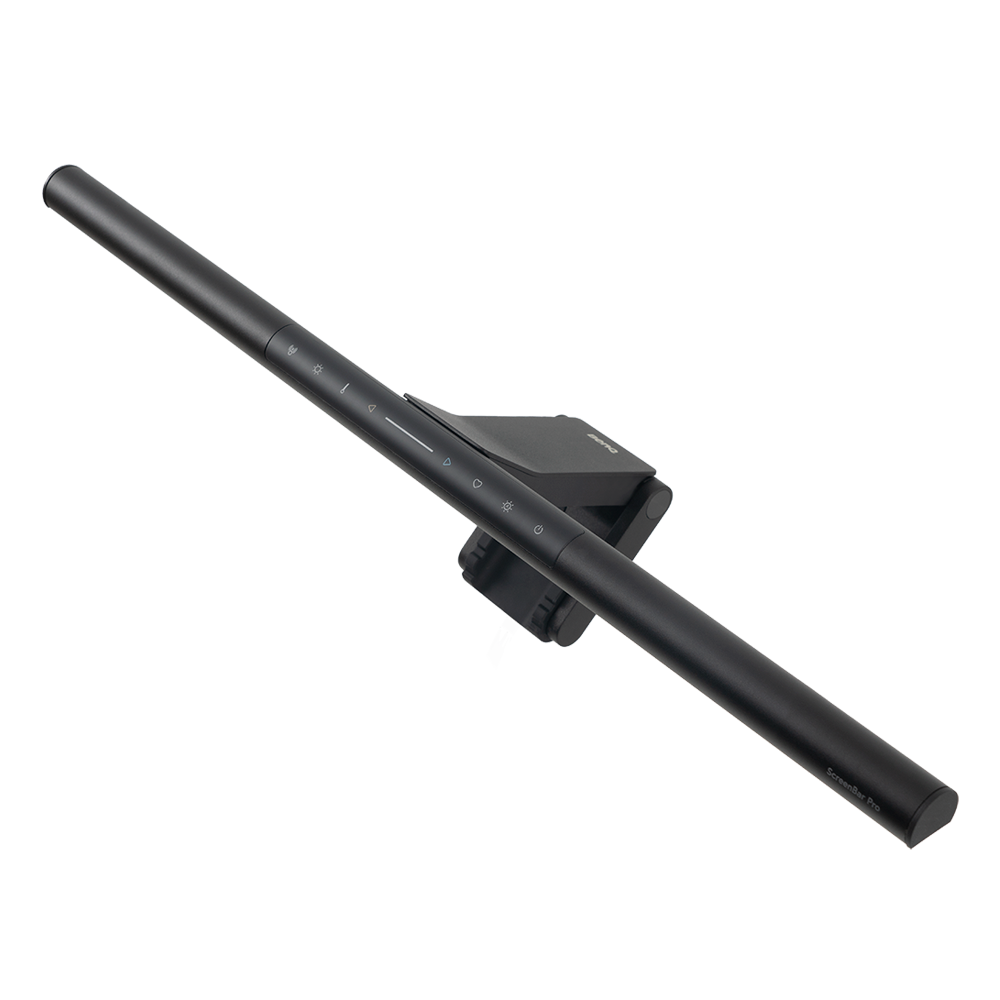
ScreenBar Pro

ScreenBar Pro

Learn more
ScreenBar Pro

Integrated

Curved Monitor/Flat Monitor

85cm x 50cm

Lighting Coverage ( ≧ 500 lux )
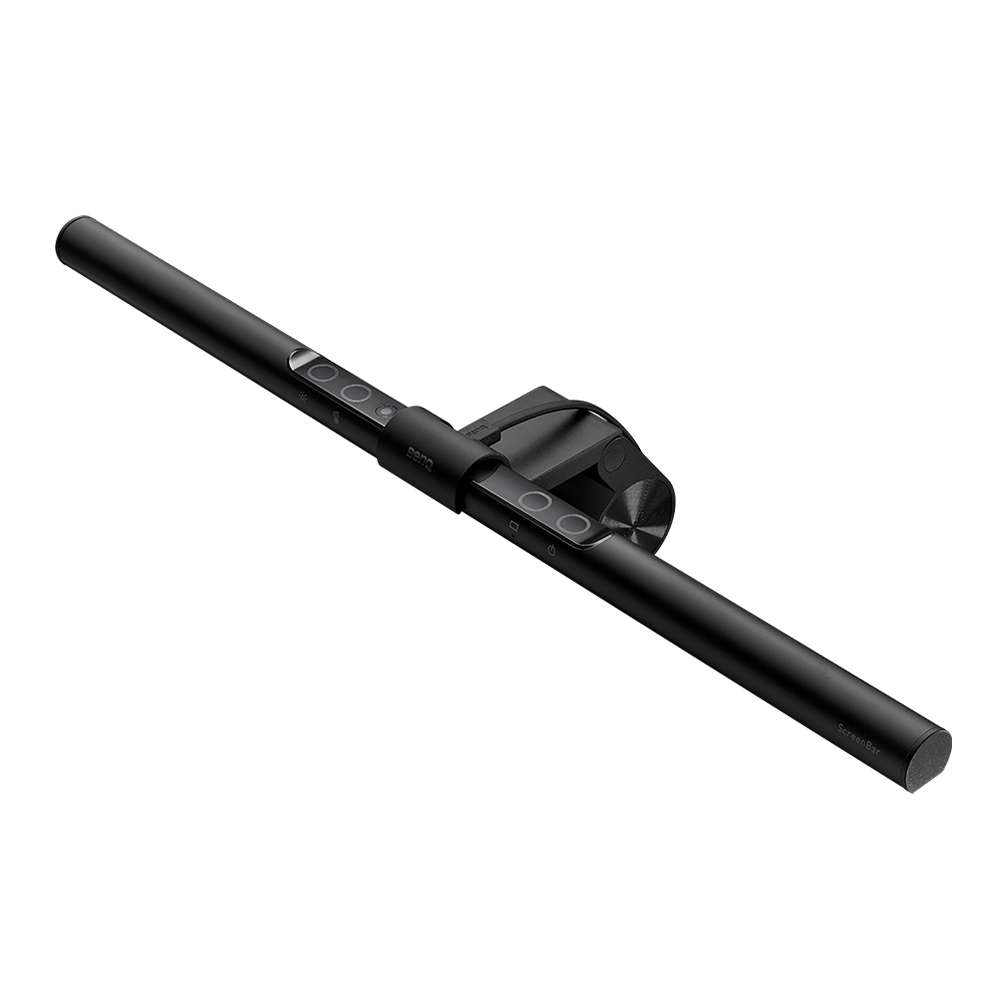
ScreenBar

ScreenBar

Learn more
ScreenBar

Integrated

Curved Monitor/Flat Monitor

60cm x 30cm

Lighting Coverage ( ≧ 500 lux )
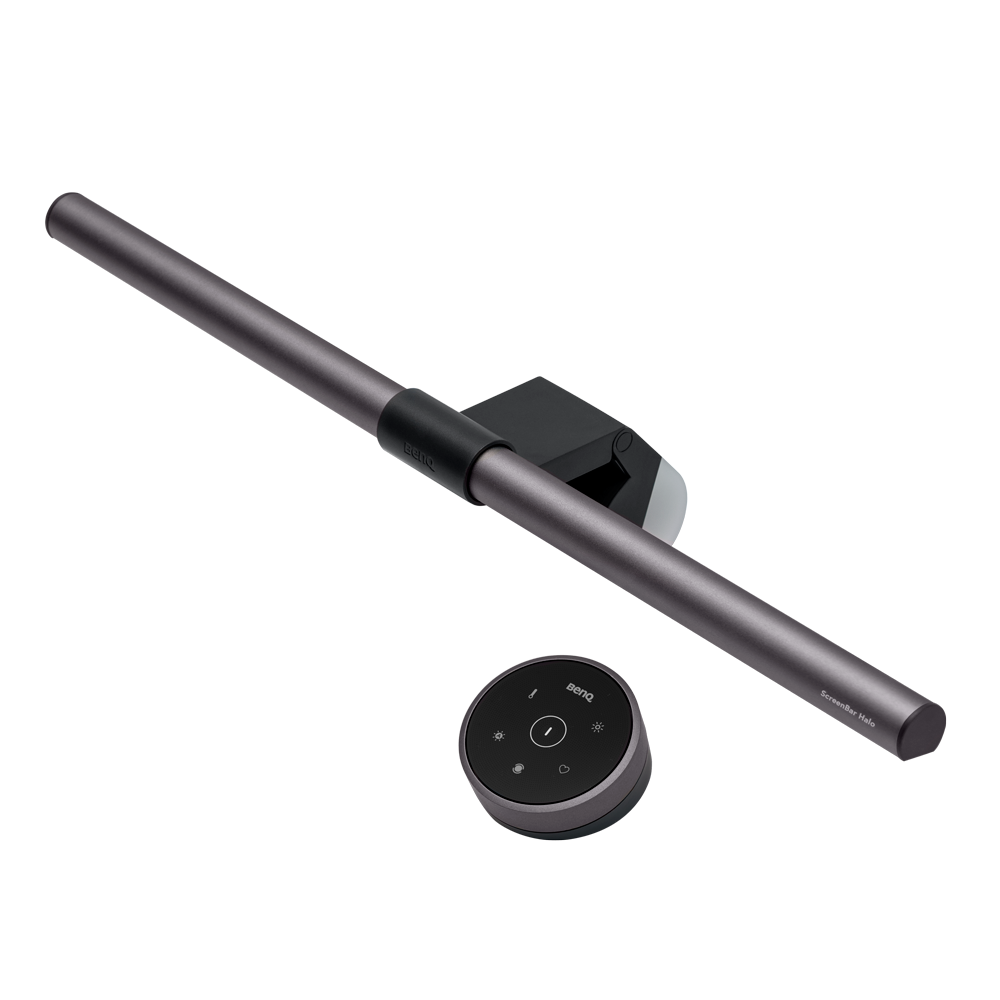
ScreenBar Halo

ScreenBar Halo

Learn more
ScreenBar Halo

Wireless controller

Curved Monitor/Flat Monitor

40cm x 60cm (4000K),40cm x 65cm (6500K)

Lighting Coverage ( ≧ 500 lux )
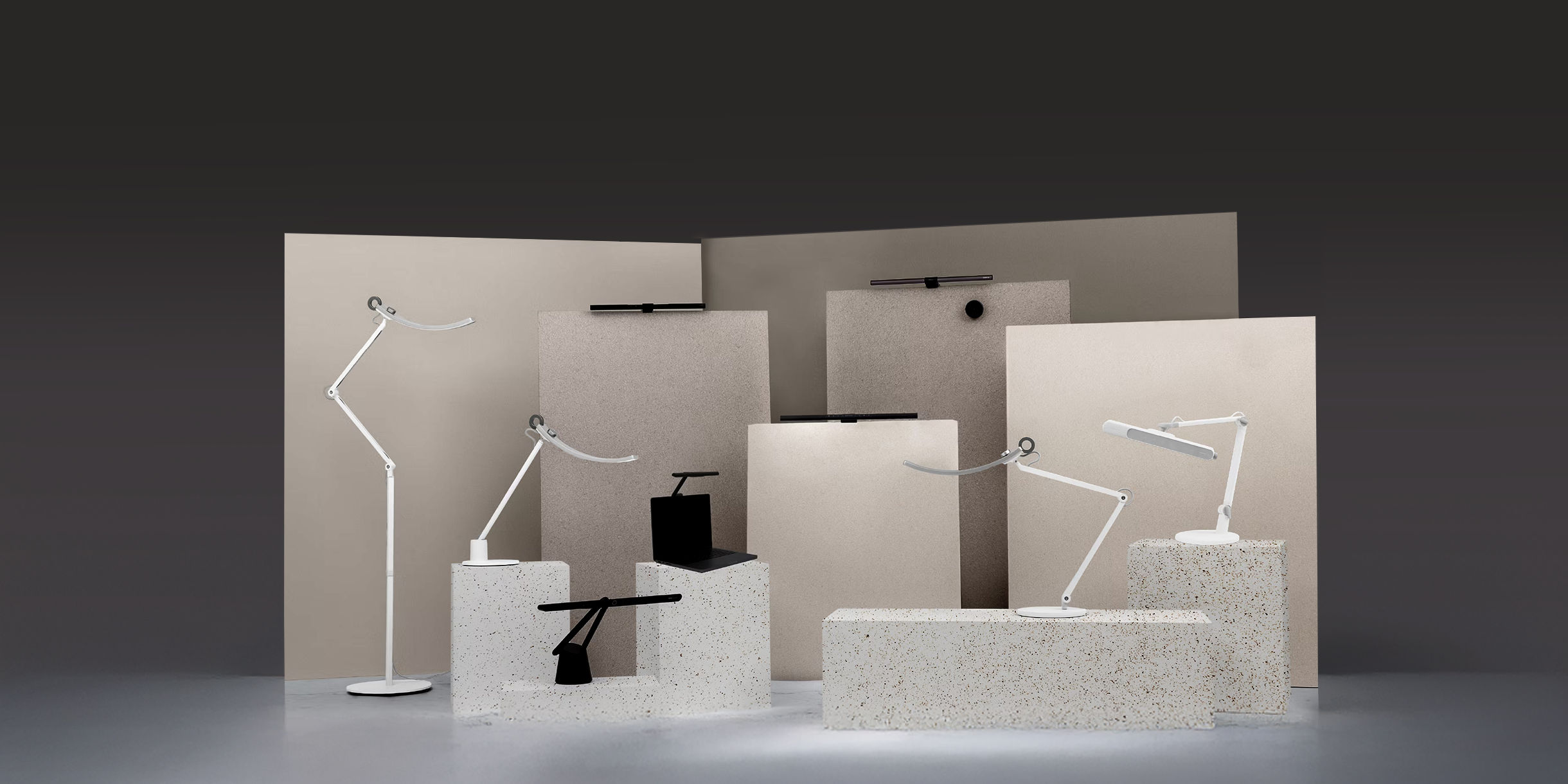
Explore Other BenQ Lighting

Find Stores

Where to Buy

Find Stores
Where to buy Where to buy

Support Center

Tell us we can help.

Go Support Center

Contact Us

Need To Get In Touch?

Get Support
linkedin instagram facebook
subscribe

Subscribe

Products

Projector Monitor Lighting

Solutions

BenQ AQCOLOR Ambassador EyeCare Monitor ZOWIE Middle East What is AQCOLOR? BenQ’s Trusted Color Accuracy Technology for Creators Business Education

Support

Warranty Checker Download Search FAQ Video Repair Center Warranty Information

Resources

Create Big Screen Cinema in Your Small Apartment BenQ Knowledge Center

About BenQ

The Brand Leadership News

Copyright © 2024 BenQ. All rights reserved.

Privacy Policy Cookie Policy Import/Export Compliance

Copyright © 2024 BenQ. All rights reserved.

Middle East - English